Ga direct naar productinformatie
1 van 6

Tweedehands - TTfone TT970 met Three Pay As You Go-simkaart

Tweedehands - TTfone TT970 met Three Pay As You Go-simkaart

Retourverkocht - retourzendingen van open-box-telefoons van TTfone - Profiteer van een koopje.
Alle telefoons zijn volledig getest en werken naar behoren. Telefoons kunnen kleine cosmetische imperfecties hebben.
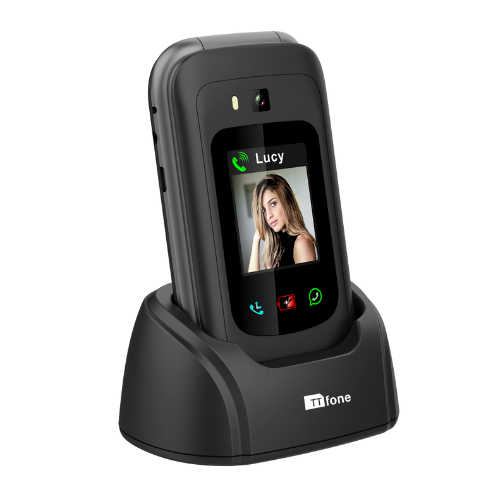
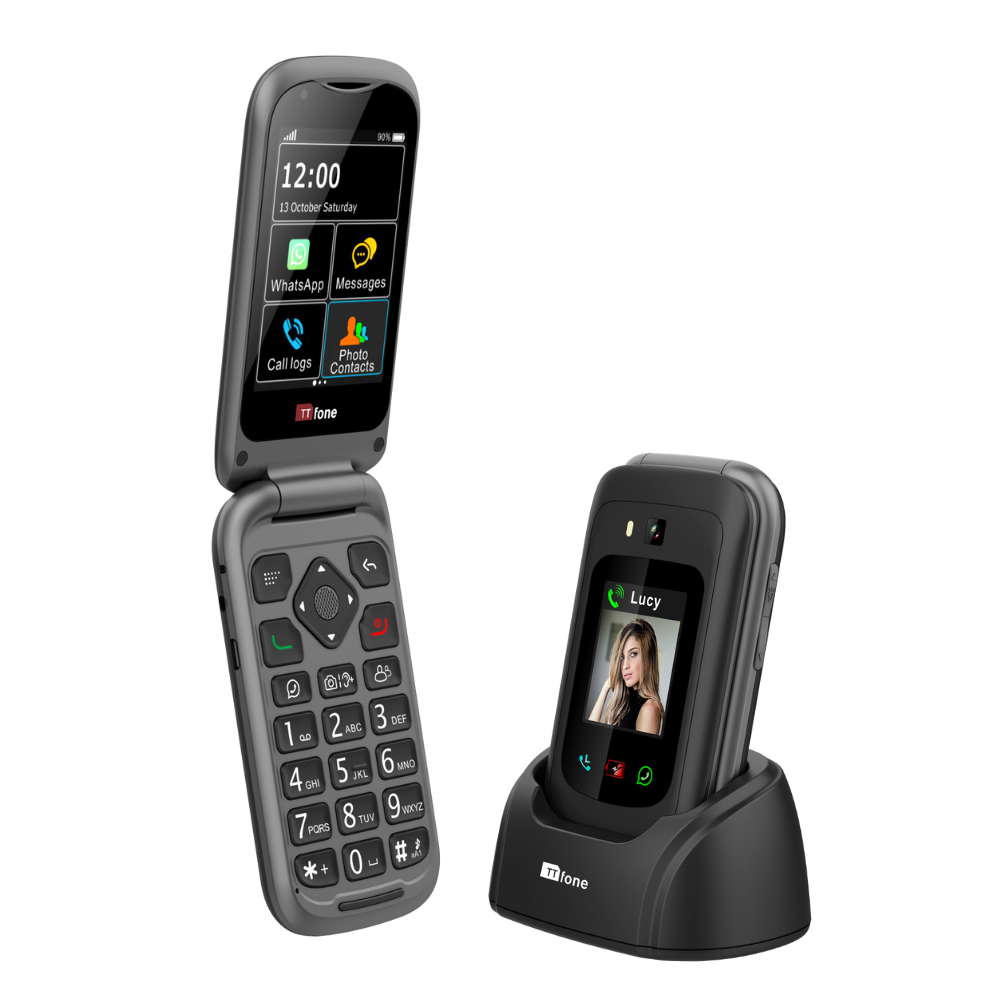
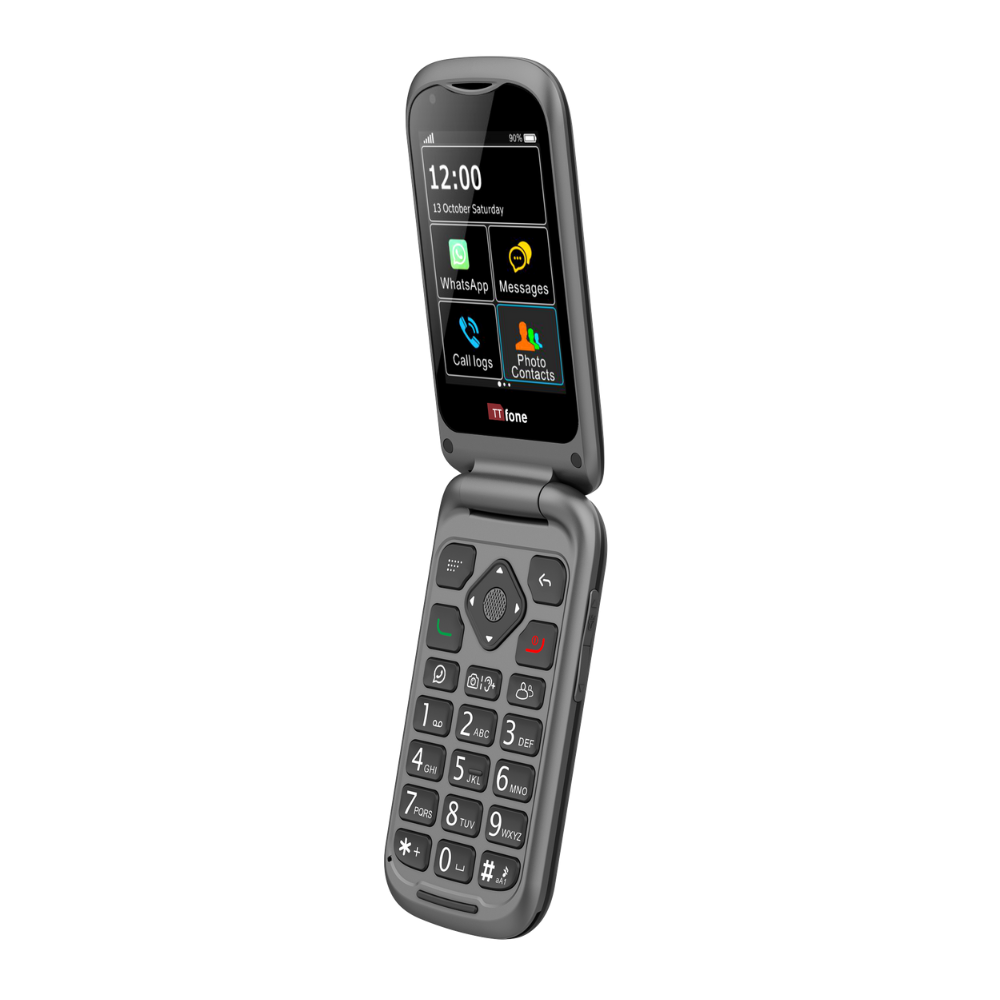
De TTfone TT970 is een gebruiksvriendelijke 4G-klaptelefoon met grote, tastbare knoppen, een helder touchscreen, luid en helder geluid, een SOS-knop, fotocontacten en een handig oplaadstation. Hij draait op een vereenvoudigde versie van Android met vooraf geïnstalleerde apps zoals WhatsApp, waardoor moderne connectiviteit wordt gecombineerd met de vertrouwde eenvoud van een klassieke klaptelefoon.
Let op: De TT970 gebruikt een Nano SIM kaart.
Normale prijs £99.99 GBP
Normale prijs £0.00 GBP Aanbiedingsprijs £99.99 GBP
Aanbieding Uitverkocht
Belastingen inbegrepen. Verzendkosten worden berekend bij de checkout.
Aantal

Snelstart & Gebruiksinstructies

📕 Klik hier om de Gebruikershandleiding in het Engels, Frans, Italiaans, Spaans, Duits en Pools te downloaden

📌Bezoek onze ondersteuningspagina om een korte videotutorial te bekijken of de Gebruikershandleiding te downloaden.

Alle details bekijken

TTfone TT970 YouTube Playlist

Belangrijkste kenmerken van TT970

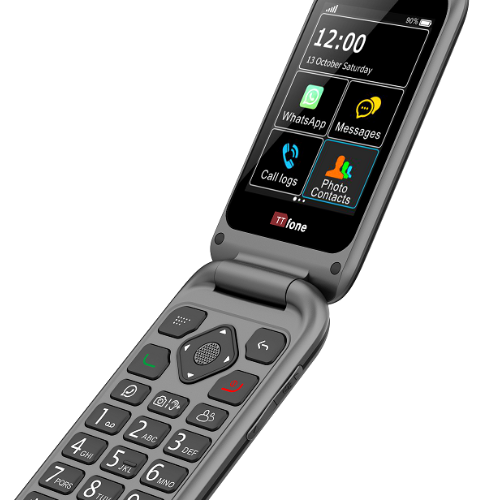
  • WhatsApp-berichten en -oproepen

    De TTfone TT970 heeft WhatsApp ingebouwd, zodat u gratis snel, eenvoudig en veilig berichten kunt versturen en bellen. Met een wifi-verbinding of 4G-mobiele data.

  • Flip met duaalscherm

    Veel gemakkelijker in je zak te bewaren dankzij het opklapbare ontwerp. Zeg vaarwel tegen onbedoelde oproepen wanneer je telefoon in je zak of tas zit.

  • Dock Oplader

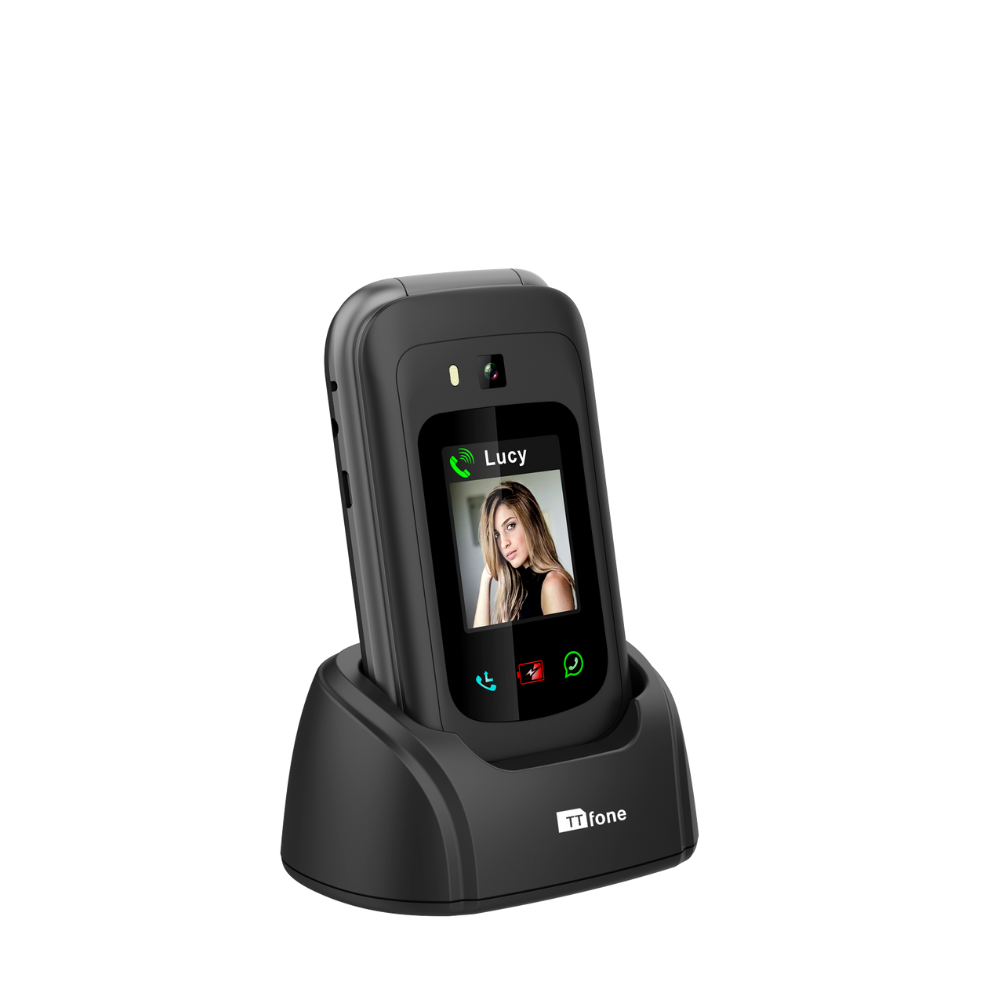
    De TTfone TT970 wordt geleverd met een opstelling voor op het bureau, waarmee het opladen van de telefoon eenvoudig en gemakkelijk is.

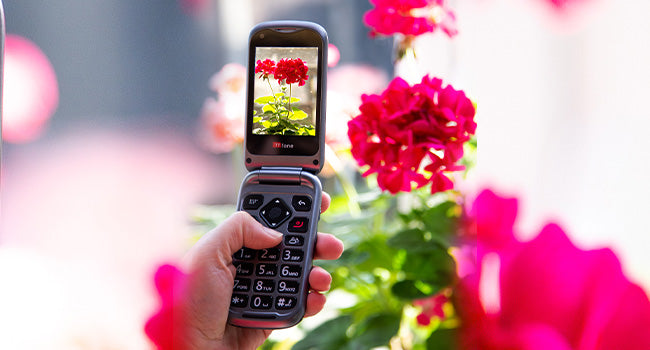
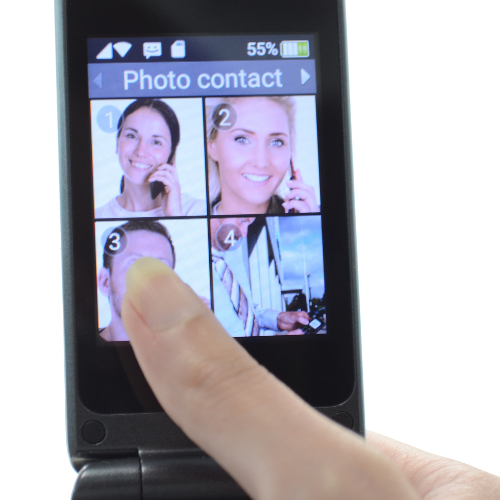
  • Foto-contacten

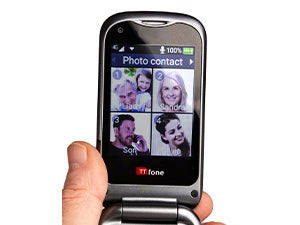
    Foto-contacten is een functie waarmee je telefoonnummers in je telefoon kunt opslaan met een foto van de persoon, waardoor het supermakkelijk is om een geliefde te bellen.
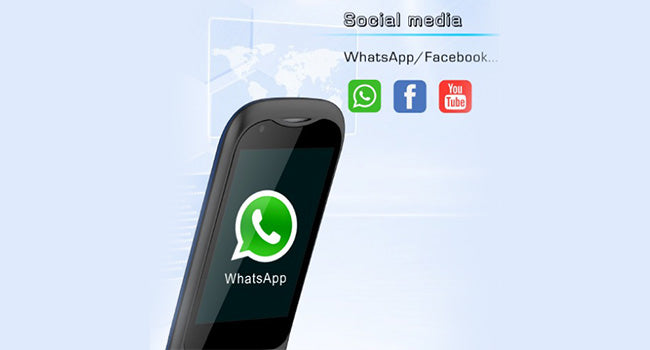
  • Sociale media - WhatsApp, Facebook Lite, YouTube

    De TT970 heeft ook een vereenvoudigde Facebook-app waarmee u berichten kunt versturen. YouTube en een internetbrowser zijn er ook voor uw vermaak. We hebben een speciale e-mailapp toegevoegd, zodat u rechtstreeks op uw telefoon kunt lezen en reageren.

  • Dubbele camera

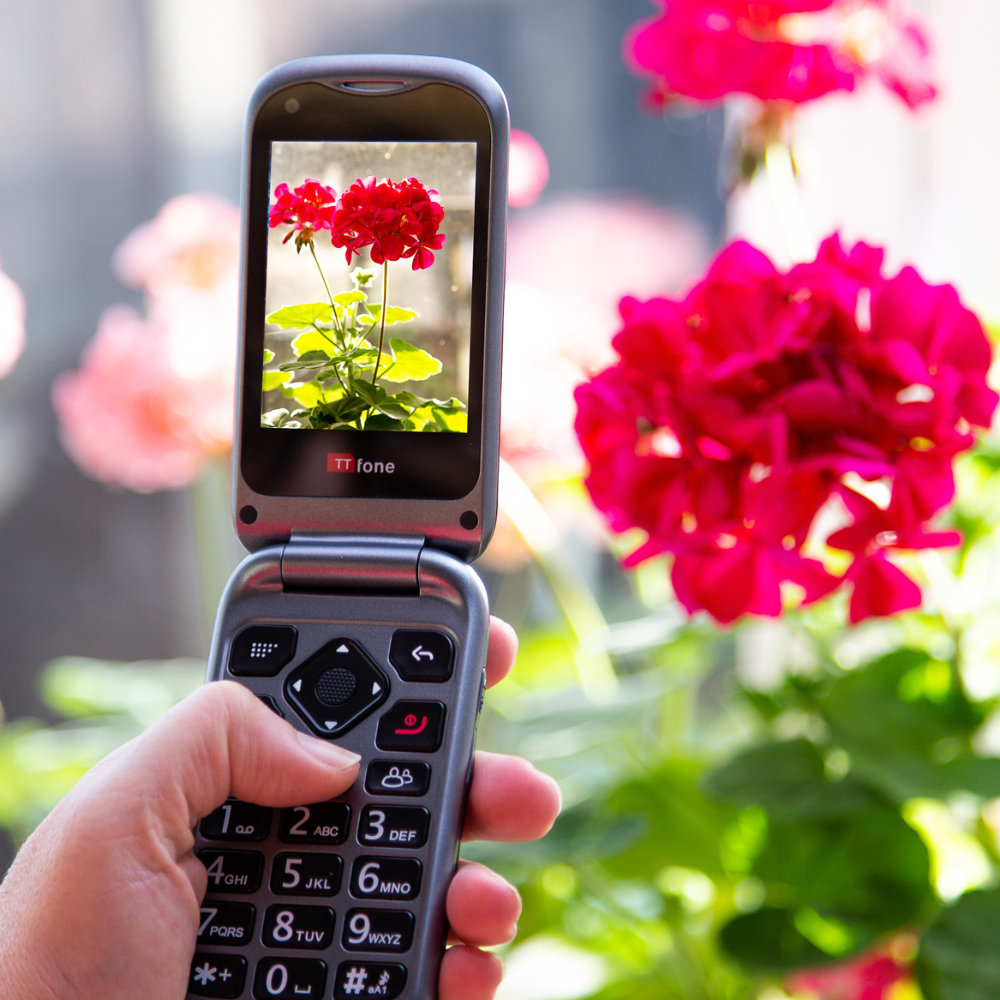
    Met een 8 megapixelcamera aan de achterkant van de telefoon kun je prachtige foto's maken en delen met je familie en vrienden. De TT970 is ook voorzien van een VGA-voorkamer voor 'selfies' en videogesprekken.
  • Compatibiliteit met hoortoestellen

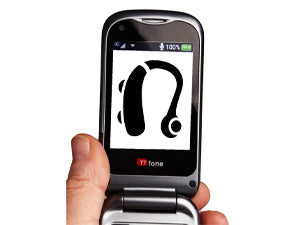
    De TT970 is HAC-gecertificeerd (Hearing Aid Compatibility) en maakt automatisch verbinding met uw hoortoestel bij het ontvangen of plaatsen van een oproep.

  • Dictafoon

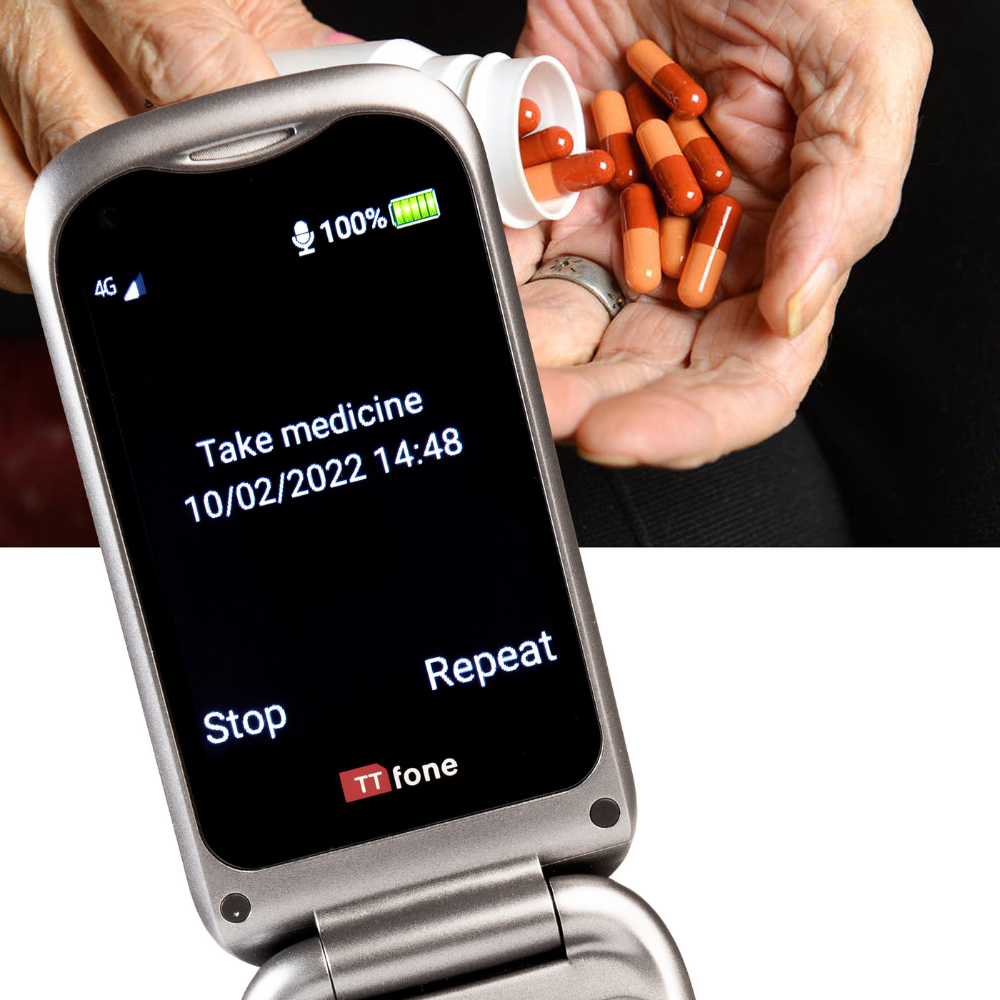
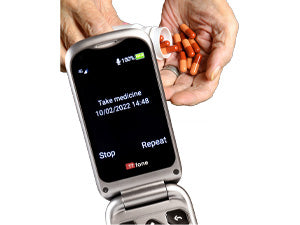
    De TT970 bevat een handige app genaamd stemnotities, waarin u een audiobestand kunt gebruiken als herinnering om uw medicijnen in te nemen of een wandeling te maken.

  • Extra 25 dB luidversterker

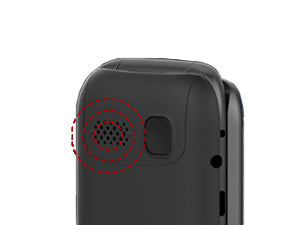
    De TT970 van TTfone heeft een luidspreker. Daarnaast is er een versterkingsfunctie om het volume met nog eens 25 decibel te verhogen.

  • 4G-compatibel

    De TT970 maakt gebruik van 4G-technologie, waardoor functies zoals WhatsApp-bellen, e-mail en sociale media sneller te gebruiken zijn.
SOS - Noodhulp

Noodhulpknop

Stel tot vijf noodcontacten in op de telefoon. Wanneer de noodhulpknop op de achterkant van de telefoon wordt ingedrukt, krijgt elk contactpersoon een smsbericht met de locatie van de TTfone TT970 en gaat de telefoon vervolgens elk nummer bellen totdat iemand opneemt. Een uitstekende levensreddende functie waarmee in een noodsituatie ook locatiegegevens naar familie en vrienden kunnen worden gestuurd.
Smartphone met klapmechanisme en grote knop

TTfone TT970 WhatsApp 4G-telefoon met touchscreen voor senioren

De TT970 maakt gebruik van 4G-technologie, waardoor functies zoals WhatsApp-bellen, e-mail en sociale media 10 keer sneller te gebruiken zijn. De TT970 is ontgrendeld en werkt op alle netwerken. Je kunt de TT970 gebruiken met je huidige simkaart of met een gloednieuwe simkaart. De TTfone TT970 draait op een vereenvoudigde versie van het Android-besturingssysteem met een beperkt aantal apps, maar met een zeer eenvoudig menu.
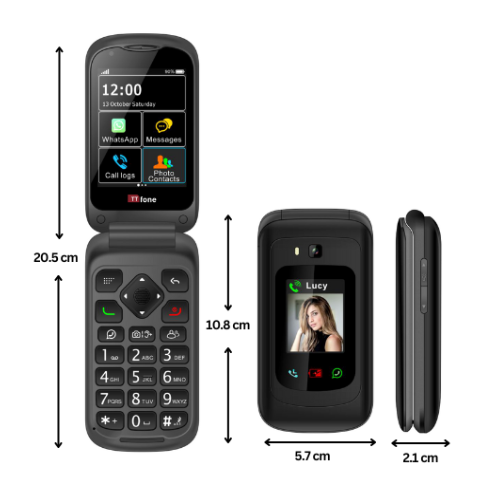
TT970 Afmeting

Hoogte: 20,5 cm
Hoogte met gesloten deksel: 10,8 cm
Breedte: 5,7 cm
Breedte met gesloten deksel: 5,7 cm
Diepte: 1,2 cm
Diepte met gesloten deksel: 2,1 cm
Gewicht (incl. batterij): 132,5 g

Veelgestelde vragen

Heb ik problemen met de simkaart? Heb ik ook een micro SD-geheugenkaart nodig?

De TT970 werkt alleen met een nano-simkaart. De adapter is verkrijgbaar bij elke mobiele telefoonwinkel. De TT970 is 4G-compatibel en werkt in elk land op elk netwerk.
De microSD-geheugenkaart biedt extra opslagruimte voor de mobiele telefoon. Deze is optioneel en wordt apart verkocht. Let op: u kunt een geheugenkaart van maximaal 32 GB gebruiken, terwijl de telefoon zelf 8 GB aan opslagruimte heeft.

Heeft de TT970 een MMS?

Nee, de TT970 heeft geen MMS-tekstfunctie.

Is WhatsApp vooraf geïnstalleerd?

Ja, WhatsApp is een ingebouwde applicatie op de mobiele telefoon. Stel eenvoudig de WhatsApp-installatieassistent in en zorg ervoor dat u verbonden bent met wifi of mobiel internet om met uw dierbaren te communiceren. WhatsApp vraagt u eerst om akkoord te gaan met de algemene voorwaarden, vraagt vervolgens om uw telefoonnummer te verifiëren en stuurt u een sms met een code. Voer deze code in om WhatsApp te gaan gebruiken.

Wat is de noodhulpknop aan de achterkant?

Het is een knop die kan worden geprogrammeerd om elk nummer te bellen dat u kiest, zodat iedereen die u op de hoogte wilt stellen in geval van nood een telefoontje krijgt. De mensen aan de andere kant van de lijn kunnen dan alles horen wat er gebeurt. Het activeert ook een luid alarm om de aandacht van omstanders te trekken, zodat zij kunnen helpen totdat er hulp arriveert. De SOS-knop stuurt ook noodberichten en uw huidige locatie naar uw vooraf ingestelde dierbaren. Let op: Als een van de noodnummers een voicemailssysteem heeft, gaat de telefoon ervan uit dat de oproep is beantwoord en zal hij geen andere vooraf ingestelde nummers meer bellen.

Heeft dit Facebook en Twitter en kan het e-mails verzenden en ontvangen?

De TTfone TT970 heeft een lite-versie van Facebook waarmee je je tijdlijn kunt bekijken en de Facebook Messenger-dienst kunt gebruiken.
De TT970 heeft ook een e-mailapp van derden waarmee je e-mails kunt ontvangen en verzenden.

Momenteel is de Twitter-app niet beschikbaar.

Kan deze telefoon WhatsApp-gesprekken voeren (geen spraakberichten)? Zo ja, is er een melding voor inkomende gesprekken?

Ja, je kunt bellen via WhatsApp en je ontvangt dan ook dezelfde melding als bij een normaal telefoontje.

Mijn TT970 geeft aan dat er een software-update beschikbaar is, hoe kan ik de software updaten?

Ga naar APP > Draadloze update > Op zoek naar updates > als er een update beschikbaar is, klik dan op downloaden en installeren.

Hoe kan ik contacten overzetten via de Bluetooth-functie?

1. Koppel beide apparaten (TT970 en het andere apparaat) via Bluetooth.
2. Start na het koppelen met het delen van het contact via Bluetooth.
3. Uw TT970 geeft een melding dat er een bestand binnenkomt.
4. Schuif de statusbalk naar beneden en selecteer 'Bestandsontvangst accepteren'.
5. Ga na dat de overdracht is voltooid naar Instellingen>Bluetooth>Ontvangen bestanden.
6. Selecteer of druk op het contactbestand (vcf-formaat). Er verschijnt een pop-upvenster met de vraag "Contacten importeren uit vCard?" en selecteer 'Ok'.
7. Controleer uw telefoonboekmenu; het contact of de contacten moeten daar zichtbaar zijn.

Hoe update ik WhatsApp op de TT970?

1. Ga naar App.
2. Selecteer Aurora Store.
3. Selecteer Apps rechtsonder op het scherm.
4. Volg de instructies op het scherm om de WhatsApp-update of -installatie te voltooien.

Werkt de TT970 op het Three-netwerk?

Ja, de telefoon is 4G en werkt op het Three-netwerk, evenals op alle andere Britse netwerken en veel netwerken wereldwijd.

Worden de naam en de foto van de beller op het externe scherm weergegeven?

Het externe scherm toont alle belangrijke informatie zonder dat u het opklapbare hoesje van de telefoon hoeft te openen. Er wordt niet alleen de naam van de beller weergegeven, maar ook de foto van de beller als de functie Foto-contacten is ingesteld. Nog afgezien van de externe meldingsteken op het buitenscherm die u vertellen of u een oproep hebt gemist, een nieuw bericht hebt ontvangen (het kan een WhatsApp-bericht of sms zijn) of de batterij bijna volledig is ontladen.

Bij het openen van een app geeft de telefoon de melding “ongelukt om te openen” of “systeem werkt niet”

Begin met het opnieuw opstarten van de telefoon: houd de rode toets enkele seconden ingedrukt en kies vervolgens op het scherm de optie “opnieuw opstarten”.
Als dit het probleem niet oplost, controleer dan of er software-updates beschikbaar zijn.
Ga naar APP > Draadloze update > Controleren op updates > als er een update beschikbaar is, klik dan op downloaden en installeren.
Als dit het probleem nog steeds niet oplost, moet u de telefoon naar fabrieksinstellingen terugzetten. Ga naar Instellingen > Systeem > Resetopties > Fabrieksreset > Telefoon resetten > Alles wissen.

Hoe kan ik contacten van mijn pc naar de TT970 uploaden?

1. Verbind uw TT970 met uw pc via een USB-kabel.
2. Op uw TTT970 verschijnt een pop-upvenster. Selecteer 'Bestanden overzetten'. Uw pc herkent vervolgens de TT970.
3. Open op uw pc de map met de naam TT970. U ziet nu een lijst met mappen in deze map.
4. Selecteer en open de map Contacten. Als u deze niet hebt, maakt u dan een nieuwe map aan voor uw contacten.
5. Kopieer de contacten die u wilt overzetten vanaf uw pc naar de nieuw aangemaakte map op de TT970.
6. Koppel de TT970 los van uw pc.
7. Ga op uw TT970-mobiele telefoon naar Gereedschap>Bestandsbeheer>Interne gedeelde opslag>Contacten
8. Selecteer het contact. Tik op het scherm of druk op de middelste navigatieknop. Er verschijnt een pop-upvenster met de vraag 'Contacten importeren vanuit vCard?' Selecteer 'Ok'.
9. Controleer uw telefoonboekmenu. De contacten moeten nu zichtbaar zijn.

Is er een Google Play Store en kan ik andere apps installeren?

Het spijt me, maar de TT970 heeft geen Google Play Store; dit apparaat wordt niet ondersteund door Google. De TTfone TT970 heeft ingebouwde sociale apps zoals WhatsApp, FB (lite-versie), YouTube en een browser.

Kun je de telefoon op afstand beheren? Zonder bij de telefoon te zijn?

Dit is iets waar we hier bij TTfone al geruime tijd aan werken. Helaas blijkt het erg ingewikkeld en duur te zijn om de telefoon op afstand te kunnen bijwerken. Stuur ons daarom graag per e-mail uw exacte wens, bijvoorbeeld welke menu's u precies wilt bijwerken, zodat we dit kunnen meenemen in ons onderzoek naar deze functie.
U kunt ons mailen op [email protected]

Kan ik een beltoon toevoegen?

Je kunt extra muziek/een ringtone naar keuze opslaan en deze instellen als beltoon voor je TT970.
Hiervoor moet je de TT970 met een USB-kabel verbinden met een computer en de muziek toevoegen, of de Bluetooth-deeloptie gebruiken om een muziekbestand van een ander apparaat te ontvangen. Bij gebruik van Bluetooth koppel je eerst de twee apparaten en begin je met het delen van het bestand.
Zodra de bestanden zijn overgezet/gedeeld, ga je op je TT970 naar Multimedia > Muziek, selecteer je de muziek die je als ringtone wilt instellen, druk je op de middelste navigatieknop en selecteer je "instellen als ringtone".

Waarom werkt WhatsApp niet meer?

Eerst moet de WhatsApp-app mogelijk worden bijgewerkt.
Ga naar 'APP' > 'Aurora store' > 'Check for Updates' > selecteer onderaan het scherm 'Apps' en selecteer WhatsApp.
Als er een update beschikbaar is, druk dan op 'UPDATE ALL' > druk op 'Install' en wacht tot er op het scherm 'App installed' verschijnt, en selecteer vervolgens 'Done'.
Druk op de rode knop om de app te sluiten.

Ten tweede, als er een software-update voor de mobiele telefoon beschikbaar is. Ga naar 'APP' > 'Wireless Update' > 'Check for Updates'.
Druk twee keer op 'Check for Updates' als de eerste poging 'No update available' aangeeft. Als er een update beschikbaar is, druk dan op 'Download' > 'Install now' > druk op 'Update' en wacht tot de telefoon opnieuw opstart.
Zorg ervoor dat de batterij voldoende is opgeladen en dat u verbonden bent met wifi voordat u de update start, en schakel de mobiele telefoon niet uit terwijl de update wordt uitgevoerd.

Hoe reset ik de TT970?

FABRIEKSINSTELLINGEN HERSTELLEN VOOR TT970
Ga naar 'Instellingen' > 'Android-systeem' > 'Systeem' > veeg het scherm naar beneden en druk op 'Resetopties' > 'Alle gegevens wissen (fabrieksreset)'
Scroll naar beneden en druk op 'Telefoon resetten', druk vervolgens op  'Alles wissen'.
Schakel de mobiele telefoon niet uit, maar wacht gewoon tot de mobiele telefoon opnieuw is opgestart.

  • 5 stars: 34 (59%)
  • 4 stars: 18 (31%)
  • 3 stars: 5 (9%)
  • 2 stars: 1 (2%)
  • 1 star: 0 (0%)
L
Lynn

Partner appears happy with the phone so far - was looking for a straight forward phone for him - and this seems exactly what he needs as he is not technically minded.

Thank you for your lovely feedback! We're delighted to hear that your partner is happy with the phone so far and that you've found it straightforward and easy for him to use. It's great to know that it seems to be exactly what he was looking for.

We really appreciate you choosing TTfone and sharing your experience with us!

— TTfone Team

F
Fátima Martinez

El teléfono es perfecto, se puede usar con la talla táctil ( es pequeña) o con los botones.

Thank you for your wonderful feedback! We're delighted to hear that you're enjoying your TT970 and that you appreciate the flexibility of using both the touchscreen and the physical buttons.

We truly appreciate your support and hope you continue to enjoy your TTfone.

— TTfone Team

---------------------------------------

¡Muchas gracias por su excelente comentario! Nos alegra saber que está disfrutando de su TT970 y que valora la posibilidad de utilizar tanto la pantalla táctil como los botones físicos.

Agradecemos mucho su apoyo y esperamos que siga disfrutando de su TTfone.

— Equipo de TTfone

s
susan fox

it is brilliant!

Thank you for your wonderful feedback! We're delighted to hear that you think the phone is brilliant.

We truly appreciate your support and hope you continue to enjoy using your TTfone.

— TTfone Team

D
Daanish Smellie

Good phone for my use-case, does as advertised. Battery could be improved. Logging in to WhatsApp as a secondary device was possible, but a bit tricky. Good value for money

Thank you for your feedback. We’re pleased to hear that the phone meets your needs and offers good value for money.

We appreciate your comments regarding the battery life and the WhatsApp setup process. Your feedback is valuable to us and will be shared with our team for future improvements.

— TTfone Team

e
ethel

Iŧ suiŧs me fine, not done whaŧs app yeŧ, also torch not working, I am 86yrs
old, I think the more I use it the beŧŧer I will be. Thanks

Thank you for your feedback. We’re pleased to hear that the phone is suiting your needs and hope you continue to enjoy using it as you become more familiar with its features.

We’re sorry to hear that the torch is not working. If you need any assistance with this or have any questions about WhatsApp or other features, please don’t hesitate to contact us and our team will be happy to help.

— TTfone Team

Ž
Željko Čoko

I am satisfied with the device!

Thank you for your feedback. We’re pleased to hear that you are satisfied with your device and that it is meeting your expectations.

We appreciate your support and hope you continue enjoying your TTfone.

— TTfone Team

D
Dibley

I bought this one about year ago.

Frustrating because mum (dementia) didn’t use the stand unless charger, but not as charger for the stand. The charger went 8n side of phone. I really wish the charger base and cable didn’t come apart. Locating four elements including plug is just hard work.

That phone overheated (not good to storeunder pillow). I bought https://www.ttfone.com/products/ttfone-tt660 but the fact all elements can still be separated mean is still a treasure hunt. The landline is proving to be more reliable. Also when folded this phone looks like a black box. A great big yellow sticker saying mums phone hasn’t work. Make it stand out. Make the charger plugs one undetachable element.

The design is not cindusive to elderly with mild dementia. Perhaps work with charities to help improve design.

Thank you for your detailed feedback. We’re sorry to hear about the difficulties you and your mum have experienced, and we apologise for the inconvenience caused.

We truly appreciate you taking the time to share these suggestions regarding the charging setup, visibility of the phone, and ease of use for elderly users with dementia. Your comments are very valuable and will be shared with our team for future product development and design improvements.

Thank you again for your honest feedback and continued support.

— TTfone Team

J
Jacqi B.

I am happy with my new phone. It suits my needs very well in that I need a reliable phone for calls and texts, it has an adequate camera, and a basic ability to browse the net should the need arise. I can also access basic social media on the rare occasion I would need that. I like the touch screen, that works in conjunction with or instead of the usual buttons. I like the photo contacts for calling nearest and dearest. My only gripe is the time lapse between each digit when compiling a text. It is a severe exercise in patience, and I miss the ability to swipe through letters on a touch screen keyboard.
I am not the most tech-minded person, but I seem to have found my way round this phone, and my 11 year old grandson is now after one of these. All in all, a good buy.

Thank you for your thoughtful feedback. We’re delighted to hear that you’re enjoying the size and design of the TT970, and that features like WhatsApp are proving useful.

It’s great to hear how the phone is helping you focus on the essentials, and we appreciate your kind comments about the value of our products. We hope it serves you well on your upcoming holiday.

— TTfone Team

S
Simon Beeson

Maybe the stars isdoing a disservice to the phone. I bought the phone for my elderly father who is 92. However, I think even with this simple phone it’s a technology leap too far. If you are going to buy this phone for your elderly parent then careful consideration of the age bracket should be applied. The phone itself is fine, a little bit fiddly to set up. The alpha numeric keys for texting for someone who is 92 is just a no go.

Thank you for your feedback. We understand your concerns and appreciate you sharing your experience.

We’re pleased to hear that the phone itself met expectations, but we recognise that even simple devices can still be challenging depending on the user’s needs. Your comments will be noted and shared with our team for future improvements.

— TTfone Team

D
Davine Jenkinson

I use it as my house phone or for emergencies iits a great little phone zI love it !! I'm 84 years old !! so I need a back up but when my contract finishes I will get another one ! Perfect for me & not complicated

Thank you for your wonderful feedback. We’re delighted to hear that the phone is perfect for your needs and works well as a simple and reliable backup. It’s great to know you find it easy to use and not complicated.

We truly appreciate your support.

— TTfone Team

L
Lucen

This phone is great. I've been using it for 6months straight and this is my in depth review. Physically, the shell is rugged and sturdy. The buttons are very plastic but hold well. The hinge is strong. I always charge mine on it's cradle but after all these months half of the time it's not connecting properly and the charging light doesn't blink/ phone doesn't charge. Thankfully you can still charge it like any normal phone with a usb C too. I will admit the big downside here is the relative low battery life, however this is a dumber-smartphone and everything takes ages to do, so you won't be browsing, watching reels or videos online for hours on end. I use the phone for calling, WhatsApp and to Google/gmail/maps something here and there throughout the day. With that said, when I'm home in the evenings I'm left with about 40% still, which is great. Many people complain about the battery life, but if you turn off your location the battery surprisingly holds for a good daily use. Furthermore if you care about camera quality (on the TT970 which is considered the "pro" model with better camera) it is good for documents or close stuff. Try photograph a person, landscape and the outcome is a bit pixelated. It will do the job. I recommend getting the TT970 just for that reason too, anything lower camera quality than this phone and it's horrible. On the other hand, the operating system is a simple version of Android. To have an easier and more enjoyable time I recommend side loading applications from your computer. I have been able to add a Touch screen Keyboard, Opera browser, K9mail(which basically lets you use Gmail) and much more. The phone by itself does not come pre-loaded with a touch screen keyboard, but it is easy to add. I wonder why they didn't bother to add this. You can turn off the SOS button permanently for those who are afraid to accidentally press it. It also comes with hotspot too, so if you're carrying around another smartphone you can connect. One more downside is the lack of internal space, so I recommend adding an SD card ASAP! WhatsApp works wonders as of 17/3/26 and texting and calling work too. When video-calling on WhatsApp I have been told my camera quality drops significantly on both exterior and interior cameras. Surprisingly Google maps works on the Opera web mode, which is a plus!!! Unfortunately the phone does not come with a GPS map application pre-installed and will not run the Gmaps or Waze applications if side loaded. Web is the only way. Like every phone there is downsides, but there's a way to get around them like I explained. This is a great phone for those who want to distance themselves from common attention grabbing smartphones and seek simplicity/privacy without losing the useful things. I would not recommend this phone for seniors, due to the fact it can get very complicated (even for us tech-people!) unless someone with knowledge takes the time and sets it up for them. Hopefully the company learns from those errors and improve it so it can be sold to a much wider group of people instantly with less drawbacks. I use it in Greece and the service even works at sea! Cheers mates

Thank you for taking the time to share such a detailed and insightful review. We’re delighted to hear that you’ve had a positive overall experience with the phone over the past 6 months and that it’s meeting your needs for calls, WhatsApp, and everyday use.

We truly appreciate your balanced feedback, including your comments on the charging cradle, battery performance, camera quality, and overall usability. Your suggestions and observations are extremely valuable and will be shared with our team for future improvements.

It’s great to hear how you’ve been able to customise the phone to suit your preferences, and we’re pleased it’s supporting a more simple and focused mobile experience for you.

— TTfone Team

J
Joyce Williams

Looks small and quite cute but otherwise no different to a normal sized phone.

Thank you for your feedback. We’re glad to hear you like the compact and stylish design of the phone.

— TTfone Team

S
Sebastian

Perfect if you don't want to use a smartphone anymore. Just WhatsApp, Calls and Sms. I buyed it because of WhatsApp. Best decision I made for mental health. Smartphone addiction is a big problem in society, and this phone is the solution. Thank you.

Thank you for your thoughtful feedback. We’re delighted to hear that the phone is working well for you and providing the simplicity you were looking for. It’s great to know that using WhatsApp, calls and SMS on a simpler device has made such a positive difference for you.

We truly appreciate you sharing your experience.

— TTfone Team

D
Douglas Fairlie

Bought this phone for my disabled mother-in-law. Thought the idea of having touchscreen for the photographs to call was good. Didn’t realise there was still other steps to take to make the call why not just tap the photograph. It would also help if there is easier access to WhatsApp call making. The quality of video calls could also be better (screen resolution?)

Thank you for your feedback, and we’re sorry for any inconvenience caused.

The Photo Contacts feature allows you to save a contact with their photo to make calling easier. When you open the photo contact, simply press the green call button and it will automatically call that person.

We appreciate your suggestions and will forward your feedback to our team.

Regarding WhatsApp calls, please note that the green and red keypad buttons cannot be used to answer or end WhatsApp calls, as the official WhatsApp application does not support these functions.

— TTfone Team

S
Steve Cameron

Does the job

Thank you for your review — we’re glad it’s doing the job! If there’s anything else you need, we’d be happy to assist you.

– TTfone Team

A
Amazon Customer

Quite easy so set up for a old non tech person,but great camera,and easy to use .Finding out more facilities all the time. Just great.

t
travelmate

Very easy to understand also simple to use

R
Ruth

Really good

U
Uwe Bocklage
Super

Super danke schön

p
peter hewitt
TT mobile

Items delivered fast,and just what was needed

Thank you for your review. We’re pleased to hear your items were delivered quickly and met your needs.

— TTfone Team

A
Anon
Is perhaps too much of a compromise

This is a very clever, nicely made phone, but if smartphone features are needed the really the only answer is to invest in a smartphone!

Thank you for your honest feedback. We appreciate you sharing your perspective. Our aim is to offer a balance between simplicity and essential smart features, and we understand this may not suit everyone’s needs. Your comments are valuable and will be taken into account as we continue to develop our products.

— TTfone Team

m
mr simon m de glanville
great phone for kids too

I bought the TT970 for my 11 year old son now he's started secondary school. We didn't want to give him a full smart phone but wanted him to be able to have access to WhatsApp so he can stay in touch with friendship groups. The phone turned out to be absolutely perfect in this regard. It's not a seductive or compelling screen so he doesn't spend any time on it, but it has all the functionality he needs to stay in touch with friends. With a lot of schools banning smartphones and a lot of parents trying to uphold smartphone free childhood I highly recommend this phone as an alternative. TTfone should be marketing this phone for this use as well - there are a lot of parents who would be very interested in it.

Thank you for such a thoughtful review. We’re delighted to hear the TT970 has been the perfect choice for your son and that it strikes the right balance between staying connected and avoiding unnecessary screen time. We really appreciate your recommendation and your suggestion — feedback like this is incredibly valuable to us.

— TTfone Team

F
Frederick Grover
Great phone with one exception

This phone is great for Phone calls, Messaging, WhatsApp and Photo'sThe camera is also quite good.After accepting all these points with praise, I then discovered I could not send and receive emails.Neither could I download or use Google browser.I then discovered the phone will not accept Google e.g.Gmail,or Google earth etc.Great shame because in other respects it is a great little phone

M
Mercedes
Great phone but doesn't quite live up to claims

This is at the top end price for a seniors flip phone. It does most things that I wanted & I'm happy with it. It has the photo calling & speed dialling which is brilliant. It is cheap flimsy plastic, so don't drop it. Although claiming it is 4g I can only get 3g & that signal will be switched off soon. I use Gmail & it is incompatible with it. The camera is poor but tolerable using WhatsApp. The sound quality is fine & the flip to answer is great. The included charging dock is a bonus & very welcome. The screen is clear & the touch works fine. You can disable home screen icons but sadly you can't rearrange them so you may need to go to the 2nd or 3rd page of the home screen to choose an option. I spoke for 45 minutes on the phone & it used 22 percent of the battery, so it would probably have 3 plus hours if use.All in all I'm happy & hoping that the 3g signal doesn't get switched off too soon.

M
Michael in the book
good!!

Looks good, have not used yet.