Ga direct naar productinformatie
1 van 9

TTfone Titan TT950 (2G)

TTfone Titan TT950 (2G)

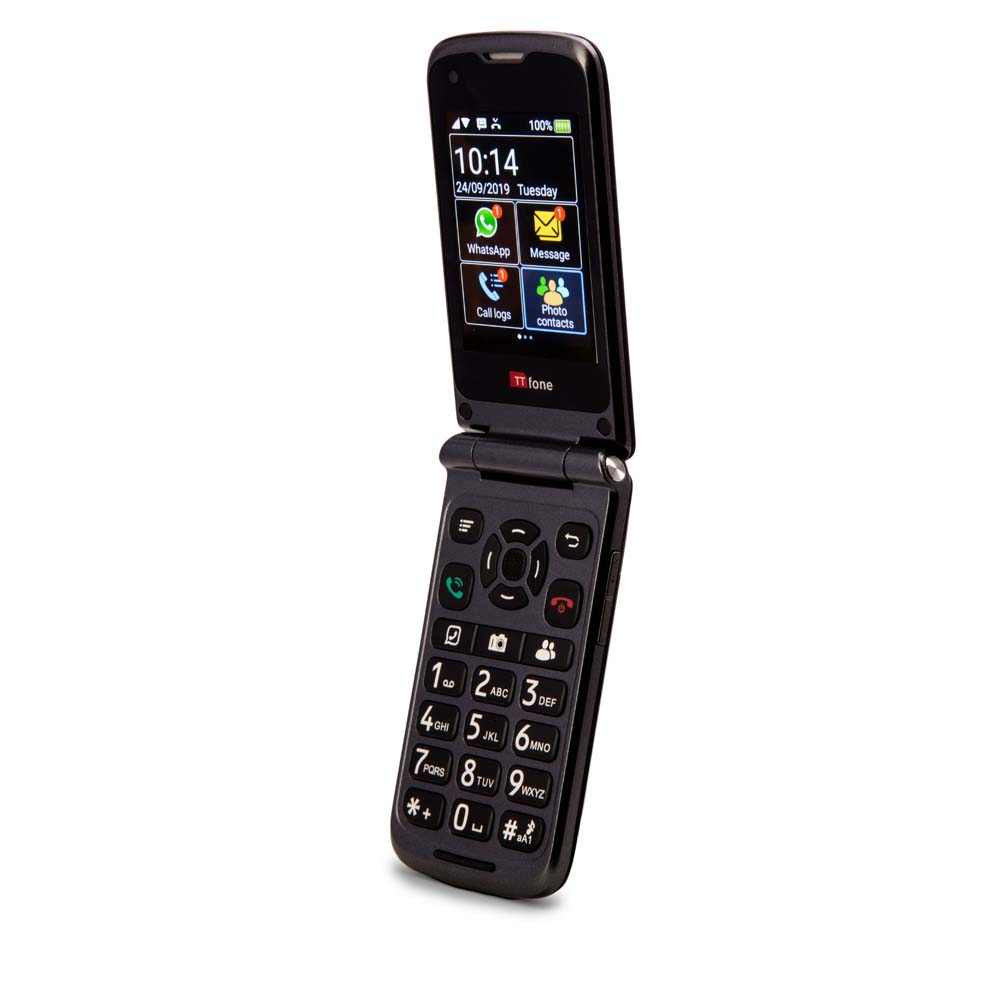
  • TTfone TT950 draait op een vereenvoudigde versie van Android met beperkte apps, maar een zeer eenvoudig menu.
  • 🔓 Ontgrendeld en klaar voor gebruik – Plaats eenvoudig uw huidige SIM-kaart (of de meegeleverde GRATIS SIM-kaart) en profiteer van compatibiliteit met alle grote netwerken op prepaid of contractbasis, met uitzondering van Three, Smarty en ID. Let op: De TT950 gebruikt een Micro-SIM-kaart.
Normale prijs £79.99 GBP
Normale prijs £79.99 GBP Aanbiedingsprijs £79.99 GBP
Aanbieding Uitverkocht
Belastingen inbegrepen. Verzendkosten worden berekend bij de checkout.
Aantal

TTfone Titan TT950

Instructies

📕 Klik hier om de Gebruiksaanwijzing in het Engels, Frans, Italiaans, Spaans en Duits te downloaden


📌Bezoek onze ondersteuningspagina en bekijk een korte videotutorial door eenvoudig het model uit het keuzemenu te selecteren

Alle details bekijken

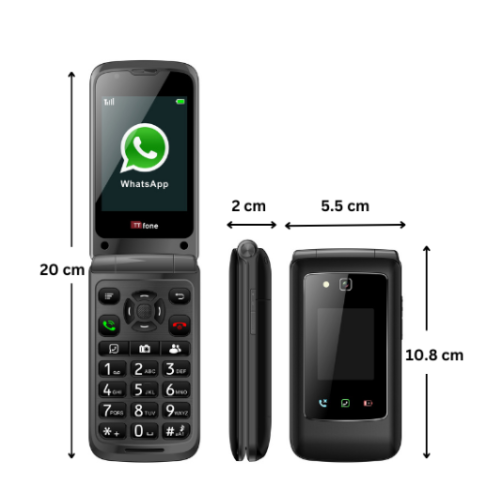
Titan TT950 Afmetingen


Hoogte: 20 cm
Hoogte met gesloten deksel: 10,8 cm
Breedte: 5,5 cm
Breedte met gesloten deksel: 5,5 cm
Diepte: 1,2 cm
Diepte met gesloten deksel: 2,0 cm
Gewicht (incl. batterij): 130 g

  • Uniek ontworpen, eenvoudig te gebruiken telefoon voor ouderen

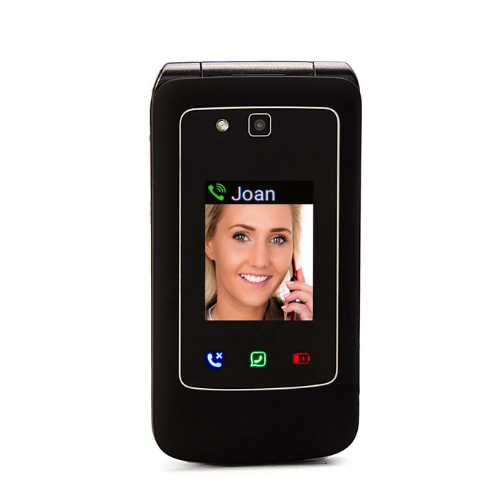
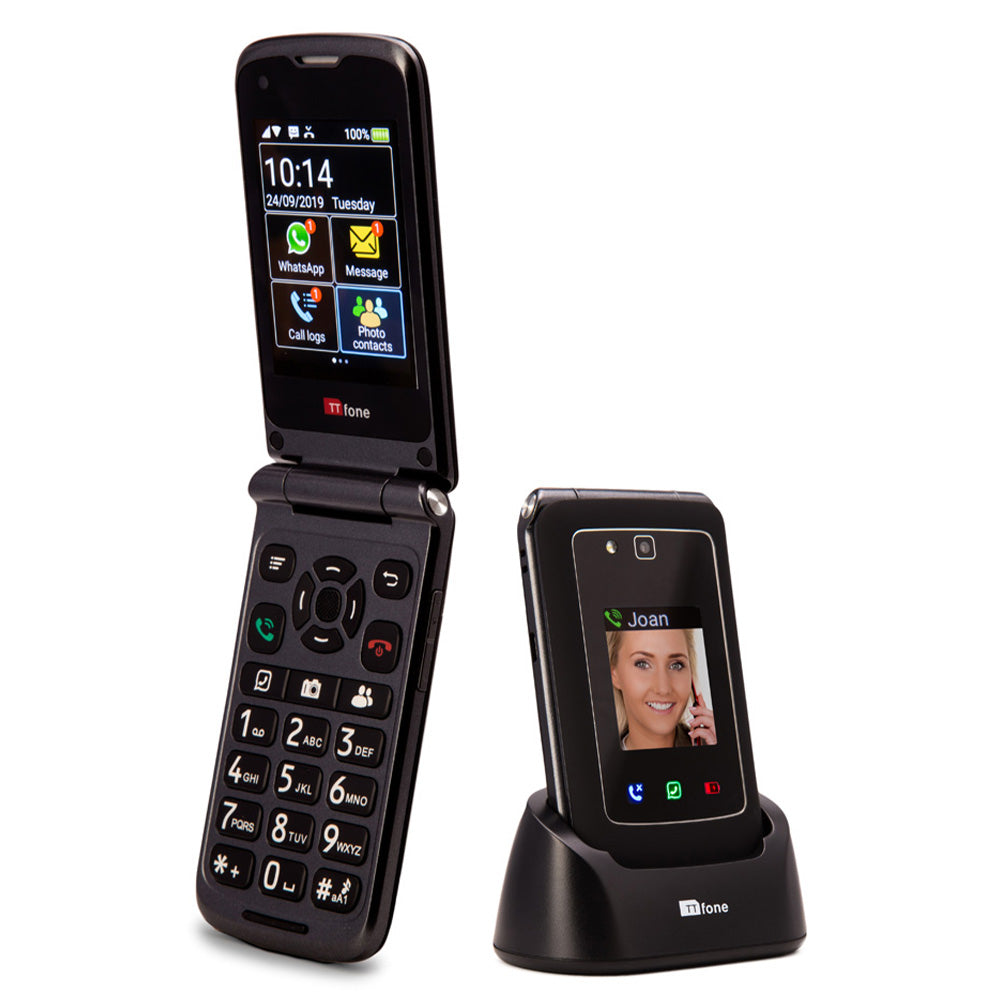
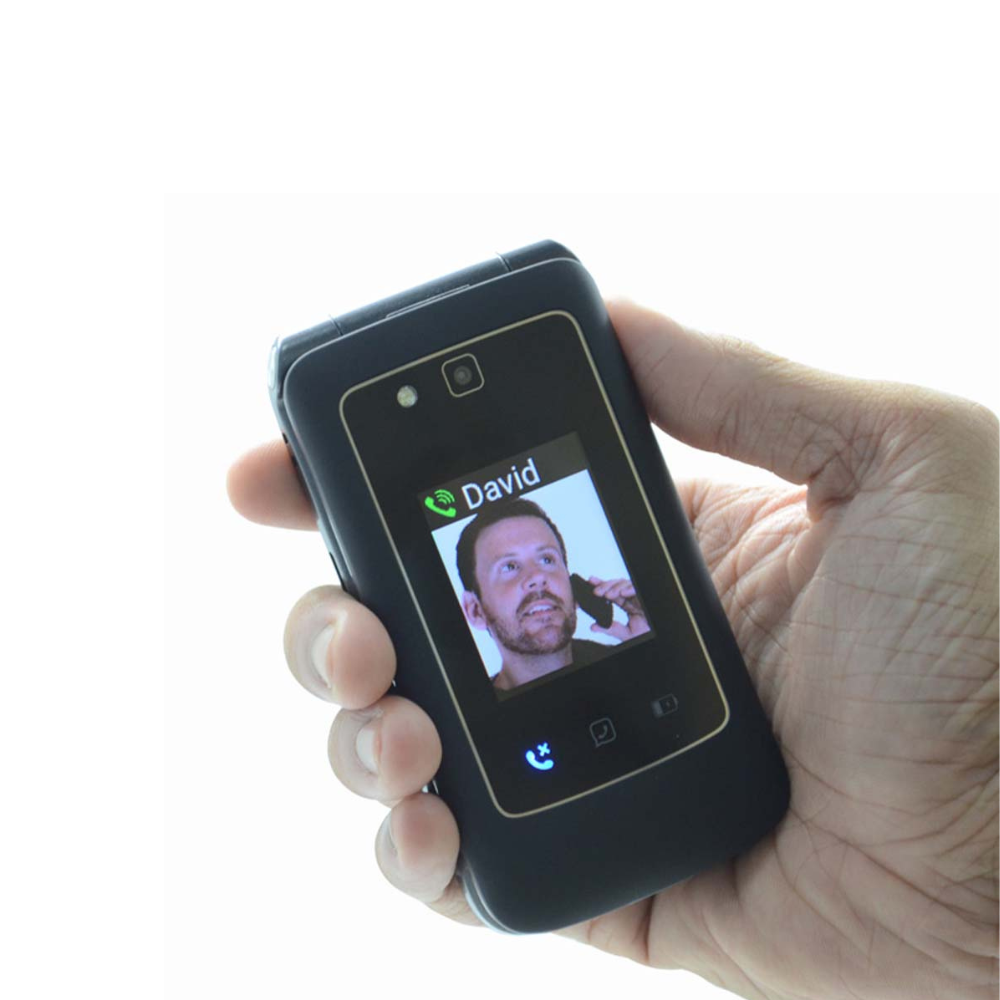
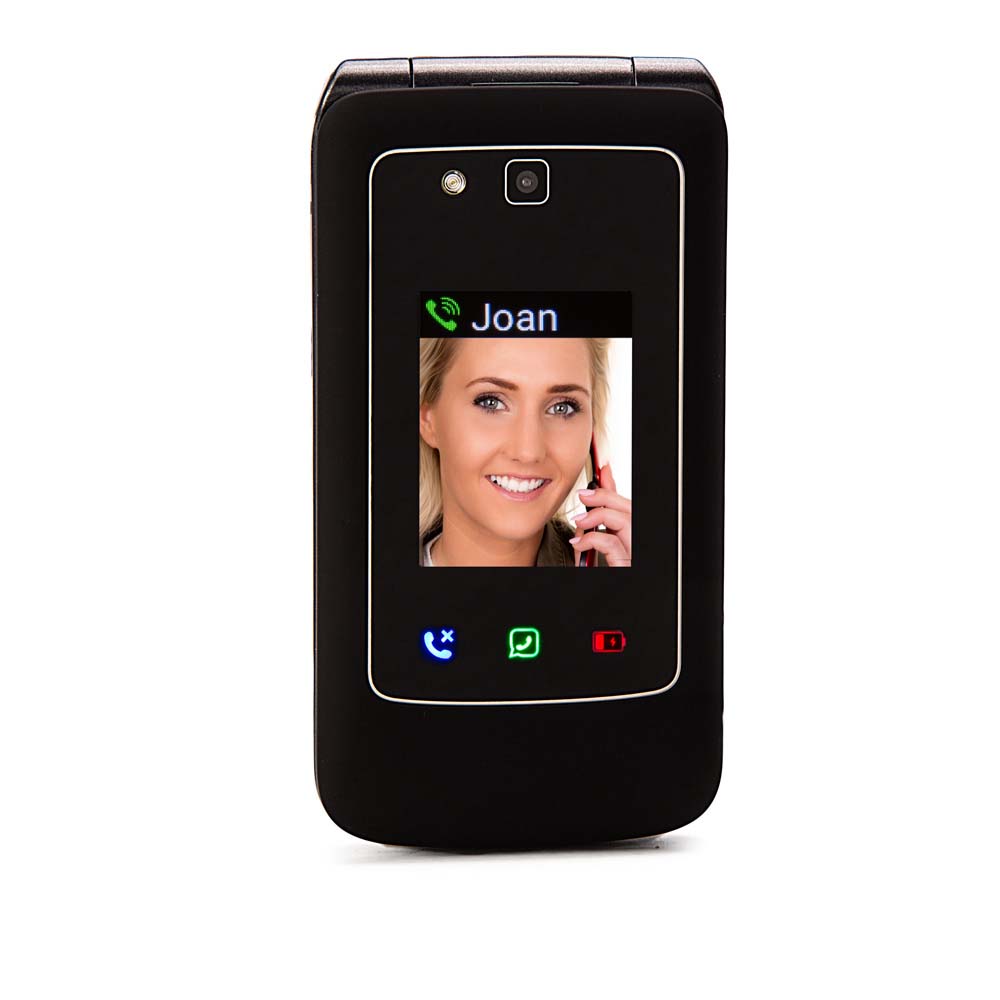
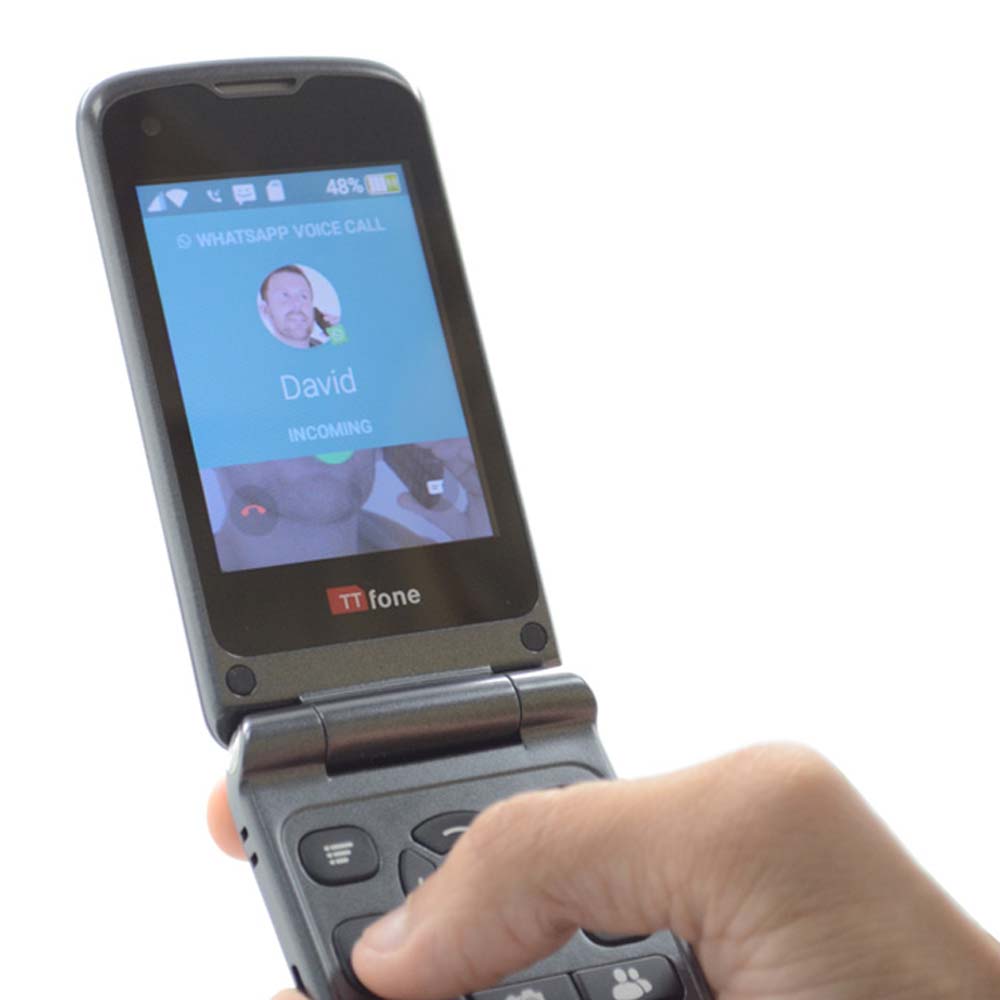
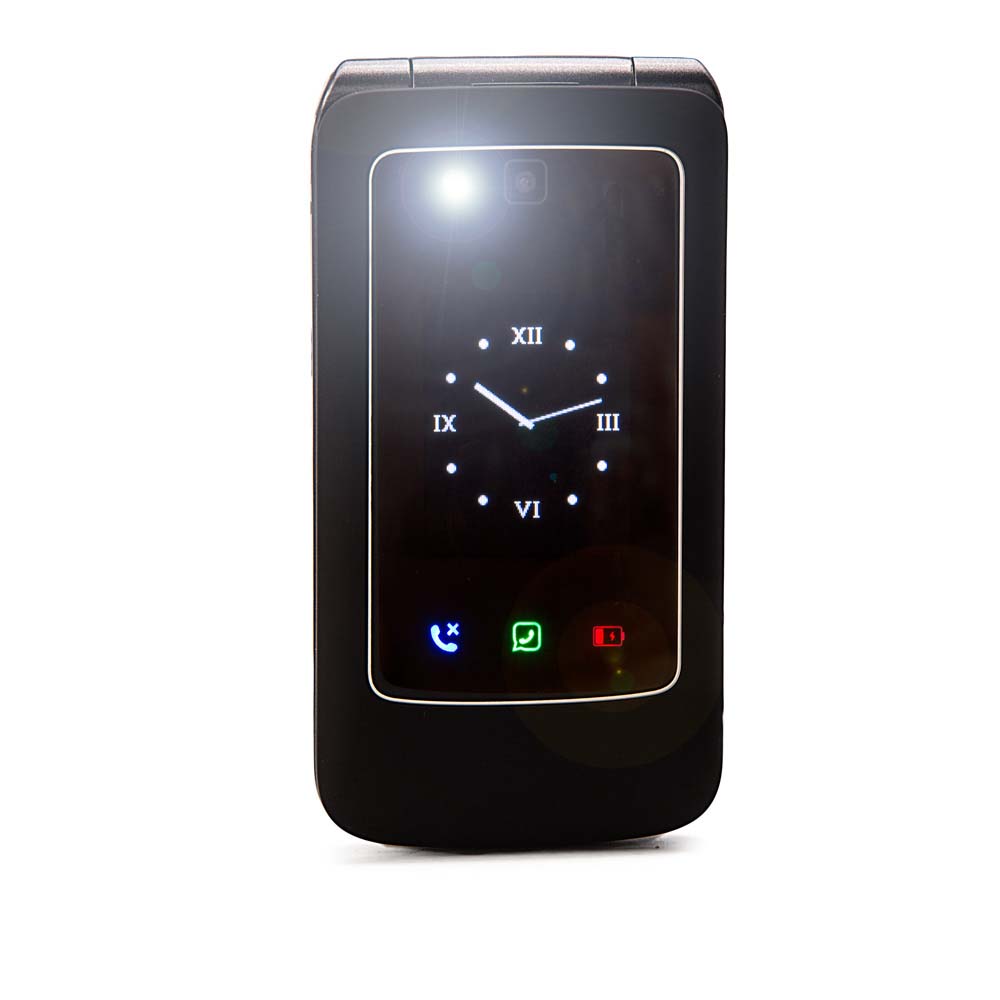
    De Titan is de koning onder de seniorentelefoons dankzij het strakke ontwerp en het overzichtelijke scherm. Het toestel heeft een extern scherm. Hierop wordt alle belangrijke informatie weergegeven zonder dat u de klapdeksel van de telefoon hoeft te openen. Niet alleen de naam van de beller wordt weergegeven, maar u ziet ook een foto van de beller.

  • Dual Screen Titan wordt geleverd met een Dock Charger

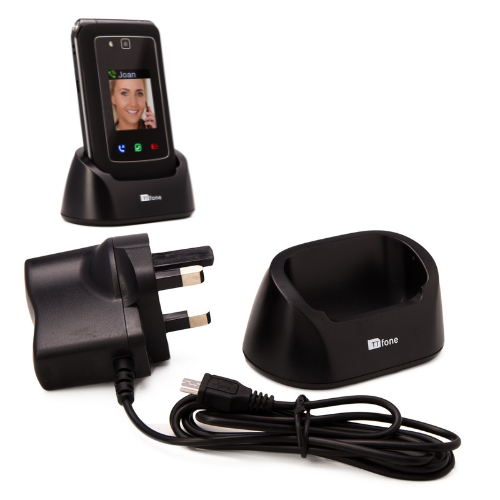
    De TTfone Titan wordt geleverd met een bureaulader waarmee het opladen van de telefoon eenvoudig en makkelijk is. Plaats de telefoon gewoon in de houder om hem op te laden; haal hem eruit en het opladen stopt. Geen gedoe meer met o opladers die in kleine aansluitingen op de telefoon moeten worden gestoken.

  • Grote knoppen voor goed zicht, samen met een clamshell-ontwerp

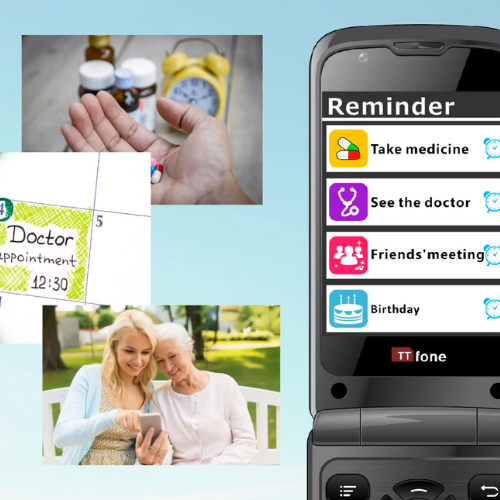
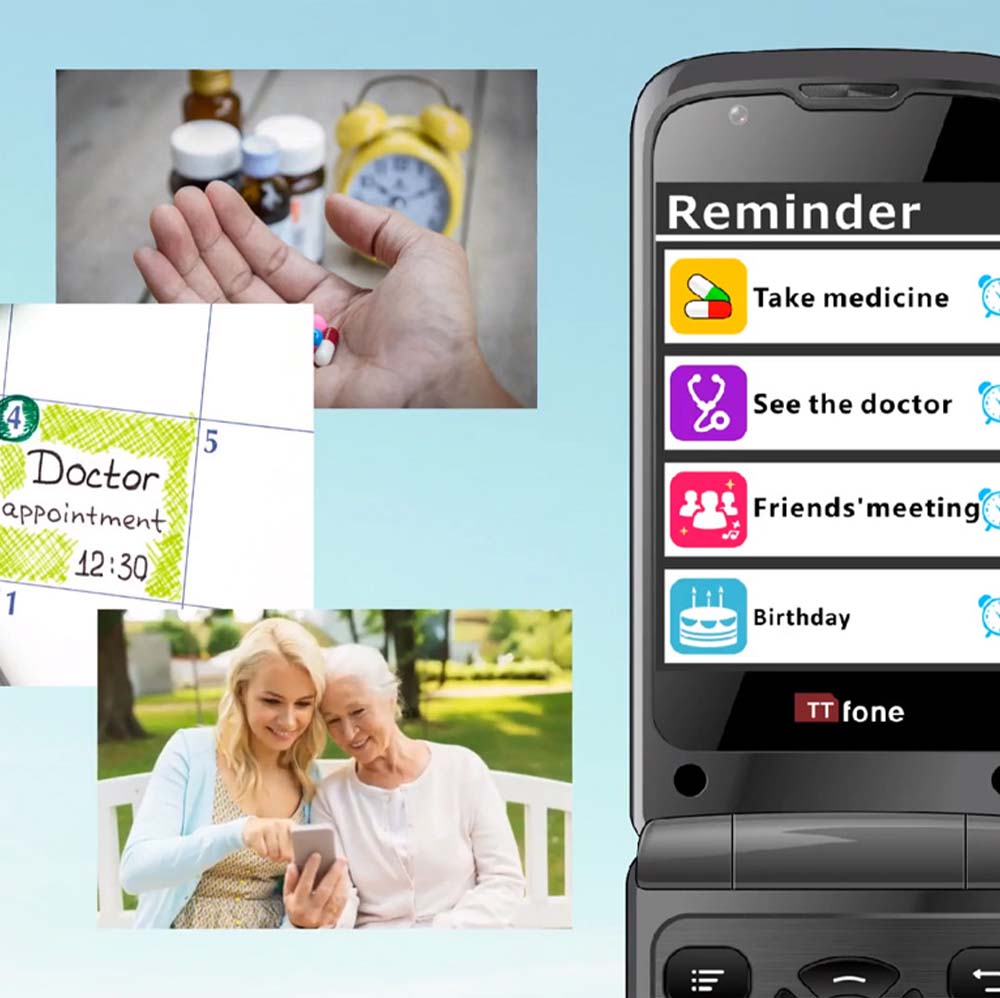
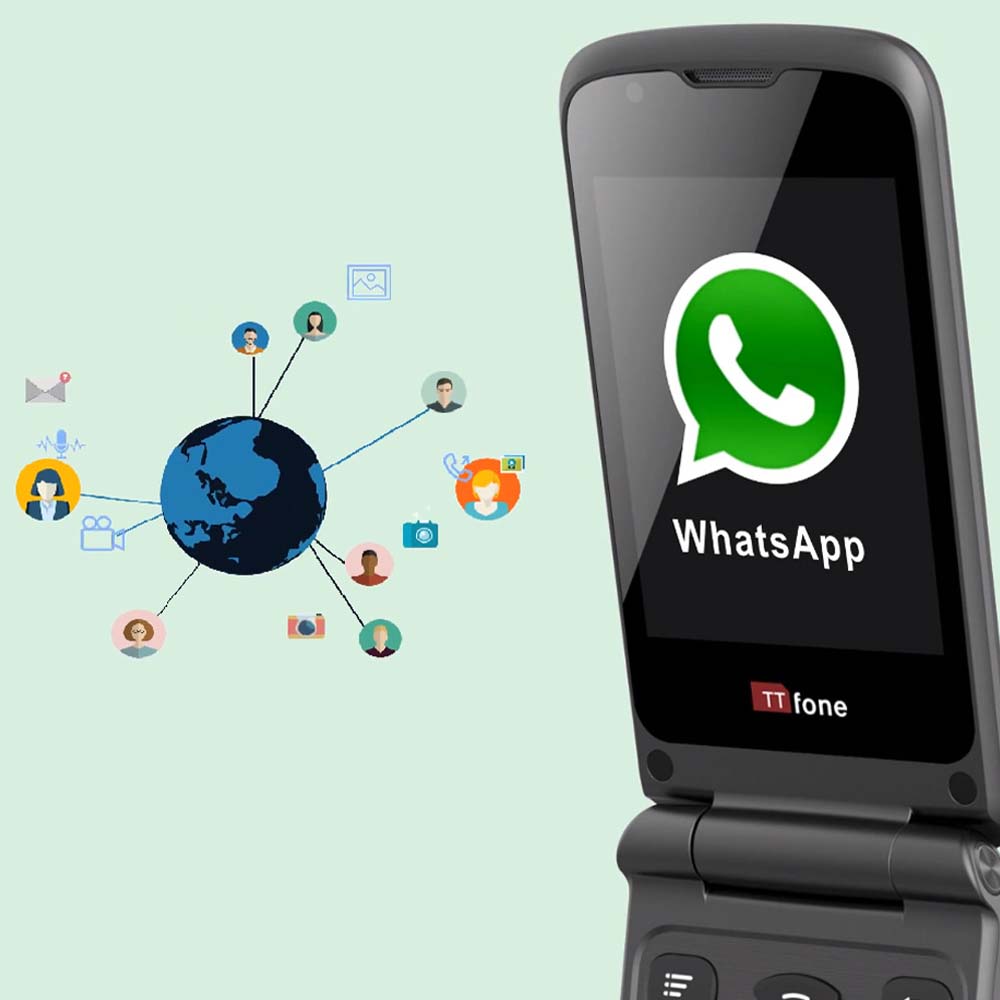
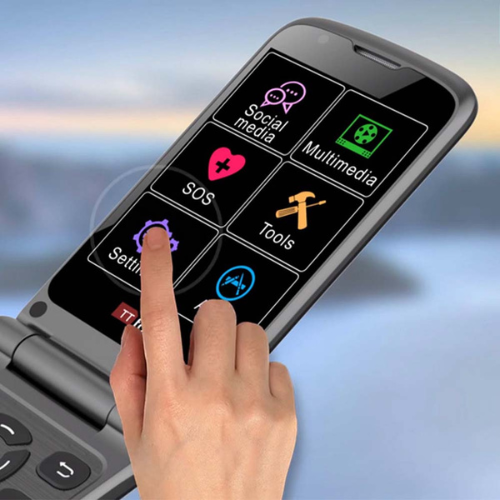
    De TTfone TT950 Titan draait op een vereenvoudigde versie van het Android-besturingssysteem met een beperkt aantal apps, maar een zeer eenvoudig menu. Gebruik de navigatieknoppen of het touchscreen om de app te selecteren die u wilt gebruiken. WhatsApp, fotocontacten, herinneringen en berichten zijn slechts enkele van de beschikbare apps.
Noodhulpknop

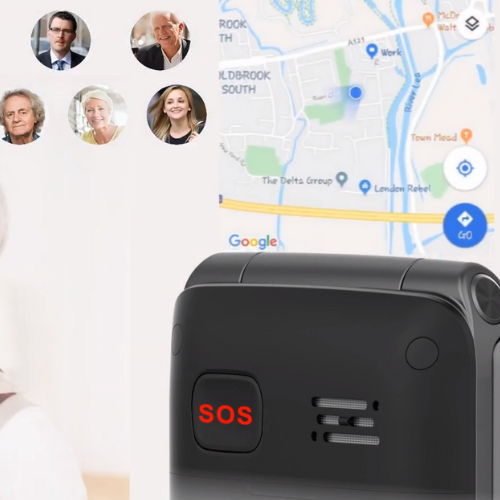
De TTfone Titan is voorzien van een functie die de gebruiker en familieleden die zich zorgen maken om het welzijn van de gebruiker veel vertrouwen geeft. Dit is een speciale SOS-knop die in geval van nood kan worden gebruikt. Er kan een willekeurig nummer worden geprogrammeerd en met slechts één druk op de paniekknop wordt dat belangrijke telefoontje verricht. De Titan stuurt ook de locatie van de gebruiker via sms, zodat u niet alleen weet dat uw dierbare in de problemen zit, maar ook weet waar diegene is.
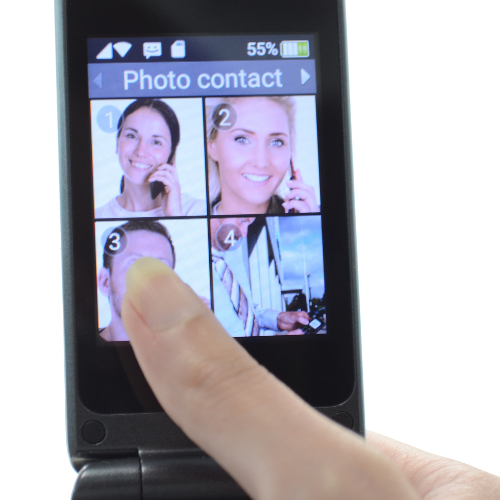
Fotocontacten voor eenvoudig bellen

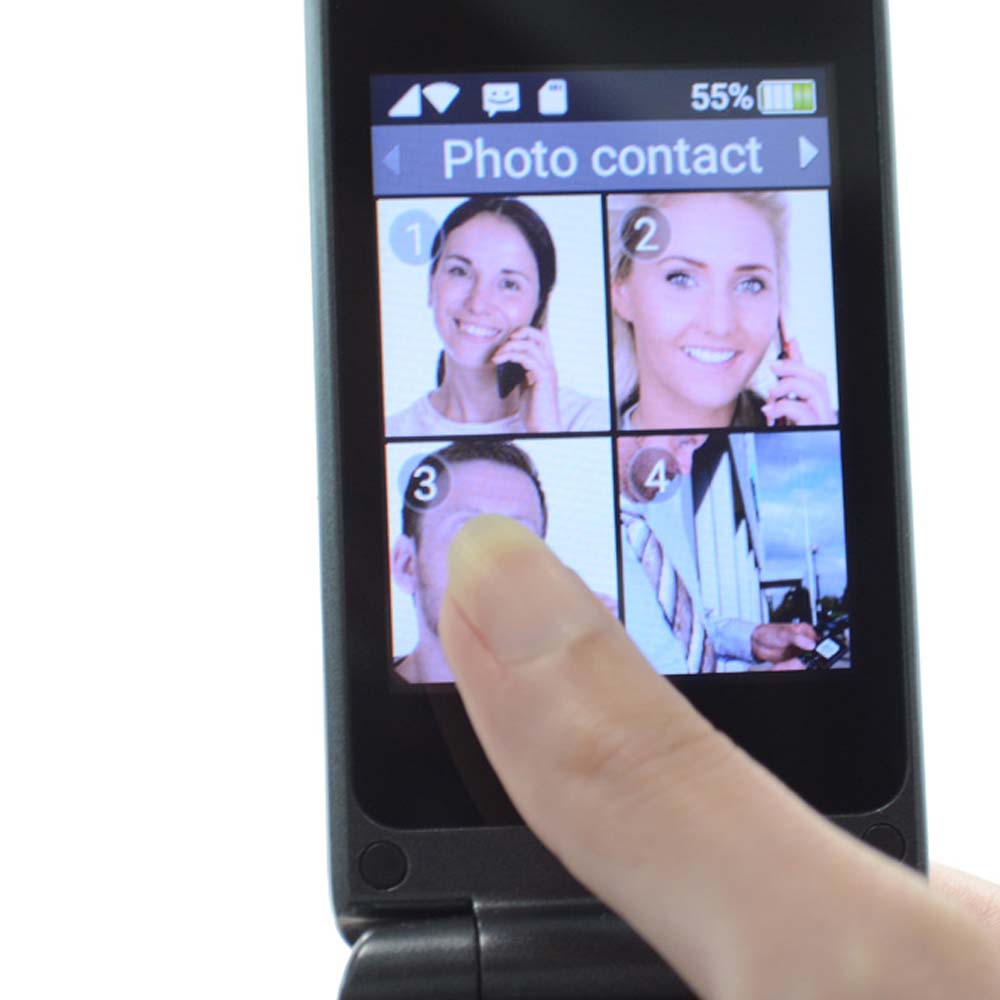
Fotocontacten is een functie waarmee je telefoonnummers in je telefoon kunt opslaan met een foto van de persoon, waardoor het supermakkelijk is om een geliefde te bellen. Een eenvoudig instelproces waarbij je een foto uit je galerij kunt kiezen of een nieuwe kunt maken, en wanneer deze persoon belt, verschijnt de foto op de binnen- en buitenschermen. Voeg je zoon, dochter, broer, zus of vrienden toe en met één druk op de knop kun je ze gemakkelijk bellen zonder het nummer te hoeven onthouden.

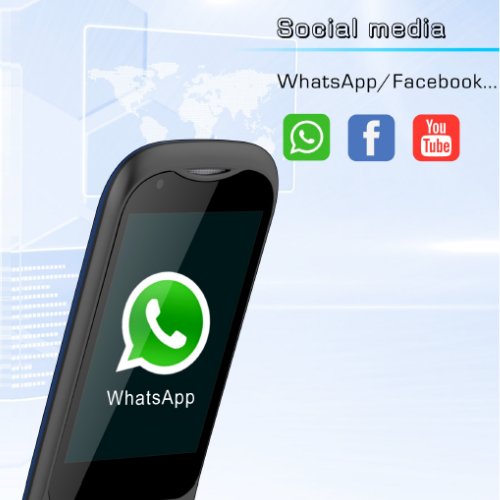
  • WhatsApp-bellen en -berichten

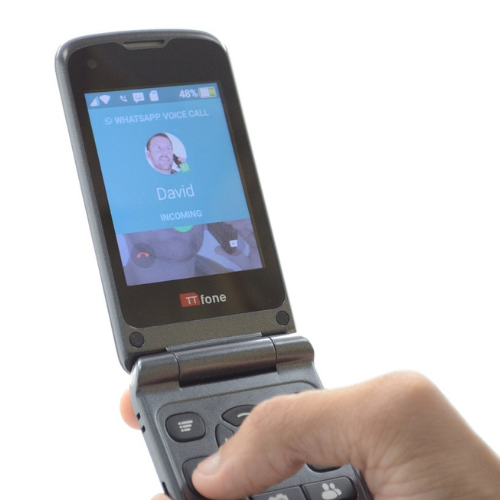
    De TTfone Titan TT950 ondersteunt WhatsApp-bellen en videobellen.

  • Facebook Lite, e-mail en YouTube

    De Titan is standaard uitgerust met Facebook Lite. Ook zitten er een YouTube-app om video's te bekijken en een e-mailapp op.

  • Eenvoudige software-updates

    We werken er continu aan om de software te verbeteren en met de TTfone Titan kunnen we deze updates direct naar uw telefoon sturen zodra ze beschikbaar zijn.

  • 5 MP camera

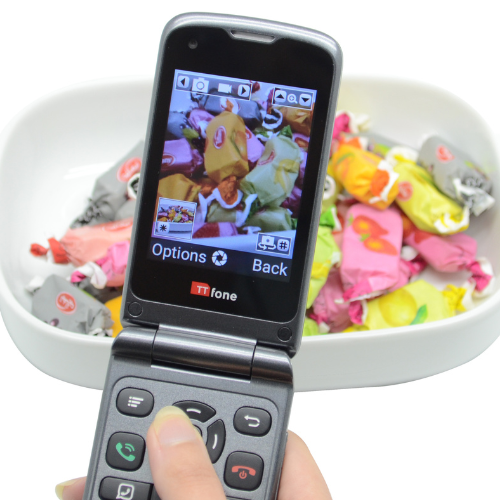
    Dubbele voor- en achtercamera - de hoofdcamera heeft 5 megapixels, zodat je geweldige foto's kunt maken.
Veelgestelde vragen

Heb ik problemen met de simkaart? Heb ik ook een micro SD-geheugenkaart nodig?

De Titan gebruikt alleen een micro-/mediumformaat-simkaart. Gebruik een adapter als u een nano-simkaart heeft. De adapter is verkrijgbaar bij elke mobiele telefoonwinkel in de buurt. De Titan TT950 is compatibel met 2G/3G en werkt in elk land op elk netwerk.

De microSD-geheugenkaart biedt extra opslagruimte voor de mobiele telefoon. Deze is optioneel en wordt apart verkocht. Let op: u kunt een geheugenkaart van maximaal 32 GB gebruiken. De telefoon heeft zelf 2 GB aan opslagcapaciteit.

Heeft de Titan TT950 een MMS?

Nee, de TT950 heeft geen MMS-tekstfunctie.

Is de Titan TT950 een Android-telefoon en heb ik een databundel nodig?

Ja, de Titan TT950 heeft een eenvoudig Android-menu dat via het grote toetsenbord of het touchscreen kan worden bediend. De telefoon staat echter niet toe om andere apps te downloaden dan de apps die al op de telefoon staan.

Het is raadzaam om een mobiel internetabonnement af te sluiten bij uw netwerkprovider, zodat u WhatsApp, FB Lite en YouTube kunt gebruiken en zelfs op internet kunt surfen. Ook zonder mobiel internetabonnement kan de SOS-functie uw locatie niet verzenden.

Is WhatsApp vooraf geïnstalleerd?

Ja, WhatsApp is een ingebouwde applicatie op de mobiele telefoon. Stel eenvoudig de instellingen van de WhatsApp-installatiewijzer in en zorg ervoor dat u verbonden bent met wifi of mobiel internet om met uw dierbaren te communiceren. WhatsApp vraagt u eerst om akkoord te gaan met de algemene voorwaarden, vraagt vervolgens om uw telefoonnummer te verifiëren en stuurt u een sms met een code. Voer deze code in om WhatsApp te gaan gebruiken.

Wat is de SOS-knop aan de achterkant?

Het is een knop die geprogrammeerd kan worden om elk nummer of nummers te bellen die u kiest, zodat iedereen die u in geval van nood op de hoogte wilt stellen, een telefoontje krijgt. De mensen aan de andere kant van de lijn kunnen dan alles horen wat er gebeurt. Het activeert ook een luid alarm om de aandacht van omstanders te trekken, zodat zij kunnen helpen totdat er hulp arriveert. De SOS-knop stuurt ook noodberichten en uw huidige locatie naar uw vooraf ingestelde dierbaren.
Let op: Als een van de noodnummers een voicemailssysteem heeft, gaat de telefoon ervan uit dat de oproep is beantwoord en zal hij de overige vooraf ingestelde nummers niet meer bellen.

Heeft dit Facebook en Twitter en kan het e-mails verzenden en ontvangen?

De TTfone Titan heeft een lite-versie van Facebook waarmee je je tijdlijn kunt bekijken en de Facebook Messenger-dienst kunt gebruiken.

De TT970 heeft ook een e-mailapp van een derde partij waarmee je e-mails kunt ontvangen en verzenden.
Momenteel is de Twitter-app niet beschikbaar.

Kan deze telefoon WhatsApp-gesprekken voeren (geen spraakberichten)? Zo ja, is er een melding voor inkomende gesprekken?

Ja, je kunt bellen via WhatsApp en je ontvangt dan ook dezelfde melding als bij een normaal telefoontje.

Mijn TT950 geeft aan dat er een software-update beschikbaar is. Hoe kan ik de software bijwerken?

Ga naar APP > Draadloze update > Op zoek naar updates > als er een update beschikbaar is, klik dan op downloaden en installeren.

Hoe kan ik contacten overzetten via de Bluetooth-functie?

1. Koppel beide apparaten (TT950 en het andere apparaat) via Bluetooth.
2. Begin na het koppelen het contact via Bluetooth te delen.
3. Uw TT950 geeft een melding dat er een bestand binnenkomt.
4. Schuif de statusbalk naar beneden en selecteer 'Bestandsontvangst accepteren'.
5. Nadat de overdracht is voltooid, gaat u naar Instellingen > Bluetooth > Ontvangen bestanden.
6. Selecteer of druk op het contactbestand (vcf-formaat). Er verschijnt een pop-upvenster met de vraag "Contacten importeren uit vCard?" en selecteer 'Ok'.
7. Controleer uw telefoonboekmenu; het contact of de contacten moeten daar zichtbaar zijn.

Hoe update ik WhatsApp op de TT950?

1. Ga naar App.
2. Selecteer Aptiode.
3. Selecteer Apps rechtsonder op het scherm.
4. Volg de instructies op het scherm om de WhatsApp-update of -installatie te voltooien.

Worden de naam en de foto van de beller op het externe scherm weergegeven?

Het externe scherm toont alle belangrijke informatie zonder dat u het opklapbare hoesje van de telefoon hoeft te openen. Er wordt niet alleen de naam van de beller weergegeven, maar ook de foto van de beller als de functie Foto-contacten is ingesteld. Nog afgezien van de externe indicatielampjes op het externe scherm die u laten weten of u een oproep hebt gemist, een nieuw bericht hebt ontvangen (het kan een WhatsApp-bericht of sms zijn) of dat de batterij bijna volledig is ontladen.

Bij het openen van een app geeft de telefoon de melding “ongelukt om te openen” of “systeem werkt niet”

Begin met het opnieuw opstarten van de telefoon: houd de rode toets enkele seconden ingedrukt en kies vervolgens op het scherm de optie “opnieuw opstarten”.

Als dit het probleem niet oplost, controleer dan of er software-updates beschikbaar zijn. Ga naar APP > Draadloze update > Controleren op updates > als er een update beschikbaar is, klik dan op downloaden en installeren.

Als dit het probleem nog steeds niet oplost, moet u de telefoon naar fabrieksinstellingen terugzetten. Ga naar Instellingen > Systeem > Resetopties > Fabrieksreset > Telefoon resetten > Alles wissen.

Hoe kan ik contacten van mijn pc naar de TT950 uploaden?

1. Verbind uw Titan TT950 met uw pc via een USB-kabel.
2. Op uw TT950 verschijnt een pop-upvenster. Selecteer 'Bestanden overzetten'. Uw pc herkent vervolgens de TT950.
3. Open op uw pc de map van het apparaat met de naam TT950. U ziet dan een lijst met mappen in deze map.
4. Selecteer en open de map Contacten. Als u deze niet hebt, maak dan een nieuwe map aan voor uw contacten.
5. Kopieer de contacten die u wilt overzetten vanaf uw pc naar de nieuw aangemaakte map onder TT950.
6. Koppel de TT950 los van uw pc.
7. Ga op uw TT950-mobiele telefoon naar Gereedschap > Bestandsbeheer > Interne gedeelde opslag > Contacten
8. Selecteer het contact. Tik op het scherm of druk op de middelste navigatieknop. Er verschijnt een pop-upvenster met de vraag "Contacten importeren uit vCard?" en selecteer 'Oké'.
9. Controleer uw telefoonboekmenu; de contactpersoon(en) moeten nu zichtbaar zijn.

Is er een Google Play Store en kan ik andere apps installeren?

Het spijt me, maar de Titan TT950 heeft geen Google Play Store. De Titan TT950 heeft ingebouwde sociale apps zoals WhatsApp, FB (lite-versie), YouTube en een browser.

Kun je de telefoon op afstand beheren? Zonder bij de telefoon te zijn?

Dit is iets waar we hier bij TTfone al geruime tijd aan werken. Helaas blijkt het erg ingewikkeld en duur te zijn om de telefoon op afstand te kunnen bijwerken. Stuur ons daarom alstublieft per e-mail uw exacte wens, bijvoorbeeld welke menu's u precies wilt bijwerken, zodat we dit in ons onderzoek naar deze functie kunnen meenemen. U kunt ons mailen op [email protected]

Kan ik een beltoon toevoegen?

Je kunt zelfgekozen muziek of een ringtone opslaan en deze instellen als beltoon voor je Titan TT950.

Hiervoor moet je de Titan TT950 met een USB-kabel verbinden met een computer en de muziek toevoegen, of de Bluetooth-deeloptie gebruiken om een muziekbestand van een ander apparaat te ontvangen. Gebruik je Bluetooth, dan koppel je eerst de twee apparaten en begin je met het delen van het bestand. Nadat de bestanden zijn overgezet/gedeeld, ga je op je TT950 naar Multimedia>Muziek en selecteer je de muziek die je als ringtone wilt instellen. Druk vervolgens op de middelste navigatieknop en selecteer "instellen als ringtone".

Waarom werkt WhatsApp niet meer?

Ten eerste moet de WhatsApp-app mogelijk worden bijgewerkt. Ga naar APP> 'Aptoide' > 'Op updates controleren' > selecteer onderaan het scherm 'Apps' en selecteer WhatsApp. Als er een update beschikbaar is, druk op 'ALLE UPDATES INSTALLEREN' > druk op 'Installeren' en wacht tot er op het scherm 'App geïnstalleerd' wordt weergegeven, en selecteer vervolgens 'Gereed'. Druk op de rode knop om de app te sluiten.

Ten tweede, als er een update voor de mobiele software beschikbaar is. Ga naar 'APP' > 'Draadloze update' > 'Op updates controleren'. Druk twee keer op 'Op updates controleren' als de eerste poging 'Geen update beschikbaar' aangeeft. Als er een update beschikbaar is, druk op 'Downloaden' > 'Nu installeren' > druk op 'Updaten' en wacht tot de telefoon opnieuw is opgestart. Zorg ervoor dat je voldoende batterijvermogen hebt en verbonden bent met wifi voordat je de update start, en schakel de mobiele telefoon niet uit terwijl deze wordt bijgewerkt.

Hoe reset ik de TT950?

FABRIEKSINSTELLINGEN HERSTELLEN VOOR TITAN TT950/TT970
Ga naar 'Instellingen' > 'Android-systeem' > 'Systeem' > sleep het scherm naar beneden en druk op 'Resetopties' > 'Alle gegevens wissen (fabrieksreset)'
Scroll naar beneden en druk op 'Telefoon resetten', druk vervolgens op  'Alles wissen'.
Schakel de mobiele telefoon niet uit, maar wacht gewoon tot de mobiele telefoon opnieuw opstart.

  • 5 stars: 18 (69%)
  • 4 stars: 2 (8%)
  • 3 stars: 3 (12%)
  • 2 stars: 0 (0%)
  • 1 star: 3 (12%)
Q
QWE

hate it

A
Anthony England

This phone no longer works on the Three network as it no longer supports 3G & hasn't ever supported 2G systems. Information supplied to me by Three shop sales person when asking about my phone showing 'Emergency calls only' or 'no service' .

A
Anthony England

This phone no longer works on the Three network as it no longer supports 3G & hasn't ever supported 2G systems. Information supplied to me by Three shop sales person when asking about my phone showing 'Emergency calls only' or 'no service' .

A
Angus

Excellent compact neat phone, communication is important.

J
Jean Mackender

Easy to handle, you can use the buttons or touch screen, simple to use.

B
Brummie

Just set up my Titan phone ,not only was it easy, but it's well worth the the money i paid for it. With it's easy to read screens, and the various apps it's got built in you could easily pay more money for a phone like this one. I am a 75 yr old registered disabled person and this is the first time ive ever had a mobile phone. So all i can say is i can recommend this phone to anyone looking for a phone that wont let them down when most needed.

R
RMB

This is the best flip phone ever ,user friendly with easy access to messenger and facebook etc ,light and compact with good volume for those with impaired hearing .Being touch screen as well as a keypad is excellent, well done TT phone

E
ElGato

Got this for my father as needed a flip phone with WhatsApp in order to use it with friends and family with Facebook Portal. Added bonus of photo contacts so he knows who's calling before answering.

M
Martin Blythe

Really like this phone. Wanted a retro clam shell which was easy to use with the essentials, Whatsap and browser It's not an all singing and dancing phone but meets all the basic needs. Can't fault it.

L
Lizzyboots

I found this phone hard to see. Changing from a Wileyfox which had much clearer and larger text. The loudness is good and it is so easy to pocket and does not need a cover or case which is lovely. I have decided to use is as an emergancy phone for dog walking as "whats app" is not easy to use on this phone and adding other apps is not easy or practical ........... it really is a basic phone and works brilliantly as a phone, forget trying to do anything else if you are changing from a smart phone.

D
D.G

Brill fone phone for those who dont like too much technology.

S
Susie Q

I bought this for my Son who is in his forties, but does not like smart touch phones. This has access to Whatsapp, which means I can face time him with it. He likes the large buttons, and the small amount of touch screening that he needs to access. It has a good stand to use when sat next to you, but also the cable to charge it with too. You can access other apps, eg email, but for now, it does what he's comfortable with.

M
Margie

firstly the docking station didnt work but customer service dealt with that efficiently but then all the number tabs have fallen off the buttons rendering the phone useless. Sad because it is just what I need. I have now contacted the company again!

A
A. Garside

I have a Galaxy a50. But I have always liked clam shell phones. This one is in my view brilliant. Facebook lite. Whats App whats not to like? Update. After I had this for two days it required an update on the software. Apart from Facebook, WhatsApp, YouTube and Google, you can know get email. As I love clam shell phones this is the best I have ever had.. . I did get the Doro phone which had internet etc but it was useless and returned.... The only other clam shell phone that I no of that could be better than this one is the Samsung one that cost well over a grand..... I dont use my Smart Phone anymore but this little beauty which I think they could get away with charging a hell of a lot more than �99.99 if they wanted. Update Unfortunately I had to return this as it developed a few problems like dialing the wrong number of the person on my phone book and other niggles. I thought this would have been the answer of my dreams... An Android Flip Phone Still never mind I am back to carrying a large smart phone

T
Trish

Excellent little phone. Good quality and easy to use, My dad loves it and we can video call him now which he loves. I had to deactivate the SOS feature though as it kept going off in his pocket by accident and ringing the 5 contacts, an excellent feature such a pity it can't be left on for him. If the SOS button was sunk in and not flush with the back cover this wouldn't happen, maybe a redesign is needed. My dad is a very active 74yr old, but for someone who is stationary or bedridden maybe this wouldn't happen.

A
Amobear

difficult to get started, some features had to be repeated and didn't stay in phone

L
Laurence Moore

I am 84 and not good with new technology. I have tried many times to set the correct time and date and it always reverts back to original.date. Relatives have also tried but get the same result. Therefore the phone is of no use to me. I therefore would like instructions on how and where to return the phone to you.

M
Mark Weekes

Wanted a phone I wouldn抰 spend so much time on, but needed to have WhatsApp messaging, calling and video on, tried a Kaios Nokia phone last year but didn抰 live up to what I needed, even though my needs weren抰 much. Then came across the TT 950, build quality is pretty good, easy enough to set up, though the ability to add a google account for contacts would抳e made it easier for getting your contacts on if coming from another phone. Comes with a basic App Store, however I抳e installed the Amazon App Store on it and put Spotify on it for my music as play that through my car stereo on long trips. The dock is quite handy just to drop the phone into for charging, and is easy for older generation instead of fiddling with leads. First impressions are I抦 very pleased with my purchase.

B
Baldish Dhanda

I bought for my dad he liked a lot..he was always looking easy to use mobile phone..finally he got it

A
A Customer

I bought this phone for my Mother and she has no problems in using it. It's actually that good, my brother is considering buying one. Clearly if you use the internet a lot, then this isn't the phone for you. However if you want a phone that's easy to use and having six or eight speed dial numbers is great... Straight away your face appears on the screen, so they know who it is. (You will have to add photo's of your self.... The phone isn't that cleaver). The docking station is a great idea, as my Mum used to struggle with the traditional lead. Do not buy suggested case for this phone.... As it doesn't fit.

C
Colin

good basic phone, comes with a few useless pre installed apps that arent particularly wanted, if i want face book or youtube to eat up my data at least give me the option to download it myself, cant see a way to delete them, but the phone itself is fair for the price

A
Adil H Raza

I am giving this 5 stars because I cannot give more. Absolutely brilliant product, nicely designed, battery lasts 3 to 4 days, again depending on usage. Touch screen is responsive and accurate. OK camera but what do you want for 99? Excellent phone, no social media distractions anymore. WhatsApp works just fine. I bought it for my dad who was having hard time figuring out smart phones, this phone has buttons and touch both so he uses whatever he finds easy.

s
srg21

Very good phone with touch screen as well as keypad. Easy use for anyone who needs a simple phone with large writing and whatsapp! Bought this for my mother and she finds it easy to use. Has access to the internet as well as Facebook too. Overall a good buy, would highly recommend.

A
A Customer

Excellent little phone. Good quality and easy to use, My dad loves it and we can video call him now which he loves. I had to deactivate the SOS feature though as it kept going off in his pocket by accident and ringing the 5 contacts, an excellent feature such a pity it can't be left on for him. If the SOS button was sunk in and not flush with the back cover this wouldn't happen, maybe a redesign is needed. My dad is a very active 74yr old, but for someone who is stationary or bedridden maybe this wouldn't happen.

T
Tina

Open the packaging to a surprise of a phone that is better than my expectations, I have had the TTfone Lunar for a couple years now and when I saw that TTfone had released this new model I had to check it out. The phone has so many more features than my previous one, Whatsapp being the most useful. Great big size and large screen and easy to hold with a grippy style back so the phone does not slip out of my hand like most modern phones. Button on the keypad that looks like outlines of two people is a really handy fast phonebook where you can add pictures and so is really easy to call someone without using reading glasses. Putting in the sim card and setting up the wifi was a little complicated but eventually worked it out and I am really happy with my new Titan phone.

R
RB

The new phone from TTfone looks great, whatsapp works really well and the menu is simple and easy. Great idea to have a touchscreen as that makes it much easier to choose options. Overall a great gift idea for an older relative that you want to stay in touch with as the phone has a feature where they press one button and the location of the Titan phone is sent as a google link to any phone you set. The phone is a good size with a grippy finish on the back so the phone does not slip out of your hand easily. The front screen is a good idea as you can see who is calling before you open the phone to pick up the call, you can also set a picture of the person calling although I haven抰 tried that yet. Dock charger is handy and the delivery was really fast. Glad to see a 3G phone that actually works well for the elderly.