Passa alle informazioni sul prodotto
1 su 7

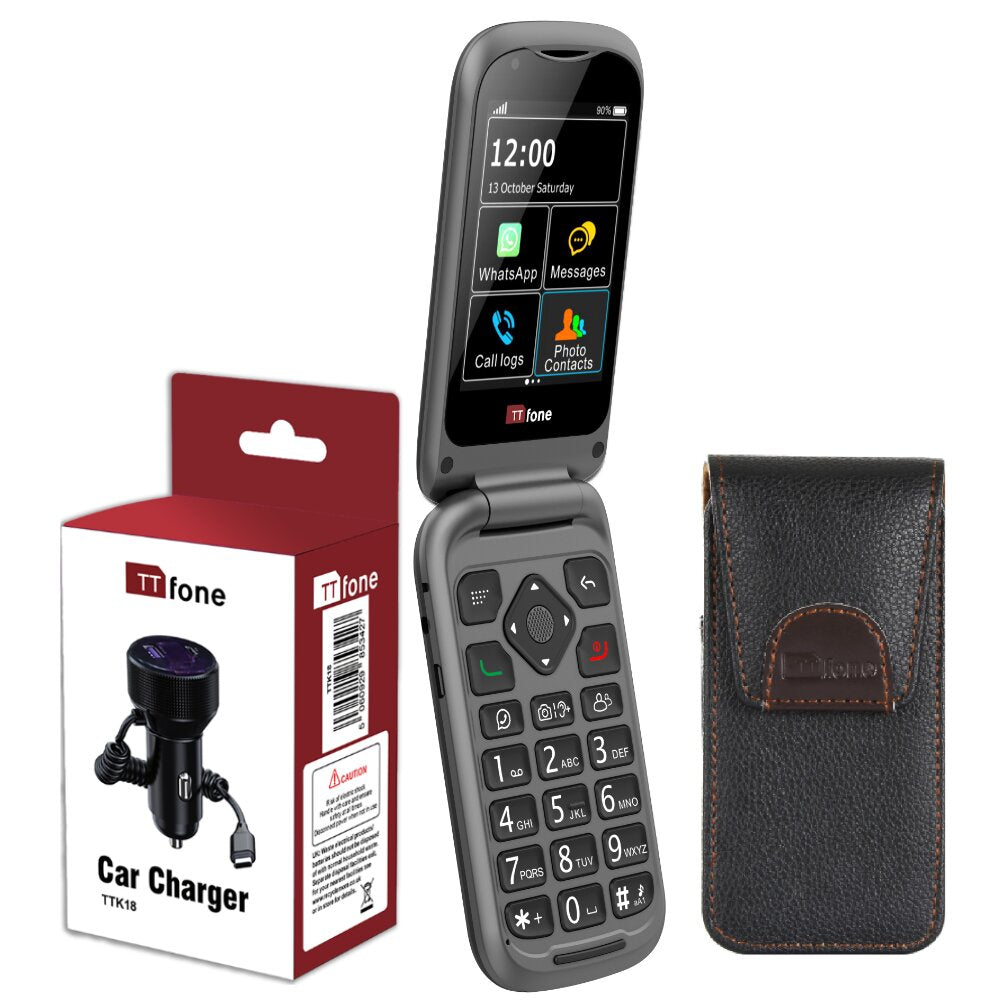
Pacchetto telefono cellulare TTfone TT970 con custodia e caricabatteria per auto

Pacchetto telefono cellulare TTfone TT970 con custodia e caricabatteria per auto

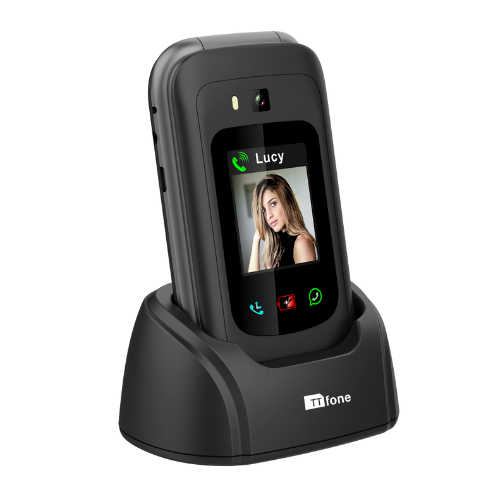
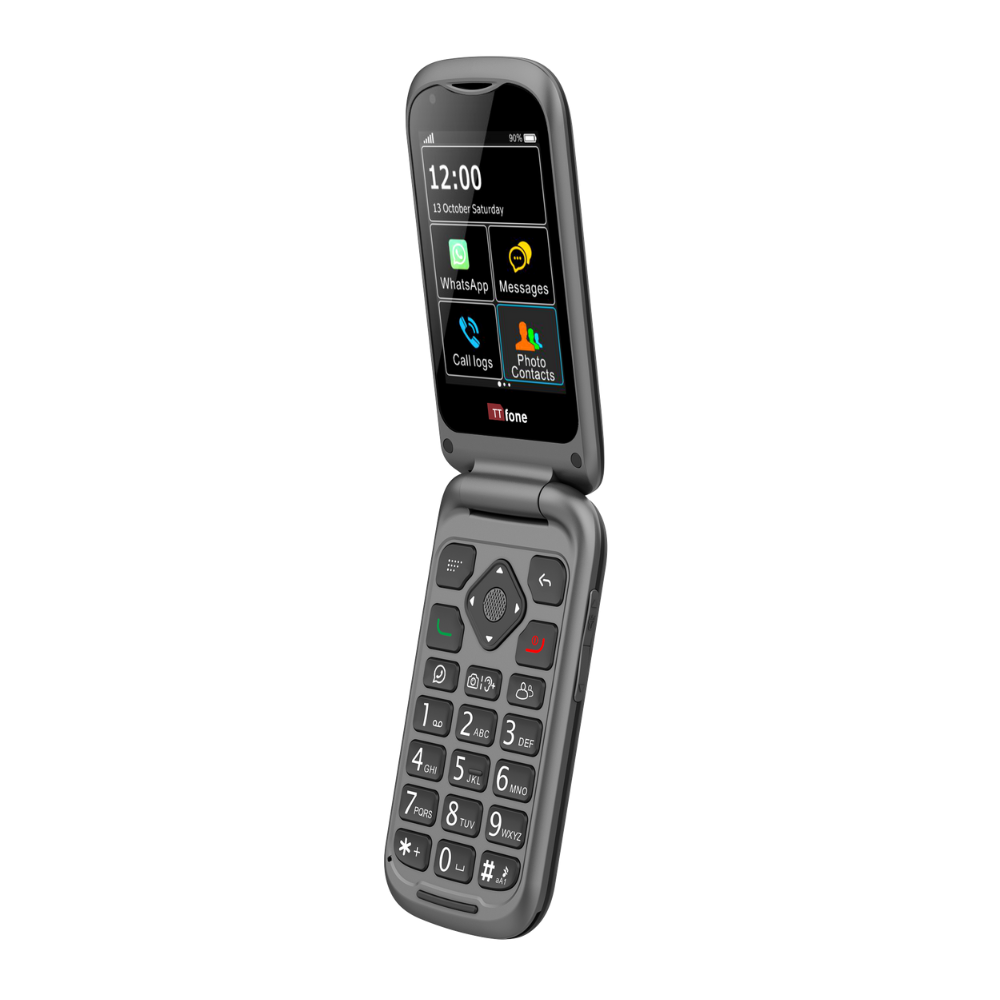
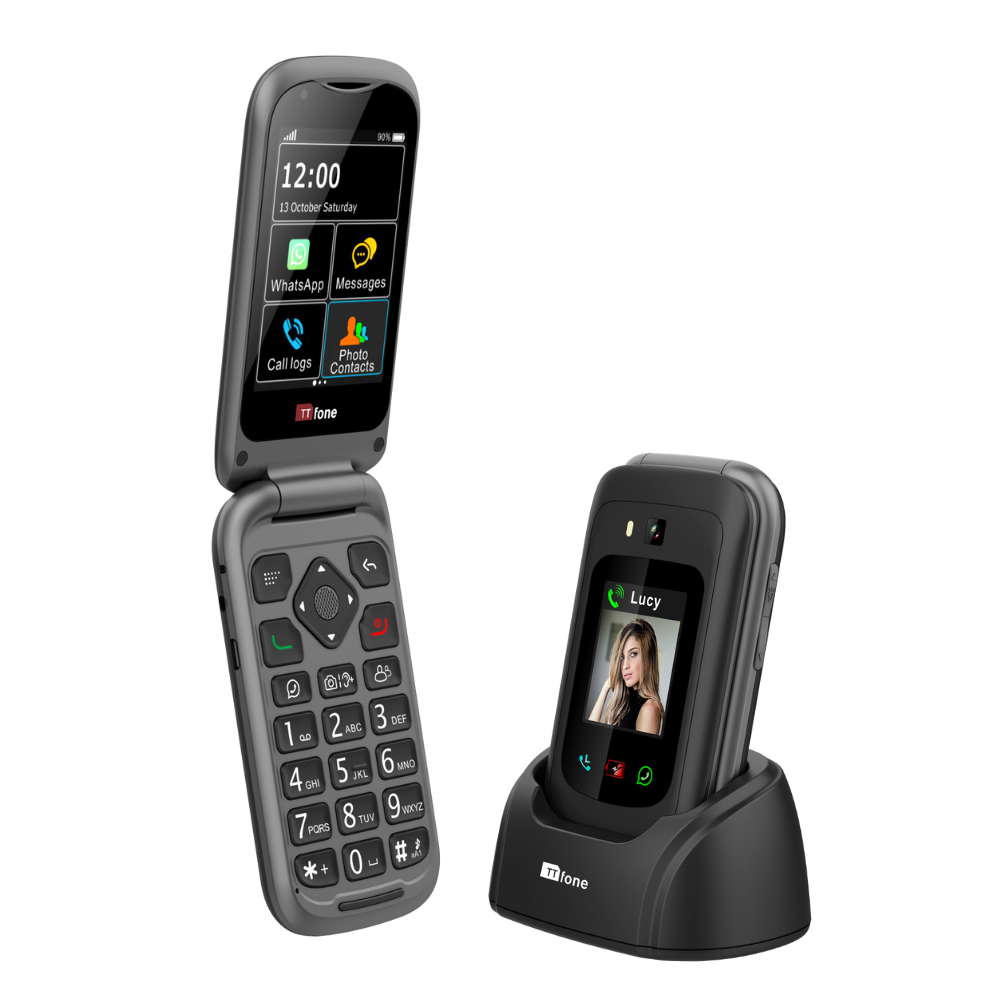
Il TTfone TT970 è un telefono cellulare a conchiglia 4G facile da usare, dotato di tasti grandi e ben distanziati, uno schermo touch luminoso, audio chiaro e ad alto volume, un pulsante SOS, contatti fotografici e una pratica base di ricarica. Utilizza una versione semplificata di Android con app preinstallate come WhatsApp, combinando la connettività moderna con la familiarità e la semplicità di un classico telefono a conchiglia.
Nota: Il TT970 utilizza una scheda Nano SIM card.
Prezzo di listino £124.99 GBP
Prezzo di listino £0.00 GBP Prezzo scontato £124.99 GBP
In offerta Esaurito
Imposte incluse. Spese di spedizione calcolate al check-out.
Quantità

Guida rapida e istruzioni per l'uso

📕 Clicca qui per scaricare il Manuale utente in inglese, francese, italiano, spagnolo, tedesco e polacco

📌Visita la nostra pagina di supporto per guardare un breve video tutorial o scaricare il Manuale utente.

Visualizza dettagli completi

TTfone TT970 YouTube Playlist

Caratteristiche principali di TT970

  • Messaggistica e chiamate WhatsApp

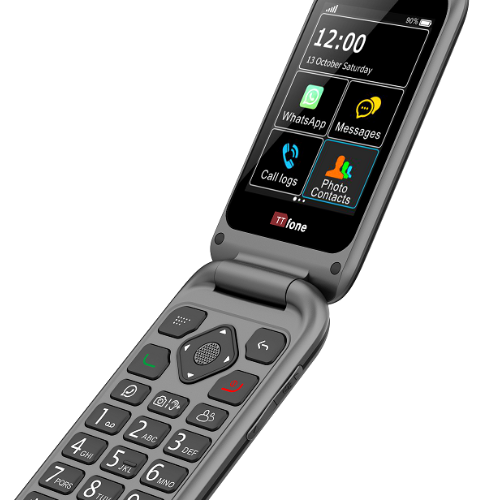
    Il TTfone TT970 ha WhatsApp integrato, così puoi inviare messaggi e effettuare chiamate in modo veloce, semplice e sicuro, gratuitamente. Con una connessione Wi-Fi o dati mobili 4G.

  • Flip con doppio schermo

    Molto più facile da riporre in tasca grazie al suo design pieghevole a ribalta: dimentica le chiamate accidentali quando il telefono è in tasca o nella borsa.

  • Caricabatterie da docking

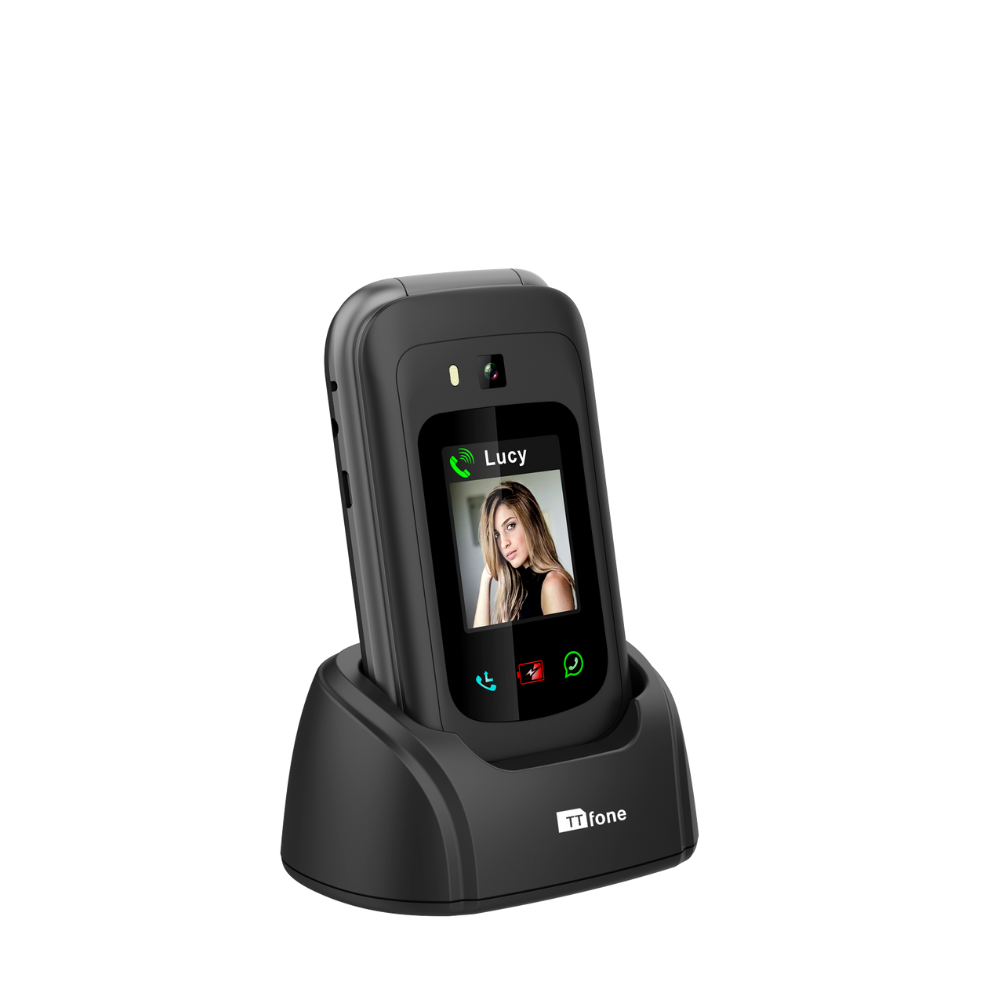
    Il TTfone TT970 è fornito con una stazione di ricarica da tavolo che rende la ricarica del telefono semplice e facile.

  • Contatti con foto

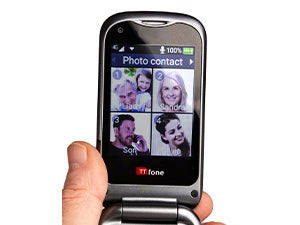
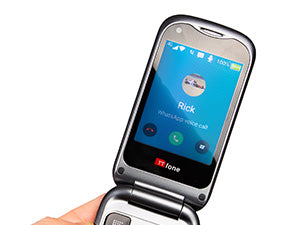
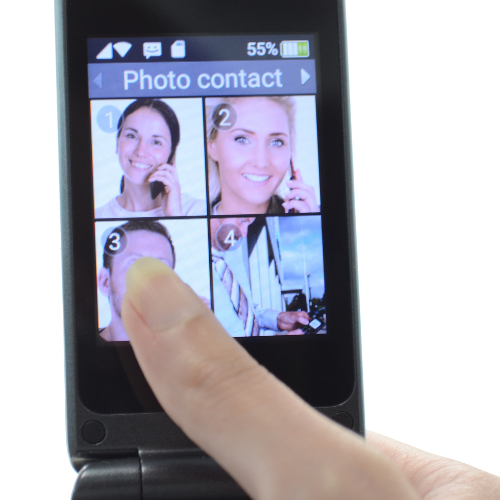
    I contatti con foto sono una funzione che ti consente di salvare sul telefono i numeri di telefono con la foto della persona, rendendo semplicissimo chiamare un caro.
  • Social media - WhatsApp, Facebook Lite, YouTube

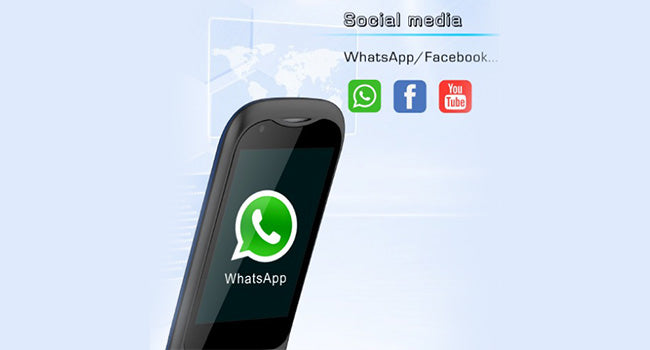
    Il TT970 dispone anche di un'app Facebook semplificata con cui puoi utilizzare i servizi di messaggistica. Sono presenti anche YouTube e un browser internet per il tuo intrattenimento. Abbiamo incluso un'app dedicata alla posta elettronica, così puoi leggere e rispondere direttamente dal telefono.

  • Doppia fotocamera

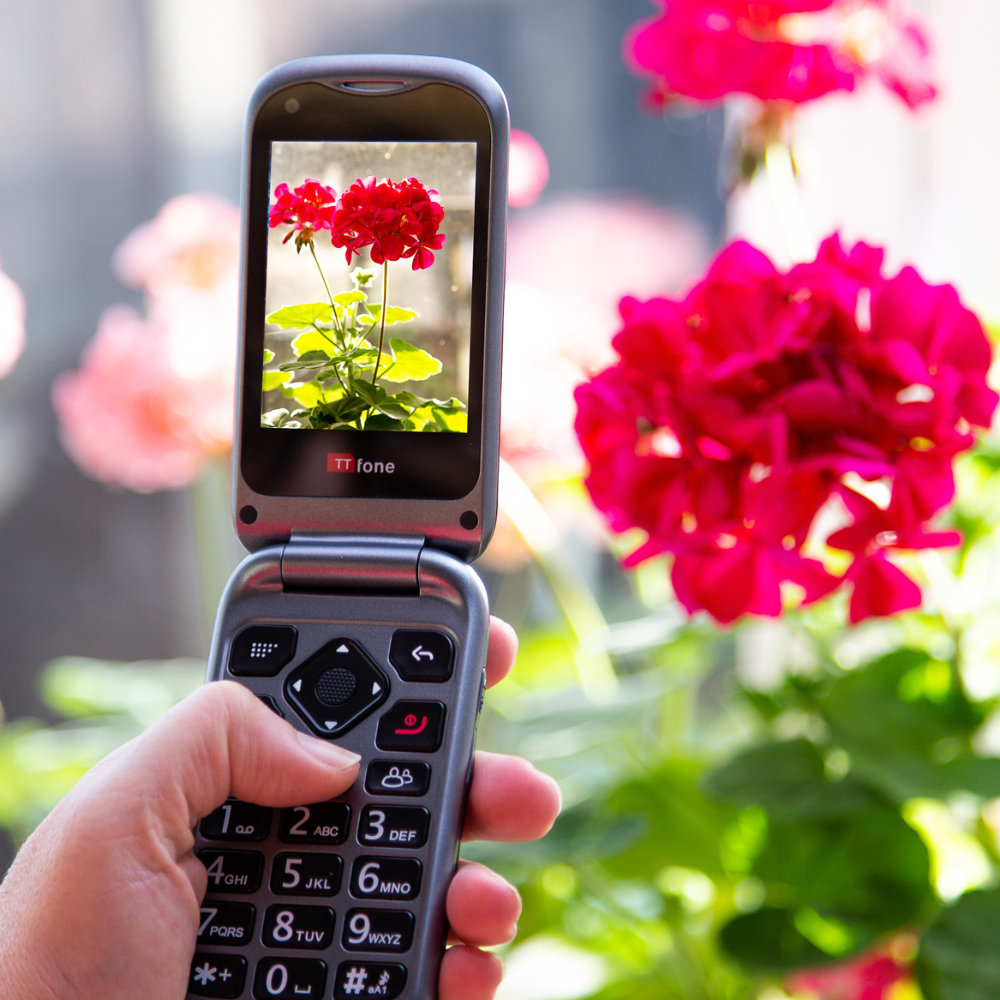
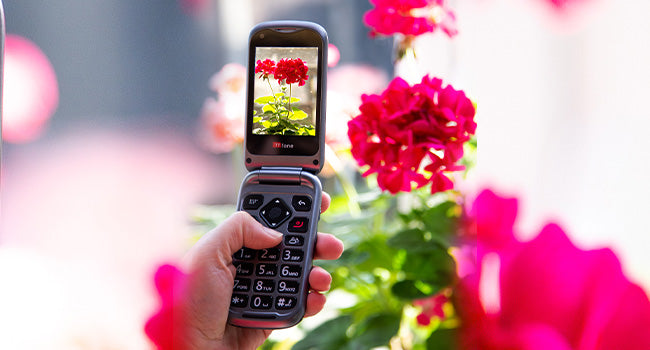
    Grazie alla fotocamera posteriore da 8 megapixel, puoi scattare e condividere splendide foto con familiari e amici. Il TT970 è dotato anche di una fotocamera frontale VGA per scattare selfie e effettuare videochiamate.
  • Compatibilità con gli apparecchi acustici

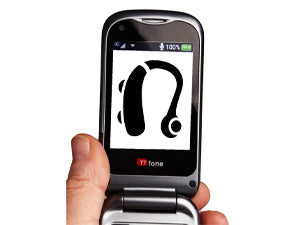
    Il TT970 è dotato di tecnologia HAC (compatibilità con gli apparecchi acustici), che si connette automaticamente al tuo apparecchio acustico durante le chiamate in entrata e in uscita.

  • Note vocali

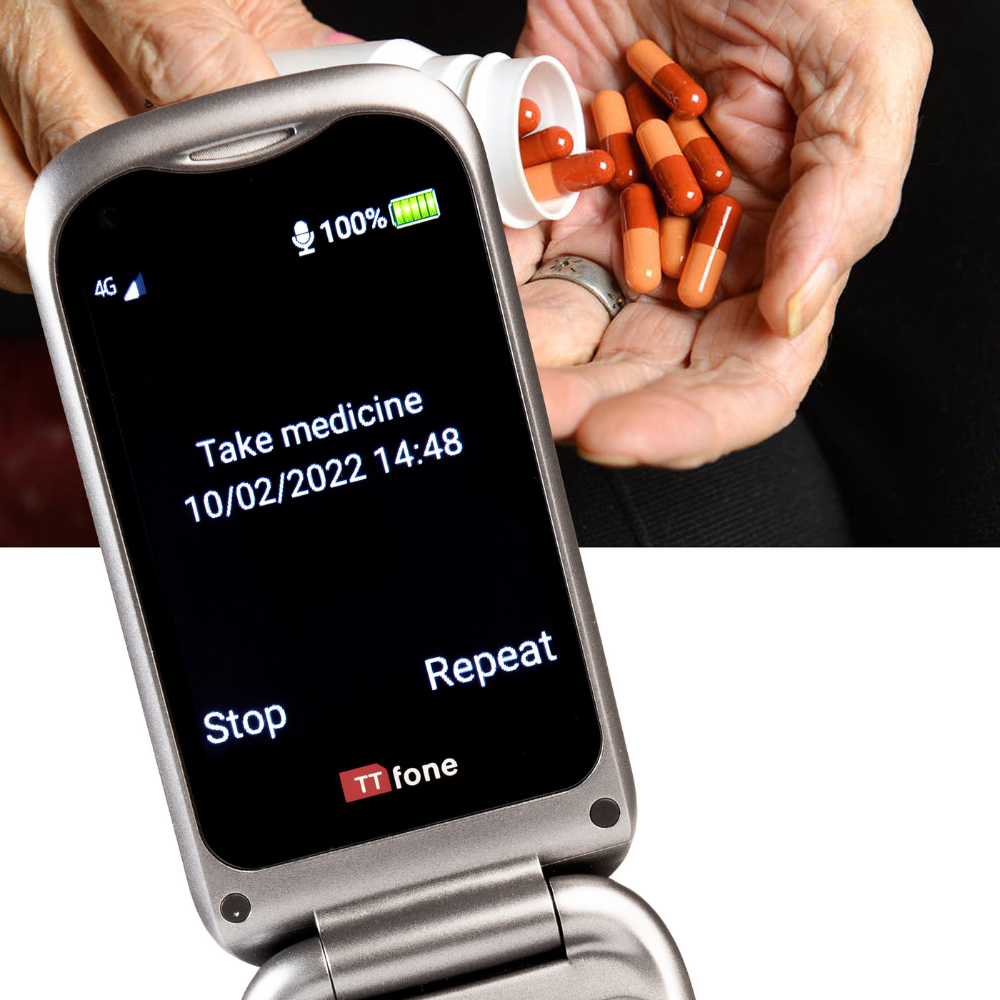
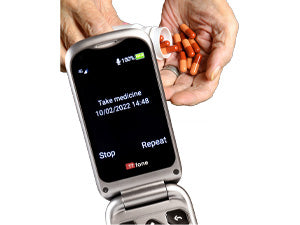
    Il TT970 integra una pratica app chiamata note vocali, che consente di utilizzare un file audio come promemoria per assumere i farmaci o fare una passeggiata.

  • Amplificatore per altoparlanti extra 25 dB

    Il TT970 di TTfone ha un altoparlante potente. Inoltre, è presente una funzione di amplificazione che aumenta il volume di altri 25 decibel.

  • Compatibile 4G

    Il TT970 utilizza la tecnologia 4G, che rende più veloci funzioni come le chiamate WhatsApp, l'e-mail e i social media.
SOS - Aiuto di emergenza

Pulsante di assistenza di emergenza

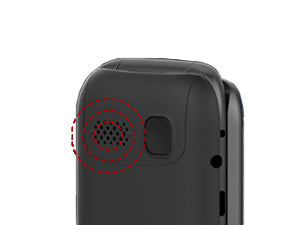
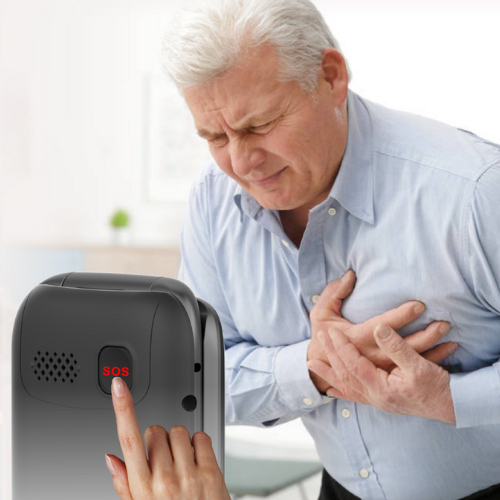
È possibile impostare fino a cinque contatti di emergenza sul telefono: quando viene premuto il pulsante di assistenza di emergenza sul retro del telefono, a ciascuno verrà inviato un messaggio di testo SMS con la posizione del TTfone TT970 e il telefono squillerà su ciascun numero finché qualcuno non risponderà. Una fantastica funzione salvavita che consente anche di inviare informazioni sulla posizione a familiari e amici in caso di emergenza.
Smartphone con ribalta e pulsante grande

TTfone TT970 Telefono cellulare per anziani con touchscreen, WhatsApp e 4G

Il TT970 utilizza la tecnologia 4G, che rende funzionalità come le chiamate WhatsApp, l'email e i social media 10 volte più veloci da usare. Sbloccato e funzionante su tutte le reti, il TT970 può essere utilizzato con la tua SIM esistente oppure con una nuova. Il TTfone TT970 utilizza una versione semplificata del sistema operativo Android, con un numero limitato di app ma un menu molto facile da usare.
Dimensioni TT970

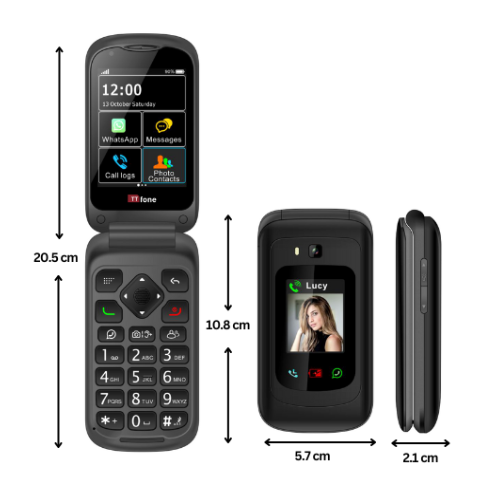
Altezza: 20,5 cm
Altezza con coperchio chiuso: 10,8 cm
Larghezza: 5,7 cm
Larghezza con coperchio chiuso: 5,7 cm
Profondità: 1,2 cm
Profondità con coperchio chiuso: 2,1 cm
Peso (con batteria): 132,5 g

FAQ

Ho problemi con la SIM? Avrò bisogno anche di una scheda di memoria micro SD?

Il TT970 utilizza esclusivamente una scheda SIM di formato nano. L'adattatore può essere acquistato in qualsiasi negozio di telefonia mobile nelle vicinanze. Il TT970 è compatibile con la rete 4G e funzionerà in qualsiasi paese e su qualsiasi rete.
La scheda di memoria micro SD serve ad aumentare la memoria del telefono cellulare. È opzionale e viene venduta separatamente. Si prega di notare che è possibile utilizzare una scheda di memoria con una capacità massima di 32 GB, mentre il telefono dispone di 8 GB di memoria interna.

Il TT970 ha un MMS?

No, il TT970 non dispone della funzione di messaggistica MMS.

WhatsApp è preinstallato?

Sì, WhatsApp è un'applicazione preinstallata sul telefono cellulare. Ti basta configurare le impostazioni guidate di WhatsApp e assicurarti di avere una connessione Wi-Fi o dati mobili per comunicare con i tuoi cari. WhatsApp ti chiederà prima di accettare i termini e le condizioni, quindi ti chiederà di verificare il tuo numero di telefono e ti invierà un messaggio di testo con un codice. Inserisci questo codice per iniziare a usare WhatsApp.

Cos'è il pulsante di assistenza di emergenza sul retro?

Si tratta di un pulsante che può essere programmato per chiamare il numero o i numeri a tua scelta, in modo che tutti coloro che desideri avvisare in caso di emergenza ricevano una telefonata. Le persone all'altro capo della linea potranno quindi sentire tutto ciò che accade. Attiva inoltre un allarme ad alto volume per attirare l'attenzione dei passanti, affinché possano prestare soccorso in attesa dell'arrivo dei soccorsi. Il pulsante SOS invierà inoltre messaggi di testo di emergenza e la tua posizione attuale ai contatti preimpostati. Nota: se uno dei numeri di emergenza dispone di un sistema di segreteria telefonica, il telefono considererà la chiamata come accettata e non chiamerà più gli altri numeri preimpostati.

Ha Facebook e Twitter e può inviare e ricevere e-mail?

Il TTfone TT970 dispone di una versione leggera di Facebook che consente di visualizzare il proprio feed e utilizzare il servizio Facebook Messenger.
Il TT970 include anche un'app di posta elettronica di terze parti, con cui è possibile ricevere e inviare e-mail.

Attualmente l'app di Twitter non è disponibile.

Questo telefono può effettuare chiamate WhatsApp (non messaggi vocali)? Se sì, c'è una notifica per le chiamate in arrivo?

Sì, puoi chiamare usando WhatsApp e, allo stesso modo, riceverai la stessa notifica di una chiamata normale.

Il mio TT970 indica che è disponibile un aggiornamento software, come posso aggiornare il software?

Vai su APP > Aggiornamento wireless > Cerca aggiornamenti > se è disponibile un aggiornamento, clicca su scarica e installa.

Come trasferire i contatti tramite Bluetooth?

1. Accoppia e connetti il Bluetooth su entrambi i dispositivi (TT970 e l'altro dispositivo)
2. Una volta accoppiati, avvia la condivisione del contatto tramite Bluetooth.
3. Sul tuo TT970, il dispositivo ti notificherà che è in arrivo un file.
4. Trascina verso il basso la barra di stato e seleziona "accetta file".
5. Una volta completato il trasferimento, vai su Impostazioni>Bluetooth>File ricevuti
6. Seleziona o premi il file del contatto (formato vcf) e apparirà una finestra pop-up sullo schermo con la scritta "Importare contatti da vCard?" e seleziona "OK".
7. Controlla il menu della rubrica e il/i contatto/i dovrebbero essere visualizzati.

Come aggiornare WhatsApp sul TT970?

1. Vai su App.
2. Seleziona Aurora Store.
3. Seleziona App in basso a destra dello schermo.
4. Segui le istruzioni a schermo per completare l'aggiornamento o l'installazione di WhatsApp.

Il TT970 funzionerà sulla rete Three?

Sì, il telefono è 4G e funzionerà sulla rete Three, così come su tutte le altre reti del Regno Unito e su molte altre in tutto il mondo.

Il nome e la foto del chiamante vengono visualizzati sullo schermo esterno?

Il display esterno fornisce tutte le informazioni importanti senza dover aprire il flip cover del telefono. Viene visualizzato non solo il nome del chiamante, ma anche la sua foto, se è impostata l'opzione Contatti con foto. Senza contare le luci di notifica esterne sullo schermo esterno, che ti avvisano se hai perso una chiamata, ricevuto un nuovo messaggio (può trattarsi di un messaggio WhatsApp o di un SMS) o se la batteria è quasi completamente scarica.

Quando si apre un'app, il telefono dice "impossibile aprire" o "sistema non funzionante"

Inizia riavviando il telefono: tieni premuto il tasto rosso per qualche secondo, quindi scegli l'opzione "riavvia" sullo schermo.
Se questo non risolve il problema, verifica la disponibilità di aggiornamenti software.
Vai su APP > Aggiornamento wireless > Verifica aggiornamenti > se è disponibile un aggiornamento, clicca su scarica e installa.
Se il problema persiste, è necessario eseguire un ripristino ai dati di fabbrica: vai su Impostazioni > Sistema > Opzioni di ripristino > Ripristino dati di fabbrica > Ripristina telefono > Cancella tutto.

Come posso caricare i contatti dal mio PC al TT970?

1. Collega il tuo TT970 al PC tramite cavo USB.
2. Sul tuo TTT970 apparirà una finestra pop-up; seleziona Trasferisci file. Il PC riconoscerà quindi il TT970.
3. Sul PC, apri la cartella del dispositivo denominata TT970; all'interno vedrai un elenco di cartelle.
4. Seleziona e apri la cartella Contatti oppure, se non è presente, crea una nuova cartella per i tuoi contatti.
5. Dal PC, copia i contatti che desideri trasferire nella cartella appena creata sotto TT970.
6. Scollega il TT970 dal PC.
7. Sul tuo telefono cellulare TT970, vai su Strumenti>Gestione file>Memoria condivisa interna>Contatti
8. Seleziona il contatto, tocca lo schermo oppure premi il tasto di navigazione centrale: apparirà una finestra pop-up con la scritta "Importare contatti da vCard?" e seleziona OK.
9. Controlla il menu Rubrica: il/i contatto/i dovrebbe/dovrebbero essere visualizzato/i.

C'è il Google Play Store e posso installare altre app?

Mi dispiace, ma il TT970 non dispone del Google Play Store, poiché non è un dispositivo supportato da Google. Il TTfone TT970 ha app social preinstallate come WhatsApp, FB (versione lite), YouTube e un browser.

Puoi gestire il telefono da remoto? Senza avere il telefono con te?

Questa è una cosa su cui stiamo lavorando da parecchio tempo qui da TTfone, purtroppo si è dimostrato molto complicato e costoso poter aggiornato il telefono da remoto, per favore scriveteci via email le vostre esigenze esatte, ad esempio quali menu vorreste aggiornare esattamente, in modo che possiamo prenderle in considerazione nella nostra ricerca per questa funzionalità.
Potete scriverci su [email protected]

Posso aggiungere una suoneria?

Puoi salvare un'ulteriore musica/suoneria a tua scelta e impostarla come suoneria per il tuo TT970.
Per farlo, devi collegare il TT970 a un computer tramite cavo USB e aggiungere la musica oppure utilizzare la funzione di condivisione Bluetooth per ricevere un file musicale da un altro dispositivo. Quando usi il Bluetooth, accoppia prima i due dispositivi e avvia la condivisione del file.
Una volta completato il trasferimento/la condivisione dei file, sul tuo TT970 vai su Multimedia > Musica, seleziona la musica che desideri impostare come suoneria, premi il tasto di navigazione centrale e seleziona "imposta come suoneria".

Perché WhatsApp ha smesso di funzionare?

Innanzitutto, l'applicazione WhatsApp potrebbe dover essere aggiornata.
Vai su 'APP' > 'Aurora store' > 'Cerca aggiornamenti' > seleziona 'App' in fondo allo schermo e seleziona WhatsApp.
Se è disponibile un aggiornamento, premi 'AGGIORNA TUTTO' > premi 'Installa' e attendi che sullo schermo compaia 'App installata', quindi seleziona Fine.
Premi il tasto rosso per uscire.

In secondo luogo, se è disponibile un aggiornamento del software del cellulare. Vai su 'APP' > 'Aggiornamento wireless' > 'Cerca aggiornamenti'.
Premi due volte su "Cerca aggiornamenti" se al primo tentativo viene indicato "Nessun aggiornamento disponibile". Se è disponibile un aggiornamento, premi 'Scarica' > 'Installa ora' > premi 'Aggiorna' e attendi il riavvio del telefono.
Assicurati di avere una carica sufficiente della batteria e di essere connesso al Wi-Fi prima di avviare l'aggiornamento e non spegnere il cellulare durante l'aggiornamento.

Come si resetta il TT970?

RIPRISTINO DELLE IMPOSTAZIONI DI FABBRICA PER TT970
Vai su 'Impostazioni' > 'Sistema Android' > 'Sistema' > trascina lo schermo verso il basso e premi 'Opzioni di ripristino' > 'Cancella tutti i dati (ripristino ai dati di fabbrica)'
Scorri verso il basso e premi 'Ripristina telefono', quindi premi  'Cancella tutto'.
Non spegnere il cellulare, attendi semplicemente che il cellulare si riavvii.

  • 5 stars: 35 (59%)
  • 4 stars: 18 (31%)
  • 3 stars: 5 (8%)
  • 2 stars: 1 (2%)
  • 1 star: 0 (0%)
L
Lynn

Partner appears happy with the phone so far - was looking for a straight forward phone for him - and this seems exactly what he needs as he is not technically minded.

Thank you for your lovely feedback! We're delighted to hear that your partner is happy with the phone so far and that you've found it straightforward and easy for him to use. It's great to know that it seems to be exactly what he was looking for.

We really appreciate you choosing TTfone and sharing your experience with us!

— TTfone Team

F
Fátima Martinez

El teléfono es perfecto, se puede usar con la talla táctil ( es pequeña) o con los botones.

Thank you for your wonderful feedback! We're delighted to hear that you're enjoying your TT970 and that you appreciate the flexibility of using both the touchscreen and the physical buttons.

We truly appreciate your support and hope you continue to enjoy your TTfone.

— TTfone Team

---------------------------------------

¡Muchas gracias por su excelente comentario! Nos alegra saber que está disfrutando de su TT970 y que valora la posibilidad de utilizar tanto la pantalla táctil como los botones físicos.

Agradecemos mucho su apoyo y esperamos que siga disfrutando de su TTfone.

— Equipo de TTfone

s
susan fox

it is brilliant!

Thank you for your wonderful feedback! We're delighted to hear that you think the phone is brilliant.

We truly appreciate your support and hope you continue to enjoy using your TTfone.

— TTfone Team

D
Daanish Smellie

Good phone for my use-case, does as advertised. Battery could be improved. Logging in to WhatsApp as a secondary device was possible, but a bit tricky. Good value for money

Thank you for your feedback. We’re pleased to hear that the phone meets your needs and offers good value for money.

We appreciate your comments regarding the battery life and the WhatsApp setup process. Your feedback is valuable to us and will be shared with our team for future improvements.

— TTfone Team

e
ethel

Iŧ suiŧs me fine, not done whaŧs app yeŧ, also torch not working, I am 86yrs
old, I think the more I use it the beŧŧer I will be. Thanks

Thank you for your feedback. We’re pleased to hear that the phone is suiting your needs and hope you continue to enjoy using it as you become more familiar with its features.

We’re sorry to hear that the torch is not working. If you need any assistance with this or have any questions about WhatsApp or other features, please don’t hesitate to contact us and our team will be happy to help.

— TTfone Team

Ž
Željko Čoko

I am satisfied with the device!

Thank you for your feedback. We’re pleased to hear that you are satisfied with your device and that it is meeting your expectations.

We appreciate your support and hope you continue enjoying your TTfone.

— TTfone Team

D
Dibley

I bought this one about year ago.

Frustrating because mum (dementia) didn’t use the stand unless charger, but not as charger for the stand. The charger went 8n side of phone. I really wish the charger base and cable didn’t come apart. Locating four elements including plug is just hard work.

That phone overheated (not good to storeunder pillow). I bought https://www.ttfone.com/products/ttfone-tt660 but the fact all elements can still be separated mean is still a treasure hunt. The landline is proving to be more reliable. Also when folded this phone looks like a black box. A great big yellow sticker saying mums phone hasn’t work. Make it stand out. Make the charger plugs one undetachable element.

The design is not cindusive to elderly with mild dementia. Perhaps work with charities to help improve design.

Thank you for your detailed feedback. We’re sorry to hear about the difficulties you and your mum have experienced, and we apologise for the inconvenience caused.

We truly appreciate you taking the time to share these suggestions regarding the charging setup, visibility of the phone, and ease of use for elderly users with dementia. Your comments are very valuable and will be shared with our team for future product development and design improvements.

Thank you again for your honest feedback and continued support.

— TTfone Team

J
Jacqi B.

I am happy with my new phone. It suits my needs very well in that I need a reliable phone for calls and texts, it has an adequate camera, and a basic ability to browse the net should the need arise. I can also access basic social media on the rare occasion I would need that. I like the touch screen, that works in conjunction with or instead of the usual buttons. I like the photo contacts for calling nearest and dearest. My only gripe is the time lapse between each digit when compiling a text. It is a severe exercise in patience, and I miss the ability to swipe through letters on a touch screen keyboard.
I am not the most tech-minded person, but I seem to have found my way round this phone, and my 11 year old grandson is now after one of these. All in all, a good buy.

Thank you for your thoughtful feedback. We’re delighted to hear that you’re enjoying the size and design of the TT970, and that features like WhatsApp are proving useful.

It’s great to hear how the phone is helping you focus on the essentials, and we appreciate your kind comments about the value of our products. We hope it serves you well on your upcoming holiday.

— TTfone Team

S
Simon Beeson

Maybe the stars isdoing a disservice to the phone. I bought the phone for my elderly father who is 92. However, I think even with this simple phone it’s a technology leap too far. If you are going to buy this phone for your elderly parent then careful consideration of the age bracket should be applied. The phone itself is fine, a little bit fiddly to set up. The alpha numeric keys for texting for someone who is 92 is just a no go.

Thank you for your feedback. We understand your concerns and appreciate you sharing your experience.

We’re pleased to hear that the phone itself met expectations, but we recognise that even simple devices can still be challenging depending on the user’s needs. Your comments will be noted and shared with our team for future improvements.

— TTfone Team

D
Davine Jenkinson

I use it as my house phone or for emergencies iits a great little phone zI love it !! I'm 84 years old !! so I need a back up but when my contract finishes I will get another one ! Perfect for me & not complicated

Thank you for your wonderful feedback. We’re delighted to hear that the phone is perfect for your needs and works well as a simple and reliable backup. It’s great to know you find it easy to use and not complicated.

We truly appreciate your support.

— TTfone Team

L
Lucen

This phone is great. I've been using it for 6months straight and this is my in depth review. Physically, the shell is rugged and sturdy. The buttons are very plastic but hold well. The hinge is strong. I always charge mine on it's cradle but after all these months half of the time it's not connecting properly and the charging light doesn't blink/ phone doesn't charge. Thankfully you can still charge it like any normal phone with a usb C too. I will admit the big downside here is the relative low battery life, however this is a dumber-smartphone and everything takes ages to do, so you won't be browsing, watching reels or videos online for hours on end. I use the phone for calling, WhatsApp and to Google/gmail/maps something here and there throughout the day. With that said, when I'm home in the evenings I'm left with about 40% still, which is great. Many people complain about the battery life, but if you turn off your location the battery surprisingly holds for a good daily use. Furthermore if you care about camera quality (on the TT970 which is considered the "pro" model with better camera) it is good for documents or close stuff. Try photograph a person, landscape and the outcome is a bit pixelated. It will do the job. I recommend getting the TT970 just for that reason too, anything lower camera quality than this phone and it's horrible. On the other hand, the operating system is a simple version of Android. To have an easier and more enjoyable time I recommend side loading applications from your computer. I have been able to add a Touch screen Keyboard, Opera browser, K9mail(which basically lets you use Gmail) and much more. The phone by itself does not come pre-loaded with a touch screen keyboard, but it is easy to add. I wonder why they didn't bother to add this. You can turn off the SOS button permanently for those who are afraid to accidentally press it. It also comes with hotspot too, so if you're carrying around another smartphone you can connect. One more downside is the lack of internal space, so I recommend adding an SD card ASAP! WhatsApp works wonders as of 17/3/26 and texting and calling work too. When video-calling on WhatsApp I have been told my camera quality drops significantly on both exterior and interior cameras. Surprisingly Google maps works on the Opera web mode, which is a plus!!! Unfortunately the phone does not come with a GPS map application pre-installed and will not run the Gmaps or Waze applications if side loaded. Web is the only way. Like every phone there is downsides, but there's a way to get around them like I explained. This is a great phone for those who want to distance themselves from common attention grabbing smartphones and seek simplicity/privacy without losing the useful things. I would not recommend this phone for seniors, due to the fact it can get very complicated (even for us tech-people!) unless someone with knowledge takes the time and sets it up for them. Hopefully the company learns from those errors and improve it so it can be sold to a much wider group of people instantly with less drawbacks. I use it in Greece and the service even works at sea! Cheers mates

Thank you for taking the time to share such a detailed and insightful review. We’re delighted to hear that you’ve had a positive overall experience with the phone over the past 6 months and that it’s meeting your needs for calls, WhatsApp, and everyday use.

We truly appreciate your balanced feedback, including your comments on the charging cradle, battery performance, camera quality, and overall usability. Your suggestions and observations are extremely valuable and will be shared with our team for future improvements.

It’s great to hear how you’ve been able to customise the phone to suit your preferences, and we’re pleased it’s supporting a more simple and focused mobile experience for you.

— TTfone Team

J
Joyce Williams

Looks small and quite cute but otherwise no different to a normal sized phone.

Thank you for your feedback. We’re glad to hear you like the compact and stylish design of the phone.

— TTfone Team

S
Sebastian

Perfect if you don't want to use a smartphone anymore. Just WhatsApp, Calls and Sms. I buyed it because of WhatsApp. Best decision I made for mental health. Smartphone addiction is a big problem in society, and this phone is the solution. Thank you.

Thank you for your thoughtful feedback. We’re delighted to hear that the phone is working well for you and providing the simplicity you were looking for. It’s great to know that using WhatsApp, calls and SMS on a simpler device has made such a positive difference for you.

We truly appreciate you sharing your experience.

— TTfone Team

D
Douglas Fairlie

Bought this phone for my disabled mother-in-law. Thought the idea of having touchscreen for the photographs to call was good. Didn’t realise there was still other steps to take to make the call why not just tap the photograph. It would also help if there is easier access to WhatsApp call making. The quality of video calls could also be better (screen resolution?)

Thank you for your feedback, and we’re sorry for any inconvenience caused.

The Photo Contacts feature allows you to save a contact with their photo to make calling easier. When you open the photo contact, simply press the green call button and it will automatically call that person.

We appreciate your suggestions and will forward your feedback to our team.

Regarding WhatsApp calls, please note that the green and red keypad buttons cannot be used to answer or end WhatsApp calls, as the official WhatsApp application does not support these functions.

— TTfone Team

S
Steve Cameron

Does the job

Thank you for your review — we’re glad it’s doing the job! If there’s anything else you need, we’d be happy to assist you.

– TTfone Team

A
Amazon Customer

Quite easy so set up for a old non tech person,but great camera,and easy to use .Finding out more facilities all the time. Just great.

U
Uwe Bocklage
Super

Super danke schön

t
travelmate

Very easy to understand also simple to use

R
Ruth

Really good

A
Anon
Is perhaps too much of a compromise

This is a very clever, nicely made phone, but if smartphone features are needed the really the only answer is to invest in a smartphone!

Thank you for your honest feedback. We appreciate you sharing your perspective. Our aim is to offer a balance between simplicity and essential smart features, and we understand this may not suit everyone’s needs. Your comments are valuable and will be taken into account as we continue to develop our products.

— TTfone Team

F
Frederick Grover
Great phone with one exception

This phone is great for Phone calls, Messaging, WhatsApp and Photo'sThe camera is also quite good.After accepting all these points with praise, I then discovered I could not send and receive emails.Neither could I download or use Google browser.I then discovered the phone will not accept Google e.g.Gmail,or Google earth etc.Great shame because in other respects it is a great little phone

M
Michael in the book
good!!

Looks good, have not used yet.

D
DomTH
Just smart enough

I really don't need a full-scale smartphone. In fact, having owned a number of iPhones and Android phones in the past, I suspect most people don't. When it came to the time to upgrade, I realised I don't play computer games, I don't watch movies or TV shows on my phone. I listen to music on my iPod... and smartphones are getting stupidly large! As an avid book reader, I had already realised that smart devices really mess with my concentration. I resented having to pay hundreds of pounds essentially to make calls and send WhatsApp messages!Looking for something simpler, I started out with a Nokia 2720 Flip in 2020, which runs with the Kai OS operating system. After two years of shaky functionality and increasingly erratic operation, I got fed up with it. If a name brand like Nokia couldn't be trusted, I'd look elsewhere.My search for a replacement led me to the TTfone TT970, which, with 4G, looked promising. TTfone markets its products on their simplicity and they aim a lot of marketing at the elderly. The phones include emergency buttons and health information. I'm not old and I love gadgets, but I hate unnecessary complexity.I've had the phone for three days now. First off, it has a charging cradle, which is great, as it stops the side USB socket getting damaged. The phone is plastic, but solidly built. The operating system is Simplified Android - basically Android without all of Google's intrusive bloatware. I haven't had to sign into any accounts to use the phone: I merely put my number into WhatsApp. Transferring numbers via my old phone's SD card was easy. Photos also imported automatically from the card.The operating system is far better than Kai OS was on my Nokia 2720 Flip. TTfone's Simplified Android OS variant is very simple and the menu not very customisable - quite why emails are stored in a folder called 'Social Media', rather than on the main menu, I can't say, and it's a shame I can't move it on to the main menu, but it's not the end of the world!WhatsApp works fine. Messages arrive when people send them (unlike the 2720, where I didn't receive messages until I opened the WhatsApp app) and WhatsApp phone calls work. The ear speaker is LOUD. Even on a low volume, I pulled it away from my ear at one point while talking to a client. The alarm works fine. I also downloaded Telegram and have had no problems there.The combination of keypad and touchscreen is great. Sadly, the phone lacks the ability old Nokias had of triggering a capital letter mid-sentence by tapping the hash button once - the 2720 didn't do that either - but being able to tap the touchscreen to complete keypad tasks is a bonus.Basically, it's down to what you're looking for. Smartphone lovers will hate this phone. But they're missing the point: the TT970 is a phone. It's sufficiently smart to send web app messages, pictures and videos over 4G and wifi, and it lets you check and send emails. Once it's set up, it's easy to use - older people who aren't confident will likely someone younger to set it up, particularly email - and it's blessedly small.I'm very happy with this phone: until I bought it, I had feared I'd end up having to go back to full-fledged smartphones. I work from home and, if I work away, I have my laptop with me. I've happily opted out of the smart revolution.This phone is smart enough not to do too much, but what it does do, it does well. After my colossal disappointment with the Nokia 2720 phone, this is much more what I was looking for. Recommended for smartphone 'detoxers' and people who simply want to make calls, check emails and send messages. Big thumbs up from me!