
TT220 Tech Talk: What’s Inside
💡 Quick Overview
- Style? Classic candy bar shape – easy to hold, easy to love
- Languages? English, French, Spanish, German, Italian, and Arabic
- Lanyard Compatible? Yes
- Touchscreen? No, keypad navigating menu
- Screen Size & Display type? 1.77" Colour TFT
- Display Screen Distinction 240*320 pixels
- Predictive text? Nope – old-school typing only
- Keypad Backlight? Yes
- Talking Buttons? Yes, human voice key for number pad
- Speed dial? Yes, can set from no. 2 - 9
- Emergency Alert Button? Yes, Push type
- Pre-set for SOS Button? Yes, up to 5 emergency contact number
- MP3, Radio,Calculator,Alarm Clock & Flashlight? All included
📦 Storage & additional specs
- Memory: 32MB internal storage
- Expandable: Up to 32GB with MicroSD memory card
- Contacts: Save up to 300 contacts
- (SMS) Text messages: yes, Saved up too 100 - SMS (normal text messaging)
- Camera? None
📐 Dimensions & Weight
- Height: 11.7cm
- Width: 5.7cm
- Depth: 1.5cm
- Weight (w/ Battery): 73.8g
🔋 Power & Charging
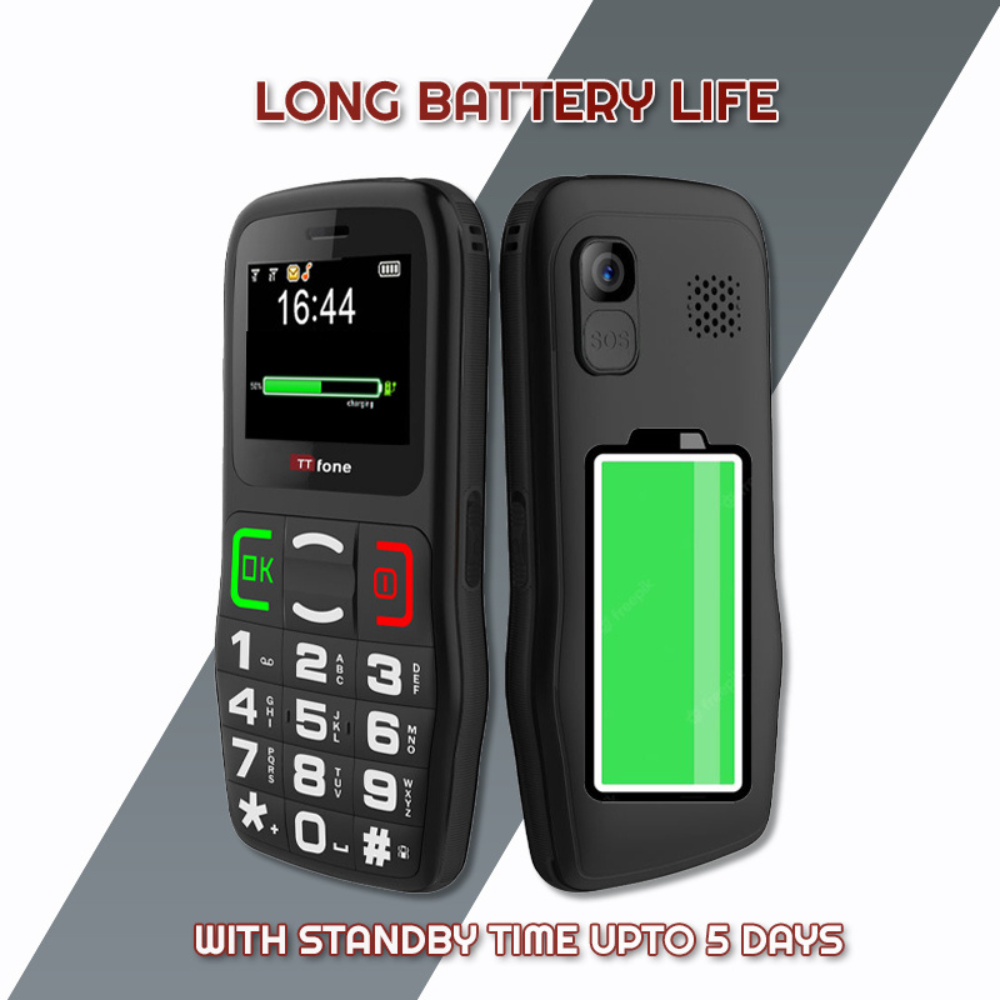
- Battery: Li-Ion V2.1 Battery 600 mAh - lasts up to 5-7 days standby
- Talk time: Around 5–6 hours
- Charger: USB C (finally!)
- SAR Value: 1.265 w/kg
📶 Call & Network Stuff
- Bandwidth: GSM: 850/900/1800/1900
- Dual SIM? No
- SIM card size: Standard
- Wi-Fi? None
- Bluetooth? Yes
- Number of Ringtones? 97 ringtones
- Ring Volume 104 dB
- Call Volume 80 dB
- Speakerphone Volume 90 dB
🌐 Smart Features – Not on this mobile, it runs basic calls and messages only.
📌Want to get the most out of your TT220?
Check out our Youtube page for quick video tutorials.
❓Wait, Quick Questions…
❓ Wait, Quick Questions…
Find fast answers to common questions about our services and products:
Q1. How to contact TTfone?
You can chat with us directly on our website by clicking the bottom-right chat bubble, or click here: Chat with us.
Email: Reach us anytime at [email protected].
Phone: Call us on +44 (0) 330 333 0819 (charged at UK standard rate), Monday to Friday, 10:00 AM – 4:00 PM.
Q2. What are your shipping options?
We offer 2 delivery options for UK customers:
- Standard Delivery: 4 to 7 working days — FREE
- Express Delivery: 1 to 2 working days (additional charge)
Orders placed before 2:00 PM (Monday to Friday, excluding public holidays) are dispatched the same working day.
Orders delivered outside the UK & EU may incur import duties or local taxes payable by the recipient. We will confirm courier availability for your destination before dispatch. If service is unavailable, we reserve the right to cancel the order and issue a full refund.
Q3. How long is the phone warranty?
Brand-New Mobiles:
- 1-Year Warranty: TT170, TT175, TT220, TT240, TT300, TT660, TT750, and TT950.
- 2-Year Warranty (Selected Models): TT150, TT190, TT280, TT290, TT760, TT880, TT890, TT970, and TT990.
14-Day Returns / Refurbished Resale Deals:
- ✔ 30-day return policy
- ✔ 3-month service warranty
*The warranty covers manufacturer faults and excludes physical or liquid damage. Statutory consumer rights remain unaffected.
Q4. How do I register my TTfone warranty?
You can easily register your product online by completing our form here: Register Your TTfone Warranty.
Q5. How long do I have to return a phone for a refund?
We offer a 30-day return policy if you change your mind or find the item unsuitable. Simply contact us so we can raise a return Case ID. Once the item is posted and inspected, your refund will be processed.
*Please note: Prepaid top-up airtime credit is non-refundable.
Q6. The appearance is simple, but is it easy to use?
Absolutely! Our intuitive layouts make navigating quick to learn. Menus are straightforward so you can find what you need without complex steps or endless searching.
Q7. Who are TTfone mobile phones made for?
Everyone! Anyone looking for simple, reliable mobile connectivity can benefit from TTfone. Our large buttons, high-volume speakers, audio speech feedback, and easy menus make them ideal for seniors, children, or anyone wanting a distraction-free secondary phone.
Q8. Is this phone considered safe regarding SAR & radiation?
Yes. All TTfone devices strictly comply with UK and European safety regulations, producing low SAR radiation levels suitable for daily peace of mind.
Q9. What comes included in the box?
Every phone includes:
- TTfone Handset
- Rechargeable Battery
- USB Charging Cable
- User Manual
*Selected models also include a convenient desktop dock charging station in the box.
Q10. What SIM cards can I use with TTfone phones?
All TTfone mobile phones are unlocked to any network. However, please note:
- 2G-only models: Do not support 3, iD Mobile, or Smarty (as these networks rely solely on 3G/4G/5G).
- 3G/4G models (TT280, TT290, TT890, TT970, TT990): Work with all UK & EU network providers.
If using the phone outside the UK or Europe, please check with your local provider regarding local 2G/3G/4G frequency band compatibility.
Q11. Can this phone be used hands-free?
Yes! On models with a dedicated speakerphone button, press it once during a call. On other models, select Options > Hands-Free. This feature is great when driving, cooking, or involving family members in the conversation.
Q12. What is the SOS button on the back of some mobiles?
The SOS key is an emergency feature that dials preset contacts in sequence and sends emergency text messages automatically. It can also sound a loud local alarm to attract nearby help.
Important requirements:
- An active SIM card must be inside the device.
- At least one emergency phone number must be saved to the SOS menu.
- The phone must have signal and available call/SMS credit.
Q13. Can flip phones answer/end calls by opening and closing?
Yes, all TTfone flip models support the flip-to-answer setting for standard cellular calls.
Note for 4G flip models (e.g. TT970 & TT990): The flip action does not control WhatsApp calls, as third-party messaging apps require touch input inside the app screen.
Q14. What language options are supported?
All TTfone models support English, French, Spanish, German, and Italian.
Selected models also support additional languages such as Polish, Dutch, Portuguese, Romanian, Turkish, Arabic, Hindi, or Russian. Check individual product specification pages for exact language details.
Q15. Which TTfone models support WhatsApp?
The following smart-feature models support WhatsApp messaging and calls:
- TT280
- TT290
- TT950
- TT970
- TT990
Q16. How can I order TTfone products?
You can order directly online at www.ttfone.com or via phone. We are also available on trusted market partner sites: Amazon, eBay, TikTok Shop, Temu, OnBuy, The Range, and Cdiscount.
*Note: Purchases made via partner platforms must be processed on that platform for any returns or refunds.
Q17. What online payment options do you accept?
We accept Debit/Credit Cards (Visa, Mastercard, American Express), PayPal, Apple Pay, and Google Pay.
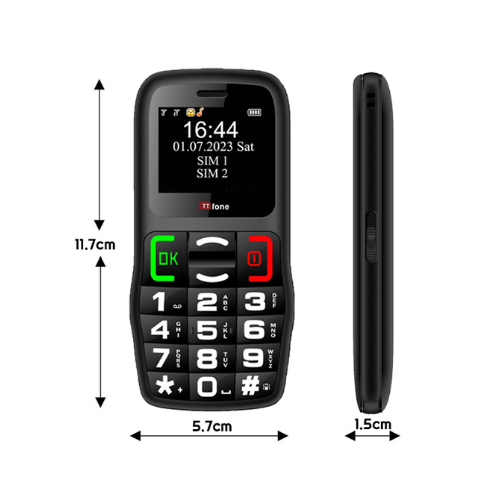
TT220 Dimension
- Height: 11.7 cm
- Width: 5.7 cm
- Depth: 1.5 cm
- Weight (with Battery): 73.8 g
-
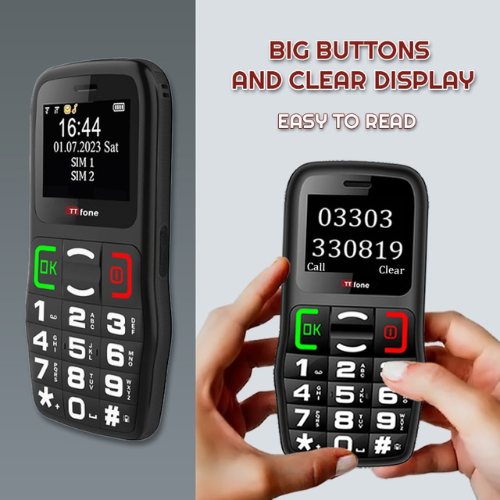
Big Button Mobile
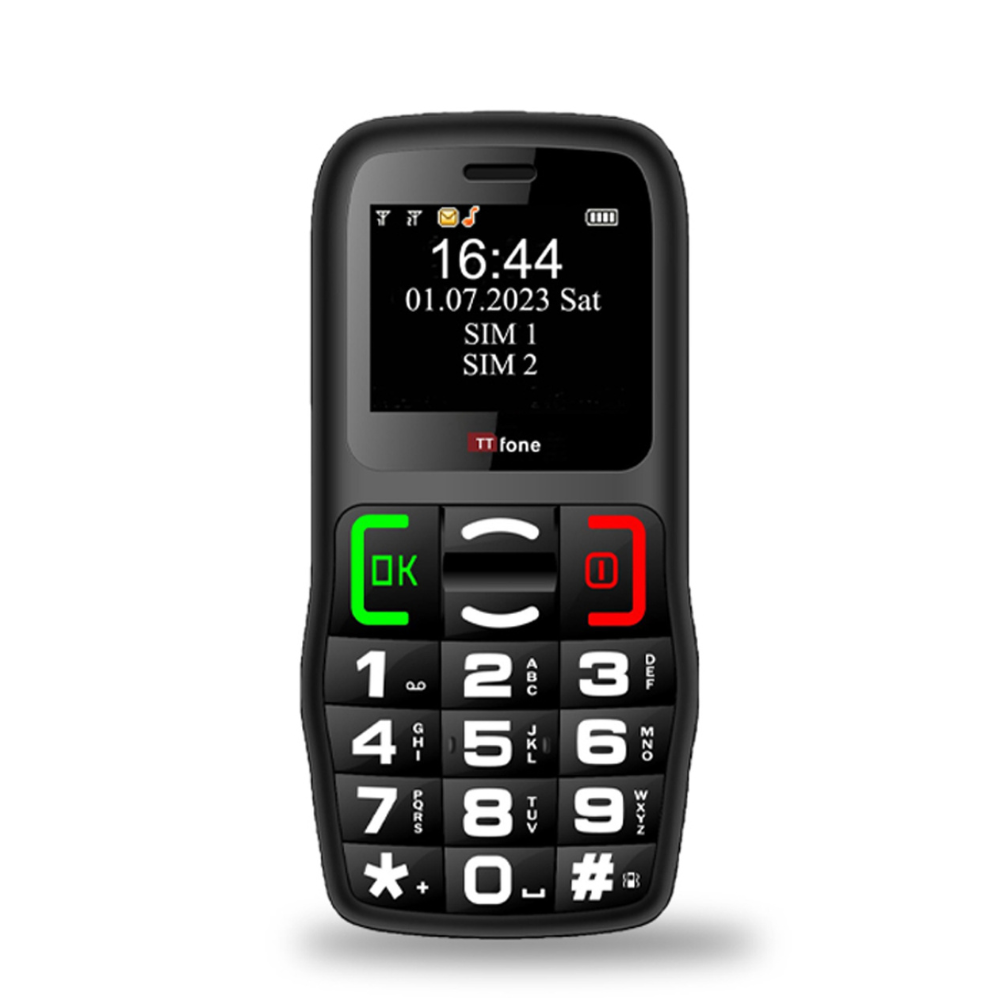
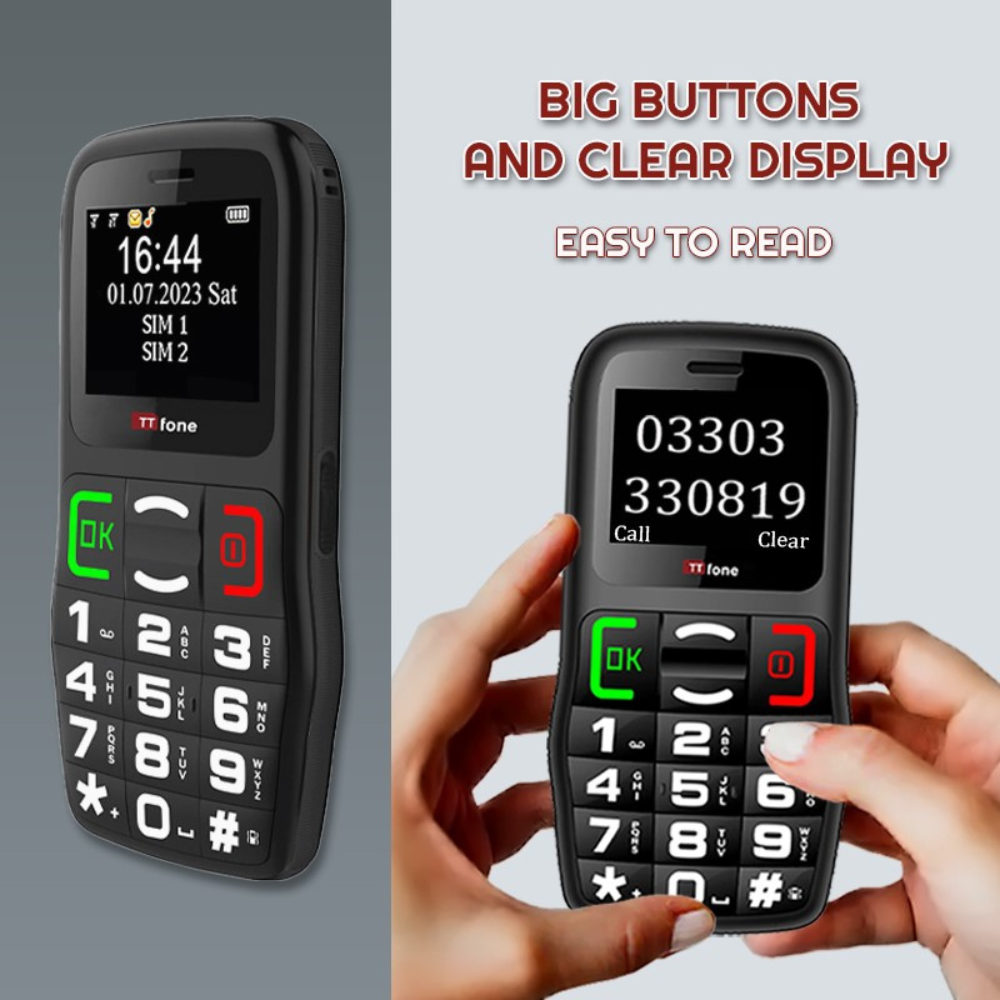
The TT220 has large and clear buttons that make it easy to dial and text. The buttons are also backlit for better visibility in low-light conditions.
-
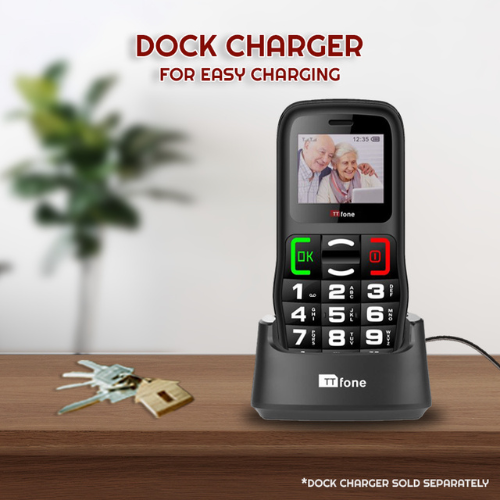
Dock Charger
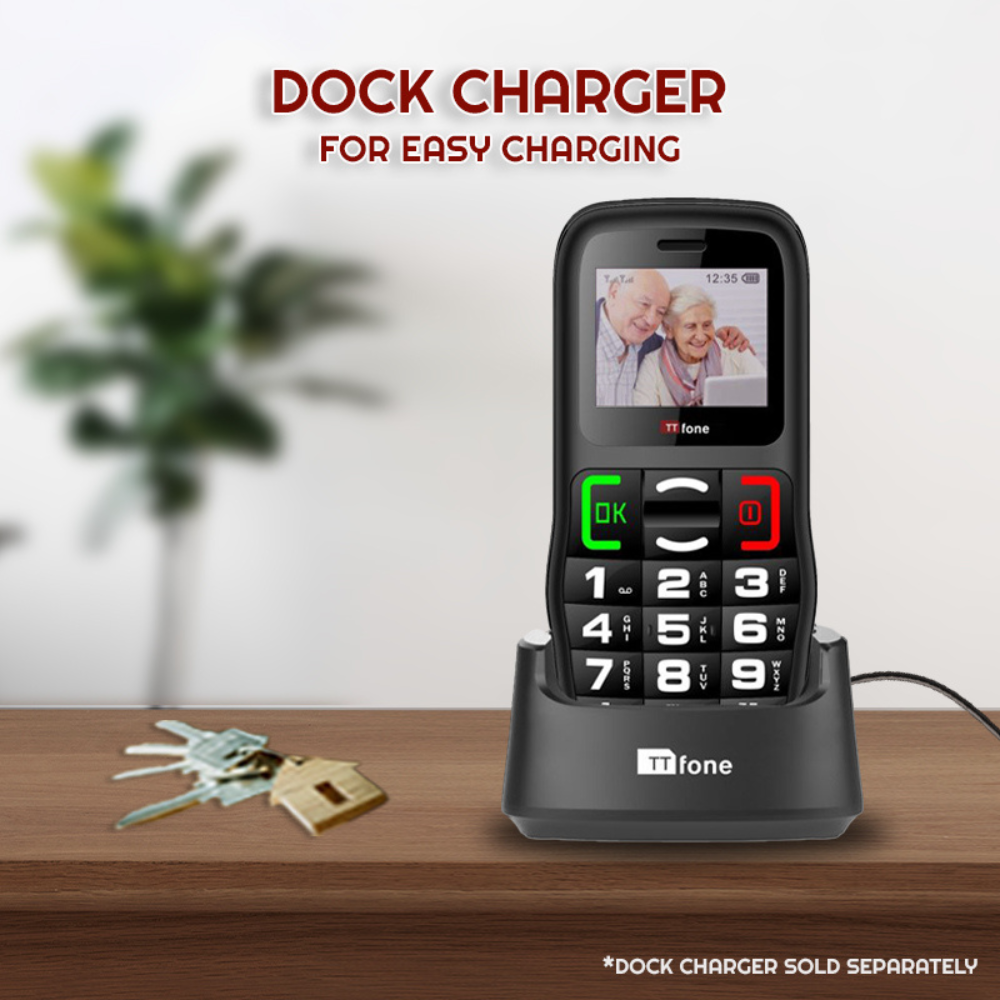
The TTfone TT220 comes with a desktop charging station which makes charging the phone simple and easy. Simply place the phone into the cradle and it will charge up, remove and it will stop. No more fiddly charging cables that need to plugged into tiny ports on the phone.Dock Charger sold separately.
-
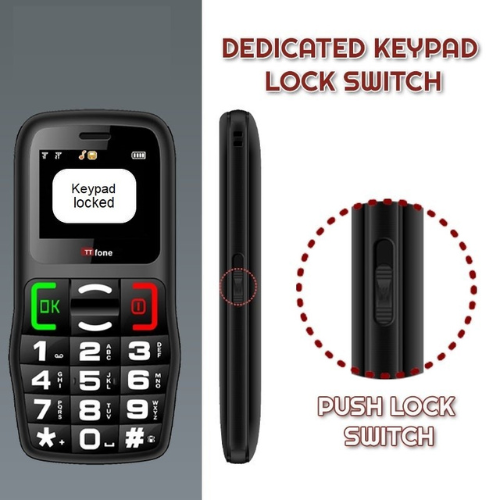
Dedicated keypad lock switch
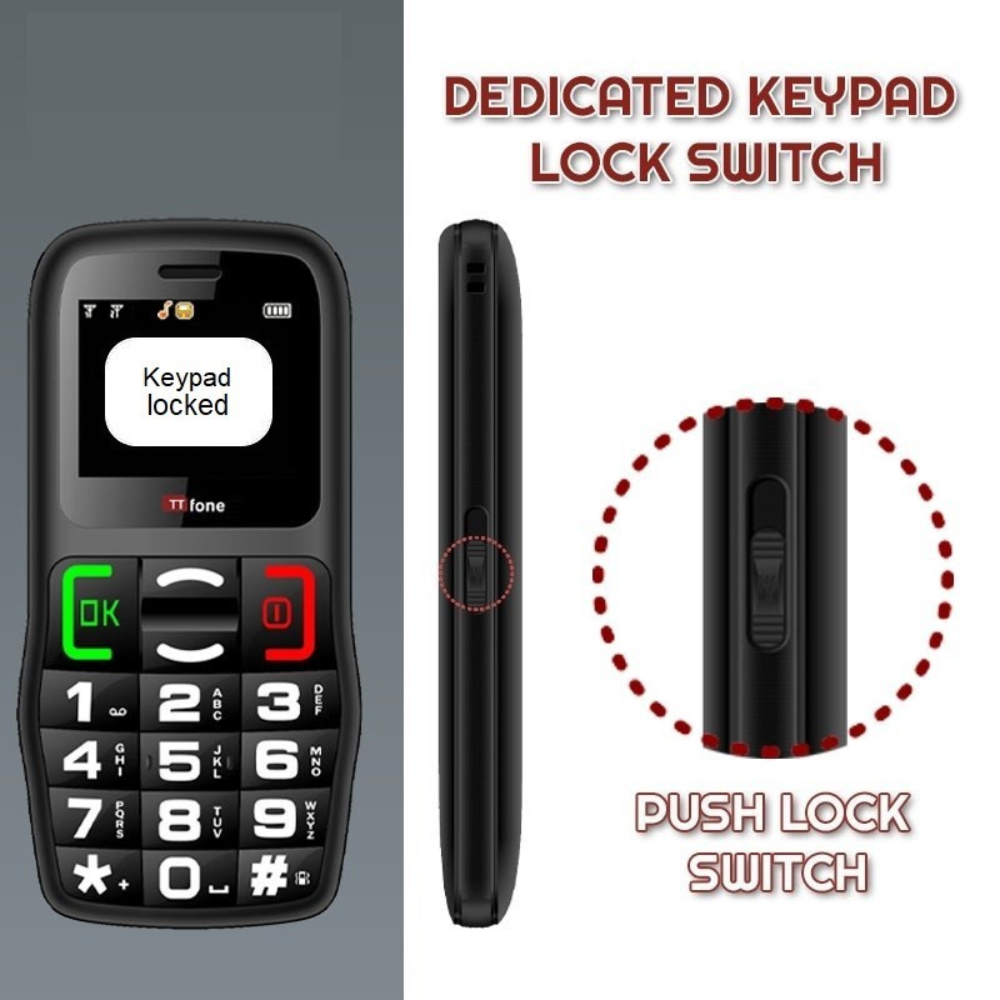
The TT220 has a switch on the side of the phone that lets you lock and unlock the keypad easily. You don't have to press any combination of buttons to prevent accidental dialing or texting. You can also see the lock status on the display.
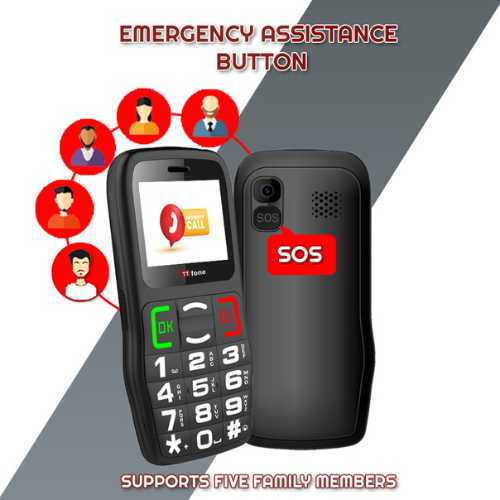
Emergency Assistance Button
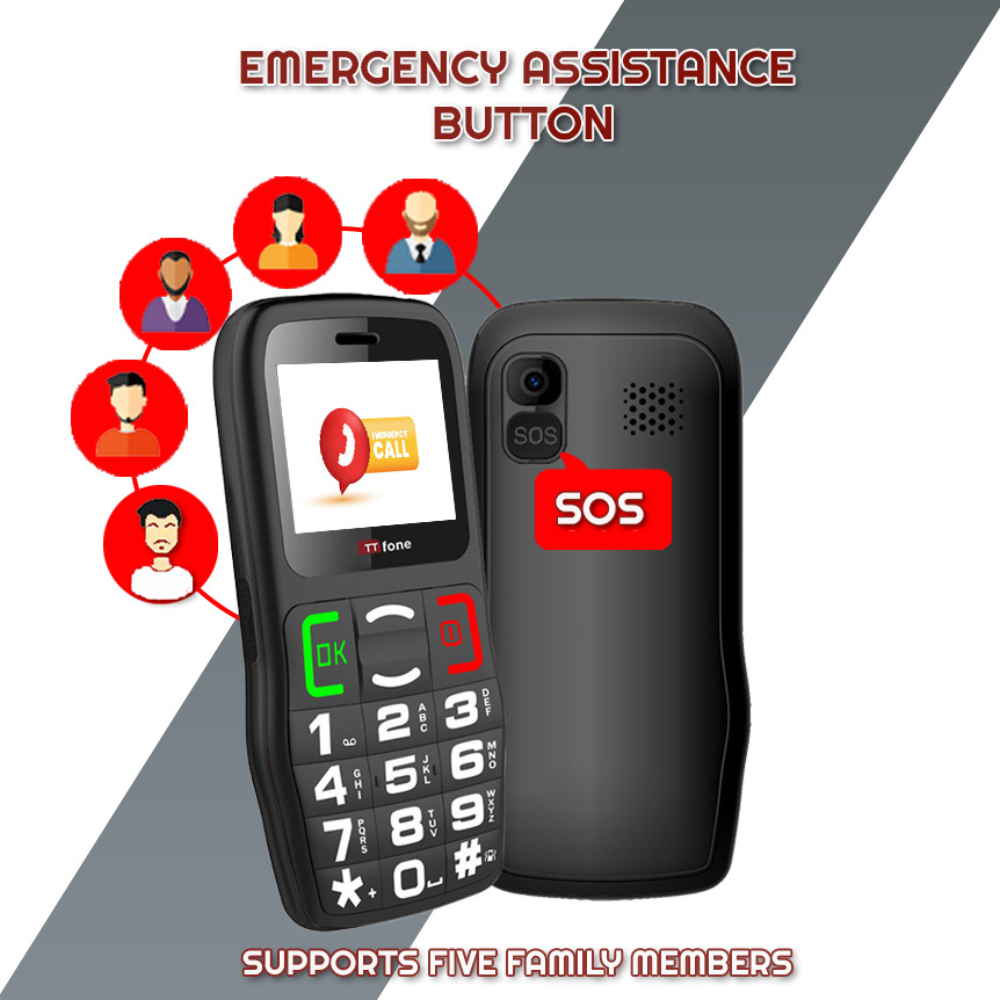
TTfone TT220 comes with a feature that will give real peace of mind to the user, as well as family members who are concerned about their well-being. This is a dedicated SOS button that can be used in case of an emergency. Any number can be programmed in and it just takes one press of the panic button to make that all important call.
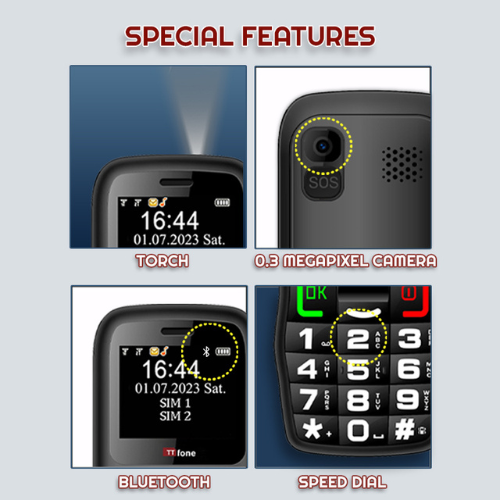
Special Features
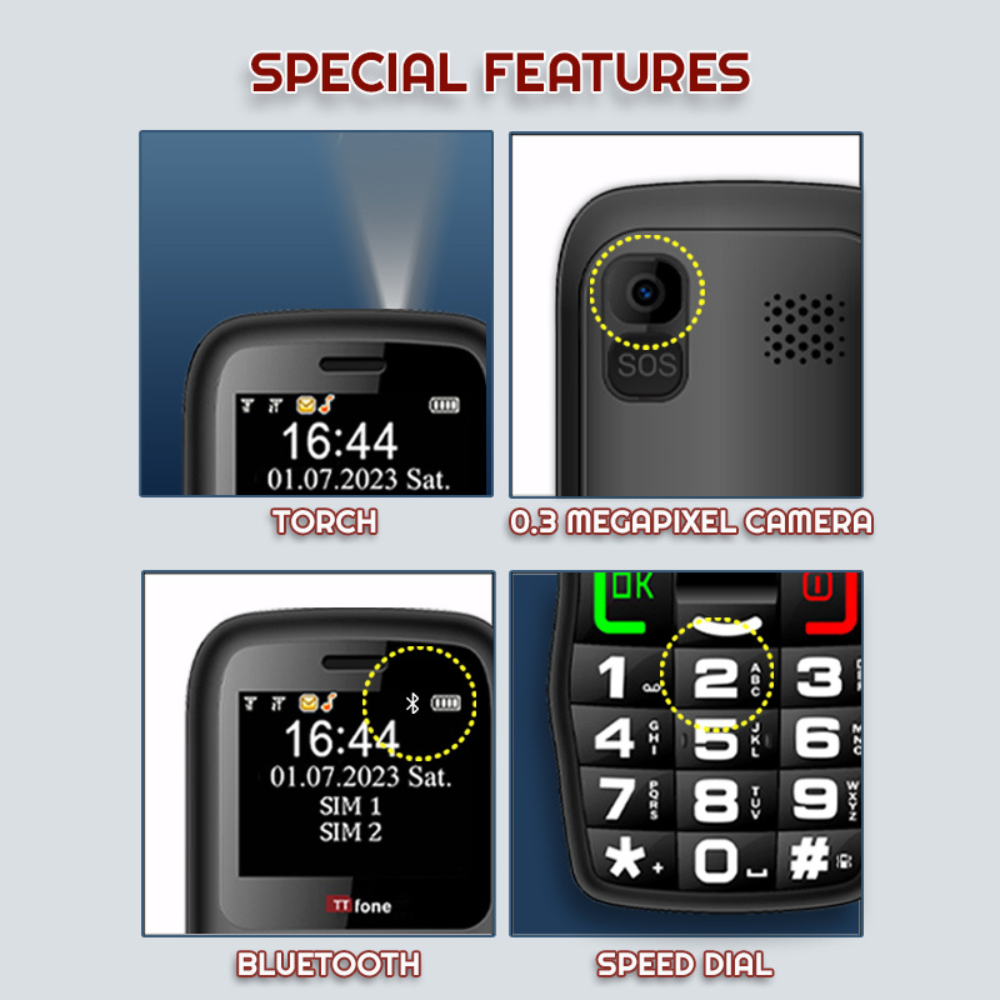
Torch: The TT220 has a torch button on the side that activates a bright LED light that helps you see in the dark.
0.3 Megapixel Camera: The TT220 has a 0.3 megapixel camera that lets you take hotos and videos.
Bluetooth: TT220
has a Bluetooth feature that allows you to connect the phone to other Bluetooth-enabled devices, such as headphones, speakers, or car kits.
Speed Dial: The
TT220 has a speed dial feature that lets you assign your favorite contacts to the number keys 2-9.
This mobile phone for elderlies i found it to be more complicated that needs to be. Completely unnecessary camera function, as photos are very bad 0.3 megapixel.Yes you can make calls and answer, but all the menu is just not made with elderlies in mind.Okay for a spare phone. Thats all.
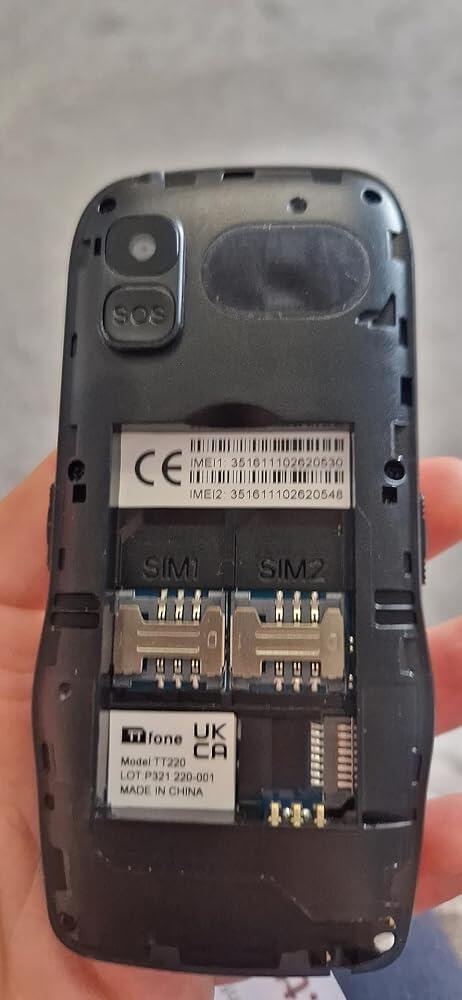
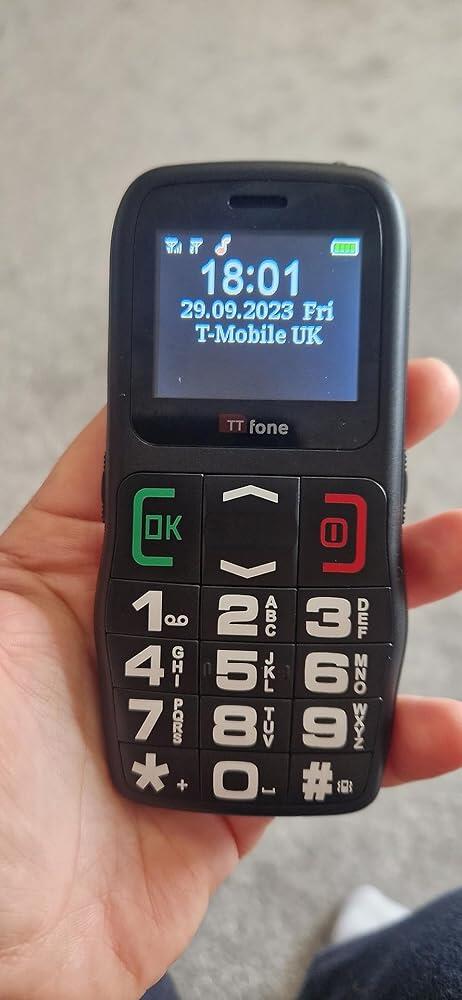


My dad suffers from early-onset Parkinson's and really struggles with phones.This makes life much easier and i have set the emergency button to call me so also gives me a little piece of mind.Recommended.
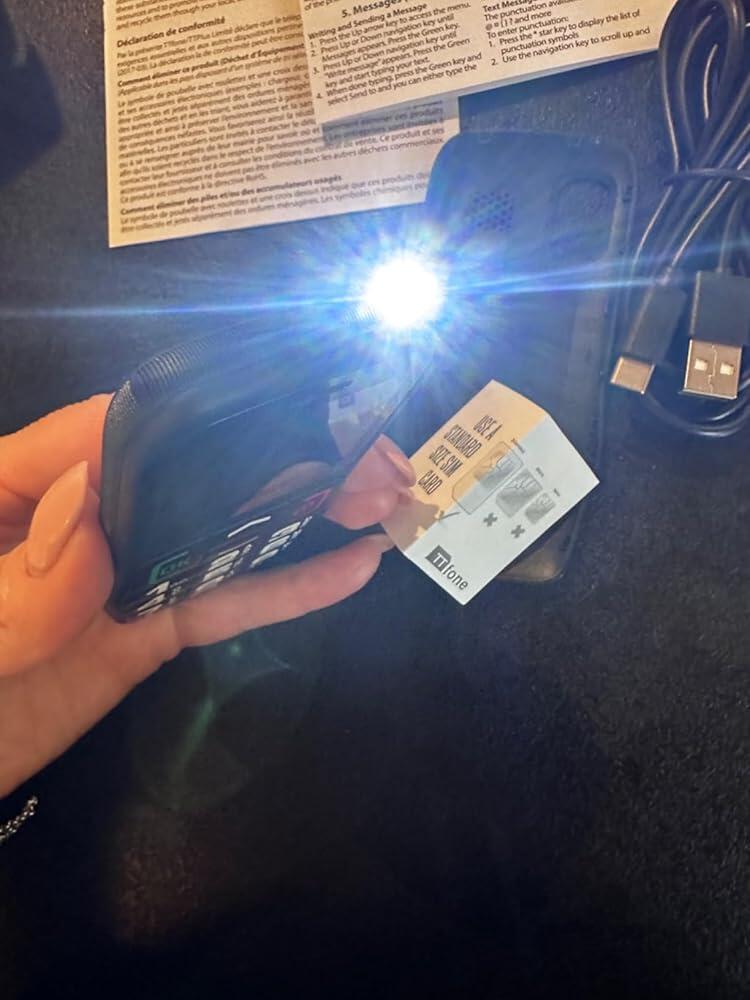



Sencillo, útil, manejable y gran funcionamiento. Rápida carga. Tiene agente de contactos, mensajes, llamadas perdidas, bastante volumen, graduable, ideal para personas mayores.
Las teclas parlantes solo están disponibles en inglés yo las querÃa en español por lo cuál he devuelto el producto.
Un cellulare fantastico per mio padre anziano . Facile da usare e pratico.
Tutto assolutamente perfetto, prodotto facile da usare, imballo perfetto e consegna velocissima.
Very light weight simple phone with large keys and the ability to set up for one key dialling. I have set it with my number for an elderly relative to be able to press and call us in an emergency. I ordered the one with just a power lead but now wished I had ordered the one with the docking station so that it is always charged.Just add a simple pay as you go chip and this is an extra safety measure that makes sure my relative can always call for help. Cheap and cheerful but a lifeline for the elderly.
The current selling price of £19.99 makes this large buttoned mobile phone a great buy. It is great for the elderly and those with poor eyesight. It has an emergency assistance button.✅ great battery life✅ big buttons✅ clear display✅ the buttons are also backlit for better visibility in low-light✅ includes torch and camera✅ Bluetooth✅ speed dial✅ What's in the box?• Mobile Phone, Battery, USB-C Cable, User Manual
Good battery life, large screen and numbers. Item arrived very well packed, so excellent start, perfect size and more important top quality looks and feels great , for the price can’t fault it, 10 out of 10 from me very happy indeed and would purchase again ðŸ‘
Great phone for my elderly mom, she’s at a stage that very hard to learn new technology, this phone is much easier to use than touchscreen phone, clear and easy to read display, I was able to set up the network without issues, I would recommend if you want a practical basic phone with an affordable price.
Big buttons and I cannot lie.Other phones can't deny, that this little Diddy phone has junk in the trunk.Construction is strong. Will survive a few drops.Big enough buttons that you can see them without glasses.Works well.Overall my nan was happy with this device.
I actually got this for my Dad who is not great with technology. He loves it and is able to use it perfectly.The sound quality is very good for the price of the phone and the ring is loud enough to hear when it’s in your pocket.
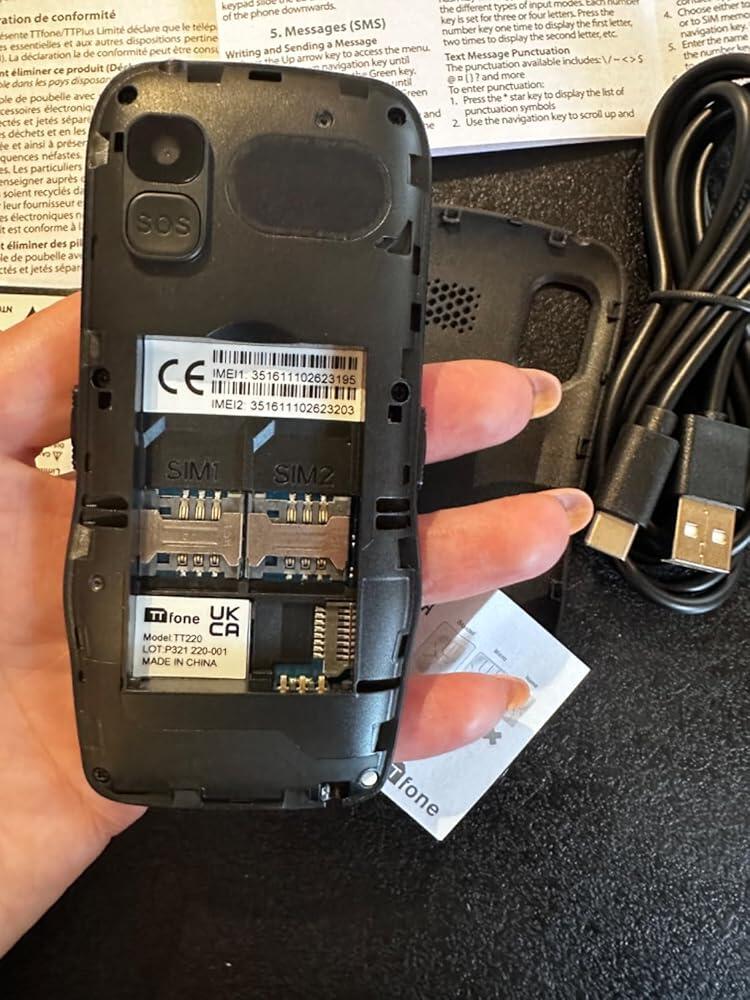
The Build: The build quality is good, strong plastics used in the making of the phone body. The back of the phone was extremely hard to take off, showing signs of good rigid structure and the fact that this is a really strong phone, ideal for the elderlyThe Practicality: you can put up to 2 sims inside. There is an sos function with up to 5 contacts, as well as a speed dial option where you can press and hold the number 2 key for example and it will automatically call the number associated with the number 2.Overall, highly recommended.
simple phone
Bought the phone for my visually impaired brother in his ninetees. Easy to use numbers and very happy with it. The screen keeps popping up with messages. This is a facility he is unable to use but as a phone for making calls it is very suitable.
Easy to use,good battery life, value for money and functional.
My dad is 90 and not as steady on his feet as he used to be. He still goes out to do his shopping and sometimes to the cinema and so on.He’s come to the conclusion that he should have a mobile phone so that he can contact me in case of emergency. However he’s not very technologically savvy and a typical modern phone would confuse him.This phone seemed like a good option.The buttons are large with bold backlit numbers making it easy for him to use.There’s an SOS button which can be programmed to call a pre-programmed number with just one press.It has eight speed dial numbers which can be assigned to the keys 2 to 9, although I had to programme them for him.There’s an option for the phone to speak the numbers when they’re pressed which would be useful for those with limited vision.There are some features which he probably won’t use and I doubt that many others in the intended users would, such as the 0.3 megapixel camera and bluetooth, plus apps such as SMS messages, audio and video player, calculator, alarm clock, and calendar, although the built in torch could be potentially useful (with a switch on the side of the phone. There’s a keyboard lock switch on the other side of the phone to prevent pocket dials.The display is small by today’s standards but bright and clear with large fonts.The phone is supplied with a USB A-C cable but no charger. Luckily I had a spare charger.The Amazon listing claims that it can accept dual SIMs (the full size variety). There is a space for two SIMs but I only had one SIM so I can’t test it. This also seems an unnecessary feature for most of the intended users.Battery life seems pretty good – They Amazon listing claims a standby time of five days which seems correct.I didn’t test the talk time as I didn’t want to use up the allowed minutes on the pay as you go contract.The sound quality on calls seems about the same as my personal mobile phone.The instruction manual is a roughly A4 double sided sheet, each side with six pages, which means the print is quite small. Given that this phone is mainly for the elderly this seems a bad idea –Luckily their website has a PDF copy to download so I split this up into 12 pages and printed out an enlarged A4 copy.The phone seems quite solidly made which is useful in case it gets dropped.My dad likes it so it will give both of us peace of mind.I’ve given it four stars because of the lack of a charger and the small print on the user manual.
Got for my dad who's 82, really easy for him to use and the keypad lock button on the side means no more accidental calls
Very light weight simple phone with large keys and the ability to set up for one key dialling. I have set it with my number for an elderly relative to be able to press and call us in an emergency. I ordered the one with just a power lead but now wished I had ordered the one with the docking station so that it is always charged.Just add a simple pay as you go chip and this is an extra safety measure that makes sure my relative can always call for help. Cheap and cheerful but a lifeline for the elderly.
Excellent, compact handset, no frills just a basic easy to use phone with great crisp audio quality.This phone is ideal for anyone who may need assistance, it's so compact it fits easily inside pockets or dressing gown pockets and you don't really know it's there.The phone is very sturdy which is amazing considering the low rrp, it has been dropped , accidently banged around and yet this has not affected the audio or the buttons.1 thing i found really useful is the large easy to press buttons, making this idea for anyone with limited vision or limited dexterity.Excellent battery life, i was charging this up maybe once every 10 days and that was after making 2 or 3 quick calls , even if you just keep this phone in the car it gives you peace of mind knowing you have a back up phone.Works perfectly well on the 02 network obviously you have to purchase a sim card and keep it topped up but even with that cost factored in this handset offers great value for money.
Generally a good phone for people with limited IT skills or reduced dexterity due to the large keys and display. However, the camera is, in my opinion, an unnecessary feature as it's very low resolution and not easy to use. Whilst the menus are reasonably easy to navigate, the active selection is shown as white text on a yellow background; a poor choice as it lacks contrast, which is needed as eyesight deteriorates with age.
'You get what you pay for' with this phone. Here goes:Nice big buttons but I found the button shape difficult to press cause they are dome shape.Inbox memory too small, need to store incoming calls on sim card.Torch is operated by a slide switch on the side, much better than software operation.Quite a few steps needed to send an SMS message.Very light weight phone.Small screen but adequate.
Las teclas parlantes solo están disponibles en inglés yo las querÃa en español por lo cuál he devuelto el producto.
I actually got this for my Dad who is not great with technology. He loves it and is able to use it perfectly.
The sound quality is very good for the price of the phone and the ring is loud enough to hear when it’s in your pocket.
This phone is very simple and really easy to use.
The buttons are big enough.
Easy to set up.
Works well.
Good value.
Telefone muito simples e prático