




TT760 (4G) Tech Talk : ce qu’il y a à l’intérieur
💡 Aperçu rapide
- Style ? Clapet
- Langues ? Anglais, français, espagnol, italien, allemand, portugais, turc, néerlandais, polonais et arabe
- Compatible avec un cordon tour de cou ? Pas cette fois-ci
- Écran tactile ? Non, menu de navigation par clavier
- Taille de l'écran et type d'affichage ? 2,8" TFT couleur
- Résolution de l'écran 240 × 320 pixels
- Texte prédictif ? Non – saisie à l'ancienne uniquement
- Clavier rétroéclairé ? Oui
- Touches vocalisées ? Oui, voix humaine pour le pavé numérique
- Numérotation rapide ? Oui, réglable du n° 2 à 9
- Bouton d'alerte d'urgence ? Oui
- MP3, lampe torche, réveil, calculatrice et radio FM ? Tous inclus
- Prise casque : Oui
📦 Stockage et caractéristiques supplémentaires
- Mémoire : 32 Mo
- Extensible : Jusqu'à 16 Go avec une carte mémoire MicroSD
- Contacts : Enregistrer jusqu'à 500
- (SMS) Messages texte : Oui, SMS (messagerie texte classique) / MMS (messagerie multimédia) et environ 50 messages
- Appareil photo ? Oui
📐 Dimensions et poids
- Hauteur : 20,5 cm
- Hauteur avec clapet fermé : 10,4 cm
- Largeur : 5,6 cm
- Largeur avec clapet fermé : 5,6 cm
- Profondeur : 1,2 cm
- Profondeur avec clapet fermé : 1,8 cm
-
Poids (avec batterie) : 130 g
🔋 Alimentation et charge
- Batterie : Li-ion (Lithium-ion) 1000 mAh / 3,7 Wh – jusqu'à 3 jours en veille
- Temps de conversation : Environ 180 minutes
- Chargeur : USB C (enfin !) + connecteur de charge secteur et option de charge sur socle (vendus séparément)
- Valeur SAR : 1,004 W/kg
📶 Appels et réseau
- Bande passante : 4G : 2100/1800/2600/900/800 GSM : 900/1800 WCDMA : 900/2100
- Double SIM ? Non
- Taille de la carte SIM : Nano
- Wi-Fi ? Non, uniquement données mobiles
- Bluetooth ? Oui, version 2.1
- Nombre de sonneries : 5 sonneries
- Volume de la sonnerie 110 dB
- Volume d'appel 71 dB
- Volume du haut-parleur 95 dB
🌐 Fonctions intelligentes – Non disponibles sur ce téléphone, il ne gère que les appels et les messages de base.
📌Vous souhaitez tirer le meilleur parti de votre TT760 ?
Consultez notre page YouTube pour des tutoriels vidéo rapides.
❓Attendez, quelques questions rapides…
❓ Attendez, quelques questions rapides…
Trouvez rapidement des réponses aux questions fréquentes sur nos services et produits :
Q1. Comment contacter TTfone ?
Vous pouvez discuter directement avec nous sur notre site web en cliquant sur la bulle de chat en bas à droite, ou en cliquant ici : Discutez avec nous.
E-mail : Contactez-nous à tout moment à [email protected].
Téléphone : Appelez-nous au +44 (0) 330 333 0819 (tarif standard britannique), du lundi au vendredi, de 10h00 à 16h00.
Q2. Quelles sont vos options de livraison ?
Nous proposons 2 options de livraison pour les clients britanniques :
- Livraison standard : 4 à 7 jours ouvrés — GRATUITE
- Livraison express : 1 à 2 jours ouvrés (frais supplémentaires)
Les commandes passées avant 14h00 (du lundi au vendredi, sauf les jours fériés) sont expédiées le jour ouvré même.
Les commandes livrées en dehors du Royaume-Uni et de l’UE peuvent être soumises à des droits de douane ou à des taxes locales payables par le destinataire. Nous confirmerons la disponibilité du transporteur pour votre destination avant l’expédition. Si le service n’est pas disponible, nous nous réservons le droit d’annuler la commande et d’émettre un remboursement intégral.
Q3. Quelle est la durée de la garantie du téléphone ?
Téléphones neufs :
- Garantie de 1 an : TT170, TT175, TT220, TT240, TT300, TT660, TT750 et TT950.
- Garantie de 2 ans (modèles sélectionnés) : TT150, TT190, TT280, TT290, TT760, TT880, TT890, TT970 et TT990.
Retours sous 14 jours / Offres de revente de produits reconditionnés :
- ✔ Politique de retour sous 30 jours
- ✔ Garantie de service de 3 mois
*La garantie couvre les défauts de fabrication et exclut les dommages physiques ou causés par des liquides. Les droits légaux des consommateurs restent inchangés.
Q4. Comment enregistrer la garantie de mon TTfone ?
Vous pouvez facilement enregistrer votre produit en ligne en remplissant notre formulaire ici : Enregistrer la garantie de votre TTfone.
Q5. De combien de temps dispose-je pour retourner un téléphone et obtenir un remboursement ?
Nous proposons une politique de retour sous 30 jours si vous changez d’avis ou si l’article ne vous convient pas. Il vous suffit de nous contacter afin que nous puissions créer un numéro de dossier de retour. Une fois l’article posté et inspecté, votre remboursement sera traité.
*Remarque : le crédit de communication prépayé n’est pas remboursable.
Q6. L’apparence est simple, mais est-il facile à utiliser ?
Absolument ! Nos interfaces intuitives permettent un apprentissage rapide. Les menus sont simples afin que vous puissiez trouver ce dont vous avez besoin sans étapes complexes ni recherches interminables.
Q7. À qui les téléphones mobiles TTfone sont-ils destinés ?
À tout le monde ! Toute personne à la recherche d’une connectivité mobile simple et fiable peut profiter de TTfone. Nos grands boutons, nos haut-parleurs à fort volume, notre retour vocal et nos menus faciles à utiliser les rendent idéaux pour les seniors, les enfants ou toute personne souhaitant un téléphone secondaire sans distractions.
Q8. Ce téléphone est-il considéré comme sûr en matière de DAS et de rayonnement ?
Oui. Tous les appareils TTfone sont strictement conformes aux réglementations britanniques et européennes en matière de sécurité, avec des niveaux de rayonnement DAS faibles adaptés à un usage quotidien en toute tranquillité.
Q9. Que contient la boîte ?
Chaque téléphone comprend :
- Téléphone TTfone
- Batterie rechargeable
- Câble de charge USB
- Manuel d’utilisation
*Certains modèles comprennent également une pratique base de charge de bureau dans la boîte.
Q10. Quelles cartes SIM puis-je utiliser avec les téléphones TTfone ?
Tous les téléphones mobiles TTfone sont débloqués pour tous les réseaux. Veuillez toutefois noter :
- Modèles 2G uniquement : Ne prennent pas en charge 3, iD Mobile ou Smarty (car ces réseaux reposent exclusivement sur la 3G/4G/5G).
- Modèles 3G/4G (TT280, TT290, TT890, TT970, TT990) : Fonctionnent avec tous les opérateurs britanniques et européens.
Si vous utilisez le téléphone en dehors du Royaume-Uni ou de l’Europe, veuillez vérifier auprès de votre opérateur local la compatibilité avec les bandes de fréquences 2G/3G/4G locales.
Q11. Ce téléphone peut-il être utilisé en mains libres ?
Oui ! Sur les modèles dotés d’un bouton haut-parleur dédié, appuyez une fois dessus pendant un appel. Sur les autres modèles, sélectionnez Options > Mains libres. Cette fonction est idéale lorsque vous conduisez, cuisinez ou souhaitez inclure des membres de votre famille dans la conversation.
Q12. À quoi sert le bouton SOS situé à l’arrière de certains téléphones mobiles ?
La touche SOS est une fonction d’urgence qui compose successivement les contacts préenregistrés et envoie automatiquement des messages texte d’urgence. Elle peut également déclencher une alarme sonore puissante à proximité pour alerter les personnes aux alentours.
Conditions importantes :
- Une carte SIM active doit être insérée dans l’appareil.
- Au moins un numéro de téléphone d’urgence doit être enregistré dans le menu SOS.
- Le téléphone doit capter le réseau et disposer d’un crédit d’appel/SMS disponible.
Q13. Les téléphones à clapet peuvent-ils répondre/raccrocher en s’ouvrant et en se fermant ?
Oui, tous les modèles à clapet TTfone prennent en charge la réponse par ouverture pour les appels cellulaires standard.
Remarque pour les modèles à clapet 4G (ex. TT970 et TT990) : l’ouverture ne contrôle pas les appels WhatsApp, car les applications de messagerie tierces nécessitent une saisie tactile sur l’écran de l’application.
Q14. Quelles options de langue sont prises en charge ?
Tous les modèles TTfone prennent en charge l’anglais, le français, l’espagnol, l’allemand et l’italien.
Certains modèles prennent également en charge d’autres langues telles que le polonais, le néerlandais, le portugais, le roumain, le turc, l’arabe, le hindi ou le russe. Consultez les pages de spécifications de chaque produit pour connaître les langues exactes disponibles.
Q15. Quels modèles TTfone prennent en charge WhatsApp ?
Les modèles à fonctionnalités intelligentes suivants prennent en charge les messages et les appels WhatsApp :
- TT280
- TT290
- TT950
- TT970
- TT990
Q16. Comment puis-je commander des produits TTfone ?
Vous pouvez commander directement en ligne sur www.ttfone.com ou par téléphone. Nous sommes également disponibles sur les sites de partenaires commerciaux de confiance : Amazon, eBay, TikTok Shop, Temu, OnBuy, The Range et Cdiscount.
*Remarque : les achats effectués via les plateformes partenaires doivent être traités sur cette plateforme pour tout retour ou remboursement.
Q17. Quelles options de paiement en ligne acceptez-vous ?
Nous acceptons les cartes de débit/crédit (Visa, Mastercard, American Express), PayPal, Apple Pay et Google Pay.
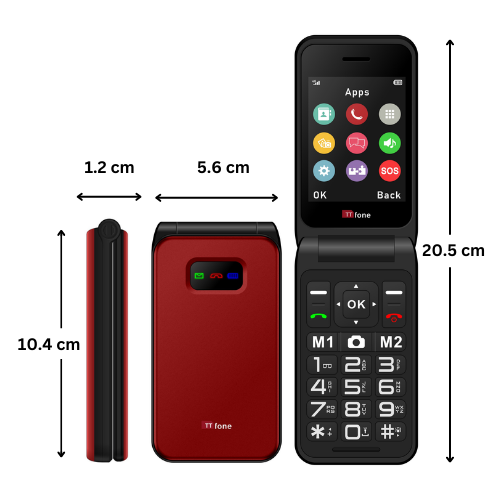
Dimensions du TT760
Hauteur : 20,5 cm
Hauteur avec couvercle fermé : 10,4 cm
Largeur : 5,6 cm
Largeur avec couvercle fermé : 5,6 cm
Profondeur : 1,2 cm
Profondeur avec couvercle fermé : 1,8 cm
Poids (avec batterie) : 130 g
-
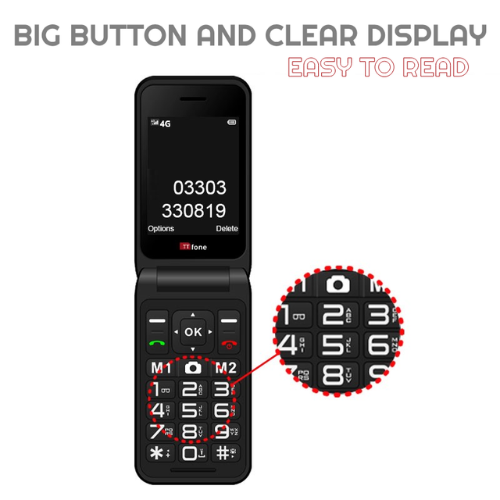
Gros bouton et affichage clair
Le TTfone TT760 est doté de gros boutons, de touches vocalisées et d’une police de caractères de grande taille sur un écran de 2,8 pouces, pour faciliter la composition des numéros, offrir une assistance sonore et améliorer la lisibilité.
-
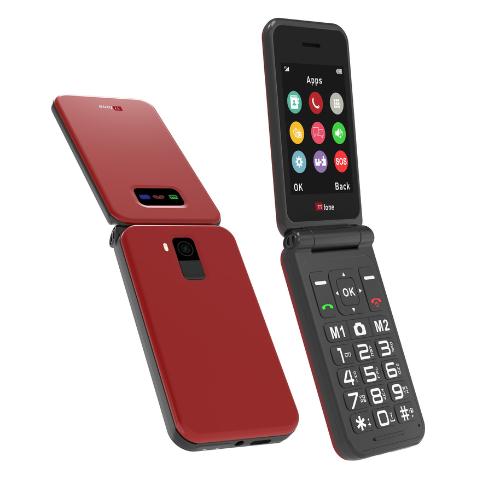
Répondre aux appels
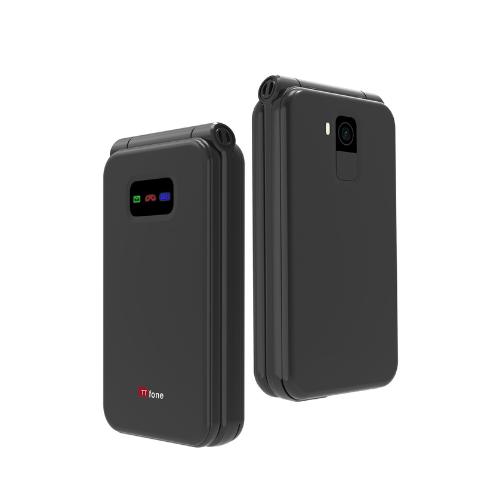
Lorsque vous recevez un appel, il vous suffit d'ouvrir le clapet du TT760 pour y répondre.
-
Mettre fin aux appels
Une fois votre conversation terminée, vous pouvez facilement mettre fin à l'appel en refermant le clapet.
-

Téléphone 4G facile et simple
Le TTfone TT760, le téléphone mobile idéal conçu spécialement pour les personnes âgées. Ce téléphone à clapet 4G allie simplicité, fonctionnalité et facilité d’utilisation.

Bouton d’assistance d’urgence
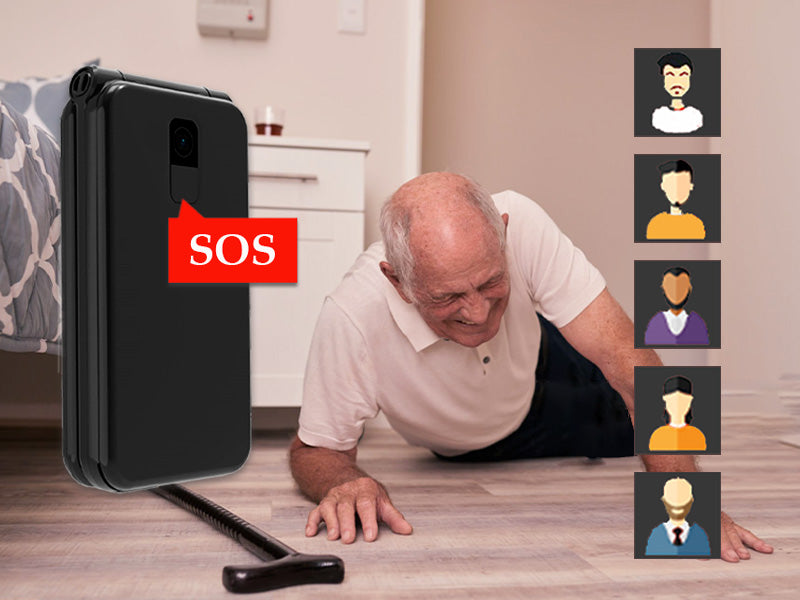
Le bouton SOS du TTfone TT760 offre une tranquillité d’esprit immédiate en cas de problème. Appuyez dessus : le téléphone appelle et envoie un SMS aux contacts que vous avez enregistrés, afin que votre famille, vos amis ou vos aidants sachent que vous avez besoin d’aide. Vous pouvez enregistrer jusqu’à 5 contacts SOS. Le bouton SOS n’appelle pas les services d’urgence. En cas d’urgence mettant la vie en danger, composez toujours le 999 ou le 112.
-
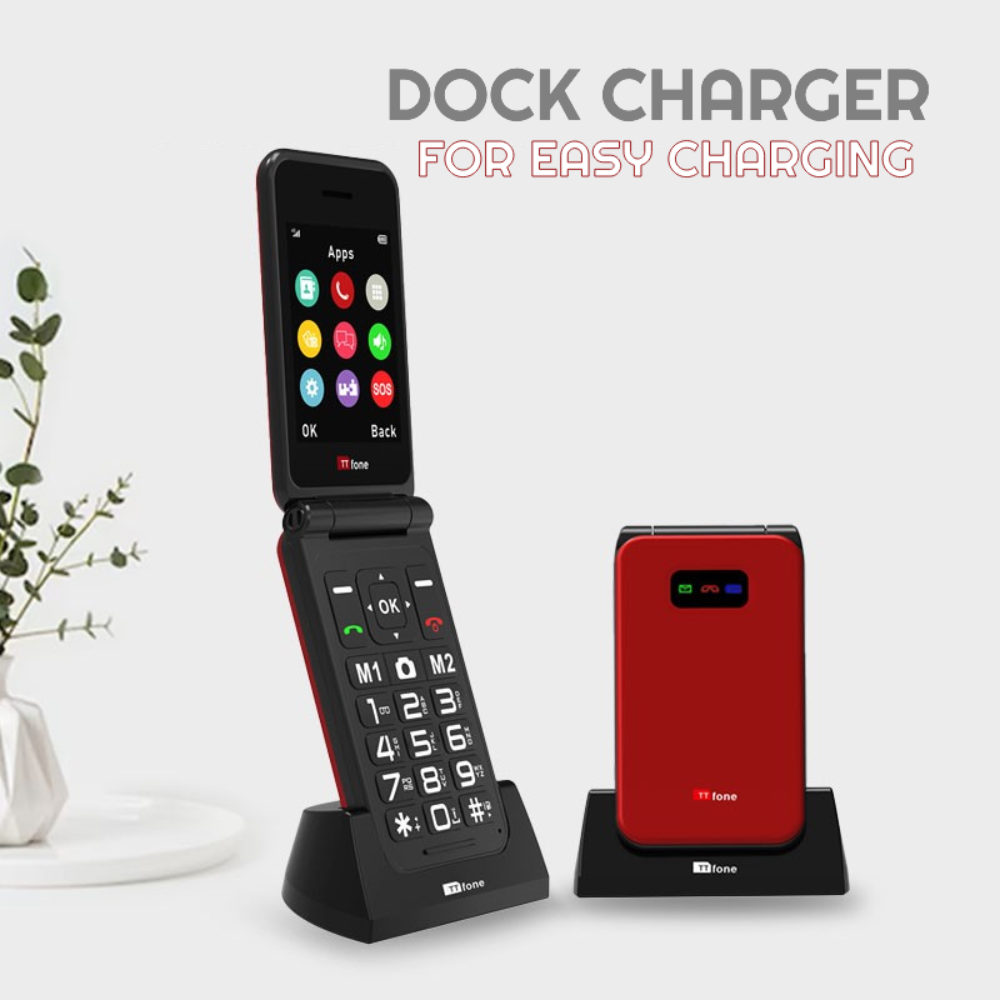
Charge facile
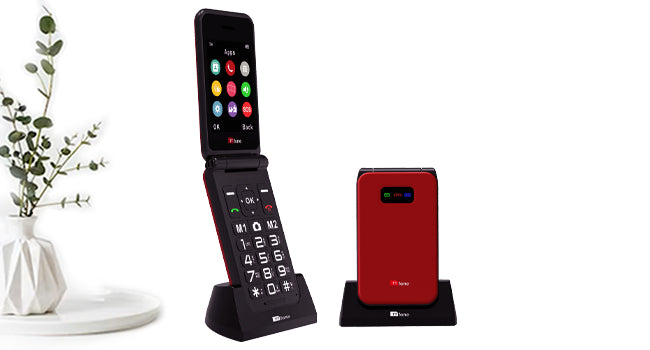
Pour une recharge facile, une station de charge est disponible pour le TT760, vous permettant de recharger le téléphone en toute commodité sur votre bureau, garantissant qu'il est toujours prêt à l'emploi
VEUILLEZ NOTER : la station de charge est vendue séparément.
-
Gestion des appels
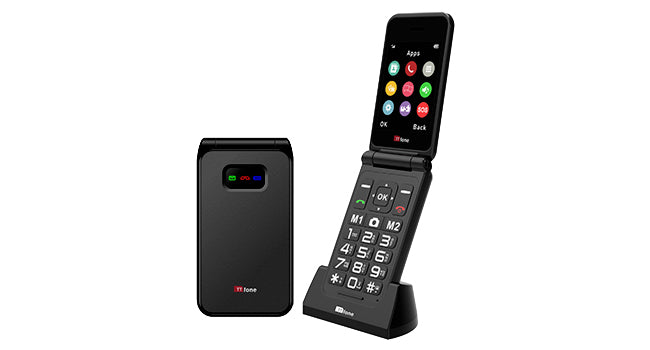
La fonction rabattable du TT760 permet également une gestion facile des appels. Le TT760 est soigneusement conçu avec de gros boutons, garantissant une numérotation sans effort et réduisant le risque d'erreurs. Les touches parlantes fournissent une confirmation sonore, guidant les utilisateurs à travers les fonctionnalités du téléphone et améliorant l'accessibilité.
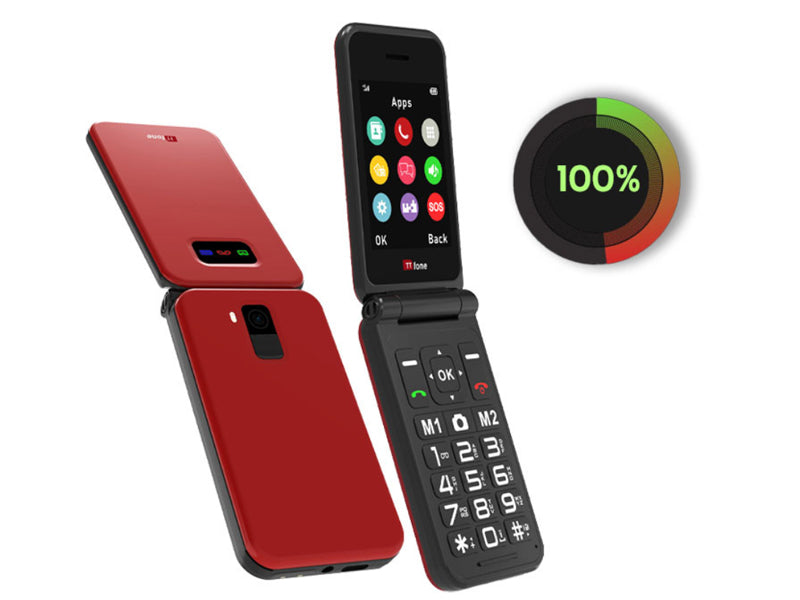
Excellente autonomie
Le TTfone TT760 est alimenté par une batterie longue durée de 1000 mAh, vous permettant de rester connecté tout au long de la journée sans recharges fréquentes. Sa fonction lampe torche offre un grand confort dans les situations de faible luminosité, tandis que la connectivité Bluetooth permet un appairage facile avec les appareils compatibles.
Conçu pour le confort, le TT760 tient parfaitement dans la main et dans la poche. Sa construction robuste garantit sa longévité, tandis que le volume d’appel élevé vous permet de ne manquer aucun appel important.
I got this for my very un-tech-savvy elderly mum. For phone calls, she finds it mostly simple to use using the quick button to call me then closing the flip to end the call. The big buttons have a nice clicky and tactile feel and the numbers are large.She tested the emergency button and first thing it does is sound a loud emergency siren alarm which is very effective. At the same time it flashes the white light torch. A few seconds later, my phone rings. Then a few seconds after that, my phone receives a text message with the default "Emergency Call: I need help!". The message can be changed and up to five numbers can be called in a sequence.The phone is great for those vulnerable needs and very effective.However, the phone falls short on text messaging, which is a mighty pain, half works and illogical. Firstly, the keypad, although illuminates, needs to stay illuminated while writing a text message. It only stays on for default 10 seconds and maximum 20 seconds. Then it's dark so the letters are incredibly hard to see, even in bright light. Texting is slow and sending to a contact has illogical steps. If selecting to write a SMS through the menu, you can't actually fill in the "To:" field with one of your existing contacts, making it a pointless route. Instead, you have to1. select "Contacts" on home screen2. Select "Options"3. Select "Write Message"4. Select "SMS"5. write your text6. select "Options"7. Select "Send"It's a bit much just to send a text message. My mum eventually manages to send a text message, but she is justifiably very put off by the process of messaging.It's nice that there is a camera but wow, what an awful camera, worse than the first generation 2mp cameras of two or three decades ago. Such an insult to the poor elderlies who will feel unworthy of a half decent camera.
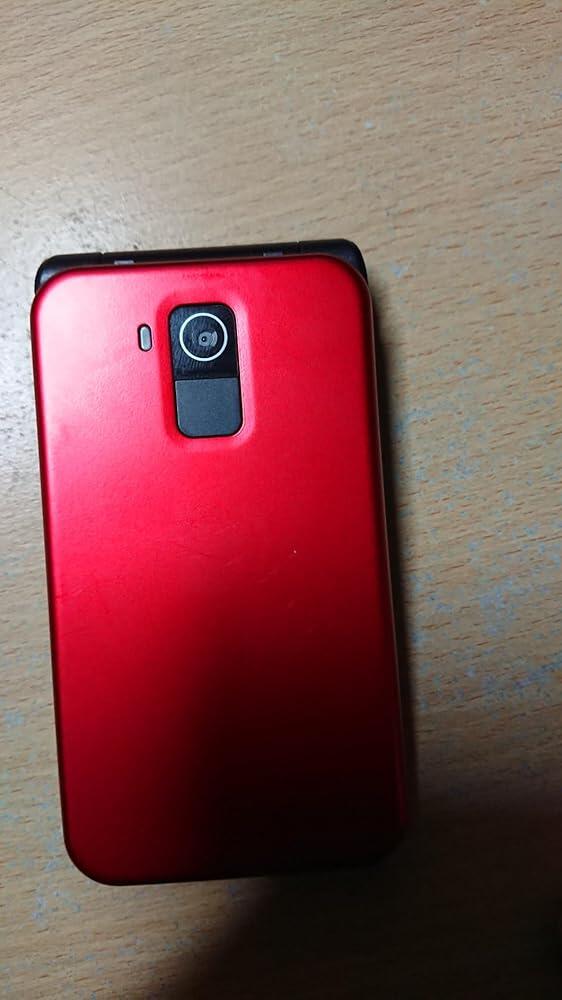
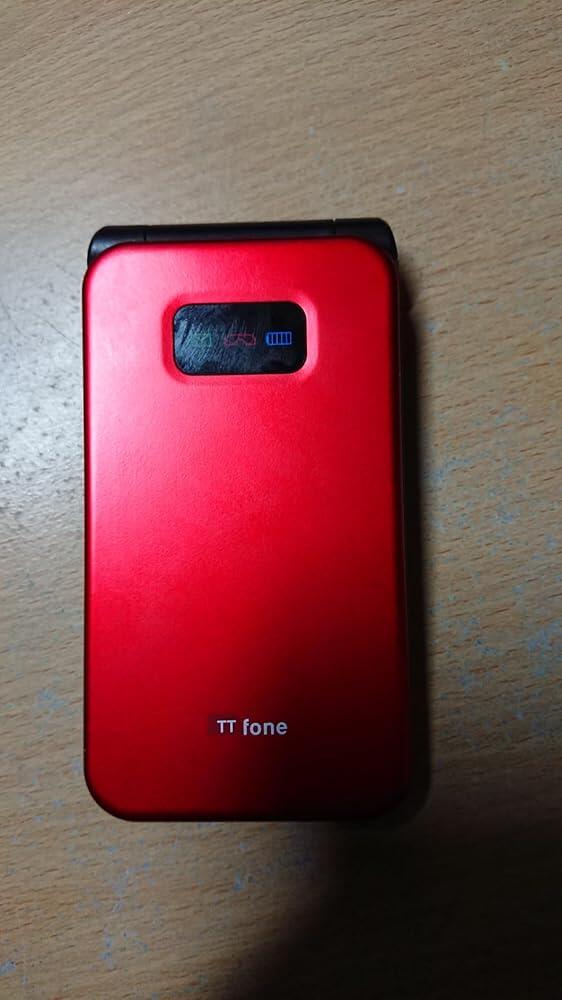


I’ve had a few flip phones that are designed for the elderly or those with reduced motor function and this is by far one of the best.I’d still suggest getting the dock version but this at least has USB type C charging which is easier to get in to the phone.This phone gets a lot right. It’s loud. It’s bright. The keypad has haptic (vibration) feedback and is back lit. It’s reads out the numbers dialled. It has an SOS feature. It’s easy to open and close. The messaging isn’t too fast when typing and gives you time to do it. Not all phones like this have these features.It has a camera that is best described as a camera from 2014. Its placement is not ideal as gripping the phone gets in the way of it. The directional buttons are surprisingly small and this isn’t ideal.That said, it’s easy to use and has a lot of good going for it. It is easy to talk on, has a small screen to flash up for messages if you didn’t hear them. It’s not perfect but is definitely better than the others I’ve had.
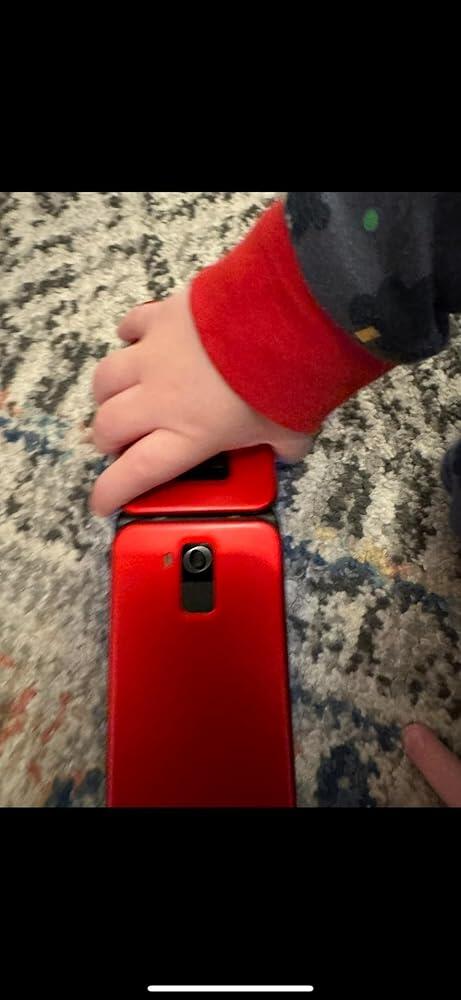
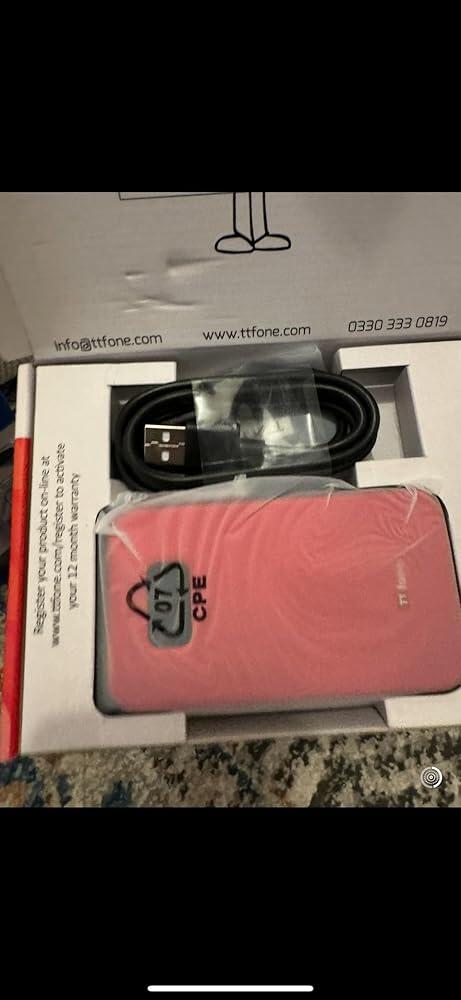


As I stated in my previous review, this is one brilliant phone you can use on any network as long as you have 4G Volte available It works brilliant on three smarty ID Mobile Vodafone Tesco Sky etc .. if you go into phone settings and scroll down, you will see 2G 3G and 4G and Volte just tick the box and you’re done…

Thank you for sharing your experience and helpful tips. We’re delighted to hear you’re enjoying the phone and that it’s working well across different networks with 4G VoLTE enabled. Your advice will certainly be useful to other customers.
— TTfone Team
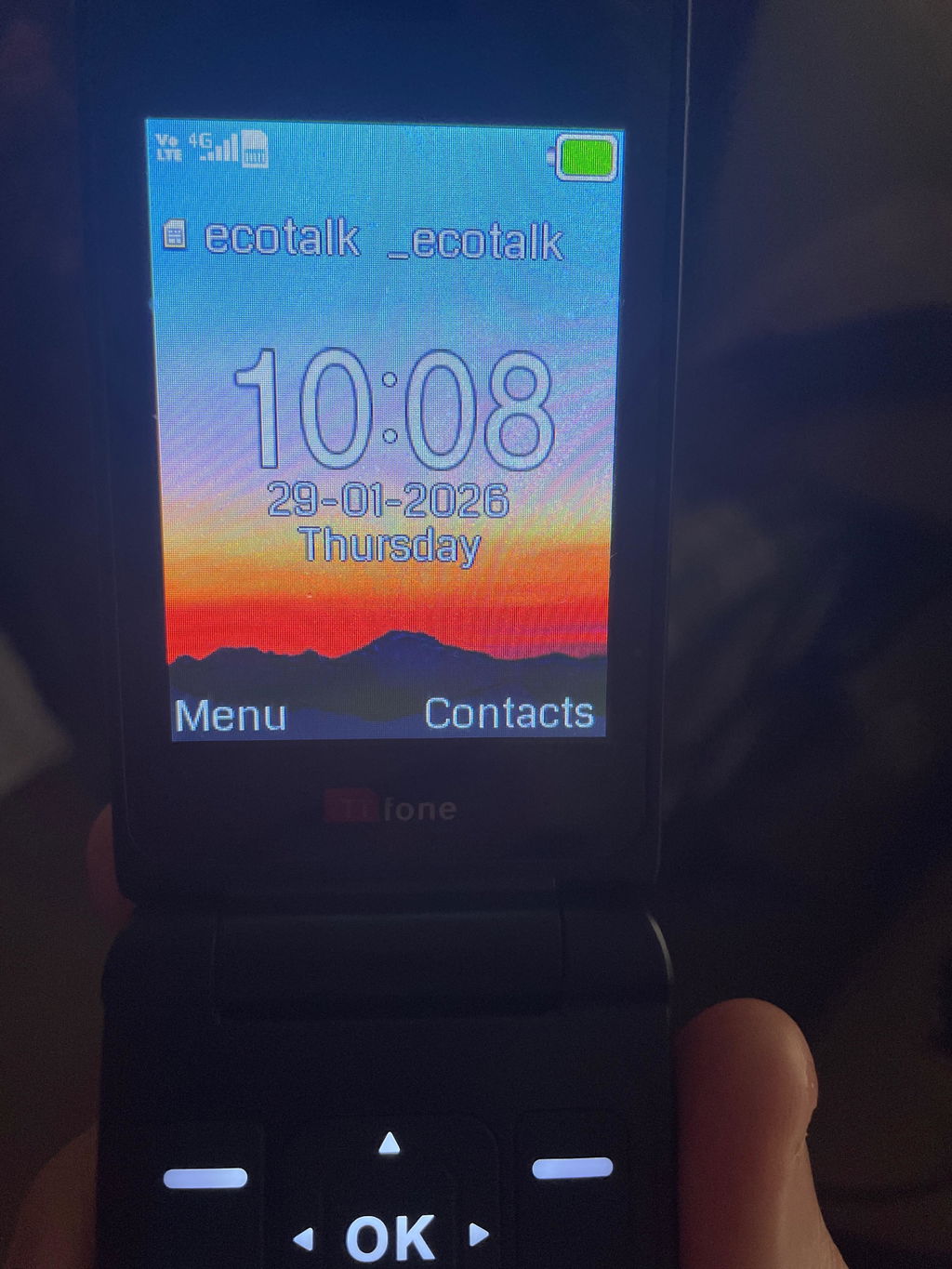
A little dubious, I decided to order this phone ideally for the car so I can switch off my iPhone and save distractions it has a brilliant vibration. It has 4G Volte Calls ( Voice over LTE ) the ringtones could be a little bit more better but it works. I paid £49.99 because I wanted the cradle. Which sits on my desk it’s brilliant little phone. It has a microSD slot for 32GB which is amazing in itself it does have an opera lite Internet but don’t bother it it’s not good. It’s just for calls and texts for emergencies in the car if you’re gonna be late if you’re stuck in traffic for a family meeting or cars broken down etc HOWEVER here is something it is good for there is a button on the back by the camera. Yes it does have a camera. It’s not a very good it’s BGA take you back to the 90s but he’s something brilliant my nieces who are in their teens have bought this phone so they could call back to their parents. Their friends have bought this phone cause there’s a button at the back which is an emergency SOS button. This bone is originally for the elderly however my nieces have found out that if they’ve followed Home or followed around by people, who they are uncomfortable with oppressor the button for an emergency and their father will be there within minutes so it’s brilliant for ladies who feel uncomfortable being followed by boys/ men there are five numbers you can have as an emergency Mum dad brother whoever it may be it’s worth worth the £49. Peace of mind for the car doesn’t come with the car kit although there is one available brilliant piece of cake for the brilliant price there is a leather case you can purchase separately. It does come with a plug you can do two things you can get it on Amazon or you can get it on TT phone website is a basic brilliant phone with the added bonus of an SD card and Bluetooth and it has a Radio but please note the radio only works with a corded wired earpiece as it accesses the antenna you can use earbuds they do work tested on Motorola earbuds and it works doesn’t work with Apple ones …. Very very impressed this little belter reminds me of 90s the signal is amazing on EE you have to switch on the Volte settings when you’re going into the settings part of the phone once that’s on the signal is solid.. as 2G and 3G are being switched off when going into the phone? There is a sounds and profiles button where you will find normal silent meeting and then your own sound profile 123 and four so you can set your own one up press that to get into settings amends ring settings, adjust volume ring type and other alerts there is also the SOS button in the settings you’ll see core settings phone settings display security network settings key vibrate and voice dial there’s called divert waiting called barring ID and fixed dialling numbers. You can also have the flip answer the call and to end the call just turn the flip down all you know it’s an amazing piece of cat for £50. People have said that there’s no VOLTE on the phone which is VoiceOver for GLTE. There is it? It’s there. You just have to find it to switch it on brilliant for the car. You can carry it around it as light as a Feather. I normally carry mine around in its leather case when I’m taking the dogs out for a walk it’s weightless Customer services have been absolutely amazing. They are brilliant at helping you one of the best phone companies I’ve ever come across. I’m waiting to get the 1970 now which is a 4G touchscreen flip phone clamshell which is more powerful than this one. I just wish there was some more decent ringtones however it does it Job and it’s worth every penny if you don’t use the phone it has a week on standby.
Thank you for taking the time to share such a detailed and insightful review. We’re delighted to hear how well the phone has met your needs, from 4G VoLTE calling and reliability in the car, to the SOS feature providing peace of mind for your family.
It’s great to know you’re enjoying the practical design, lightweight feel, and added features such as the SD card support, Bluetooth and cradle. We also really appreciate your honest feedback on areas like ringtones and internet use — comments like these are invaluable for future improvements.
We’re especially pleased to hear your positive experience with our customer service, and we truly value your support and trust in TTfone.
— TTfone Team
I have tried three different New Sim cards in this phone, ( 1p mobile, nsnda, and Labara) none of them work, all I get on the screen is either, No service, Emergency calls only or Registering, an absolute waste of money and useless phone, it's now sitting in my drawer and I'm sure soon destined for the rubbish bin.
I was a little hasty in my review purely out of frustration, I am pleased to say the problem with the sim cards has now been resolved thanks to a gentleman at Tesco Mobile and the phone is working as it should and is proving to be very good value for money , I would now say it is a perfect phone for any elderly person who only need minimal use.
Also TTfone service team were very kind and helpful.
Thank you for your feedback. We’re sorry to hear about the issues you’ve experienced with the phone and apologise for the frustration caused.
This is certainly not the experience we want for our customers. One of our team members has reached out to assist you, and we would be happy to investigate the issue further to determine whether there may be a network, setup, or device-related problem.
We appreciate you bringing this to our attention and hope we can help resolve the matter for you.
— TTfone Team
Got two thought they were top but sending a txt is stupid pressing different buttons whoever programmed it wants sacking all and every phone on the market texting is easy bot this you press ok then other button ooo fed up it's driving me mad rubbish
Thank you for your feedback. We’re sorry to hear that you’re finding the texting process frustrating, and we apologise for the inconvenience caused.
Your comments are important to us and will be shared with our team for review. If you would like assistance with sending text messages on the phone, our support team would be happy to help guide you through the process.
— TTfone Team
I had initial problems setting up the phone but once sorted all works very well
Thank you for your feedback. We’re glad to hear that the initial setup was sorted, everything is now working well. If you need any further assistance, our support team is always happy to help.
— TTfone Team
great phone to use, nice and user friendly
Thank you for your kind feedback. We’re delighted to hear that you find the phone easy to use and user-friendly.
— TTfone Team
Brilliant phone reception with this new phone - previously on my 3G TT phone very sketchy reception. The new phone is all I need - calls and texts as I lead a 'simple' life.
Thank you for your feedback!
We’re pleased to hear you’re enjoying the improved reception and that the phone suits your needs perfectly.
-TTfone Team.
Love it
Thank you for your lovely feedback! We’re so happy to hear that you love the phone.
— TTfone Team
Good so far , for elderly mum
Sturdy - big buttons - bigger and clearer screen - do not have to have a lot of electronic knowledge to operate itAll in all a good buy
First class would recommend for an older person ,I ordered it as my phone has gone to 4G,easy to use and set up,value for money,thank you amazon
Carino e semplice va bene per chi ha difficoltà con gli smartphone del momento
Super très bien 👍🏻
Having lost my phone (in a flooded field) I needed a replacement and decided that I didn’t need a smart phone. This flip phone is neat and compact but, oh my goodness, it has very limited use. As a phone for voice calls the sound quality is very poor, especially in hands free mode. As for texting - if you have used a smart phone for any length of time you will probably have forgotten the process of having to repeatedly press a key to go through the uppercase-lowercase-number-character options. It took an age to send “on my way” text to a friend (I might have arrived on time of I hadn’t stopped to text!) and the keys aren’t particularly responsive.The internet capability is non-existent, even though the phone is supposed to have ‘basic’ internet connectivity. I couldn’t even get it to connect when I was at home linking to my home internet. It would be useless in an emergency.Overall, it looks good but has very poor performance.
He loves it
Not at all easy to use for elderly. Only had just over 12 months and completely stopped working
Light to carry in pocket around the house outside etc. camera is not at all good
Not very good
For the price I have had 3 different makes including the Nokia so called 2660 and this'll beat them all and it's cheaper after a month I have gone off it hardest phone ever to send a txt fed up got a easyphone ten times better you don't have to keep pressing the ok button on this the tt is rubbish
Bought for an elderly lady
Only visually inspected, as bought for a 88 year old senior for his soon due change of service provider. All seems O.K. though.