Passer aux informations produits
1 de 7

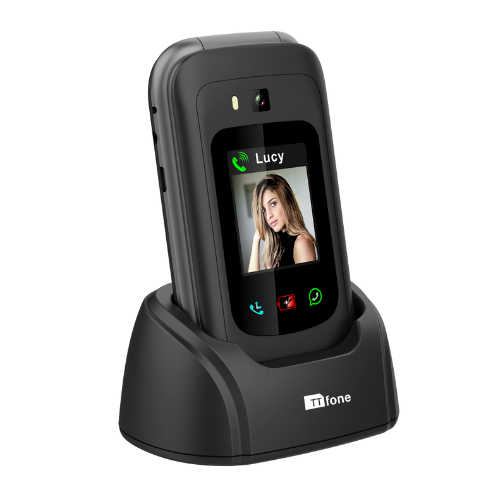
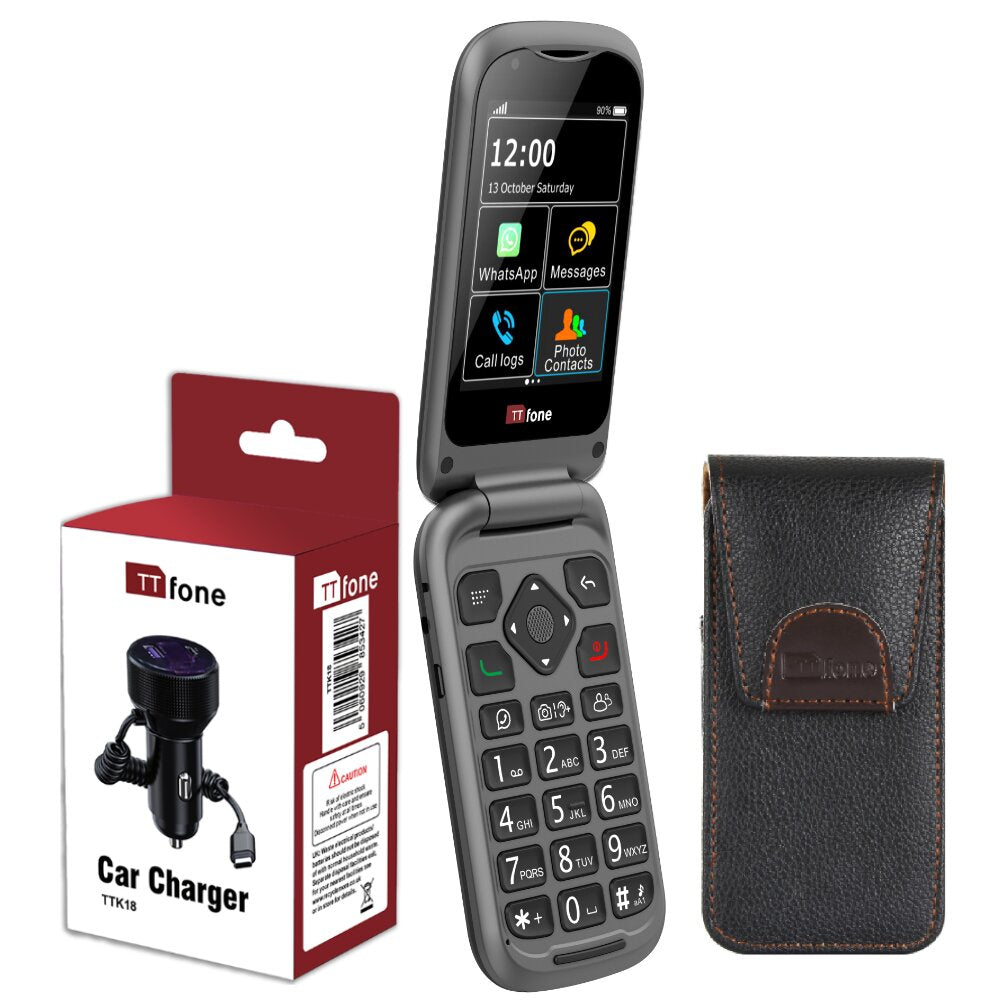
Ensemble de téléphone portable TTfone TT970 avec étui et chargeur de voiture

Ensemble de téléphone portable TTfone TT970 avec étui et chargeur de voiture

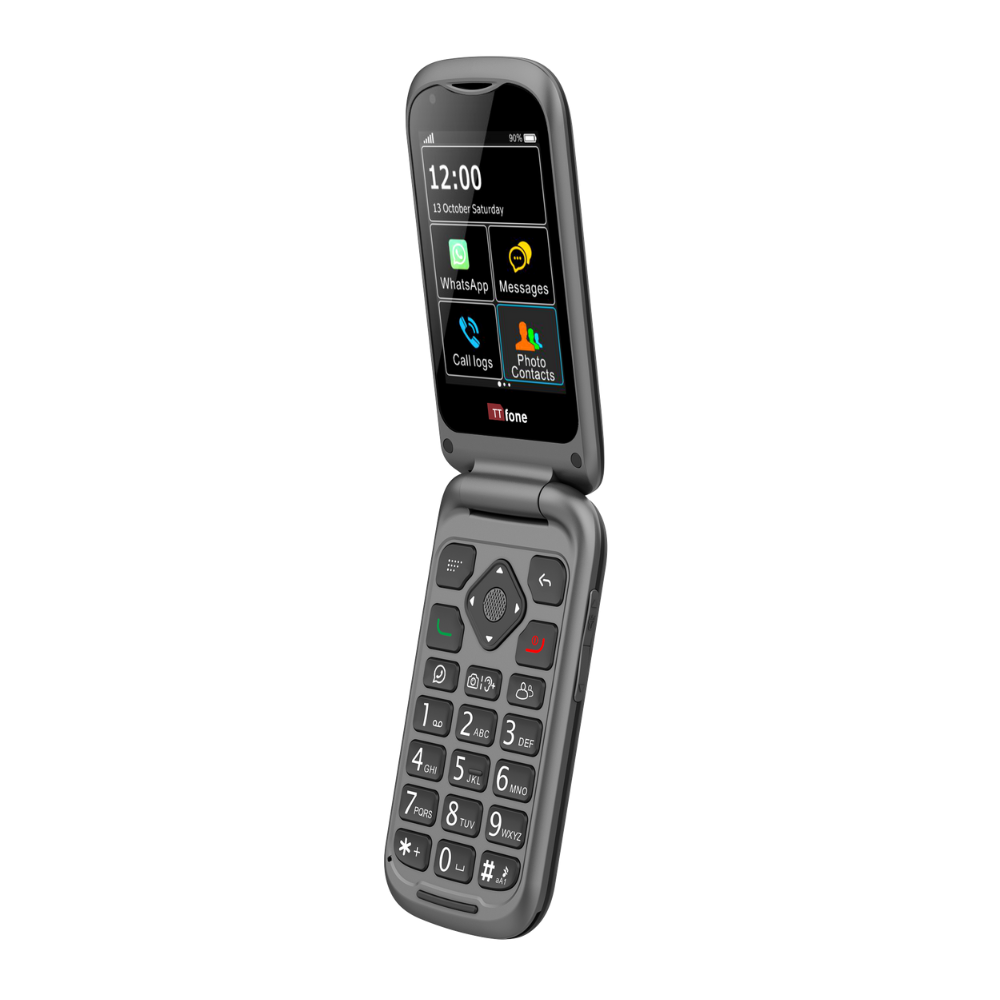
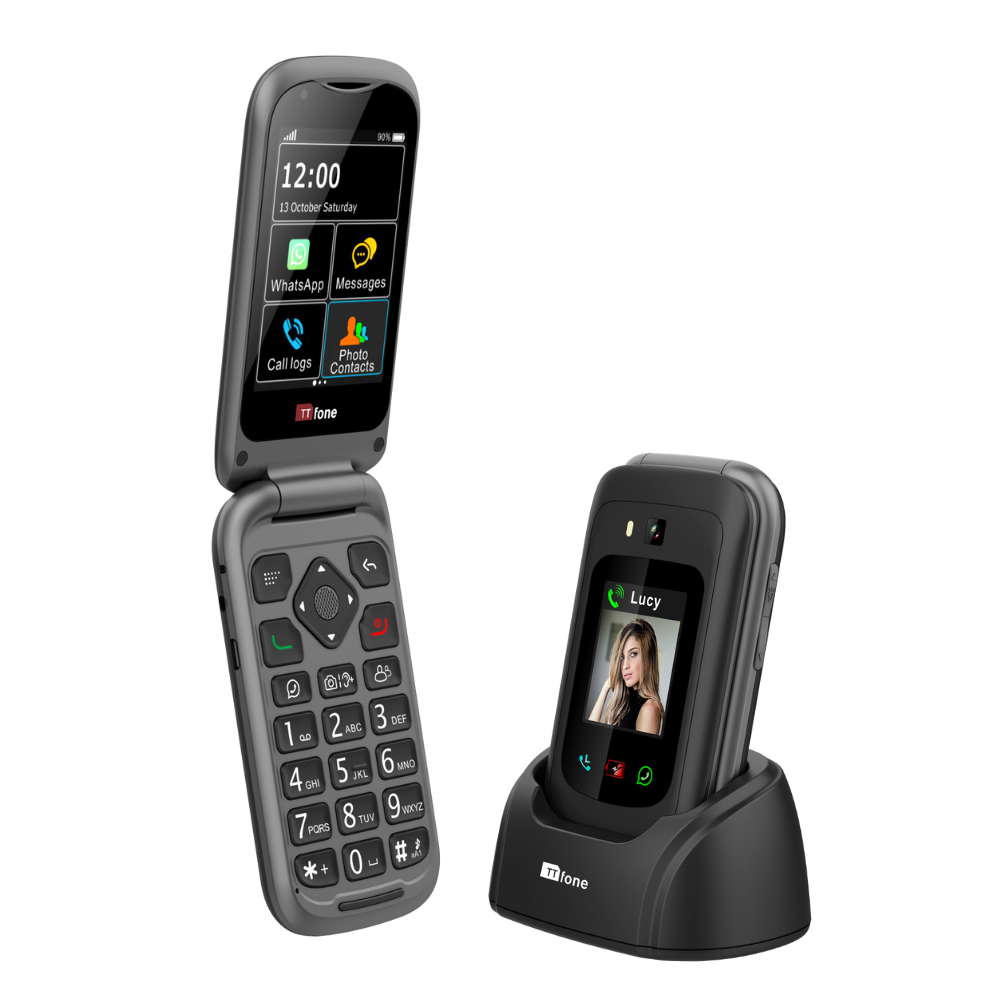
Le TTfone TT970 est un téléphone portable à clapet 4G facile à utiliser, doté de grands boutons tactiles, d’un écran tactile lumineux, d’un son fort et clair, d’un bouton SOS, de contacts photos et d’un socle de charge pratique. Il fonctionne sous une version simplifiée d’Android avec des applications préinstallées telles que WhatsApp, alliant connectivité moderne et simplicité familière d’un téléphone à clapet classique.
Remarque : Le TT970 utilise une carte Nano SIM card.
Prix habituel £124.99 GBP
Prix habituel £0.00 GBP Prix promotionnel £124.99 GBP
Promotion Épuisé
Taxes incluses. Frais d'expédition calculés à l'étape de paiement.
Quantité

Guide de démarrage rapide et instructions d'utilisation

📕 Cliquez ici pour télécharger le manuel d'utilisation en anglais, français, italien, espagnol, allemand et polonais

📌Visitez notre page d'assistance pour regarder un court tutoriel vidéo ou télécharger le manuel d'utilisation.

Afficher tous les détails

TTfone TT970 YouTube Playlist

Caractéristiques principales du TT970

  • Messagerie et appels WhatsApp

    Le TTfone TT970 intègre WhatsApp pour vous permettre de passer des messages et de téléphoner rapidement, simplement et en toute sécurité, gratuitement. Avec une connexion Wi-Fi ou des données mobiles 4G.

  • Flip à double écran

    Bien plus facile à glisser dans votre poche grâce à son design pliable, dites adieu aux appels accidentels lorsque le téléphone est dans votre poche ou votre sac.

  • Chargeur de station d’accueil

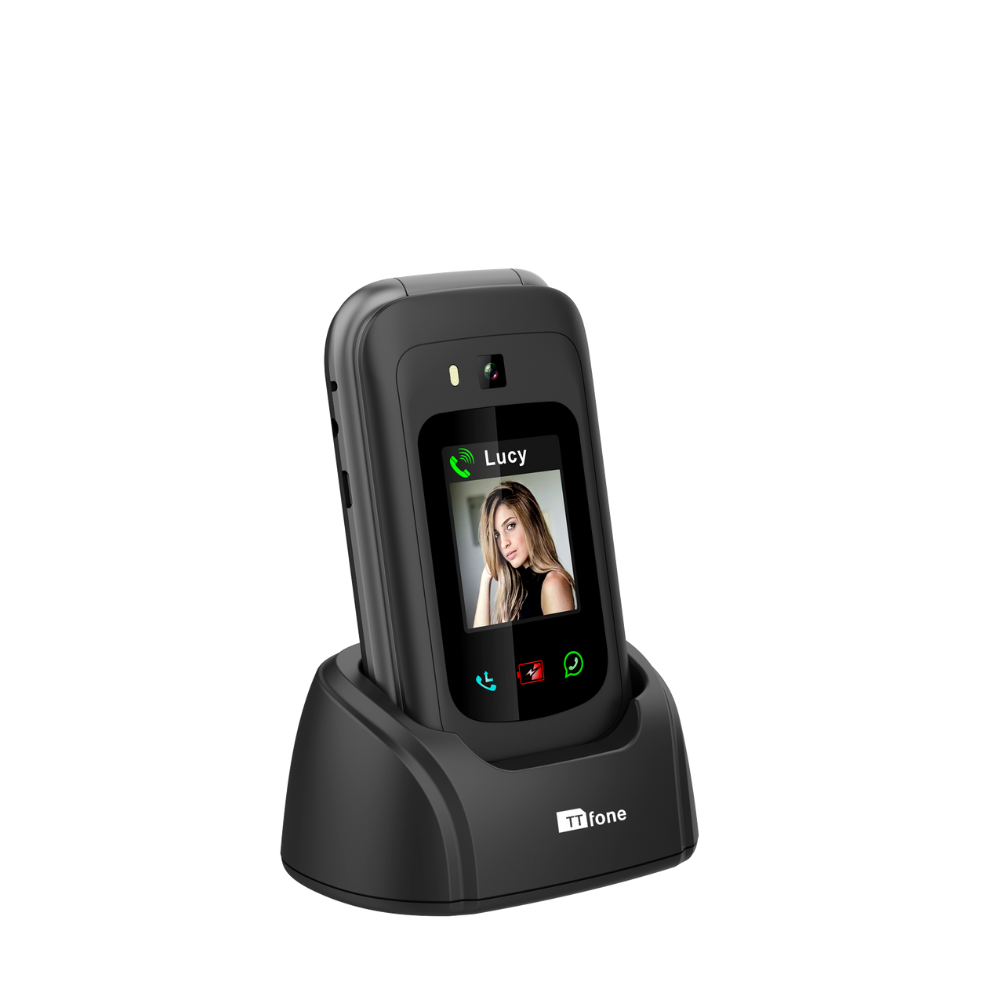
    Le TTfone TT970 est livré avec une station de charge de bureau qui rend la recharge du téléphone simple et facile.

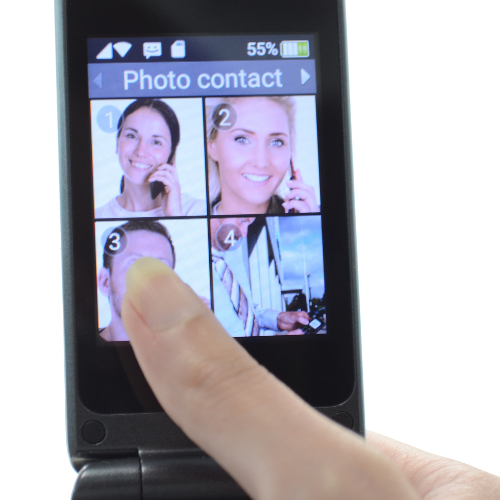
  • Contacts photo

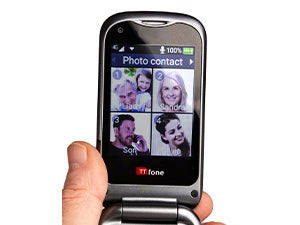
    Les contacts avec photo est une fonctionnalité qui vous permet d’enregistrer dans votre téléphone les numéros de téléphone accompagnés d’une photo de la personne, ce qui permet d’appeler un proche très facilement.
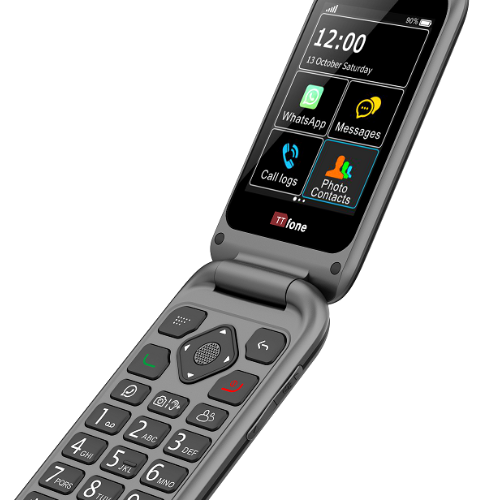
  • Réseaux sociaux - WhatsApp, Facebook Lite, YouTube

    Le TT970 dispose également d’une version simplifiée de l’application Facebook, qui vous permet d’utiliser les services de messagerie. YouTube et un navigateur Internet sont aussi à votre disposition pour vous divertir. Nous avons inclus une application dédiée à votre messagerie afin que vous puissiez lire et répondre à vos e-mails directement depuis votre téléphone.

  • Double appareil photo

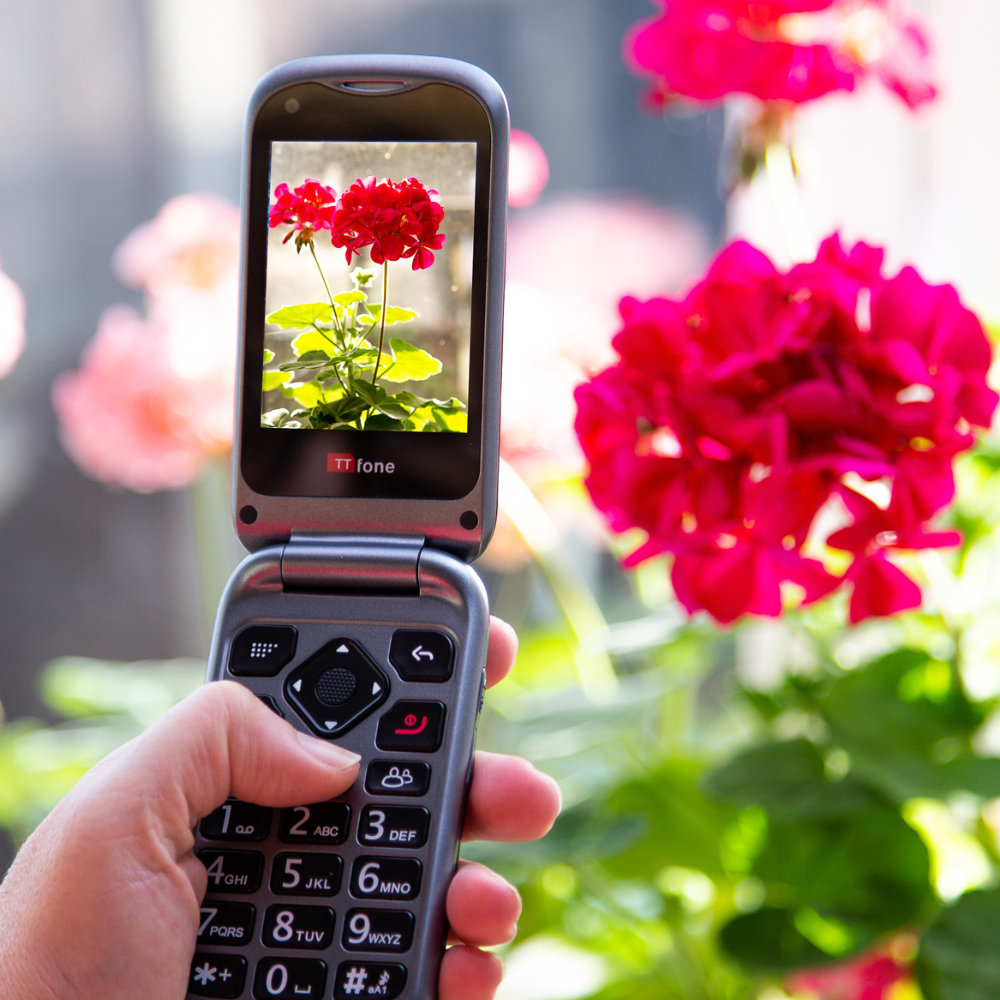
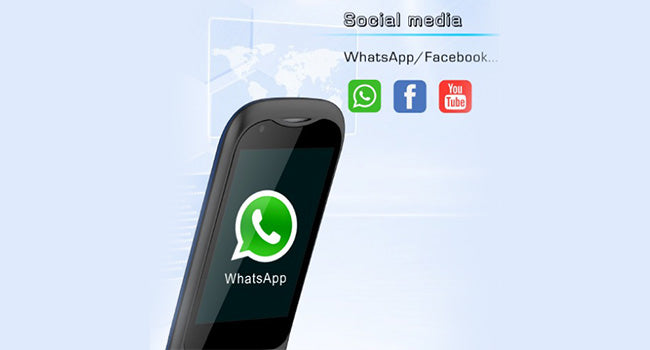
    Grâce à l’appareil photo arrière de 8 mégapixels du téléphone, vous pouvez prendre et partager de superbes photos avec votre famille et vos amis. Le TT970 est également doté d’une caméra frontale VGA pour prendre des « selfies » et passer des appels vidéo.
  • Compatibilité avec les appareils auditifs

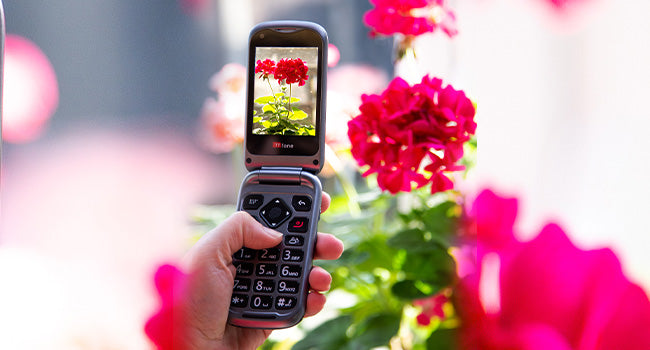
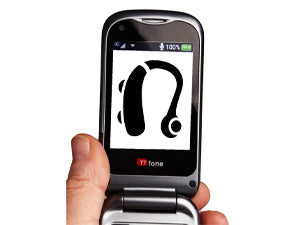
    Le TT970 est compatible avec les appareils auditifs (HAC) et se connecte automatiquement à votre appareil auditif lors d’un appel, que vous le passiez ou le receviez.

  • Notes vocales

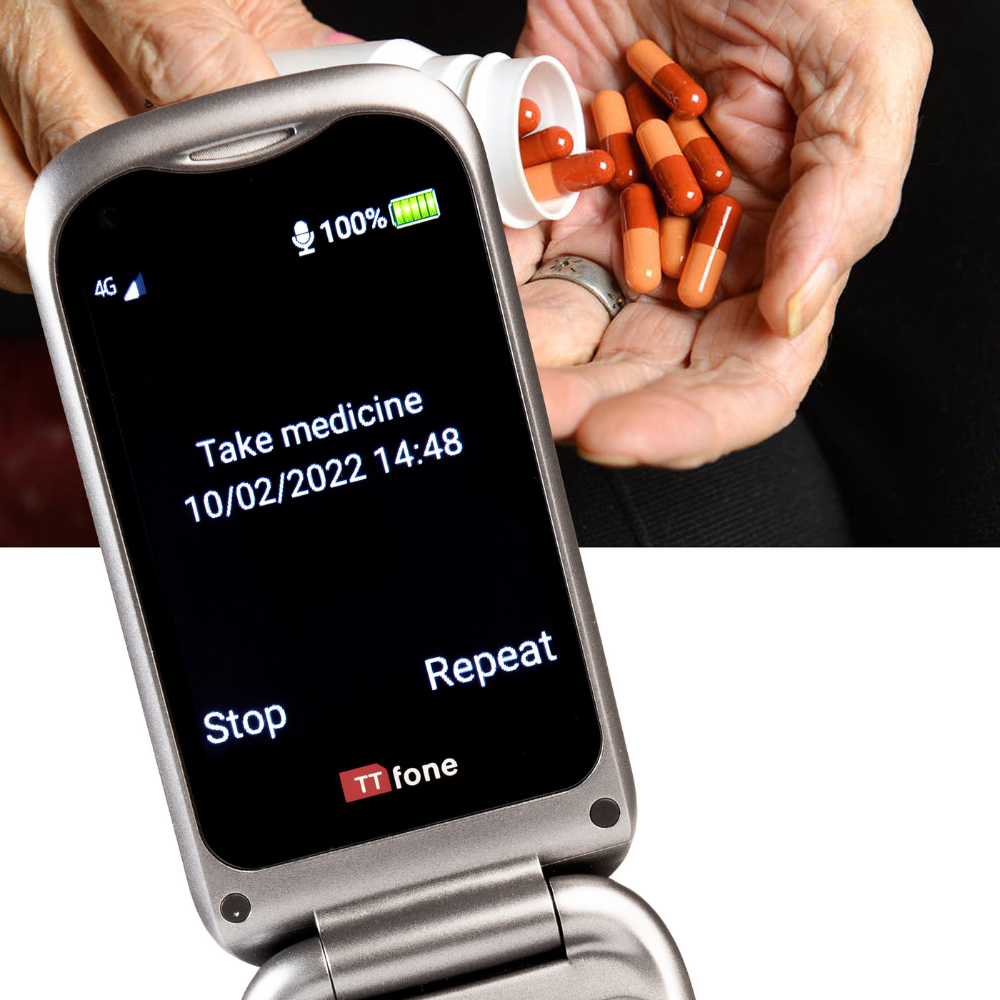
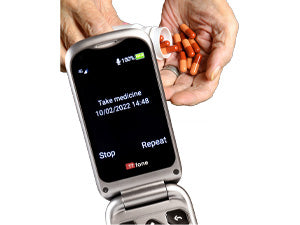
    Le TT970 intègre une application pratique appelée notes vocales, qui vous permet d’utiliser un fichier audio comme rappel pour prendre vos médicaments ou aller vous promener.

  • Amplificateur de haut-parleur supplémentaire 25 dB

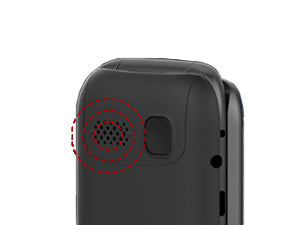
    Le TT970 de TTfone est doté d’un haut-parleur puissant. Il dispose également d’une fonction d’amplification permettant d’augmenter le volume de 25 décibels supplémentaires.

  • Compatible 4G

    Le TT970 utilise la technologie 4G, ce qui rend des fonctionnalités telles que les appels WhatsApp, les e-mails et les réseaux sociaux plus rapides à utiliser.
SOS - Aide d'urgence

Bouton d’assistance d’urgence

Configurez jusqu’à cinq contacts d’urgence dans le téléphone. Lorsque le bouton d’assistance d’urgence situé à l’arrière du téléphone est pressé, chacun d’eux recevra un SMS indiquant la localisation du TTfone TT970, puis le téléphone composera chaque numéro jusqu’à ce que quelqu’un décroche. Une excellente fonction de secours qui permet également d’envoyer des informations de localisation à la famille et aux amis en cas d’urgence.
Smartphone à clapet et à gros boutons

Téléphone portable senior à écran tactile TTfone TT970 WhatsApp 4G

Le TT970 utilise la technologie 4G, ce qui rend des fonctionnalités telles que les appels WhatsApp, les e-mails et les réseaux sociaux 10 fois plus rapides à utiliser. Débloqué et fonctionnant sur tous les réseaux, le TT970 peut être utilisé avec votre carte SIM actuelle ou vous pouvez en utiliser une toute neuve. Le TTfone TT970 fonctionne sous une version simplifiée du système d'exploitation Android avec des applications limitées mais un menu très facile à utiliser.
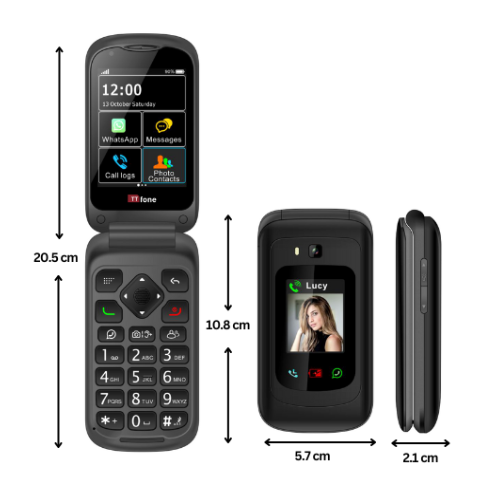
Dimensions du TT970

Hauteur : 20,5 cm
Hauteur avec couvercle fermé : 10,8 cm
Largeur : 5,7 cm
Largeur avec couvercle fermé : 5,7 cm
Profondeur : 1,2 cm
Profondeur avec couvercle fermé : 2,1 cm
Poids (avec pile) : 132,5 g

FAQ

Avez-vous des problèmes avec la carte SIM ? Aurai-je également besoin d’une carte mémoire micro-SD ?

Le TT970 prend en charge uniquement une carte SIM de taille nano. L’adaptateur peut être acheté dans n’importe quel magasin de téléphonie mobile à proximité. Le TT970 est compatible 4G et fonctionnera dans tous les pays, sur tous les réseaux.
La carte mémoire micro SD permet d’étendre la mémoire du téléphone portable. Elle est facultative et vendue séparément. Veuillez noter que vous pouvez utiliser une carte mémoire d’une capacité maximale de 32 Go, tandis que le téléphone dispose d’une capacité de stockage de 8 Go.

Le TT970 dispose-t-il d’un MMS ?

Non, le TT970 ne dispose pas d'une fonction de SMS MMS.

WhatsApp est-il préinstallé ?

Oui, WhatsApp est une application intégrée au téléphone portable. Il vous suffit de suivre les étapes de configuration de WhatsApp et de vous assurer que vous disposez d’une connexion Wi-Fi ou de données mobiles pour communiquer avec vos proches. WhatsApp vous demandera d’abord d’accepter les conditions générales, puis de vérifier votre numéro de téléphone et vous enverra un code par SMS. Saisissez ce code pour commencer à utiliser WhatsApp.

Qu’est-ce que le bouton d’assistance d’urgence situé à l’arrière ?

Il s’agit d’un bouton qui peut être programmé pour appeler le numéro de votre choix, afin que toutes les personnes que vous souhaitez prévenir en cas d’urgence reçoivent un appel. Les personnes à l’autre bout du fil pourront ainsi entendre tout ce qui se passe. Il déclenche également une alarme sonore pour alerter les passants afin qu’ils puissent porter secours en attendant l’arrivée des secours. Le bouton SOS enverra aussi des messages texte d’urgence ainsi que votre position actuelle aux proches que vous aurez préalablement désignés. Remarque : si l’un des numéros d’urgence est équipé d’un système de messagerie vocale, le téléphone considérera que l’appel a été pris et ne contactera plus les autres numéros préenregistrés.

Est-ce que cela permet d’utiliser Facebook et Twitter, et d’envoyer et de recevoir des e-mails ?

Le TTfone TT970 dispose d’une version allégée de Facebook qui vous permet de consulter votre fil d’actualité et d’utiliser Facebook Messenger.
Le TT970 est également équipé d’une application de messagerie tierce vous permettant de recevoir et d’envoyer des e-mails.

Actuellement, l’application Twitter n’est pas disponible.

Ce téléphone peut-il passer des appels WhatsApp (pas des messages audio) ? Si oui, y a-t-il une notification pour les appels entrants ?

Oui, vous pouvez passer un appel via WhatsApp et, de la même manière, vous recevrez la même notification qu'un appel normal.

Mon TT970 indique qu’une mise à jour du logiciel est disponible. Comment puis-je la mettre à jour ?

Allez dans l’application > Mise à jour sans fil > Rechercher des mises à jour > si une mise à jour est disponible, veuillez cliquer sur télécharger et installer.

Comment transférer des contacts via la fonction Bluetooth ?

1. Associez et connectez le Bluetooth sur les deux appareils (TT970 et l'autre appareil)
2. Une fois associés, commencez à partager le contact via Bluetooth.
3. Sur votre TT970, l'appareil vous informera qu'un fichier arrive.
4. Faites glisser la barre d'état vers le bas et sélectionnez accepter le fichier.
5. Une fois le transfert terminé, veuillez aller dans Paramètres>Bluetooth>Fichiers reçus
6. Sélectionnez ou appuyez sur le fichier de contact (format vcf) et une boîte de dialogue apparaîtra sur votre écran indiquant "Importer les contacts depuis vCard ?" et sélectionnez ok.
7. Vérifiez votre menu Annuaire et le/les contact(s) devraient s'y trouver.

Comment mettre à jour WhatsApp sur le TT970 ?

1. Allez dans l’application.
2. Sélectionnez Aurora Store.
3. Sélectionnez Applications en bas à droite de l’écran.
4. Suivez les instructions à l’écran pour terminer la mise à jour ou l’installation de WhatsApp.

Le TT970 fonctionnera-t-il sur le réseau Three ?

Oui, le téléphone est compatible 4G et fonctionnera sur le réseau Three ainsi que sur tous les autres réseaux britanniques et de nombreux réseaux à travers le monde.

Le nom et la photo de l’appelant s’affichent-ils sur l’écran externe ?

L'écran externe fournit toutes les informations importantes sans avoir à ouvrir le clapet du téléphone. Non seulement le nom de l'appelant s'affiche, mais il montre également la photo de l'appelant si les contacts avec photo sont configurés. Sans oublier les voyants de notification externes sur l'écran externe qui vous indiquent si vous avez manqué un appel, reçu un nouveau message (il peut s'agir d'un message WhatsApp ou d'un SMS) ou si la batterie est sur le point d'être complètement déchargée.

Lors de l’ouverture d’une application, le téléphone indique « impossible d’ouvrir » ou « le système ne fonctionne pas »

Commencez par redémarrer le téléphone : maintenez la touche rouge enfoncée pendant quelques secondes, puis sélectionnez l’option « redémarrer » à l’écran.
Si cela ne résout pas le problème, vérifiez si des mises à jour logicielles sont disponibles.
Allez dans APP > Mise à jour sans fil > Rechercher des mises à jour > si une mise à jour est disponible, cliquez sur télécharger et installer.
Si le problème persiste, vous devrez effectuer une réinitialisation d’usine : allez dans Paramètres > Système > Options de réinitialisation > Réinitialisation d’usine > Réinitialiser le téléphone > Tout effacer.

Comment puis-je importer des contacts depuis mon PC vers le TT970 ?

1. Connectez votre TT970 à votre PC via un câble USB.
2. Sur votre TTT970, une boîte de dialogue apparaîtra ; sélectionnez Transfert de fichiers. Votre PC reconnaîtra ensuite le TT970.
3. Sur votre PC, ouvrez le dossier de l'appareil nommé TT970. Vous verrez ensuite une liste de dossiers à l'intérieur.
4. Sélectionnez et ouvrez le dossier Contacts ou, si vous n'en avez pas, veuillez créer un nouveau dossier pour vos contacts.
5. Depuis votre PC, copiez les contacts que vous souhaitez transférer dans le dossier nouvellement créé sous TT970.
6. Déconnectez le TT970 de votre PC.
7. Sur votre téléphone portable TT970, veuillez aller dans Outils>Gestionnaire de fichiers>Stockage partagé interne>Contacts
8. Sélectionnez le contact, touchez l'écran ou appuyez sur la touche de navigation centrale et une boîte de dialogue apparaîtra sur votre écran indiquant "Importer les contacts depuis vCard ?" et sélectionnez OK.
9. Vérifiez le menu de votre répertoire et le/les contact(s) devraient s'afficher.

Y a-t-il un Google Play Store et puis-je installer d'autres applications ?

Je suis désolé, mais le TT970 ne dispose pas du Google Play Store, car ce n'est pas un appareil compatible avec Google. Le TTfone TT970 intègre des applications de réseaux sociaux telles que WhatsApp, FB (version Lite), YouTube et un navigateur.

Pouvez-vous gérer le téléphone à distance ? Sans avoir le téléphone avec vous ?

C'est un projet sur lequel nous travaillons depuis un certain temps chez TTfone. Malheureusement, il s'avère très complexe et coûteux de pouvoir mettre à jour le téléphone à distance. Veuillez nous envoyer par e-mail vos besoins précis, par exemple les menus que vous souhaiteriez mettre à jour exactement, afin que nous puissions les prendre en compte dans nos recherches concernant cette fonctionnalité.
Vous pouvez nous envoyer un e-mail à [email protected]

Puis-je ajouter une sonnerie ?

Vous pouvez enregistrer une musique ou une sonnerie supplémentaire de votre choix et la définir comme sonnerie de votre TT970.
Pour ce faire, vous devez connecter le TT970 à un ordinateur à l’aide d’un câble USB et ajouter la musique, ou utiliser la fonction de partage Bluetooth pour recevoir un fichier musical depuis un autre appareil. Lorsque vous utilisez le Bluetooth, associez d’abord les deux appareils, puis commencez le partage du fichier.
Une fois le transfert ou le partage des fichiers terminé, allez sur votre TT970 dans Multimédia > Musique, sélectionnez la musique que vous souhaitez définir comme sonnerie, appuyez sur la touche de navigation centrale et sélectionnez « Définir comme sonnerie ».

Pourquoi WhatsApp ne fonctionne-t-il plus ?

Tout d’abord, l’application WhatsApp doit peut-être être mise à jour.
Allez dans « APP » > « Aurora store » > « Check for Updates » > sélectionnez « Apps » en bas de l’écran, puis sélectionnez WhatsApp.
Si une mise à jour est disponible, appuyez sur « UPDATE ALL » > appuyez sur « Install » et attendez que le message « App installed » s’affiche à l’écran, puis sélectionnez « Done ».
Appuyez sur la touche rouge pour quitter.

Ensuite, si une mise à jour du logiciel du téléphone est disponible, allez dans « APP » > « Wireless Update » > « Check for Updates ».
Si la première tentative indique « No update available », appuyez deux fois sur « Check for Updates ». Si une mise à jour est disponible, appuyez sur « Download » > « Install now » > appuyez sur « Update » et attendez que le téléphone redémarre.
Avant de lancer la mise à jour, assurez-vous que la batterie est suffisamment chargée et que vous êtes connecté au Wi-Fi, et n’éteignez pas le téléphone pendant la mise à jour.

Comment réinitialiser le TT970 ?

RESTAURER LES PARAMÈTRES D'USINE DU TT970
Allez dans 'Paramètres' > 'Système Android' > 'Système' > faites glisser l'écran vers le bas et appuyez sur 'Options de réinitialisation' > 'Effacer toutes les données (réinitialisation d'usine)'
Faites défiler vers le bas et appuyez sur 'Réinitialiser le téléphone', puis appuyez sur  'Tout effacer'.
N'éteignez pas le téléphone, veuillez simplement attendre que le téléphone redémarre.

  • 5 stars: 35 (59%)
  • 4 stars: 18 (31%)
  • 3 stars: 5 (8%)
  • 2 stars: 1 (2%)
  • 1 star: 0 (0%)
L
Lynn

Partner appears happy with the phone so far - was looking for a straight forward phone for him - and this seems exactly what he needs as he is not technically minded.

Thank you for your lovely feedback! We're delighted to hear that your partner is happy with the phone so far and that you've found it straightforward and easy for him to use. It's great to know that it seems to be exactly what he was looking for.

We really appreciate you choosing TTfone and sharing your experience with us!

— TTfone Team

F
Fátima Martinez

El teléfono es perfecto, se puede usar con la talla táctil ( es pequeña) o con los botones.

Thank you for your wonderful feedback! We're delighted to hear that you're enjoying your TT970 and that you appreciate the flexibility of using both the touchscreen and the physical buttons.

We truly appreciate your support and hope you continue to enjoy your TTfone.

— TTfone Team

---------------------------------------

¡Muchas gracias por su excelente comentario! Nos alegra saber que está disfrutando de su TT970 y que valora la posibilidad de utilizar tanto la pantalla táctil como los botones físicos.

Agradecemos mucho su apoyo y esperamos que siga disfrutando de su TTfone.

— Equipo de TTfone

s
susan fox

it is brilliant!

Thank you for your wonderful feedback! We're delighted to hear that you think the phone is brilliant.

We truly appreciate your support and hope you continue to enjoy using your TTfone.

— TTfone Team

D
Daanish Smellie

Good phone for my use-case, does as advertised. Battery could be improved. Logging in to WhatsApp as a secondary device was possible, but a bit tricky. Good value for money

Thank you for your feedback. We’re pleased to hear that the phone meets your needs and offers good value for money.

We appreciate your comments regarding the battery life and the WhatsApp setup process. Your feedback is valuable to us and will be shared with our team for future improvements.

— TTfone Team

e
ethel

Iŧ suiŧs me fine, not done whaŧs app yeŧ, also torch not working, I am 86yrs
old, I think the more I use it the beŧŧer I will be. Thanks

Thank you for your feedback. We’re pleased to hear that the phone is suiting your needs and hope you continue to enjoy using it as you become more familiar with its features.

We’re sorry to hear that the torch is not working. If you need any assistance with this or have any questions about WhatsApp or other features, please don’t hesitate to contact us and our team will be happy to help.

— TTfone Team

Ž
Željko Čoko

I am satisfied with the device!

Thank you for your feedback. We’re pleased to hear that you are satisfied with your device and that it is meeting your expectations.

We appreciate your support and hope you continue enjoying your TTfone.

— TTfone Team

D
Dibley

I bought this one about year ago.

Frustrating because mum (dementia) didn’t use the stand unless charger, but not as charger for the stand. The charger went 8n side of phone. I really wish the charger base and cable didn’t come apart. Locating four elements including plug is just hard work.

That phone overheated (not good to storeunder pillow). I bought https://www.ttfone.com/products/ttfone-tt660 but the fact all elements can still be separated mean is still a treasure hunt. The landline is proving to be more reliable. Also when folded this phone looks like a black box. A great big yellow sticker saying mums phone hasn’t work. Make it stand out. Make the charger plugs one undetachable element.

The design is not cindusive to elderly with mild dementia. Perhaps work with charities to help improve design.

Thank you for your detailed feedback. We’re sorry to hear about the difficulties you and your mum have experienced, and we apologise for the inconvenience caused.

We truly appreciate you taking the time to share these suggestions regarding the charging setup, visibility of the phone, and ease of use for elderly users with dementia. Your comments are very valuable and will be shared with our team for future product development and design improvements.

Thank you again for your honest feedback and continued support.

— TTfone Team

J
Jacqi B.

I am happy with my new phone. It suits my needs very well in that I need a reliable phone for calls and texts, it has an adequate camera, and a basic ability to browse the net should the need arise. I can also access basic social media on the rare occasion I would need that. I like the touch screen, that works in conjunction with or instead of the usual buttons. I like the photo contacts for calling nearest and dearest. My only gripe is the time lapse between each digit when compiling a text. It is a severe exercise in patience, and I miss the ability to swipe through letters on a touch screen keyboard.
I am not the most tech-minded person, but I seem to have found my way round this phone, and my 11 year old grandson is now after one of these. All in all, a good buy.

Thank you for your thoughtful feedback. We’re delighted to hear that you’re enjoying the size and design of the TT970, and that features like WhatsApp are proving useful.

It’s great to hear how the phone is helping you focus on the essentials, and we appreciate your kind comments about the value of our products. We hope it serves you well on your upcoming holiday.

— TTfone Team

S
Simon Beeson

Maybe the stars isdoing a disservice to the phone. I bought the phone for my elderly father who is 92. However, I think even with this simple phone it’s a technology leap too far. If you are going to buy this phone for your elderly parent then careful consideration of the age bracket should be applied. The phone itself is fine, a little bit fiddly to set up. The alpha numeric keys for texting for someone who is 92 is just a no go.

Thank you for your feedback. We understand your concerns and appreciate you sharing your experience.

We’re pleased to hear that the phone itself met expectations, but we recognise that even simple devices can still be challenging depending on the user’s needs. Your comments will be noted and shared with our team for future improvements.

— TTfone Team

D
Davine Jenkinson

I use it as my house phone or for emergencies iits a great little phone zI love it !! I'm 84 years old !! so I need a back up but when my contract finishes I will get another one ! Perfect for me & not complicated

Thank you for your wonderful feedback. We’re delighted to hear that the phone is perfect for your needs and works well as a simple and reliable backup. It’s great to know you find it easy to use and not complicated.

We truly appreciate your support.

— TTfone Team

L
Lucen

This phone is great. I've been using it for 6months straight and this is my in depth review. Physically, the shell is rugged and sturdy. The buttons are very plastic but hold well. The hinge is strong. I always charge mine on it's cradle but after all these months half of the time it's not connecting properly and the charging light doesn't blink/ phone doesn't charge. Thankfully you can still charge it like any normal phone with a usb C too. I will admit the big downside here is the relative low battery life, however this is a dumber-smartphone and everything takes ages to do, so you won't be browsing, watching reels or videos online for hours on end. I use the phone for calling, WhatsApp and to Google/gmail/maps something here and there throughout the day. With that said, when I'm home in the evenings I'm left with about 40% still, which is great. Many people complain about the battery life, but if you turn off your location the battery surprisingly holds for a good daily use. Furthermore if you care about camera quality (on the TT970 which is considered the "pro" model with better camera) it is good for documents or close stuff. Try photograph a person, landscape and the outcome is a bit pixelated. It will do the job. I recommend getting the TT970 just for that reason too, anything lower camera quality than this phone and it's horrible. On the other hand, the operating system is a simple version of Android. To have an easier and more enjoyable time I recommend side loading applications from your computer. I have been able to add a Touch screen Keyboard, Opera browser, K9mail(which basically lets you use Gmail) and much more. The phone by itself does not come pre-loaded with a touch screen keyboard, but it is easy to add. I wonder why they didn't bother to add this. You can turn off the SOS button permanently for those who are afraid to accidentally press it. It also comes with hotspot too, so if you're carrying around another smartphone you can connect. One more downside is the lack of internal space, so I recommend adding an SD card ASAP! WhatsApp works wonders as of 17/3/26 and texting and calling work too. When video-calling on WhatsApp I have been told my camera quality drops significantly on both exterior and interior cameras. Surprisingly Google maps works on the Opera web mode, which is a plus!!! Unfortunately the phone does not come with a GPS map application pre-installed and will not run the Gmaps or Waze applications if side loaded. Web is the only way. Like every phone there is downsides, but there's a way to get around them like I explained. This is a great phone for those who want to distance themselves from common attention grabbing smartphones and seek simplicity/privacy without losing the useful things. I would not recommend this phone for seniors, due to the fact it can get very complicated (even for us tech-people!) unless someone with knowledge takes the time and sets it up for them. Hopefully the company learns from those errors and improve it so it can be sold to a much wider group of people instantly with less drawbacks. I use it in Greece and the service even works at sea! Cheers mates

Thank you for taking the time to share such a detailed and insightful review. We’re delighted to hear that you’ve had a positive overall experience with the phone over the past 6 months and that it’s meeting your needs for calls, WhatsApp, and everyday use.

We truly appreciate your balanced feedback, including your comments on the charging cradle, battery performance, camera quality, and overall usability. Your suggestions and observations are extremely valuable and will be shared with our team for future improvements.

It’s great to hear how you’ve been able to customise the phone to suit your preferences, and we’re pleased it’s supporting a more simple and focused mobile experience for you.

— TTfone Team

J
Joyce Williams

Looks small and quite cute but otherwise no different to a normal sized phone.

Thank you for your feedback. We’re glad to hear you like the compact and stylish design of the phone.

— TTfone Team

S
Sebastian

Perfect if you don't want to use a smartphone anymore. Just WhatsApp, Calls and Sms. I buyed it because of WhatsApp. Best decision I made for mental health. Smartphone addiction is a big problem in society, and this phone is the solution. Thank you.

Thank you for your thoughtful feedback. We’re delighted to hear that the phone is working well for you and providing the simplicity you were looking for. It’s great to know that using WhatsApp, calls and SMS on a simpler device has made such a positive difference for you.

We truly appreciate you sharing your experience.

— TTfone Team

D
Douglas Fairlie

Bought this phone for my disabled mother-in-law. Thought the idea of having touchscreen for the photographs to call was good. Didn’t realise there was still other steps to take to make the call why not just tap the photograph. It would also help if there is easier access to WhatsApp call making. The quality of video calls could also be better (screen resolution?)

Thank you for your feedback, and we’re sorry for any inconvenience caused.

The Photo Contacts feature allows you to save a contact with their photo to make calling easier. When you open the photo contact, simply press the green call button and it will automatically call that person.

We appreciate your suggestions and will forward your feedback to our team.

Regarding WhatsApp calls, please note that the green and red keypad buttons cannot be used to answer or end WhatsApp calls, as the official WhatsApp application does not support these functions.

— TTfone Team

S
Steve Cameron

Does the job

Thank you for your review — we’re glad it’s doing the job! If there’s anything else you need, we’d be happy to assist you.

– TTfone Team

A
Amazon Customer

Quite easy so set up for a old non tech person,but great camera,and easy to use .Finding out more facilities all the time. Just great.

U
Uwe Bocklage
Super

Super danke schön

t
travelmate

Very easy to understand also simple to use

R
Ruth

Really good

A
Anon
Is perhaps too much of a compromise

This is a very clever, nicely made phone, but if smartphone features are needed the really the only answer is to invest in a smartphone!

Thank you for your honest feedback. We appreciate you sharing your perspective. Our aim is to offer a balance between simplicity and essential smart features, and we understand this may not suit everyone’s needs. Your comments are valuable and will be taken into account as we continue to develop our products.

— TTfone Team

F
Frederick Grover
Great phone with one exception

This phone is great for Phone calls, Messaging, WhatsApp and Photo'sThe camera is also quite good.After accepting all these points with praise, I then discovered I could not send and receive emails.Neither could I download or use Google browser.I then discovered the phone will not accept Google e.g.Gmail,or Google earth etc.Great shame because in other respects it is a great little phone

M
Michael in the book
good!!

Looks good, have not used yet.

D
DomTH
Just smart enough

I really don't need a full-scale smartphone. In fact, having owned a number of iPhones and Android phones in the past, I suspect most people don't. When it came to the time to upgrade, I realised I don't play computer games, I don't watch movies or TV shows on my phone. I listen to music on my iPod... and smartphones are getting stupidly large! As an avid book reader, I had already realised that smart devices really mess with my concentration. I resented having to pay hundreds of pounds essentially to make calls and send WhatsApp messages!Looking for something simpler, I started out with a Nokia 2720 Flip in 2020, which runs with the Kai OS operating system. After two years of shaky functionality and increasingly erratic operation, I got fed up with it. If a name brand like Nokia couldn't be trusted, I'd look elsewhere.My search for a replacement led me to the TTfone TT970, which, with 4G, looked promising. TTfone markets its products on their simplicity and they aim a lot of marketing at the elderly. The phones include emergency buttons and health information. I'm not old and I love gadgets, but I hate unnecessary complexity.I've had the phone for three days now. First off, it has a charging cradle, which is great, as it stops the side USB socket getting damaged. The phone is plastic, but solidly built. The operating system is Simplified Android - basically Android without all of Google's intrusive bloatware. I haven't had to sign into any accounts to use the phone: I merely put my number into WhatsApp. Transferring numbers via my old phone's SD card was easy. Photos also imported automatically from the card.The operating system is far better than Kai OS was on my Nokia 2720 Flip. TTfone's Simplified Android OS variant is very simple and the menu not very customisable - quite why emails are stored in a folder called 'Social Media', rather than on the main menu, I can't say, and it's a shame I can't move it on to the main menu, but it's not the end of the world!WhatsApp works fine. Messages arrive when people send them (unlike the 2720, where I didn't receive messages until I opened the WhatsApp app) and WhatsApp phone calls work. The ear speaker is LOUD. Even on a low volume, I pulled it away from my ear at one point while talking to a client. The alarm works fine. I also downloaded Telegram and have had no problems there.The combination of keypad and touchscreen is great. Sadly, the phone lacks the ability old Nokias had of triggering a capital letter mid-sentence by tapping the hash button once - the 2720 didn't do that either - but being able to tap the touchscreen to complete keypad tasks is a bonus.Basically, it's down to what you're looking for. Smartphone lovers will hate this phone. But they're missing the point: the TT970 is a phone. It's sufficiently smart to send web app messages, pictures and videos over 4G and wifi, and it lets you check and send emails. Once it's set up, it's easy to use - older people who aren't confident will likely someone younger to set it up, particularly email - and it's blessedly small.I'm very happy with this phone: until I bought it, I had feared I'd end up having to go back to full-fledged smartphones. I work from home and, if I work away, I have my laptop with me. I've happily opted out of the smart revolution.This phone is smart enough not to do too much, but what it does do, it does well. After my colossal disappointment with the Nokia 2720 phone, this is much more what I was looking for. Recommended for smartphone 'detoxers' and people who simply want to make calls, check emails and send messages. Big thumbs up from me!