Siirry tuotetietoihin
1 / 7

TTfone TT970

TTfone TT970

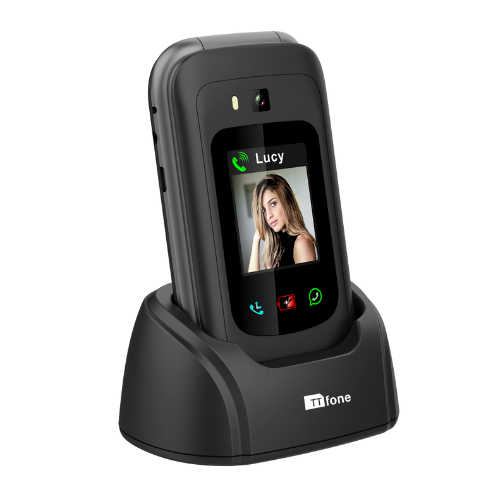
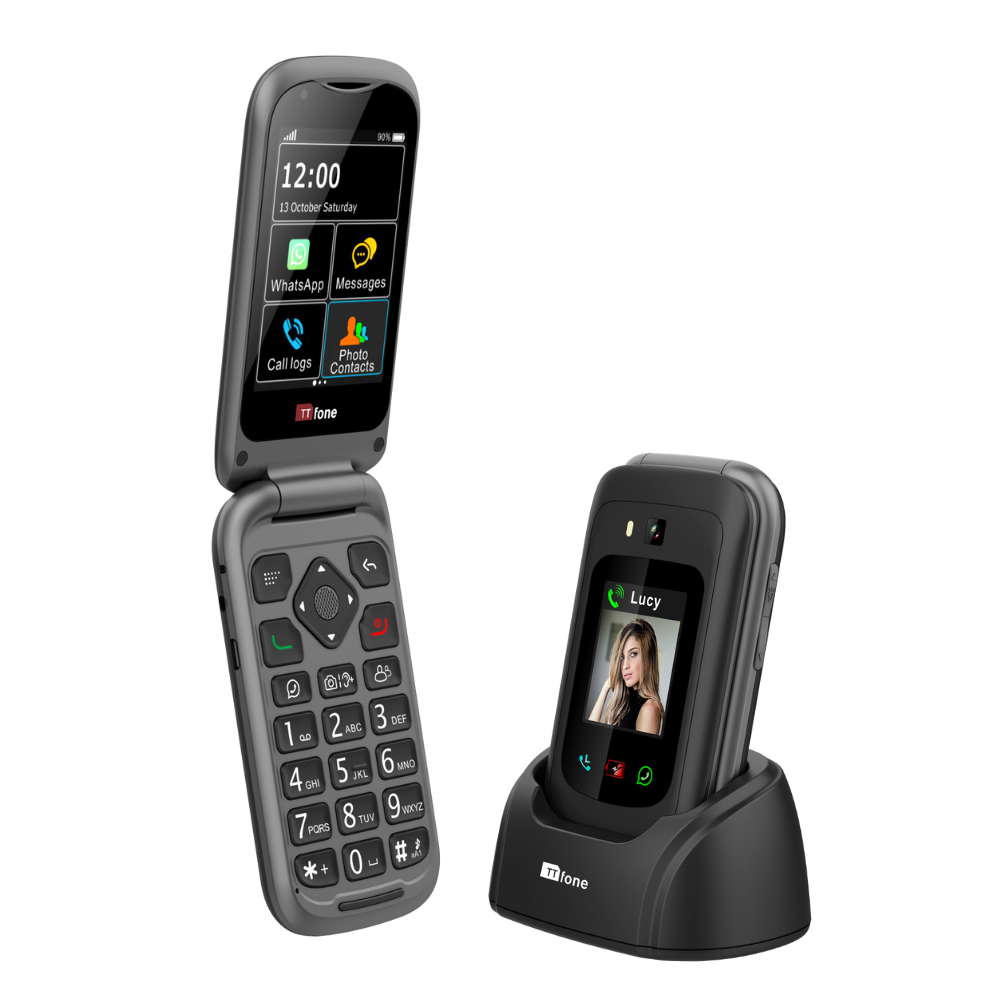
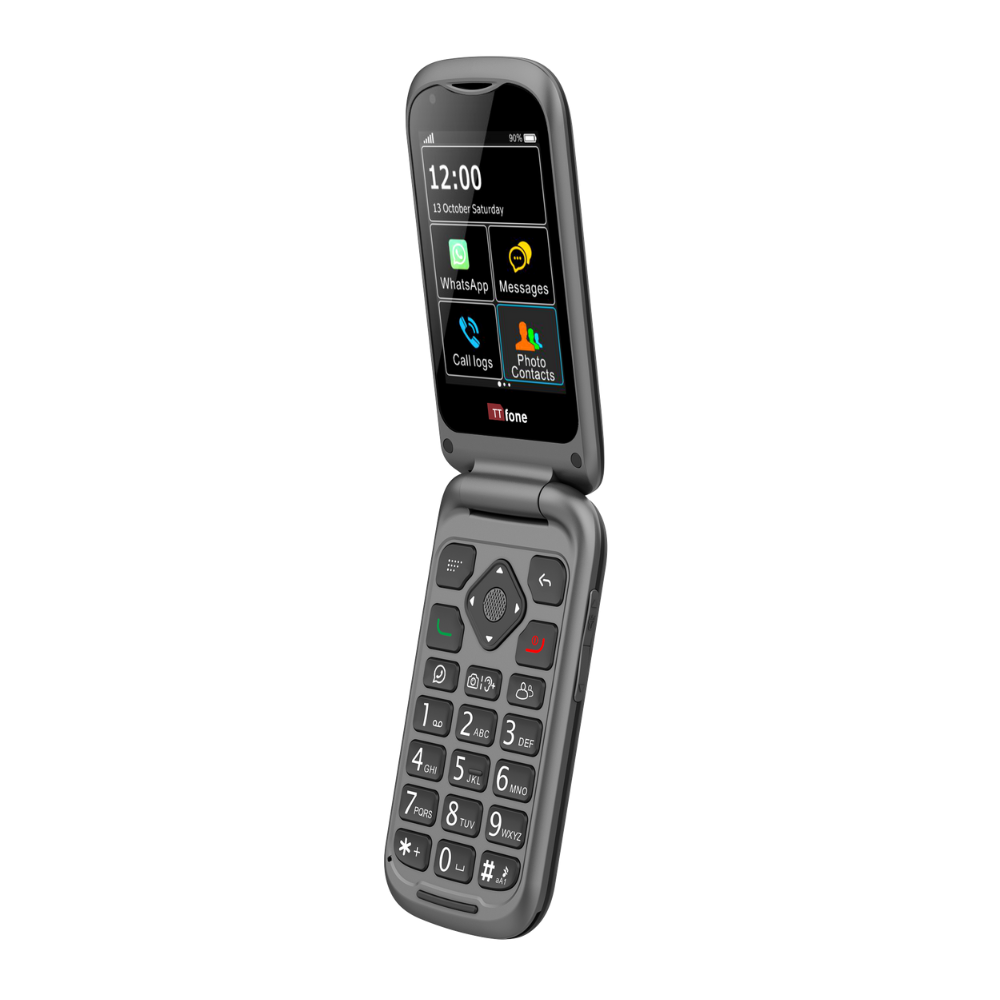
The TTfone TT970 is an easy-to-use 4G flip mobile phone with large tactile buttons, a bright touchscreen, loud and clear sound, an SOS button, photo contacts, and a convenient charging dock. It runs a simplified version of Android with pre-installed apps such as WhatsApp, combining modern connectivity with the familiar simplicity of a classic flip phone.
Note: The TT970 takes a Nano SIM card.
Normaalihinta £109.99 GBP
Normaalihinta £0.00 GBP Alennushinta £109.99 GBP
Alennusmyynti Loppuunmyyty
Sisältää verot. Toimituskulut lasketaan kassalla.
Määrä

Quick Start & User Instructions

📕 Click here to download the User Manual in English, French, Italian, Spanish, German, & Polish Languages

📌Visit our Support page to watch short video tutorial or download User manual.

Näytä kaikki tiedot

TTfone TT970 YouTube Playlist

Key Features of TT970

  • WhatsApp Messaging and Calling

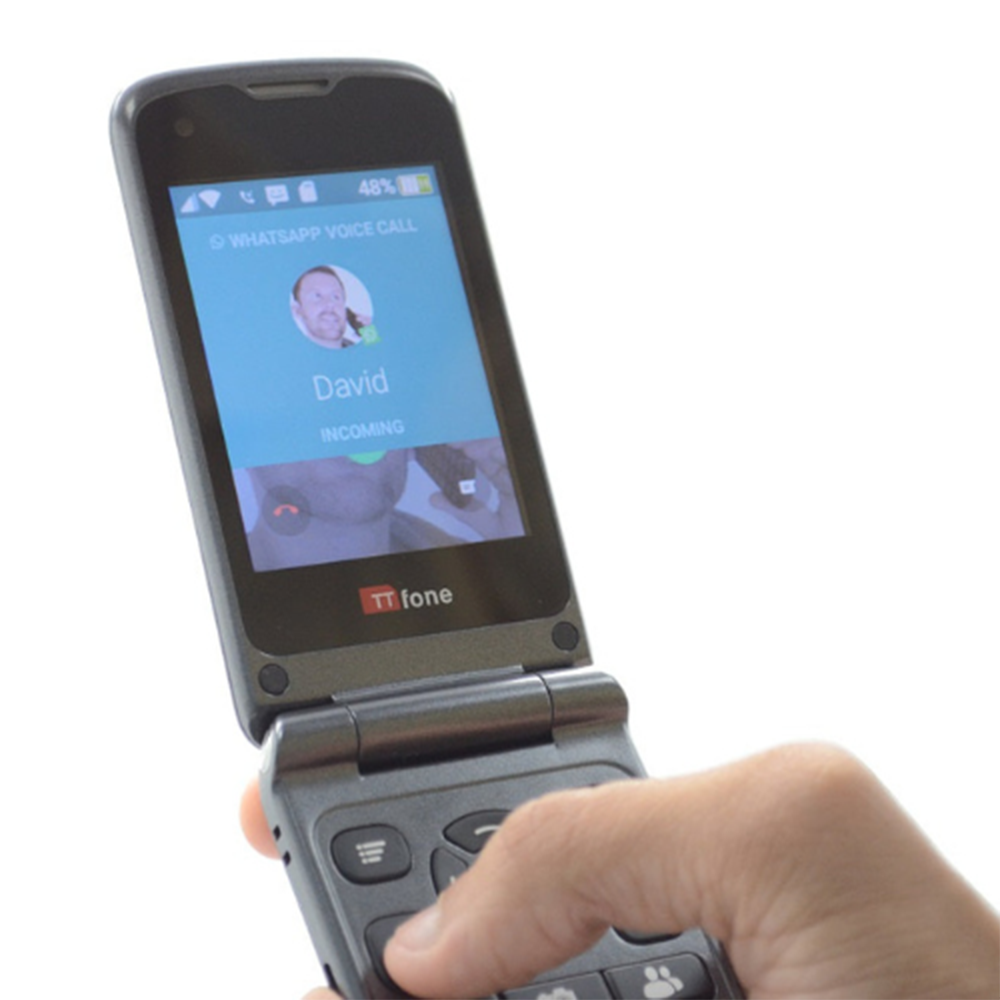
    The TTfone TT970 has built in WhatsApp so you can get fast, simple, secure messaging and calling for free. With a WIFI connection or 4G mobile data.

  • Flip with Dual Screen

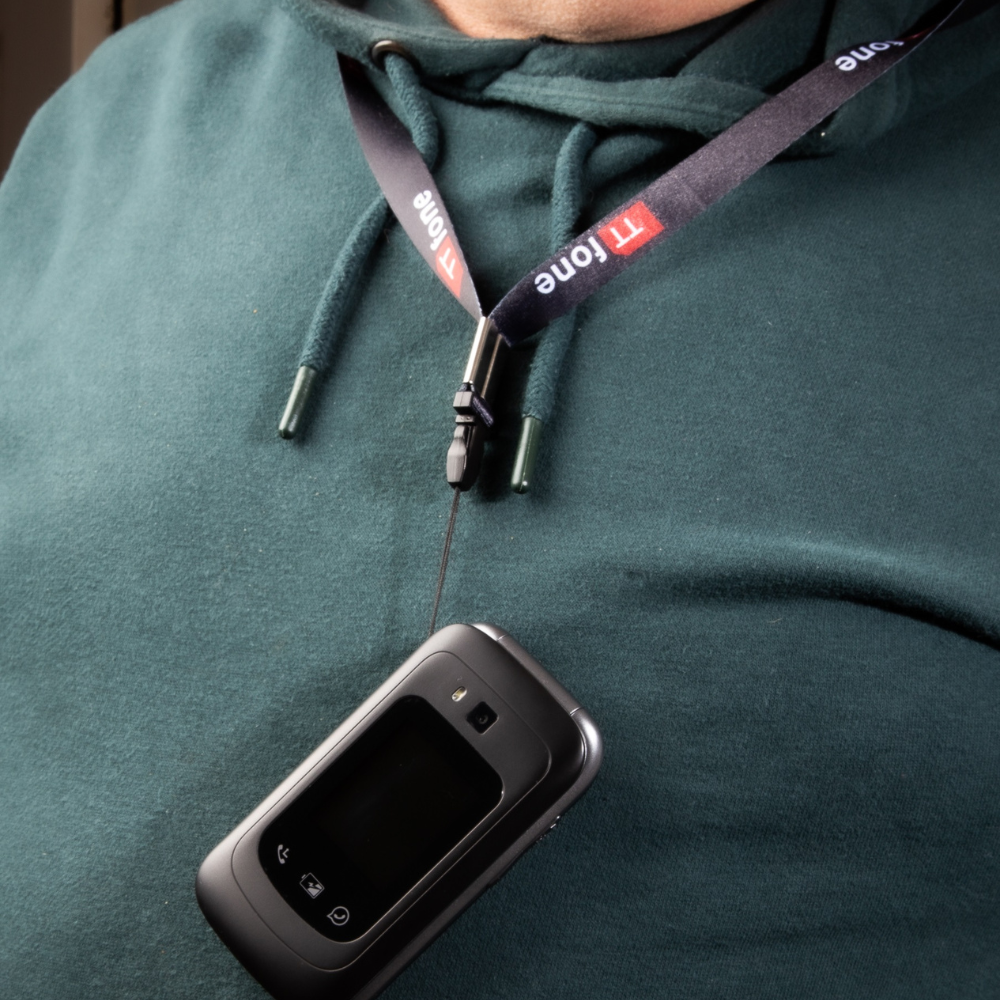
    Much easier to fit in your pocket with its flip, folding design, say goodbye to accidental calls when the phone is in your pocket or your bag.

  • Dock Charger

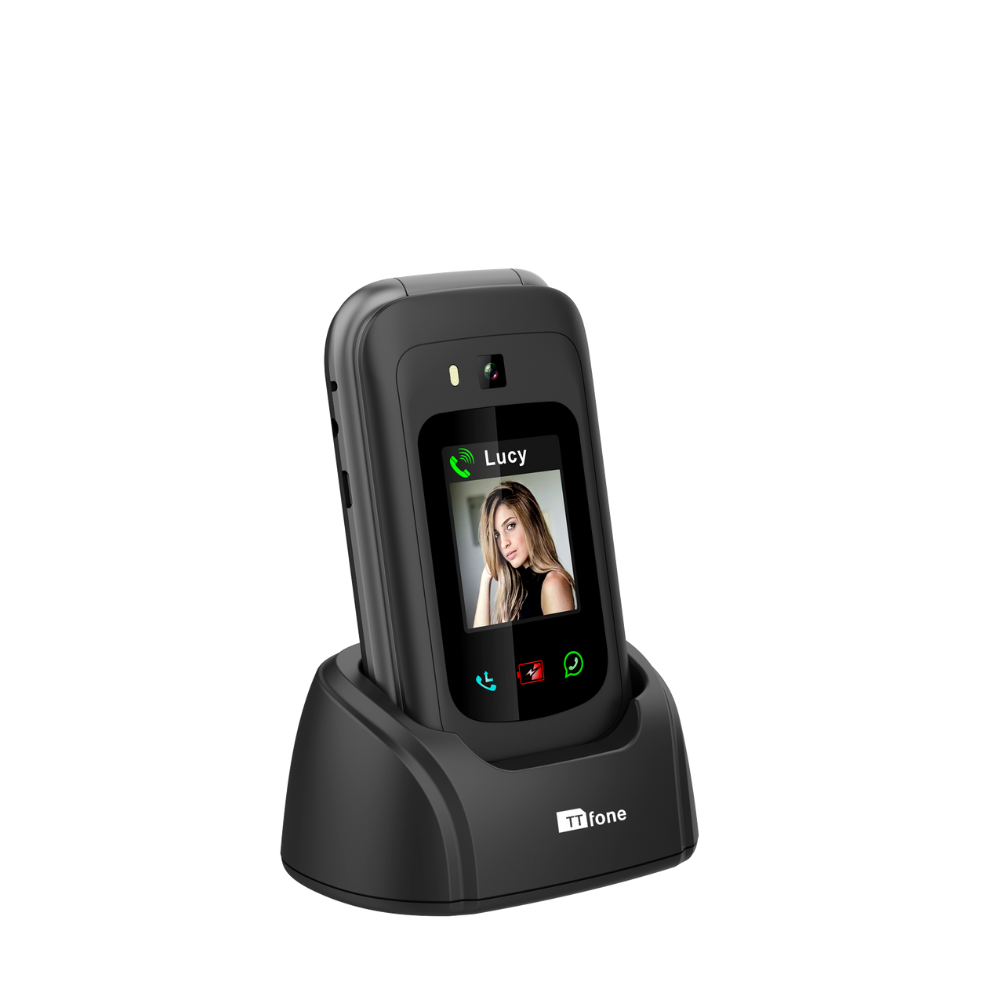
    The TTfone TT970 comes with a desktop charging station which makes charging the phone simple and easy.

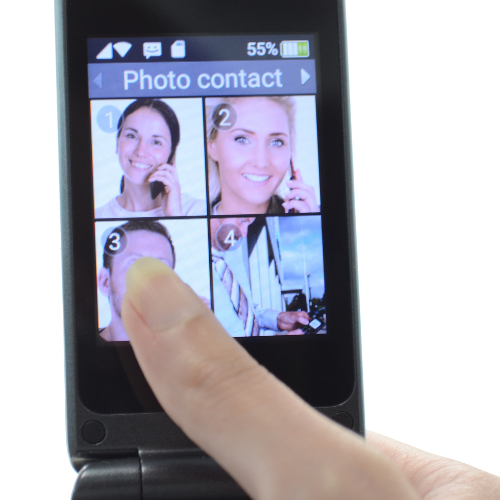
  • Photo Contacts

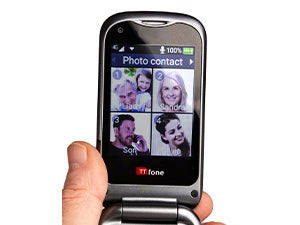
    Photo Contacts is a feature where you can save numbers in your phone with a photo of the person which makes it super simple to call a loved one.
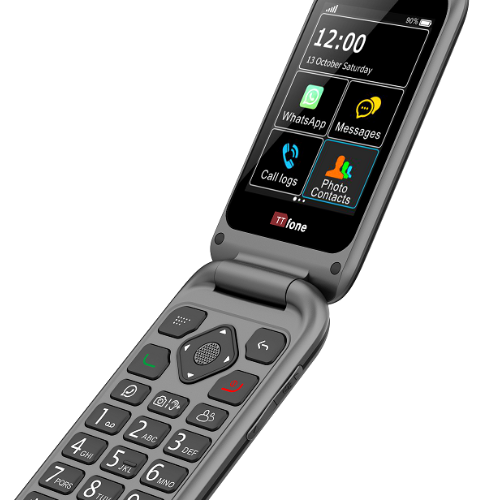
  • Social Media - Whatsapp, Facebook Lite, YouTube

    The TT970 also has a simplified Facebook app where you can use messenger services. YouTube and an internet browser are also there for your entertainment. We have included a dedicated app for your email so you can read and reply directly from your phone.

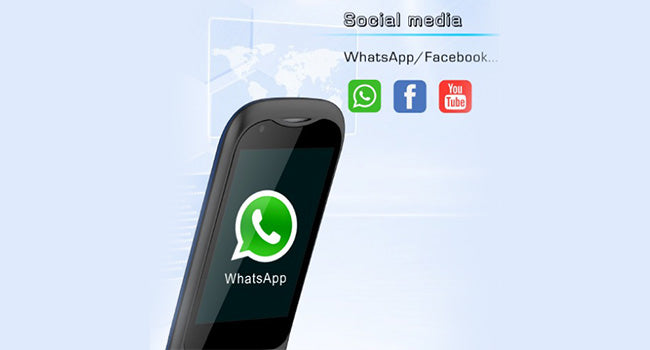
  • Dual Camera

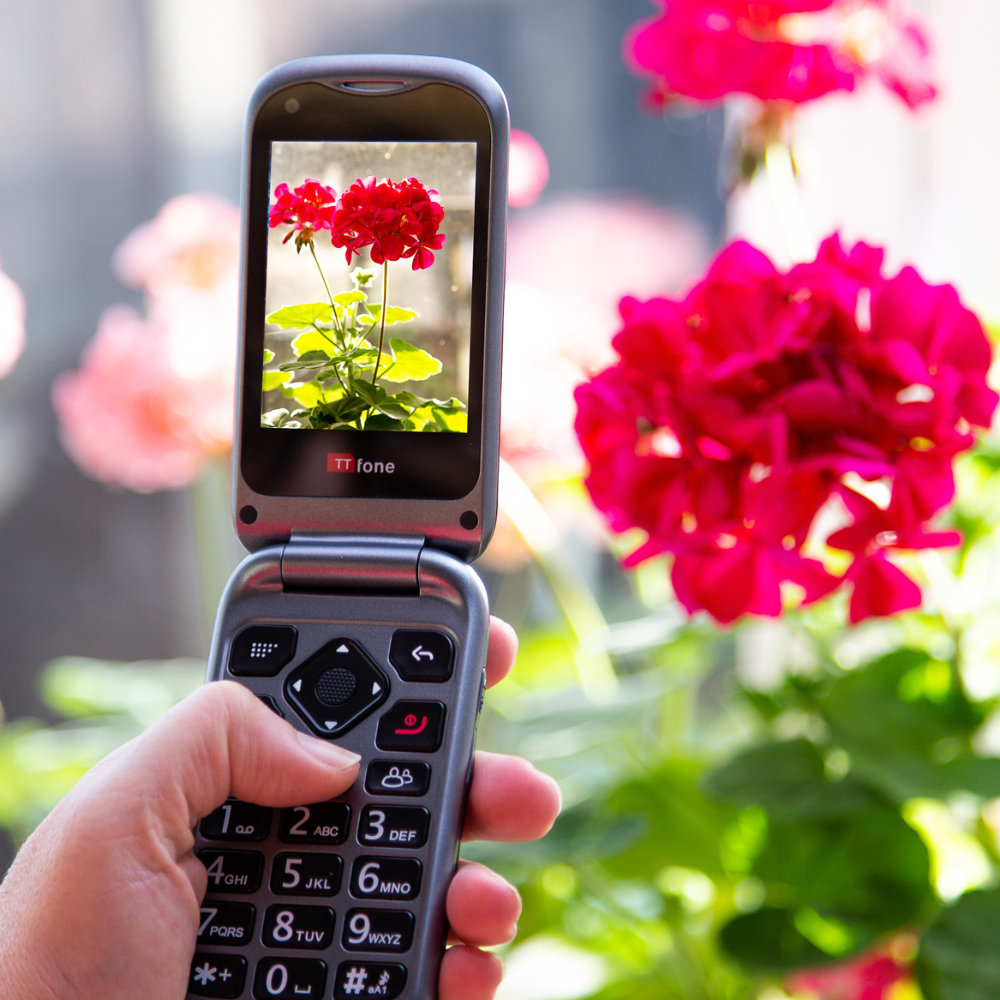
    With an 8 Mega Pixel camera on the back of the phone you can take and share wonderful photos with your family and friends. The TT970 also comes with a VGA front “selfie” camera for taking pictures and for video calls.
  • Hearing Aid Compatibility

    The TT970 comes with HAC (Hearing Aid Compatibility) which automatically connects to your hearing aid when making or receiving a call.

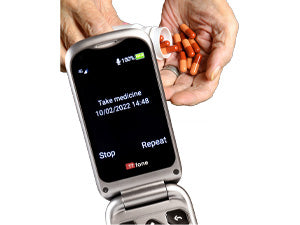
  • Voice Notes

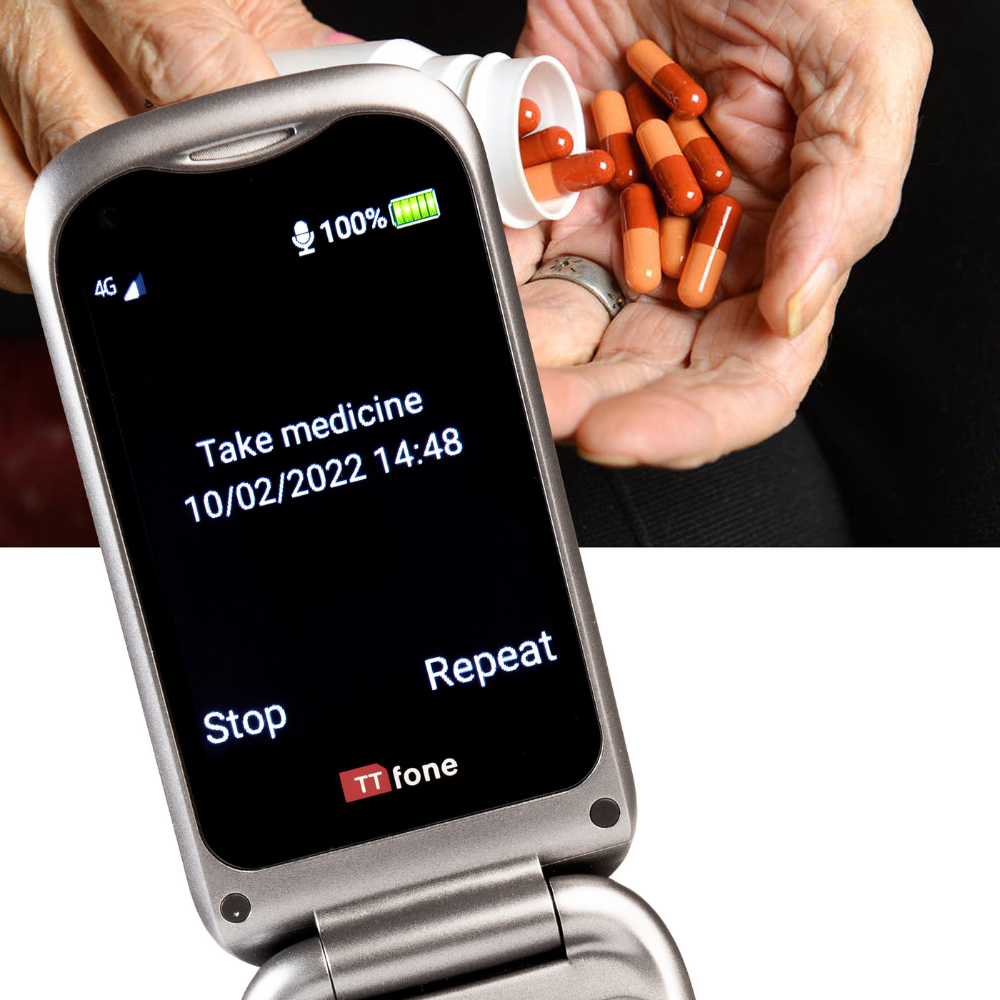
    The TT970 incorporates a handy app called voice notes where you can use a voice file as a reminder to take your medication or go for a walk.

  • Extra 25db Speaker Amplifier

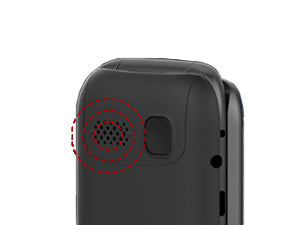
    The TT970 from TTfone has a loud speaker. Also, there is an amplifier function to increase the volume an extra 25 decibels.

  • 4G Compatible

    The TT970 uses 4G technology which makes features like WhatsApp Calling, email and social media more faster to use.
SOS - Emergency help

Emergency Assistance Button

Set up to five emergency contacts into the phone and when the Emergency Assistance Button on the back of the phone is pressed, they will each be sent an SMS text message with the location of the TTfone TT970 and the phone will then ring each number till someone picks up. A great life-saving feature that is also able to send location info to family and friends in an emergency.
Smartphone with Flip and big button

TTfone TT970 Whatsapp 4G Touchscreen Senior Mobile Phone

The TT970 uses 4G technology which makes features like WhatsApp Calling, email and social media 10 times faster to use. Unlocked and working on all networks the TT970 can be used with your existing sim card or you can use a brand new one. TTfone TT970 runs a simplified version of Android operating system with limited apps but a very easy menu.
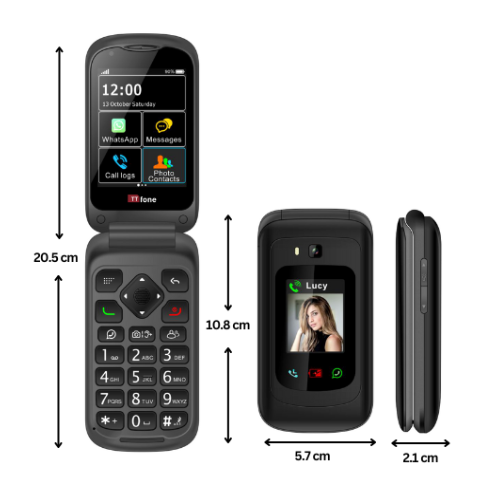
TT970 Dimension

Height: 20.5 cm
Height with closed lid: 10.8 cm
Width: 5.7 cm
Width with closed lid: 5.7 cm
Depth: 1.2 cm
Depth with closed lid: 2.1 cm
Weight (w/ Battery): 132.5 g

FAQ

Having Issue with the Sim card? Will I need a micro SD memory card as well?

The TT970 takes a nano size sim card only. The adapter can be bought from any nearby mobile store. The TT970 is 4G compatible and will work in any country on any network.
The micro Sd memory card is for added memory of the mobile phone. It is optional and it is sold separately. Please note that you can use a memory card for no larger than 32 GB whilst the phone has a storage capacity of 8GB.

Does the TT970 have an MMS?

No, TT970 does not have an MMS text facility.

Is WhatsApp pre-installed?

Yes, WhatsApp is a built-in application on the mobile phone. Simply set up the WhatsApp wizard settings and make sure you have WiFi connection or mobile data to communicate your loved ones. Whats app will ask you first to agree the terms and conditions, then will ask to verify your phone number and will send you a text message with a code. Enter this code to start using Whatsapp.

What is the Emergency Assistance Button on the back?

It’s a button that can be programmed to call whichever number or number you choose so that everyone you want to be notified in case of emergency gets a phone call. The people on the other end of the line then can hear everything going on. It also activates a loud alarm to draw attention from bystanders so they can assist until help arrives. The SOS button will also send out emergency text messages and your current location to your pre-set loved ones. Please Note: If one of the emergency numbers has a voicemail system, the phone will assume that the call has been answered and will no longer call any more of the preset numbers.

Does this have Facebook and twitter and send and receive emails?

The TTfone TT970 has a lite version of Facebook where you are able to see your feed and use the Facebook Messenger service.
The TT970 also has a third-party email app, you can receive and send emails.

Currently, the Twitter app is not available.

Can this phone make WhatsApp calls (not audio message)? If yes, is there a notification for incoming calls?

Yes, you may call using WhatsApp and likewise, you will receive the same notification as a normal call does.

My TT970 says there is a software update available, how do I update the software?

Go to APP > Wireless Update > Check for Updates > if there is an update available kindly click on download and install.

How to transfer contacts via Bluetooth facility?

1. Pair and connect the Bluetooth on both devices (TT970 and the other device)
2. Once paired, start sharing the contact through Bluetooth.
3. On your TT970, the device will notify you that there is an incoming file.
4. Pull down the status bar and select accept file.
5. Once the transfer is completed, kindly go to Settings>Bluetooth>Received Files
6. Select or press the contact file (vcf format) and a pop up box will appear on your screen saying "Import contacts from vCard?" and select ok.
7. Check your Phonebook menu and the contact/s should show.

How to update WhatsApp in TT970?

1. Go to App.
2. Select Aurora Store.
3. Select Apps on the lower right of the screen.
4. Follow on screen instructions to complete WhatsApp update or installation.

Will the TT970 work on the Three network?

Yes, the phone is 4G and will work on the Three network as well as all other UK networks and many around the world.

Is the caller’s name and photo displayed on the external screen?

The external display provides all important information without having to open the flip cover of the phone. Not only the name of the caller is displayed but also shows the photo of the caller if the Photo Contacts is set. Not to mention the external notification lights on the external screen which tells you if you have missed a call, received a new message (it could be WhatsApp message or text message) or the battery is close to becoming completely discharged.

When opening an app the phone says “unable to open” or “system not working”

Start by restarting the phone, hold down the red key for a few seconds then choose the option “reboot” on the screen.
If this does not solve the issue check for any available software updates.
Go to APP > Wireless Update > Check for Updates > if there is an update available kindly click on download and install.
If this still does not solve the issue you will need to perform a master reset go to Settings > System > Reset Options > Factory reset > Reset Phone > Erase everything.

How can I upload contacts from my PC to TT970?

1. Connect you TT970 to your PC via USB cable.
2. On your TTT970, a pop box will appear, and select Transfer Files. Your PC will then recognise the TT970.
3. On your PC, open the device folder named TT970, you will then see a list of folders inside.
4. Select and open the folder Contacts or if you do not have one, kindly create a new folder for your contacts.
5. From your PC, copy those contacts you want to transfer to the newly created folder under TT970.
6. Disconnect the TT970 from your PC.
7. On your TT970 mobile phone, kindly go to Tools>File Manager>Internal Shared Storage>Contacts
8. Select the contact, either touch the screen or press the middle navigation key and a pop box will appear on your screen saying "Import contacts from vCard?" and select ok.
9. Check your Phonebook menu and the contact/s should show.

Is there a Google Play store and can I install other apps?

I am sorry but the TT970 does not have Google Play store, this is not a google supported device. The TTfone TT970 has inbuilt social apps like WhatsApp, FB (lite version), YouTube and a browser.

Can you manage the phone remotely? Without being with the phone?

This is something that we have been working on for quite some time here at TTfone, unfortunately it has proven to be very complicated and expensive to be able to update the phone remotely, please do email us your exact requirement eg what menus you would like to update exactly so that we can consider in our research for this feature.
You can email us on [email protected]

Can I add a ringtone?

You can save additional music/ring tone of your choice and set it as a ringing tone to your TT970.
To do this, you need to connect the TT970 to a computer using a USB cable and add the music or use the Bluetooth sharing facility to receive a music file from another device. When using Bluetooth, pair the two devices first and start sharing the file.
Once done transferring/sharing the files, on your TT970 go to Multimedia > Music and select the music that you want to set as a ring tone, press the middle navigation key, and select "set as ringtone"

Why has WhatsApp stopped working?

First, the WhatsApp application may need to be updated.
Kindly go to 'APP' > 'Aurora store' > 'Check for Updates' > select 'Apps' at the bottom of the screen and select WhatsApp.
If an update is available, press 'UPDATE ALL' > press 'Install' and wait until App installed shows on the screen then select Done.
Press the red button key to exit.

Secondly, if there is a mobile software update available. Kindly go to 'APP' > 'Wireless Update' > 'Check for Updates'.
Kindly press the "check for updates" twice if the first attempt says "No update available". If an update is available, press 'Download' > 'Install now' > press 'Update' and wait until the phone Restart.
Ensure you have plenty of battery power and are connected to WiFi before starting the update and do not switch off the mobile while it is updating.

How to reset TT970?

RESTORE FACTORY SETTINGS FOR TT970
Go to 'Settings' > 'Android system' > 'System' > drag the screen down and press 'Reset options' > 'Erase all data (factory reset)'
Scroll down and press 'Reset phone' then press  'Erase everything'.
Do not switch off the mobile, just kindly wait until the mobile restart.

  • 5 stars: 35 (59%)
  • 4 stars: 18 (31%)
  • 3 stars: 5 (8%)
  • 2 stars: 1 (2%)
  • 1 star: 0 (0%)
L
LB

The phone works great. I bought it to stop using a smart phone as much, and the hotspot capabilities were the perfect way for me to do it. The only thing I don't like about it is that the battery does not last as long, but that's a compromise I am willing to make for the rest of the features the phone has.

Thank you for sharing your experience! We're pleased to hear that the phone is helping you spend less time on your smartphone and that you're finding the hotspot feature useful. We appreciate your honest feedback about the battery life and understand that this can be an important consideration. Thank you for choosing TTfone and for your support!

— TTfone Team

L
Lynn

Partner appears happy with the phone so far - was looking for a straight forward phone for him - and this seems exactly what he needs as he is not technically minded.

Thank you for your lovely feedback! We're delighted to hear that your partner is happy with the phone so far and that you've found it straightforward and easy for him to use. It's great to know that it seems to be exactly what he was looking for.

We really appreciate you choosing TTfone and sharing your experience with us!

— TTfone Team

F
Fátima Martinez

El teléfono es perfecto, se puede usar con la talla táctil ( es pequeña) o con los botones.

Thank you for your wonderful feedback! We're delighted to hear that you're enjoying your TT970 and that you appreciate the flexibility of using both the touchscreen and the physical buttons.

We truly appreciate your support and hope you continue to enjoy your TTfone.

— TTfone Team

---------------------------------------

¡Muchas gracias por su excelente comentario! Nos alegra saber que está disfrutando de su TT970 y que valora la posibilidad de utilizar tanto la pantalla táctil como los botones físicos.

Agradecemos mucho su apoyo y esperamos que siga disfrutando de su TTfone.

— Equipo de TTfone

s
susan fox

it is brilliant!

Thank you for your wonderful feedback! We're delighted to hear that you think the phone is brilliant.

We truly appreciate your support and hope you continue to enjoy using your TTfone.

— TTfone Team

D
Daanish Smellie

Good phone for my use-case, does as advertised. Battery could be improved. Logging in to WhatsApp as a secondary device was possible, but a bit tricky. Good value for money

Thank you for your feedback. We’re pleased to hear that the phone meets your needs and offers good value for money.

We appreciate your comments regarding the battery life and the WhatsApp setup process. Your feedback is valuable to us and will be shared with our team for future improvements.

— TTfone Team

e
ethel

Iŧ suiŧs me fine, not done whaŧs app yeŧ, also torch not working, I am 86yrs
old, I think the more I use it the beŧŧer I will be. Thanks

Thank you for your feedback. We’re pleased to hear that the phone is suiting your needs and hope you continue to enjoy using it as you become more familiar with its features.

We’re sorry to hear that the torch is not working. If you need any assistance with this or have any questions about WhatsApp or other features, please don’t hesitate to contact us and our team will be happy to help.

— TTfone Team

Ž
Željko Čoko

I am satisfied with the device!

Thank you for your feedback. We’re pleased to hear that you are satisfied with your device and that it is meeting your expectations.

We appreciate your support and hope you continue enjoying your TTfone.

— TTfone Team

D
Dibley

I bought this one about year ago.

Frustrating because mum (dementia) didn’t use the stand unless charger, but not as charger for the stand. The charger went 8n side of phone. I really wish the charger base and cable didn’t come apart. Locating four elements including plug is just hard work.

That phone overheated (not good to storeunder pillow). I bought https://www.ttfone.com/products/ttfone-tt660 but the fact all elements can still be separated mean is still a treasure hunt. The landline is proving to be more reliable. Also when folded this phone looks like a black box. A great big yellow sticker saying mums phone hasn’t work. Make it stand out. Make the charger plugs one undetachable element.

The design is not cindusive to elderly with mild dementia. Perhaps work with charities to help improve design.

Thank you for your detailed feedback. We’re sorry to hear about the difficulties you and your mum have experienced, and we apologise for the inconvenience caused.

We truly appreciate you taking the time to share these suggestions regarding the charging setup, visibility of the phone, and ease of use for elderly users with dementia. Your comments are very valuable and will be shared with our team for future product development and design improvements.

Thank you again for your honest feedback and continued support.

— TTfone Team

J
Jacqi B.

I am happy with my new phone. It suits my needs very well in that I need a reliable phone for calls and texts, it has an adequate camera, and a basic ability to browse the net should the need arise. I can also access basic social media on the rare occasion I would need that. I like the touch screen, that works in conjunction with or instead of the usual buttons. I like the photo contacts for calling nearest and dearest. My only gripe is the time lapse between each digit when compiling a text. It is a severe exercise in patience, and I miss the ability to swipe through letters on a touch screen keyboard.
I am not the most tech-minded person, but I seem to have found my way round this phone, and my 11 year old grandson is now after one of these. All in all, a good buy.

Thank you for your thoughtful feedback. We’re delighted to hear that you’re enjoying the size and design of the TT970, and that features like WhatsApp are proving useful.

It’s great to hear how the phone is helping you focus on the essentials, and we appreciate your kind comments about the value of our products. We hope it serves you well on your upcoming holiday.

— TTfone Team

S
Simon Beeson

Maybe the stars isdoing a disservice to the phone. I bought the phone for my elderly father who is 92. However, I think even with this simple phone it’s a technology leap too far. If you are going to buy this phone for your elderly parent then careful consideration of the age bracket should be applied. The phone itself is fine, a little bit fiddly to set up. The alpha numeric keys for texting for someone who is 92 is just a no go.

Thank you for your feedback. We understand your concerns and appreciate you sharing your experience.

We’re pleased to hear that the phone itself met expectations, but we recognise that even simple devices can still be challenging depending on the user’s needs. Your comments will be noted and shared with our team for future improvements.

— TTfone Team

A
Anonymous

I use it as my house phone or for emergencies iits a great little phone zI love it !! I'm 84 years old !! so I need a back up but when my contract finishes I will get another one ! Perfect for me & not complicated

Thank you for your wonderful feedback. We’re delighted to hear that the phone is perfect for your needs and works well as a simple and reliable backup. It’s great to know you find it easy to use and not complicated.

We truly appreciate your support.

— TTfone Team

L
Lucen

This phone is great. I've been using it for 6months straight and this is my in depth review. Physically, the shell is rugged and sturdy. The buttons are very plastic but hold well. The hinge is strong. I always charge mine on it's cradle but after all these months half of the time it's not connecting properly and the charging light doesn't blink/ phone doesn't charge. Thankfully you can still charge it like any normal phone with a usb C too. I will admit the big downside here is the relative low battery life, however this is a dumber-smartphone and everything takes ages to do, so you won't be browsing, watching reels or videos online for hours on end. I use the phone for calling, WhatsApp and to Google/gmail/maps something here and there throughout the day. With that said, when I'm home in the evenings I'm left with about 40% still, which is great. Many people complain about the battery life, but if you turn off your location the battery surprisingly holds for a good daily use. Furthermore if you care about camera quality (on the TT970 which is considered the "pro" model with better camera) it is good for documents or close stuff. Try photograph a person, landscape and the outcome is a bit pixelated. It will do the job. I recommend getting the TT970 just for that reason too, anything lower camera quality than this phone and it's horrible. On the other hand, the operating system is a simple version of Android. To have an easier and more enjoyable time I recommend side loading applications from your computer. I have been able to add a Touch screen Keyboard, Opera browser, K9mail(which basically lets you use Gmail) and much more. The phone by itself does not come pre-loaded with a touch screen keyboard, but it is easy to add. I wonder why they didn't bother to add this. You can turn off the SOS button permanently for those who are afraid to accidentally press it. It also comes with hotspot too, so if you're carrying around another smartphone you can connect. One more downside is the lack of internal space, so I recommend adding an SD card ASAP! WhatsApp works wonders as of 17/3/26 and texting and calling work too. When video-calling on WhatsApp I have been told my camera quality drops significantly on both exterior and interior cameras. Surprisingly Google maps works on the Opera web mode, which is a plus!!! Unfortunately the phone does not come with a GPS map application pre-installed and will not run the Gmaps or Waze applications if side loaded. Web is the only way. Like every phone there is downsides, but there's a way to get around them like I explained. This is a great phone for those who want to distance themselves from common attention grabbing smartphones and seek simplicity/privacy without losing the useful things. I would not recommend this phone for seniors, due to the fact it can get very complicated (even for us tech-people!) unless someone with knowledge takes the time and sets it up for them. Hopefully the company learns from those errors and improve it so it can be sold to a much wider group of people instantly with less drawbacks. I use it in Greece and the service even works at sea! Cheers mates

Thank you for taking the time to share such a detailed and insightful review. We’re delighted to hear that you’ve had a positive overall experience with the phone over the past 6 months and that it’s meeting your needs for calls, WhatsApp, and everyday use.

We truly appreciate your balanced feedback, including your comments on the charging cradle, battery performance, camera quality, and overall usability. Your suggestions and observations are extremely valuable and will be shared with our team for future improvements.

It’s great to hear how you’ve been able to customise the phone to suit your preferences, and we’re pleased it’s supporting a more simple and focused mobile experience for you.

— TTfone Team

J
Joyce Williams

Looks small and quite cute but otherwise no different to a normal sized phone.

Thank you for your feedback. We’re glad to hear you like the compact and stylish design of the phone.

— TTfone Team

S
Sebastian

Perfect if you don't want to use a smartphone anymore. Just WhatsApp, Calls and Sms. I buyed it because of WhatsApp. Best decision I made for mental health. Smartphone addiction is a big problem in society, and this phone is the solution. Thank you.

Thank you for your thoughtful feedback. We’re delighted to hear that the phone is working well for you and providing the simplicity you were looking for. It’s great to know that using WhatsApp, calls and SMS on a simpler device has made such a positive difference for you.

We truly appreciate you sharing your experience.

— TTfone Team

D
Douglas Fairlie

Bought this phone for my disabled mother-in-law. Thought the idea of having touchscreen for the photographs to call was good. Didn’t realise there was still other steps to take to make the call why not just tap the photograph. It would also help if there is easier access to WhatsApp call making. The quality of video calls could also be better (screen resolution?)

Thank you for your feedback, and we’re sorry for any inconvenience caused.

The Photo Contacts feature allows you to save a contact with their photo to make calling easier. When you open the photo contact, simply press the green call button and it will automatically call that person.

We appreciate your suggestions and will forward your feedback to our team.

Regarding WhatsApp calls, please note that the green and red keypad buttons cannot be used to answer or end WhatsApp calls, as the official WhatsApp application does not support these functions.

— TTfone Team

S
Steve Cameron

Does the job

Thank you for your review — we’re glad it’s doing the job! If there’s anything else you need, we’d be happy to assist you.

– TTfone Team

A
Amazon Customer

Quite easy so set up for a old non tech person,but great camera,and easy to use .Finding out more facilities all the time. Just great.

t
travelmate

Very easy to understand also simple to use

R
Ruth

Really good

U
Uwe Bocklage
Super

Super danke schön

R
Ruth

Really good

p
peter hewitt
TT mobile

Items delivered fast,and just what was needed

Thank you for your review. We’re pleased to hear your items were delivered quickly and met your needs.

— TTfone Team

m
mr simon m de glanville
great phone for kids too

I bought the TT970 for my 11 year old son now he's started secondary school. We didn't want to give him a full smart phone but wanted him to be able to have access to WhatsApp so he can stay in touch with friendship groups. The phone turned out to be absolutely perfect in this regard. It's not a seductive or compelling screen so he doesn't spend any time on it, but it has all the functionality he needs to stay in touch with friends. With a lot of schools banning smartphones and a lot of parents trying to uphold smartphone free childhood I highly recommend this phone as an alternative. TTfone should be marketing this phone for this use as well - there are a lot of parents who would be very interested in it.

Thank you for such a thoughtful review. We’re delighted to hear the TT970 has been the perfect choice for your son and that it strikes the right balance between staying connected and avoiding unnecessary screen time. We really appreciate your recommendation and your suggestion — feedback like this is incredibly valuable to us.

— TTfone Team

M
Michael in the book
good!!

Looks good, have not used yet.

M
Mercedes
Great phone but doesn't quite live up to claims

This is at the top end price for a seniors flip phone. It does most things that I wanted & I'm happy with it. It has the photo calling & speed dialling which is brilliant. It is cheap flimsy plastic, so don't drop it. Although claiming it is 4g I can only get 3g & that signal will be switched off soon. I use Gmail & it is incompatible with it. The camera is poor but tolerable using WhatsApp. The sound quality is fine & the flip to answer is great. The included charging dock is a bonus & very welcome. The screen is clear & the touch works fine. You can disable home screen icons but sadly you can't rearrange them so you may need to go to the 2nd or 3rd page of the home screen to choose an option. I spoke for 45 minutes on the phone & it used 22 percent of the battery, so it would probably have 3 plus hours if use.All in all I'm happy & hoping that the 3g signal doesn't get switched off too soon.