Ir directamente a la información del producto
1 de 6

Usado - TTfone TT970 con tarjeta SIM prepago de Three

Usado - TTfone TT970 con tarjeta SIM prepago de Three

Reacondicionado de devolución - teléfonos devueltos en caja abierta de TTfone - Aprovecha esta oferta.
Todos los teléfonos están completamente probados y funcionan correctamente. Pueden presentar pequeñas imperfecciones estéticas.
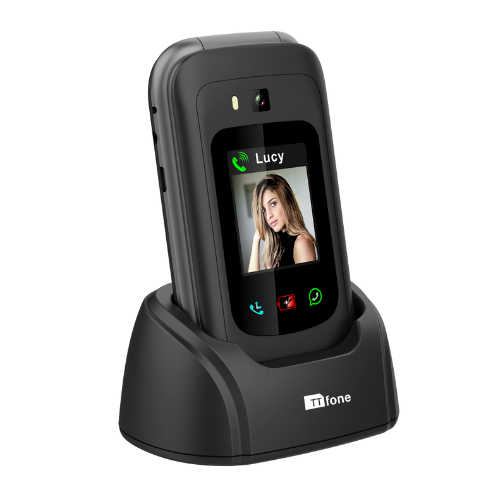
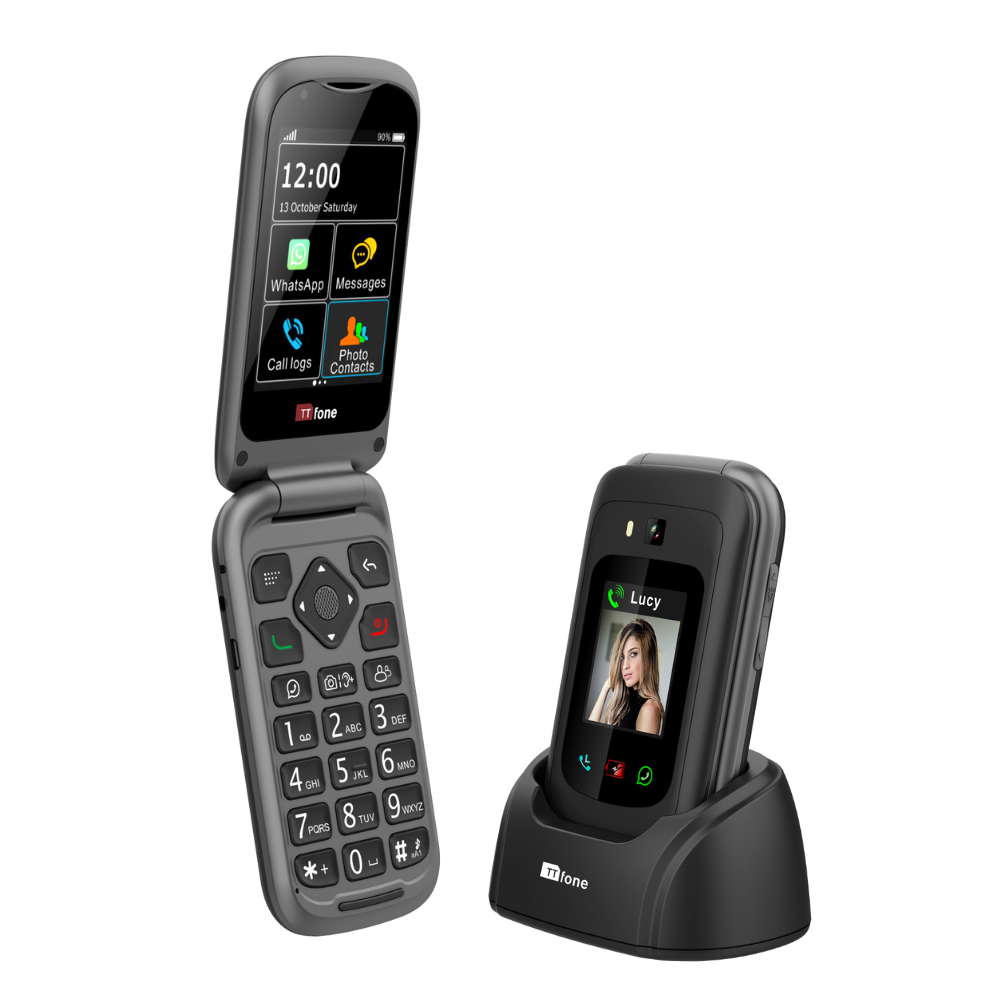
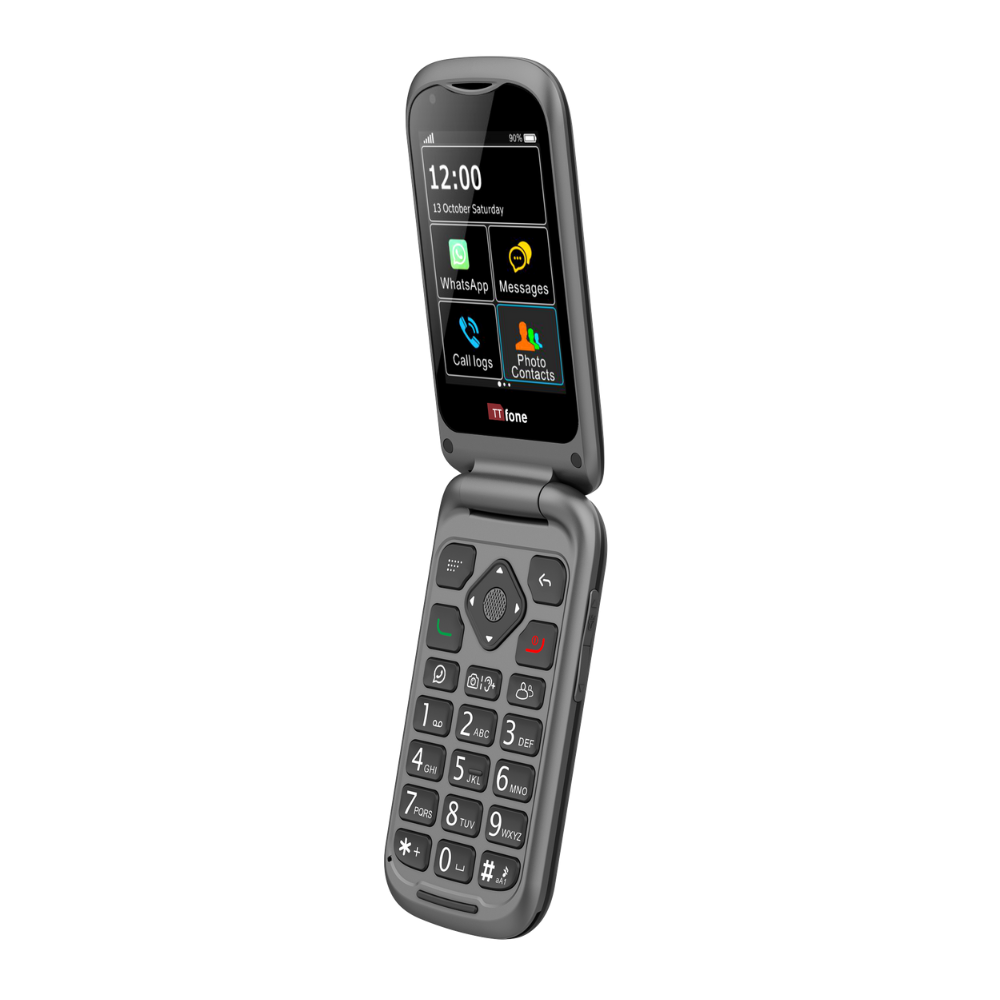
El TTfone TT970 es un teléfono móvil 4G de tapa abatible fácil de usar, con botones táctiles grandes, una pantalla táctil brillante, sonido alto y claro, un botón SOS, contactos con foto y una práctica base de carga. Funciona con una versión simplificada de Android con aplicaciones preinstaladas como WhatsApp, combinando la conectividad moderna con la familiar sencillez de un teléfono móvil clásico de tapa abatible.
Nota: El TT970 utiliza una tarjeta Nano SIM .
Precio habitual £99.99 GBP
Precio habitual £0.00 GBP Precio de oferta £99.99 GBP
Oferta Agotado
Impuestos incluidos. Los gastos de envío se calculan en la pantalla de pago.
Cantidad

Guía de inicio rápido e instrucciones de uso

📕 Haz clic aquí para descargar el manual de usuario en inglés, francés, italiano, español, alemán y polaco

📌Visita nuestra página de soporte para ver un breve vídeo tutorial o descargar el manual de usuario.

Ver todos los detalles

TTfone TT970 YouTube Playlist

Características principales de TT970

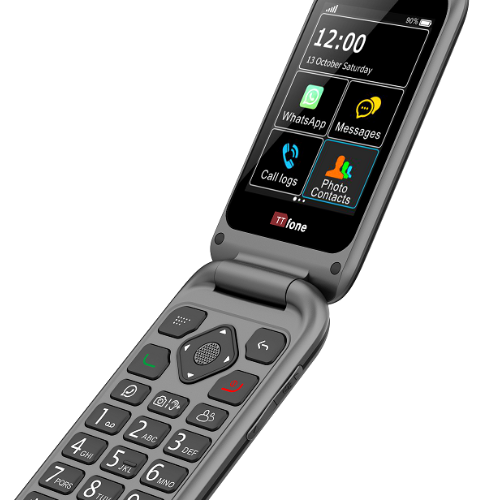
  • Mensajería y llamadas de WhatsApp

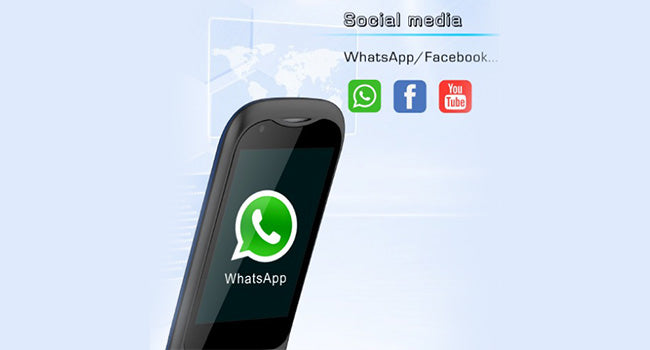
    El TTfone TT970 tiene WhatsApp integrado para que puedas disfrutar de mensajería y llamadas rápidas, sencillas y seguras de forma gratuita. Con una conexión WiFi o datos móviles 4G.

  • Flip con doble pantalla

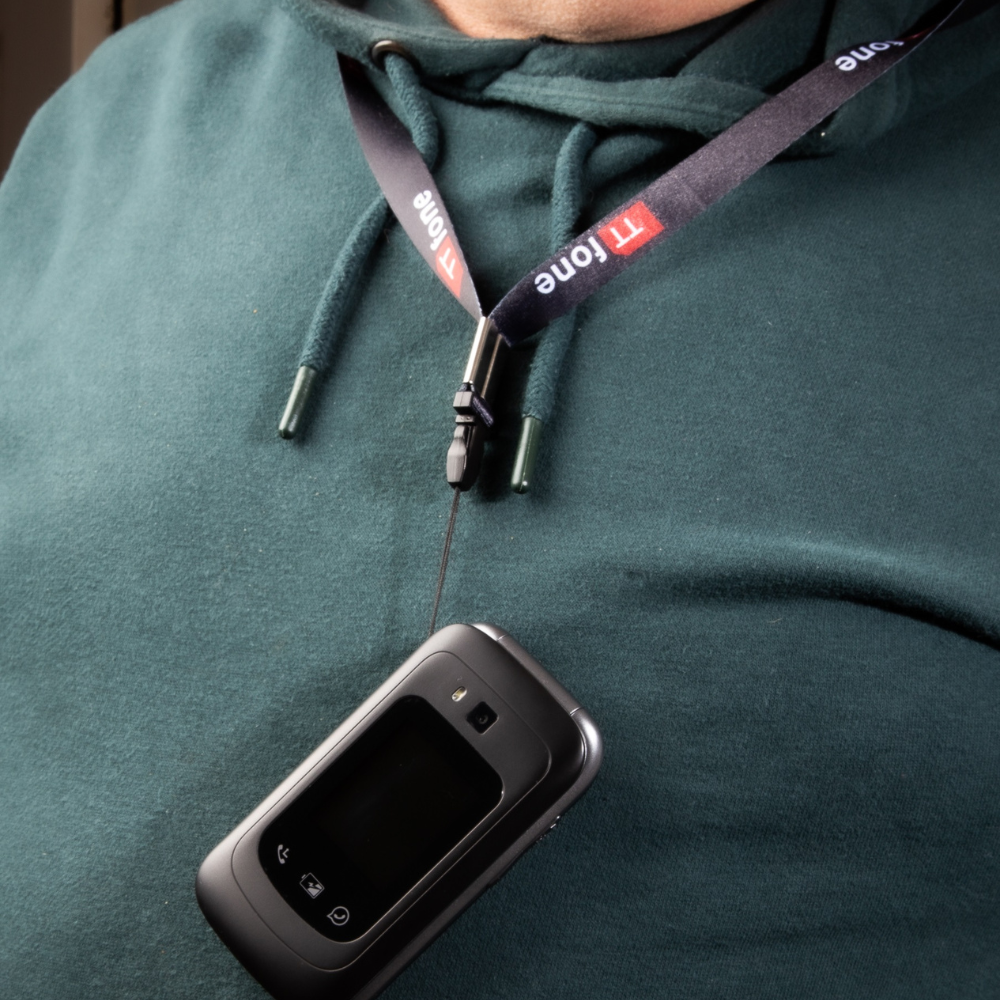
    Mucho más fácil de guardar en el bolsillo gracias a su diseño plegable, olvídate de las llamadas accidentales cuando el teléfono está en el bolsillo o en el bolso.

  • Cargador de base

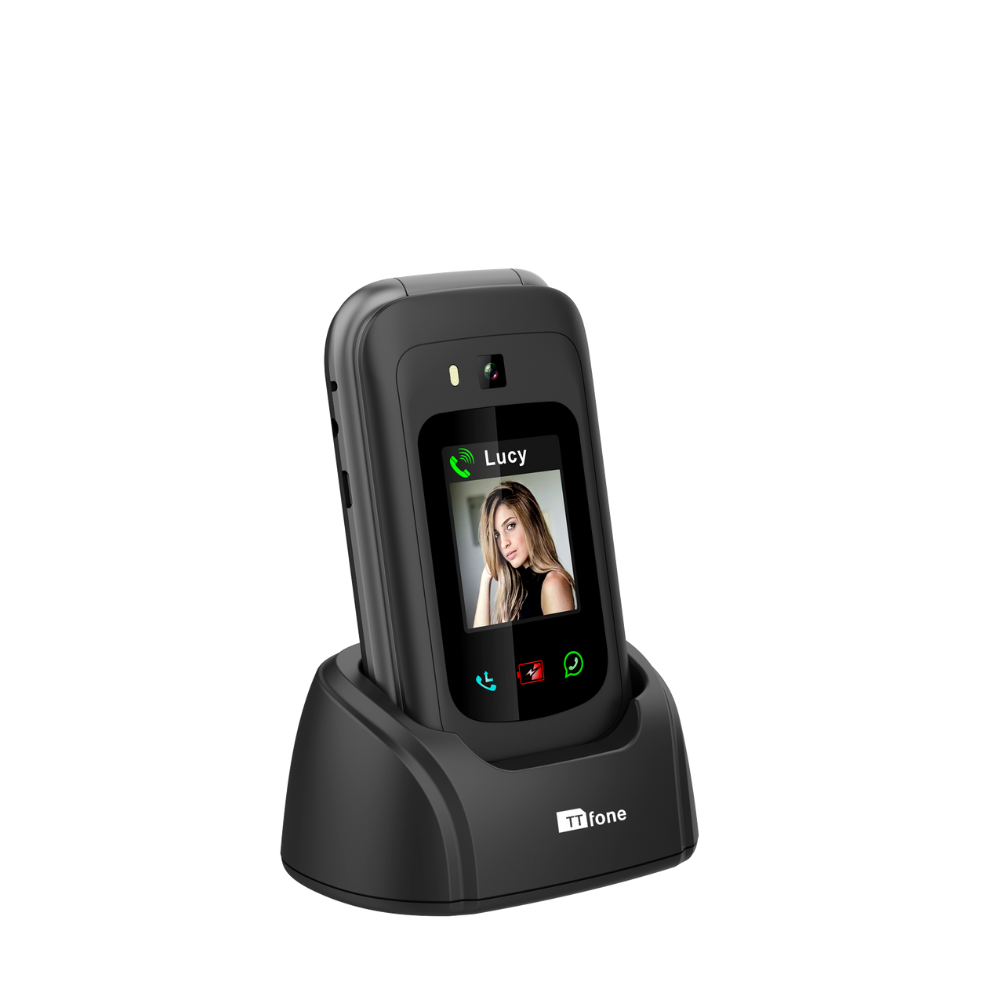
    El TTfone TT970 viene con una estación de carga de sobremesa que hace que cargar el teléfono sea simple y fácil.

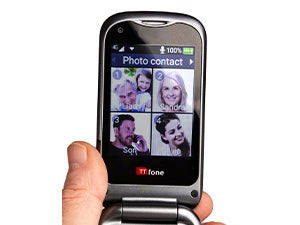
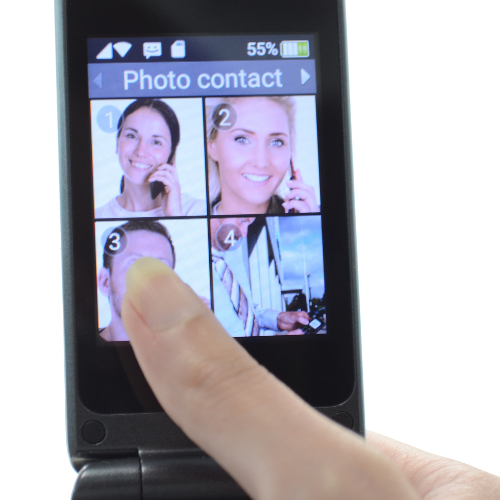
  • Contactos con foto

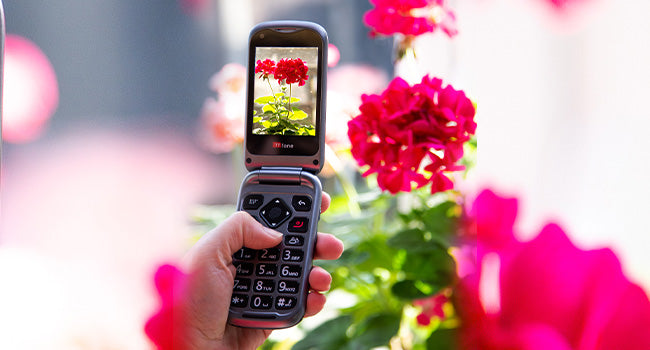
    Contactos con foto es una función que te permite guardar en tu teléfono los números con una foto de la persona, lo que hace que sea muy sencillo llamar a un ser querido.
  • Redes sociales - WhatsApp, Facebook Lite, YouTube

    El TT970 también cuenta con una versión simplificada de la aplicación de Facebook, desde la cual puede usar servicios de mensajería. YouTube y un navegador de Internet también están disponibles para su entretenimiento. Hemos incluido una aplicación específica para su correo electrónico, para que pueda leer y responder directamente desde su teléfono.

  • Cámara dual

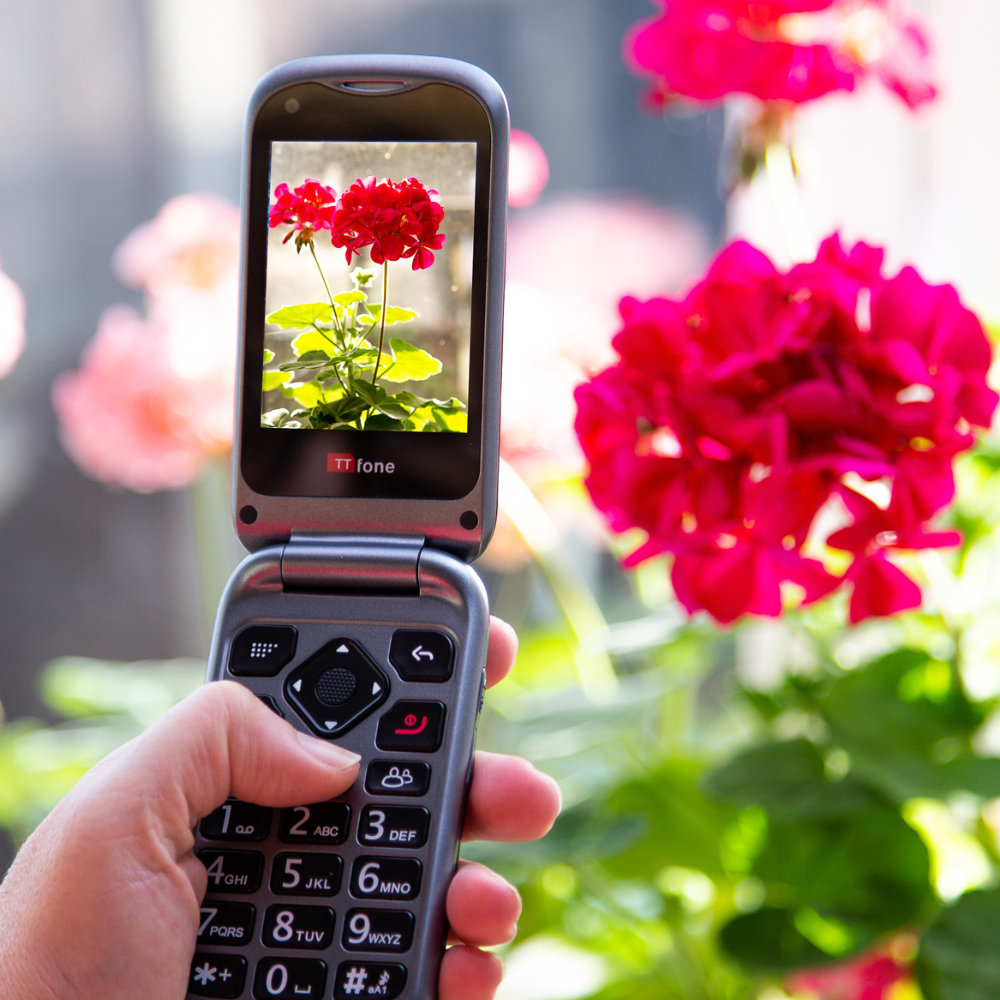
    Con una cámara de 8 megapíxeles en la parte trasera del teléfono, puedes tomar y compartir fotos maravillosas con tu familia y amigos. El TT970 también viene con una cámara frontal VGA para "selfies", para tomar fotos y hacer videollamadas.
  • Compatibilidad con audífonos

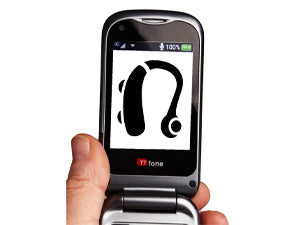
    El TT970 cuenta con HAC (compatibilidad con audífonos), que se conecta automáticamente a su audífono al realizar o recibir una llamada.

  • Notas de voz

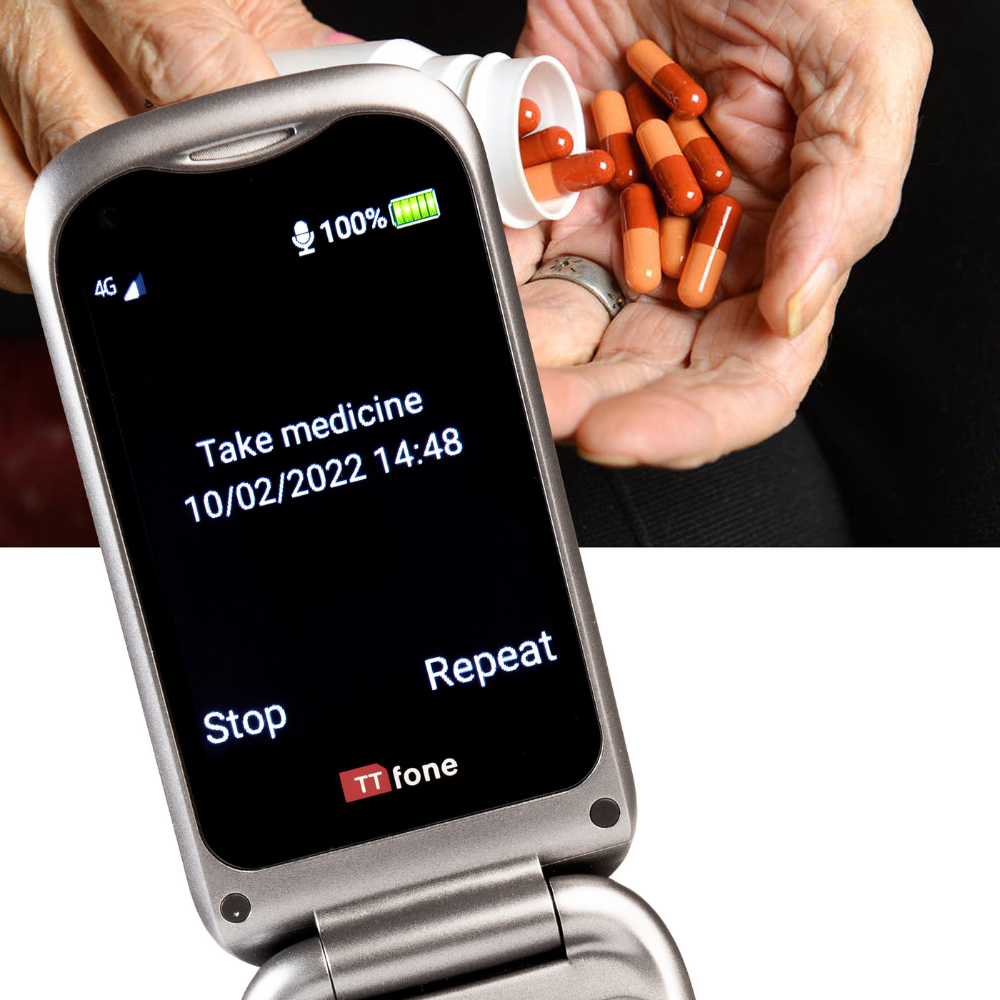
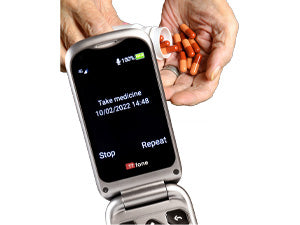
    El TT970 incorpora una práctica aplicación llamada notas de voz, en la que puede utilizar un archivo de voz como recordatorio para tomar su medicación o salir a caminar.

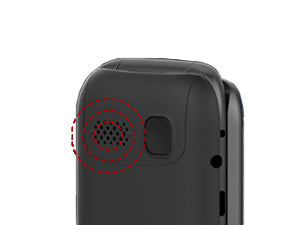
  • Amplificador de altavoz de 25 dB adicionales

    El TT970 de TTfone tiene un altavoz potente. Además, cuenta con una función de amplificación que aumenta el volumen 25 decibelios adicionales.

  • Compatible con 4G

    El TT970 utiliza tecnología 4G, lo que hace que funciones como las llamadas de WhatsApp, el correo electrónico y las redes sociales sean más rápidas de usar.
SOS - Ayuda de emergencia

Botón de asistencia de emergencia

Configure hasta cinco contactos de emergencia en el teléfono y, cuando se presione el botón de asistencia de emergencia en la parte posterior del teléfono, se les enviará a cada uno un mensaje de texto SMS con la ubicación del TTfone TT970 y el teléfono sonará a cada número hasta que alguien conteste. Una excelente función para salvar vidas que también puede enviar información de ubicación a familiares y amigos en caso de emergencia.
Teléfono inteligente con tapa abatible y botón grande

Teléfono móvil para personas mayores TTfone TT970 con WhatsApp, 4G y pantalla táctil

El TT970 utiliza tecnología 4G, lo que hace que funciones como las llamadas de WhatsApp, el correo electrónico y las redes sociales sean 10 veces más rápidas. Desbloqueado y compatible con todas las redes, el TT970 se puede usar con su tarjeta SIM actual o puede usar una completamente nueva. El TTfone TT970 ejecuta una versión simplificada del sistema operativo Android con aplicaciones limitadas, pero un menú muy fácil de usar.
Dimensiones de TT970

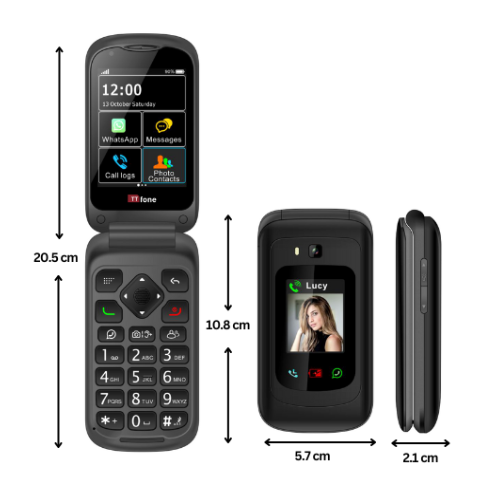
Altura: 20,5 cm
Altura con tapa cerrada: 10,8 cm
Ancho: 5,7 cm
Ancho con tapa cerrada: 5,7 cm
Profundidad: 1,2 cm
Profundidad con tapa cerrada: 2,1 cm
Peso (con batería): 132,5 g

Preguntas frecuentes

¿Tengo algún problema con la tarjeta SIM? ¿Necesitaré también una tarjeta de memoria micro SD?

El TT970 solo admite tarjetas nano SIM. El adaptador se puede comprar en cualquier tienda de telefonía móvil cercana. El TT970 es compatible con 4G y funcionará en cualquier país y con cualquier red.
La tarjeta de memoria micro SD proporciona memoria adicional al teléfono móvil. Es opcional y se vende por separado. Tenga en cuenta que puede utilizar una tarjeta de memoria de hasta 32 GB, mientras que el teléfono tiene una capacidad de almacenamiento de 8 GB.

¿El TT970 tiene un MMS?

No, el TT970 no dispone de función de mensajes de texto MMS.

¿Viene WhatsApp preinstalado?

Sí, WhatsApp es una aplicación preinstalada en el teléfono móvil. Simplemente sigue los pasos de configuración de WhatsApp y asegúrate de tener una conexión Wi-Fi o datos móviles para comunicarte con tus seres queridos. WhatsApp te pedirá primero que aceptes los términos y condiciones, luego te pedirá que verifiques tu número de teléfono y te enviará un mensaje de texto con un código. Introduce este código para empezar a usar WhatsApp.

¿Qué es el botón de asistencia de emergencia en la parte posterior?

Es un botón que se puede programar para llamar al número que elijas, de modo que todas las personas a las que desees notificar en caso de emergencia reciban una llamada. Las personas al otro lado de la línea podrán escuchar todo lo que ocurra. También activa una alarma sonora para atraer la atención de los transeúntes y que puedan prestar auxilio hasta que llegue la ayuda. El botón SOS también enviará mensajes de texto de emergencia y tu ubicación actual a los seres queridos que hayas preestablecido. Ten en cuenta que si uno de los números de emergencia tiene sistema de buzón de voz, el teléfono dará por contestada la llamada y dejará de llamar a los demás números preestablecidos.

¿Tiene Facebook y Twitter y envía y recibe correos electrónicos?

El TTfone TT970 tiene una versión ligera de Facebook donde puedes ver tu feed y usar el servicio de Facebook Messenger.
El TT970 también tiene una aplicación de correo electrónico de terceros, puedes recibir y enviar correos electrónicos.

Actualmente, la aplicación de Twitter no está disponible.

¿Puede este teléfono hacer llamadas por WhatsApp (no mensajes de audio)? Si es así, ¿hay una notificación para las llamadas entrantes?

Sí, puedes llamar usando WhatsApp y, del mismo modo, recibirás la misma notificación que con una llamada normal.

Mi TT970 indica que hay una actualización de software disponible, ¿cómo actualizo el software?

Vaya a APP > Actualización inalámbrica > Buscar actualizaciones > si hay una actualización disponible, haga clic en descargar e instalar.

¿Cómo transferir contactos mediante la función Bluetooth?

1. Vincule y conecte el Bluetooth en ambos dispositivos (TT970 y el otro dispositivo)
2. Una vez vinculados, comience a compartir el contacto a través de Bluetooth.
3. En su TT970, el dispositivo le notificará que hay un archivo entrante.
4. Deslice hacia abajo la barra de estado y seleccione aceptar archivo.
5. Una vez completada la transferencia, vaya a Configuración>Bluetooth>Archivos recibidos
6. Seleccione o presione el archivo de contacto (formato vcf) y aparecerá una ventana emergente en su pantalla que dice "¿Importar contactos de vCard?" y seleccione aceptar.
7. Revise su menú de Agenda y el/los contacto/s deberían aparecer.

¿Cómo actualizar WhatsApp en TT970?

1. Ve a la aplicación.
2. Selecciona Aurora Store.
3. Selecciona Apps en la parte inferior derecha de la pantalla.
4. Sigue las instrucciones en pantalla para completar la actualización o instalación de WhatsApp.

¿Funcionará el TT970 en la red Three?

Sí, el teléfono es 4G y funcionará en la red Three, así como en todas las demás redes del Reino Unido y en muchas alrededor del mundo.

¿Se muestran el nombre y la foto del interlocutor en la pantalla externa?

La pantalla externa proporciona toda la información importante sin tener que abrir la tapa abatible del teléfono. No solo se muestra el nombre de quien llama, sino también su foto si se ha configurado la opción de mostrar fotos de los contactos. Además, las luces de notificación de la pantalla externa le indican si ha perdido una llamada, ha recibido un nuevo mensaje (puede ser de WhatsApp o un mensaje de texto) o si la batería está a punto de agotarse por completo.

Al abrir una aplicación, el teléfono dice “no se puede abrir” o “el sistema no funciona”

Comience reiniciando el teléfono: mantenga pulsada la tecla roja durante unos segundos y, a continuación, elija la opción «reiniciar» en la pantalla.
Si esto no resuelve el problema, compruebe si hay actualizaciones de software disponibles.
Vaya a APP > Actualización inalámbrica > Comprobar actualizaciones > si hay alguna actualización disponible, haga clic en Descargar e instalar.
Si el problema persiste, deberá realizar un restablecimiento de fábrica. Vaya a Ajustes > Sistema > Opciones de restablecimiento > Restablecer datos de fábrica > Restablecer teléfono > Borrar todo.

¿Cómo puedo subir contactos desde mi PC al TT970?

1. Conecte su TT970 a su PC mediante un cable USB.
2. En su TTT970 aparecerá un cuadro emergente; seleccione Transferir archivos. A continuación, su PC reconocerá el TT970.
3. En su PC, abra la carpeta del dispositivo llamada TT970. Verá una lista de carpetas en su interior.
4. Seleccione y abra la carpeta Contactos o, si no tiene ninguna, cree una nueva carpeta para sus contactos.
5. Desde su PC, copie los contactos que desee transferir a la carpeta recién creada dentro de TT970.
6. Desconecte el TT970 de su PC.
7. En su teléfono móvil TT970, vaya a Herramientas>Gestor de archivos>Almacenamiento compartido interno>Contactos
8. Seleccione el contacto, toque la pantalla o pulse la tecla de navegación central. Aparecerá un cuadro emergente en la pantalla con el mensaje "¿Importar contactos de vCard?" y seleccione Aceptar.
9. Compruebe el menú de su agenda y el contacto o los contactos deberían aparecer.

¿Hay una tienda Google Play y puedo instalar otras aplicaciones?

Lo siento, pero el TT970 no tiene la tienda Google Play, ya que no es un dispositivo compatible con Google. El TTfone TT970 incluye aplicaciones de redes sociales preinstaladas como WhatsApp, FB (versión Lite), YouTube y un navegador.

¿Puedes gestionar el teléfono de forma remota? ¿Sin tener el teléfono contigo?

Esto es algo en lo que hemos estado trabajando durante bastante tiempo aquí en TTfone, lamentablemente ha resultado ser muy complicado y costoso poder actualizar el teléfono de forma remota, por favor, envíenos por correo electrónico su requisito exacto, por ejemplo, qué menús le gustaría actualizar exactamente para que podamos considerarlo en nuestra investigación para esta función.
Puede enviarnos un correo electrónico a [email protected]

¿Puedo agregar un tono de llamada?

Puede guardar música/tonos de llamada adicionales de su elección y establecerlos como tono de llamada de su TT970.
Para hacerlo, debe conectar el TT970 a un ordenador mediante un cable USB y añadir la música o utilizar la función de compartir por Bluetooth para recibir un archivo de música desde otro dispositivo. Al usar Bluetooth, empareje primero los dos dispositivos e inicie la transferencia del archivo.
Una vez finalizada la transferencia/el intercambio de archivos, en su TT970 vaya a Multimedia > Música, seleccione la música que desea establecer como tono de llamada, pulse la tecla de navegación central y seleccione "establecer como tono de llamada".

¿Por qué ha dejado de funcionar WhatsApp?

En primer lugar, es posible que la aplicación WhatsApp deba actualizarse.
Vaya a 'APP' > 'Aurora store' > 'Check for Updates' > seleccione 'Apps' en la parte inferior de la pantalla y seleccione WhatsApp.
Si hay una actualización disponible, pulse 'UPDATE ALL' > pulse 'Install' y espere hasta que aparezca en la pantalla 'App installed', a continuación seleccione Done.
Pulse la tecla roja para salir.

En segundo lugar, si hay una actualización de software móvil disponible. Vaya a 'APP' > 'Wireless Update' > 'Check for Updates'.
Pulse "check for updates" dos veces si el primer intento dice "No update available". Si hay una actualización disponible, pulse 'Download' > 'Install now' > pulse 'Update' y espere a que el teléfono se reinicie.
Asegúrese de tener suficiente batería y estar conectado a WiFi antes de iniciar la actualización y no apague el móvil mientras se está actualizando.

¿Cómo restablecer el TT970?

RESTAURAR LOS AJUSTES DE FÁBRICA DEL TT970
Vaya a 'Ajustes' > 'Sistema Android' > 'Sistema' > deslice la pantalla hacia abajo y pulse 'Opciones de restablecimiento' > 'Borrar todos los datos (restablecimiento de fábrica)'
Desplácese hacia abajo y pulse 'Restablecer teléfono', luego pulse  'Borrar todo'.
No apague el móvil, simplemente espere a que se reinicie.

  • 5 stars: 34 (59%)
  • 4 stars: 18 (31%)
  • 3 stars: 5 (9%)
  • 2 stars: 1 (2%)
  • 1 star: 0 (0%)
L
Lynn

Partner appears happy with the phone so far - was looking for a straight forward phone for him - and this seems exactly what he needs as he is not technically minded.

Thank you for your lovely feedback! We're delighted to hear that your partner is happy with the phone so far and that you've found it straightforward and easy for him to use. It's great to know that it seems to be exactly what he was looking for.

We really appreciate you choosing TTfone and sharing your experience with us!

— TTfone Team

F
Fátima Martinez

El teléfono es perfecto, se puede usar con la talla táctil ( es pequeña) o con los botones.

Thank you for your wonderful feedback! We're delighted to hear that you're enjoying your TT970 and that you appreciate the flexibility of using both the touchscreen and the physical buttons.

We truly appreciate your support and hope you continue to enjoy your TTfone.

— TTfone Team

---------------------------------------

¡Muchas gracias por su excelente comentario! Nos alegra saber que está disfrutando de su TT970 y que valora la posibilidad de utilizar tanto la pantalla táctil como los botones físicos.

Agradecemos mucho su apoyo y esperamos que siga disfrutando de su TTfone.

— Equipo de TTfone

s
susan fox

it is brilliant!

Thank you for your wonderful feedback! We're delighted to hear that you think the phone is brilliant.

We truly appreciate your support and hope you continue to enjoy using your TTfone.

— TTfone Team

D
Daanish Smellie

Good phone for my use-case, does as advertised. Battery could be improved. Logging in to WhatsApp as a secondary device was possible, but a bit tricky. Good value for money

Thank you for your feedback. We’re pleased to hear that the phone meets your needs and offers good value for money.

We appreciate your comments regarding the battery life and the WhatsApp setup process. Your feedback is valuable to us and will be shared with our team for future improvements.

— TTfone Team

e
ethel

Iŧ suiŧs me fine, not done whaŧs app yeŧ, also torch not working, I am 86yrs
old, I think the more I use it the beŧŧer I will be. Thanks

Thank you for your feedback. We’re pleased to hear that the phone is suiting your needs and hope you continue to enjoy using it as you become more familiar with its features.

We’re sorry to hear that the torch is not working. If you need any assistance with this or have any questions about WhatsApp or other features, please don’t hesitate to contact us and our team will be happy to help.

— TTfone Team

Ž
Željko Čoko

I am satisfied with the device!

Thank you for your feedback. We’re pleased to hear that you are satisfied with your device and that it is meeting your expectations.

We appreciate your support and hope you continue enjoying your TTfone.

— TTfone Team

D
Dibley

I bought this one about year ago.

Frustrating because mum (dementia) didn’t use the stand unless charger, but not as charger for the stand. The charger went 8n side of phone. I really wish the charger base and cable didn’t come apart. Locating four elements including plug is just hard work.

That phone overheated (not good to storeunder pillow). I bought https://www.ttfone.com/products/ttfone-tt660 but the fact all elements can still be separated mean is still a treasure hunt. The landline is proving to be more reliable. Also when folded this phone looks like a black box. A great big yellow sticker saying mums phone hasn’t work. Make it stand out. Make the charger plugs one undetachable element.

The design is not cindusive to elderly with mild dementia. Perhaps work with charities to help improve design.

Thank you for your detailed feedback. We’re sorry to hear about the difficulties you and your mum have experienced, and we apologise for the inconvenience caused.

We truly appreciate you taking the time to share these suggestions regarding the charging setup, visibility of the phone, and ease of use for elderly users with dementia. Your comments are very valuable and will be shared with our team for future product development and design improvements.

Thank you again for your honest feedback and continued support.

— TTfone Team

J
Jacqi B.

I am happy with my new phone. It suits my needs very well in that I need a reliable phone for calls and texts, it has an adequate camera, and a basic ability to browse the net should the need arise. I can also access basic social media on the rare occasion I would need that. I like the touch screen, that works in conjunction with or instead of the usual buttons. I like the photo contacts for calling nearest and dearest. My only gripe is the time lapse between each digit when compiling a text. It is a severe exercise in patience, and I miss the ability to swipe through letters on a touch screen keyboard.
I am not the most tech-minded person, but I seem to have found my way round this phone, and my 11 year old grandson is now after one of these. All in all, a good buy.

Thank you for your thoughtful feedback. We’re delighted to hear that you’re enjoying the size and design of the TT970, and that features like WhatsApp are proving useful.

It’s great to hear how the phone is helping you focus on the essentials, and we appreciate your kind comments about the value of our products. We hope it serves you well on your upcoming holiday.

— TTfone Team

S
Simon Beeson

Maybe the stars isdoing a disservice to the phone. I bought the phone for my elderly father who is 92. However, I think even with this simple phone it’s a technology leap too far. If you are going to buy this phone for your elderly parent then careful consideration of the age bracket should be applied. The phone itself is fine, a little bit fiddly to set up. The alpha numeric keys for texting for someone who is 92 is just a no go.

Thank you for your feedback. We understand your concerns and appreciate you sharing your experience.

We’re pleased to hear that the phone itself met expectations, but we recognise that even simple devices can still be challenging depending on the user’s needs. Your comments will be noted and shared with our team for future improvements.

— TTfone Team

D
Davine Jenkinson

I use it as my house phone or for emergencies iits a great little phone zI love it !! I'm 84 years old !! so I need a back up but when my contract finishes I will get another one ! Perfect for me & not complicated

Thank you for your wonderful feedback. We’re delighted to hear that the phone is perfect for your needs and works well as a simple and reliable backup. It’s great to know you find it easy to use and not complicated.

We truly appreciate your support.

— TTfone Team

L
Lucen

This phone is great. I've been using it for 6months straight and this is my in depth review. Physically, the shell is rugged and sturdy. The buttons are very plastic but hold well. The hinge is strong. I always charge mine on it's cradle but after all these months half of the time it's not connecting properly and the charging light doesn't blink/ phone doesn't charge. Thankfully you can still charge it like any normal phone with a usb C too. I will admit the big downside here is the relative low battery life, however this is a dumber-smartphone and everything takes ages to do, so you won't be browsing, watching reels or videos online for hours on end. I use the phone for calling, WhatsApp and to Google/gmail/maps something here and there throughout the day. With that said, when I'm home in the evenings I'm left with about 40% still, which is great. Many people complain about the battery life, but if you turn off your location the battery surprisingly holds for a good daily use. Furthermore if you care about camera quality (on the TT970 which is considered the "pro" model with better camera) it is good for documents or close stuff. Try photograph a person, landscape and the outcome is a bit pixelated. It will do the job. I recommend getting the TT970 just for that reason too, anything lower camera quality than this phone and it's horrible. On the other hand, the operating system is a simple version of Android. To have an easier and more enjoyable time I recommend side loading applications from your computer. I have been able to add a Touch screen Keyboard, Opera browser, K9mail(which basically lets you use Gmail) and much more. The phone by itself does not come pre-loaded with a touch screen keyboard, but it is easy to add. I wonder why they didn't bother to add this. You can turn off the SOS button permanently for those who are afraid to accidentally press it. It also comes with hotspot too, so if you're carrying around another smartphone you can connect. One more downside is the lack of internal space, so I recommend adding an SD card ASAP! WhatsApp works wonders as of 17/3/26 and texting and calling work too. When video-calling on WhatsApp I have been told my camera quality drops significantly on both exterior and interior cameras. Surprisingly Google maps works on the Opera web mode, which is a plus!!! Unfortunately the phone does not come with a GPS map application pre-installed and will not run the Gmaps or Waze applications if side loaded. Web is the only way. Like every phone there is downsides, but there's a way to get around them like I explained. This is a great phone for those who want to distance themselves from common attention grabbing smartphones and seek simplicity/privacy without losing the useful things. I would not recommend this phone for seniors, due to the fact it can get very complicated (even for us tech-people!) unless someone with knowledge takes the time and sets it up for them. Hopefully the company learns from those errors and improve it so it can be sold to a much wider group of people instantly with less drawbacks. I use it in Greece and the service even works at sea! Cheers mates

Thank you for taking the time to share such a detailed and insightful review. We’re delighted to hear that you’ve had a positive overall experience with the phone over the past 6 months and that it’s meeting your needs for calls, WhatsApp, and everyday use.

We truly appreciate your balanced feedback, including your comments on the charging cradle, battery performance, camera quality, and overall usability. Your suggestions and observations are extremely valuable and will be shared with our team for future improvements.

It’s great to hear how you’ve been able to customise the phone to suit your preferences, and we’re pleased it’s supporting a more simple and focused mobile experience for you.

— TTfone Team

J
Joyce Williams

Looks small and quite cute but otherwise no different to a normal sized phone.

Thank you for your feedback. We’re glad to hear you like the compact and stylish design of the phone.

— TTfone Team

S
Sebastian

Perfect if you don't want to use a smartphone anymore. Just WhatsApp, Calls and Sms. I buyed it because of WhatsApp. Best decision I made for mental health. Smartphone addiction is a big problem in society, and this phone is the solution. Thank you.

Thank you for your thoughtful feedback. We’re delighted to hear that the phone is working well for you and providing the simplicity you were looking for. It’s great to know that using WhatsApp, calls and SMS on a simpler device has made such a positive difference for you.

We truly appreciate you sharing your experience.

— TTfone Team

D
Douglas Fairlie

Bought this phone for my disabled mother-in-law. Thought the idea of having touchscreen for the photographs to call was good. Didn’t realise there was still other steps to take to make the call why not just tap the photograph. It would also help if there is easier access to WhatsApp call making. The quality of video calls could also be better (screen resolution?)

Thank you for your feedback, and we’re sorry for any inconvenience caused.

The Photo Contacts feature allows you to save a contact with their photo to make calling easier. When you open the photo contact, simply press the green call button and it will automatically call that person.

We appreciate your suggestions and will forward your feedback to our team.

Regarding WhatsApp calls, please note that the green and red keypad buttons cannot be used to answer or end WhatsApp calls, as the official WhatsApp application does not support these functions.

— TTfone Team

S
Steve Cameron

Does the job

Thank you for your review — we’re glad it’s doing the job! If there’s anything else you need, we’d be happy to assist you.

– TTfone Team

A
Amazon Customer

Quite easy so set up for a old non tech person,but great camera,and easy to use .Finding out more facilities all the time. Just great.

t
travelmate

Very easy to understand also simple to use

R
Ruth

Really good

U
Uwe Bocklage
Super

Super danke schön

p
peter hewitt
TT mobile

Items delivered fast,and just what was needed

Thank you for your review. We’re pleased to hear your items were delivered quickly and met your needs.

— TTfone Team

A
Anon
Is perhaps too much of a compromise

This is a very clever, nicely made phone, but if smartphone features are needed the really the only answer is to invest in a smartphone!

Thank you for your honest feedback. We appreciate you sharing your perspective. Our aim is to offer a balance between simplicity and essential smart features, and we understand this may not suit everyone’s needs. Your comments are valuable and will be taken into account as we continue to develop our products.

— TTfone Team

m
mr simon m de glanville
great phone for kids too

I bought the TT970 for my 11 year old son now he's started secondary school. We didn't want to give him a full smart phone but wanted him to be able to have access to WhatsApp so he can stay in touch with friendship groups. The phone turned out to be absolutely perfect in this regard. It's not a seductive or compelling screen so he doesn't spend any time on it, but it has all the functionality he needs to stay in touch with friends. With a lot of schools banning smartphones and a lot of parents trying to uphold smartphone free childhood I highly recommend this phone as an alternative. TTfone should be marketing this phone for this use as well - there are a lot of parents who would be very interested in it.

Thank you for such a thoughtful review. We’re delighted to hear the TT970 has been the perfect choice for your son and that it strikes the right balance between staying connected and avoiding unnecessary screen time. We really appreciate your recommendation and your suggestion — feedback like this is incredibly valuable to us.

— TTfone Team

F
Frederick Grover
Great phone with one exception

This phone is great for Phone calls, Messaging, WhatsApp and Photo'sThe camera is also quite good.After accepting all these points with praise, I then discovered I could not send and receive emails.Neither could I download or use Google browser.I then discovered the phone will not accept Google e.g.Gmail,or Google earth etc.Great shame because in other respects it is a great little phone

M
Mercedes
Great phone but doesn't quite live up to claims

This is at the top end price for a seniors flip phone. It does most things that I wanted & I'm happy with it. It has the photo calling & speed dialling which is brilliant. It is cheap flimsy plastic, so don't drop it. Although claiming it is 4g I can only get 3g & that signal will be switched off soon. I use Gmail & it is incompatible with it. The camera is poor but tolerable using WhatsApp. The sound quality is fine & the flip to answer is great. The included charging dock is a bonus & very welcome. The screen is clear & the touch works fine. You can disable home screen icons but sadly you can't rearrange them so you may need to go to the 2nd or 3rd page of the home screen to choose an option. I spoke for 45 minutes on the phone & it used 22 percent of the battery, so it would probably have 3 plus hours if use.All in all I'm happy & hoping that the 3g signal doesn't get switched off too soon.

M
Michael in the book
good!!

Looks good, have not used yet.