
TT220 Tech Talk: Qué hay dentro
💡 Resumen rápido
- ¿Estilo? Forma clásica de barra de caramelo: fácil de sujetar, fácil de querer
- ¿Idiomas? Inglés, francés, español, alemán, italiano y árabe
- ¿Compatible con cordón? Sí
- ¿Pantalla táctil? No, menú navegable con teclado
- ¿Tamaño de pantalla y tipo de pantalla? TFT a color de 1,77"
- Resolución de la pantalla 240*320 píxeles
- ¿Texto predictivo? No, solo escritura a la antigua
- ¿Retroiluminación del teclado? Sí
- ¿Botones con voz? Sí, voz humana para el teclado numérico
- ¿Marcación rápida? Sí, se puede configurar del 2 al 9
- ¿Botón de alerta de emergencia? Sí, tipo pulsador
- ¿Preconfigurado para el botón SOS? Sí, hasta 5 números de contacto de emergencia
- MP3, radio, calculadora, despertador y linterna Todo incluido
📦 Almacenamiento y especificaciones adicionales
- Memoria: 32 MB de almacenamiento interno
- Ampliable: Hasta 32 GB con tarjeta de memoria MicroSD
- Contactos: Guardar hasta 300 contactos
- (SMS) Mensajes de texto: Sí, guardar hasta 100 SMS (mensajería de texto normal)
- ¿Cámara? Ninguna
📐 Dimensiones y peso
- Altura: 11,7 cm
- Ancho: 5,7 cm
- Profundidad: 1,5 cm
- Peso (con batería): 73,8 g
🔋 Alimentación y carga
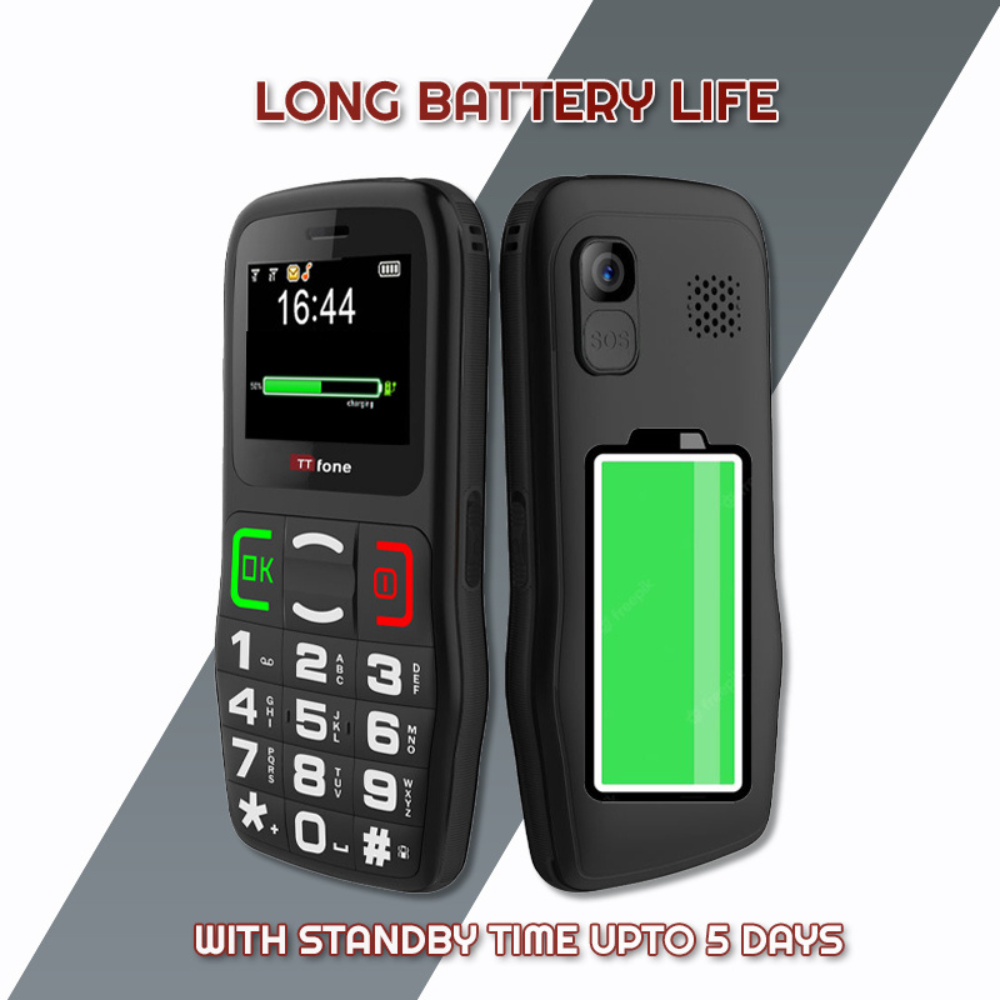
- Batería: Batería de Li-Ion V2.1 de 600 mAh - dura hasta 5-7 días en espera
- Tiempo de conversación: Alrededor de 5–6 horas
- Cargador: USB C (¡por fin!)
- Valor SAR: 1,265 W/kg
📶 Llamadas y red
- Ancho de banda: GSM: 850/900/1800/1900
- ¿Doble SIM? No
- Tamaño de la tarjeta SIM: Estándar
- ¿Wi-Fi? Ninguno
- ¿Bluetooth? Sí
- ¿Número de tonos de llamada? 97 tonos de llamada
- Volumen de llamada 104 dB
- Volumen de llamada 80 dB
- Volumen del altavoz 90 dB
🌐 Funciones inteligentes – No están disponibles en este móvil, ya que solo permite realizar llamadas y enviar mensajes básicos.
📌¿Quieres sacar el máximo partido a tu TT220?
Visita nuestra página de YouTube para ver videotutoriales rápidos.
❓Espera, unas preguntas rápidas…
❓ Espere, unas preguntas rápidas…
Encuentre respuestas rápidas a preguntas comunes sobre nuestros servicios y productos:
P1. ¿Cómo contactar con TTfone?
Puede chatear con nosotros directamente en nuestro sitio web haciendo clic en la burbuja de chat de la parte inferior derecha, o haga clic aquí: Chatee con nosotros.
Correo electrónico: Contáctenos en cualquier momento en [email protected].
Teléfono: Llame al +44 (0) 330 333 0819 (se cobra a la tarifa estándar del Reino Unido), de lunes a viernes, de 10:00 a. m. a 4:00 p. m.
P2. ¿Cuáles son sus opciones de envío?
Ofrecemos 2 opciones de entrega para clientes del Reino Unido:
- Entrega estándar: De 4 a 7 días laborables — GRATIS
- Entrega exprés: De 1 a 2 días laborables (cargo adicional)
Los pedidos realizados antes de las 2:00 p. m. (de lunes a viernes, excepto días festivos) se envían el mismo día laborable.
Los pedidos entregados fuera del Reino Unido y la UE pueden estar sujetos a aranceles de importación o impuestos locales pagaderos por el destinatario. Confirmaremos la disponibilidad del transportista para su destino antes del envío. Si el servicio no está disponible, nos reservamos el derecho de cancelar el pedido y emitir un reembolso completo.
P3. ¿Cuánto dura la garantía del teléfono?
Móviles completamente nuevos:
- Garantía de 1 año: TT170, TT175, TT220, TT240, TT300, TT660, TT750 y TT950.
- Garantía de 2 años (modelos seleccionados): TT150, TT190, TT280, TT290, TT760, TT880, TT890, TT970 y TT990.
Devoluciones en 14 días / Ofertas de reventa reacondicionadas:
- ✔ Política de devolución de 30 días
- ✔ Garantía de servicio de 3 meses
*La garantía cubre defectos de fabricación y excluye daños físicos o por líquidos. Los derechos legales del consumidor no se ven afectados.
P4. ¿Cómo registro la garantía de mi TTfone?
Puede registrar fácilmente su producto en línea completando nuestro formulario aquí: Registre la garantía de su TTfone.
P5. ¿De cuánto tiempo dispongo para devolver un teléfono y obtener un reembolso?
Ofrecemos una política de devolución de 30 días si cambia de opinión o considera que el artículo no es adecuado. Simplemente contáctenos para que podamos generar un ID de caso de devolución. Una vez que el artículo sea enviado por correo y revisado, se procesará su reembolso.
*Tenga en cuenta: el crédito de tiempo de recarga prepagado no es reembolsable.
P6. El diseño es sencillo, pero ¿es fácil de usar?
¡Absolutamente! Nuestros diseños intuitivos hacen que la navegación sea rápida de aprender. Los menús son sencillos para que pueda encontrar lo que necesita sin pasos complejos ni búsquedas interminables.
P7. ¿Para quiénes están hechos los teléfonos móviles TTfone?
¡Para todos! Cualquier persona que busque conectividad móvil sencilla y fiable puede beneficiarse de TTfone. Nuestros botones grandes, altavoces de alto volumen, retroalimentación de voz y menús sencillos los hacen ideales para personas mayores, niños o cualquier persona que desee un teléfono secundario sin distracciones.
P8. ¿Se considera que este teléfono es seguro en cuanto a SAR y radiación?
Sí. Todos los dispositivos TTfone cumplen estrictamente las normativas de seguridad del Reino Unido y Europa, produciendo niveles bajos de radiación SAR adecuados para la tranquilidad diaria.
P9. ¿Qué viene incluido en la caja?
Cada teléfono incluye:
- Teléfono TTfone
- Batería recargable
- Cable de carga USB
- Manual de usuario
*Los modelos seleccionados también incluyen una práctica estación de carga de escritorio en la caja.
P10. ¿Qué tarjetas SIM puedo usar con los teléfonos TTfone?
Todos los teléfonos móviles TTfone están desbloqueados para cualquier red. Sin embargo, tenga en cuenta:
- Modelos solo 2G: No admiten 3, iD Mobile ni Smarty (ya que estas redes dependen exclusivamente de 3G/4G/5G).
- Modelos 3G/4G (TT280, TT290, TT890, TT970, TT990): Funcionan con todos los proveedores de red del Reino Unido y la UE.
Si utiliza el teléfono fuera del Reino Unido o Europa, consulte con su proveedor local sobre la compatibilidad con las bandas de frecuencia locales de 2G/3G/4G.
P11. ¿Se puede usar este teléfono con manos libres?
¡Sí! En los modelos con un botón de altavoz dedicado, presiónelo una vez durante una llamada. En otros modelos, seleccione Opciones > Manos libres. Esta función es ideal al conducir, cocinar o involucrar a miembros de la familia en la conversación.
P12. ¿Qué es el botón SOS en la parte posterior de algunos móviles?
La tecla SOS es una función de emergencia que marca contactos preestablecidos en secuencia y envía automáticamente mensajes de texto de emergencia. También puede emitir una fuerte alarma local para atraer ayuda cercana.
Requisitos importantes:
- Debe haber una tarjeta SIM activa dentro del dispositivo.
- Se debe guardar al menos un número de teléfono de emergencia en el menú SOS.
- El teléfono debe tener señal y crédito de llamada/SMS disponible.
P13. ¿Pueden los teléfonos plegables responder/finalizar llamadas abriéndolos y cerrándolos?
Sí, todos los modelos plegables TTfone admiten la configuración de responder al abrir para llamadas celulares estándar.
Nota para los modelos plegables 4G (p. ej., TT970 y TT990): La acción de plegar no controla las llamadas de WhatsApp, ya que las aplicaciones de mensajería de terceros requieren una entrada táctil dentro de la pantalla de la aplicación.
P14. ¿Qué opciones de idioma están admitidas?
Todos los modelos TTfone admiten inglés, francés, español, alemán e italiano.
Los modelos seleccionados también admiten idiomas adicionales como polaco, neerlandés, portugués, rumano, turco, árabe, hindi o ruso. Consulte las páginas de especificaciones de cada producto para obtener detalles exactos sobre los idiomas.
P15. ¿Qué modelos TTfone admiten WhatsApp?
Los siguientes modelos con funciones inteligentes admiten mensajería y llamadas de WhatsApp:
- TT280
- TT290
- TT950
- TT970
- TT990
P16. ¿Cómo puedo pedir productos TTfone?
Puede pedir directamente en línea en www.ttfone.com o por teléfono. También estamos disponibles en sitios de socios de mercado de confianza: Amazon, eBay, TikTok Shop, Temu, OnBuy, The Range y Cdiscount.
*Nota: Las compras realizadas a través de plataformas asociadas deben procesarse en esa plataforma para cualquier devolución o reembolso.
P17. ¿Qué opciones de pago en línea aceptan?
Aceptamos tarjetas de débito/crédito (Visa, Mastercard, American Express), PayPal, Apple Pay y Google Pay.
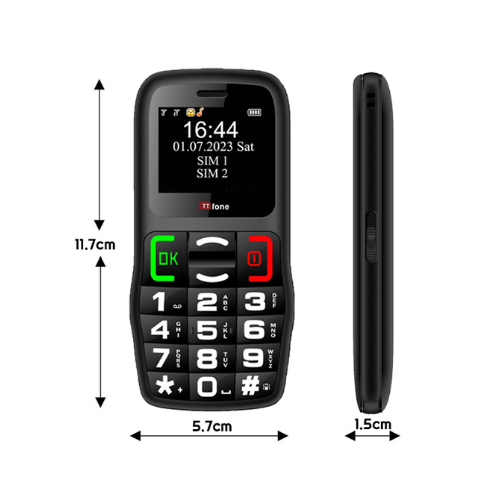
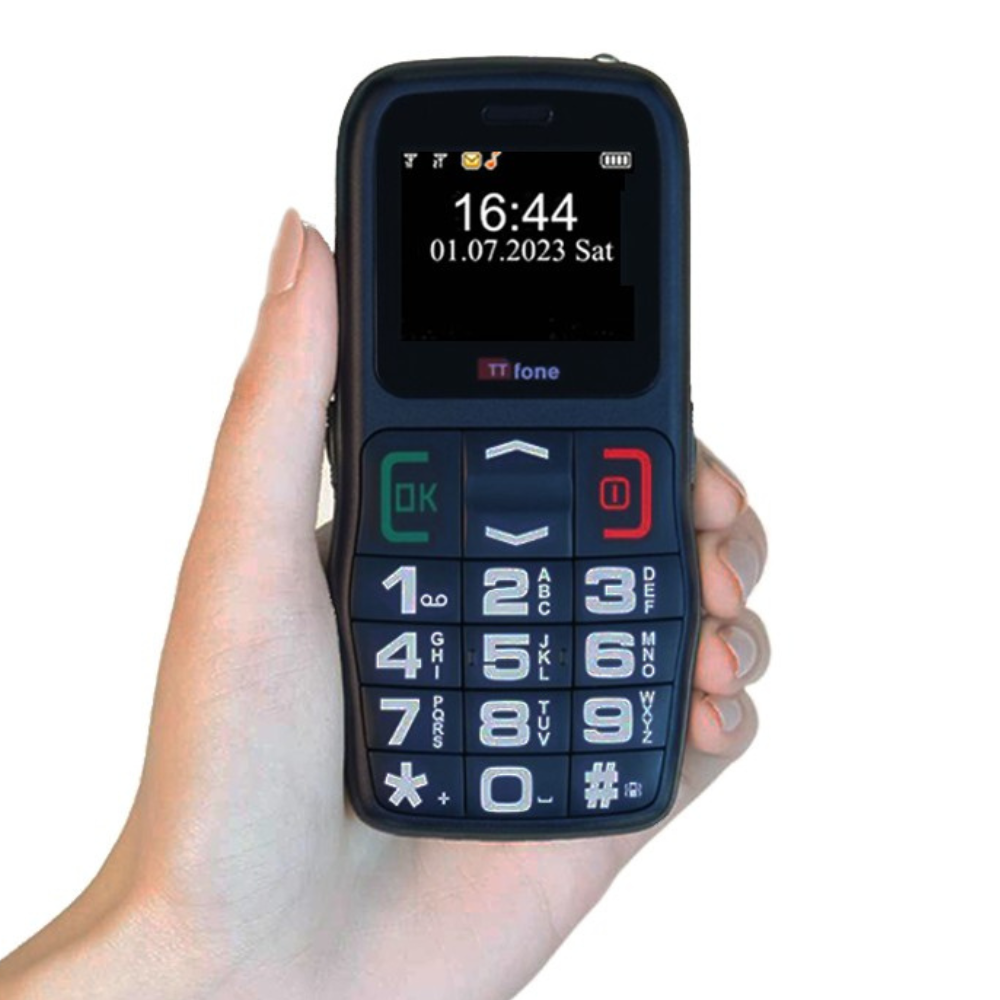
Dimensiones del TT220
- Altura: 11,7 cm
- Ancho: 5,7 cm
- Profundidad: 1,5 cm
- Peso (con batería): 73,8 g
-
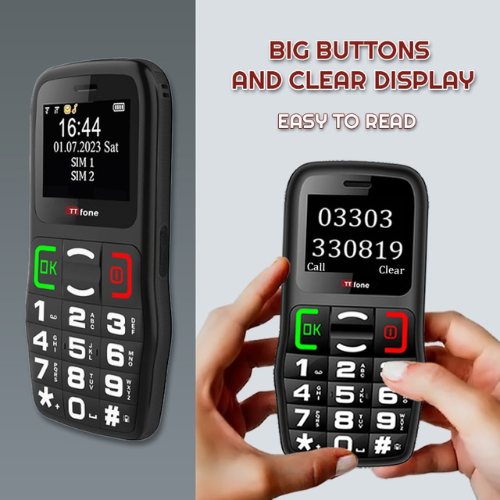
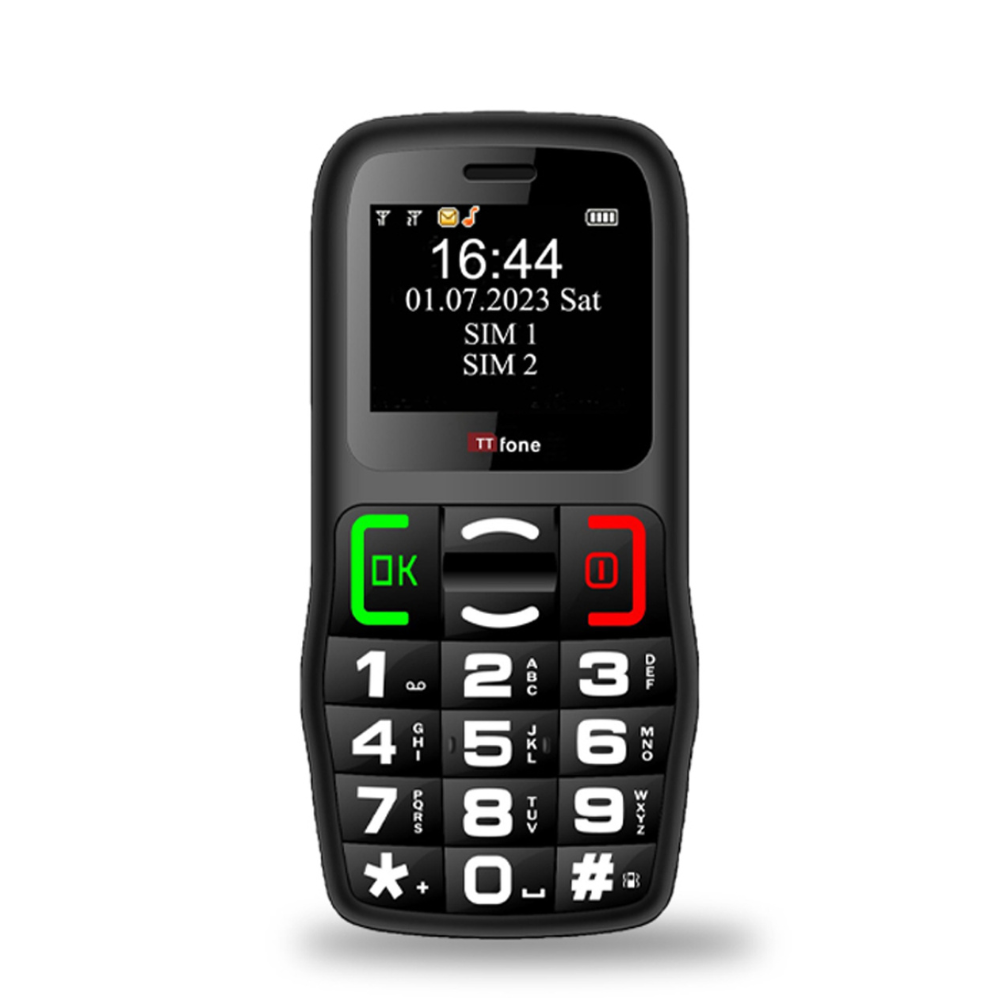
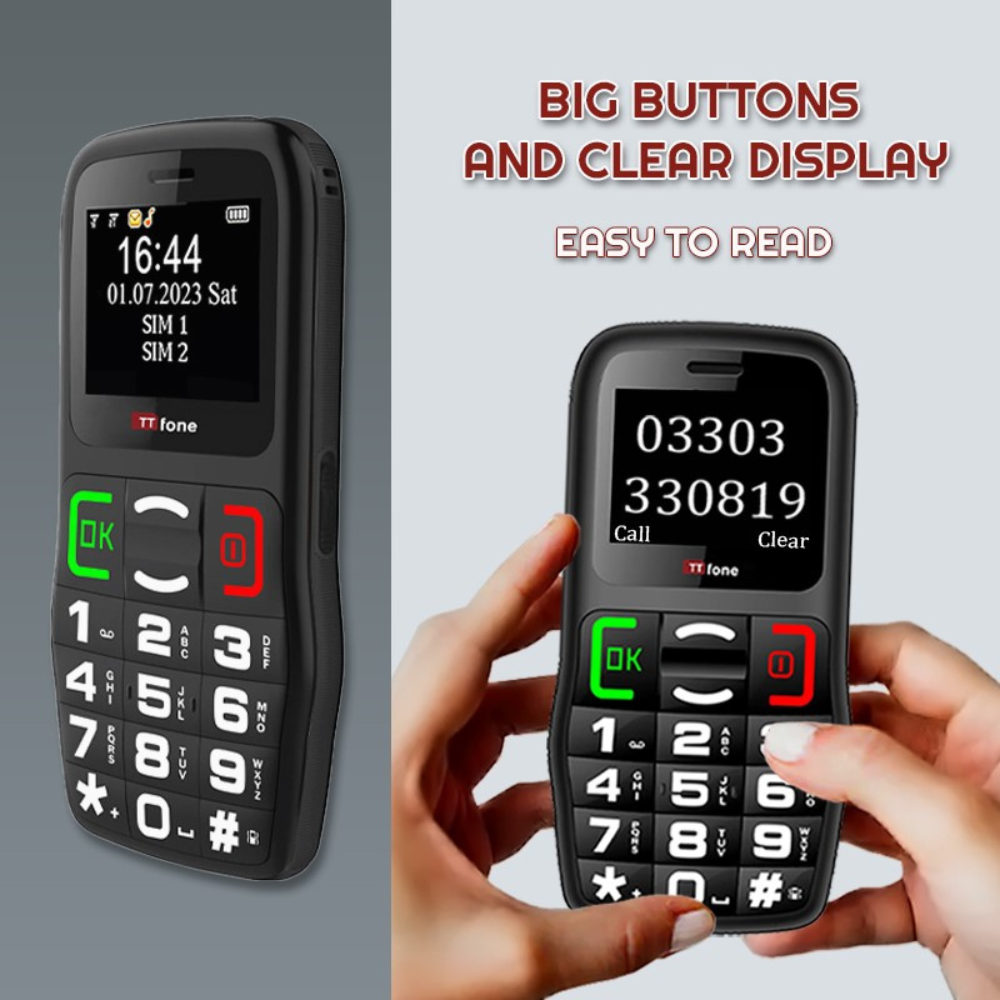
Móvil con botones grandes
El TT220 tiene botones grandes y claros que facilitan la marcación de números y el envío de mensajes de texto. Los botones también están retroiluminados para ofrecer una mejor visibilidad en condiciones de poca luz.
-
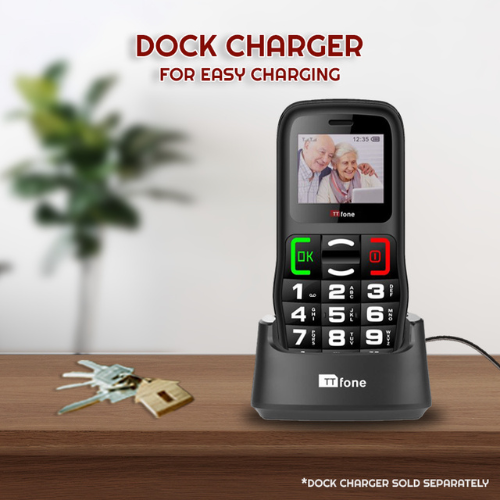
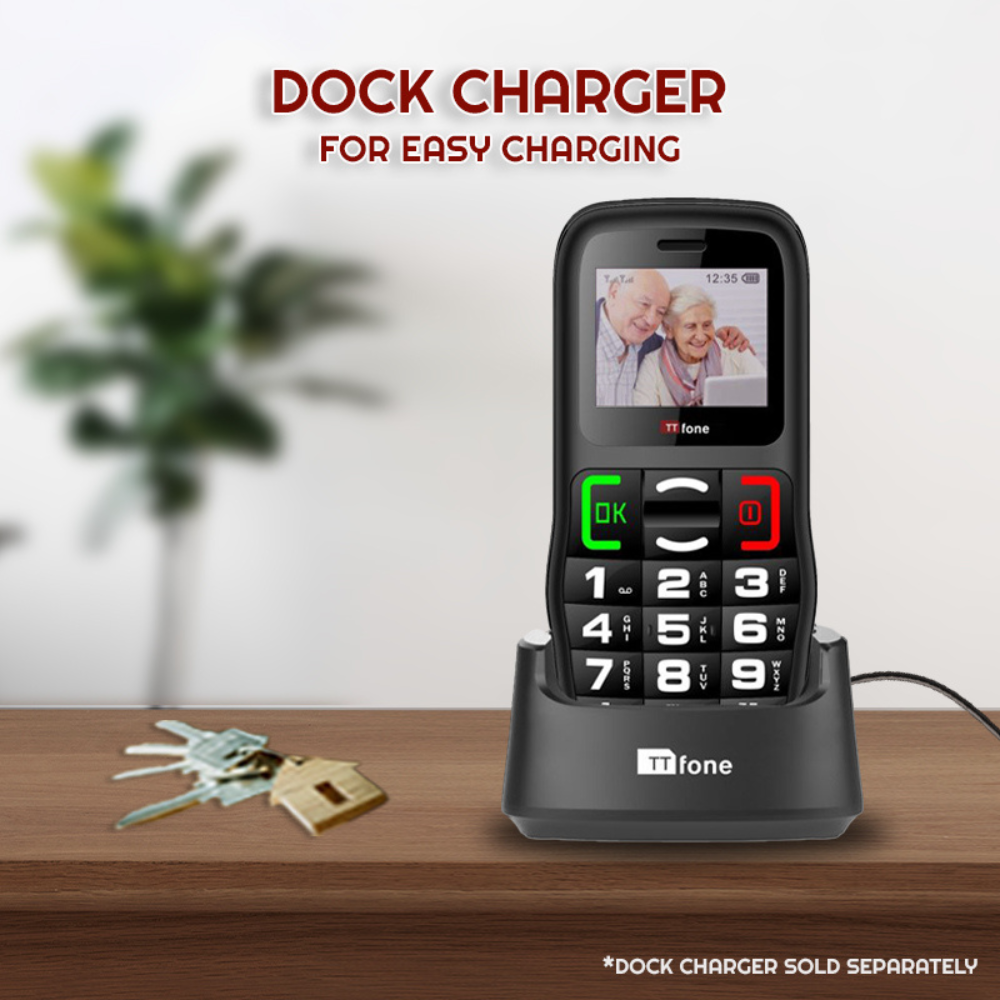
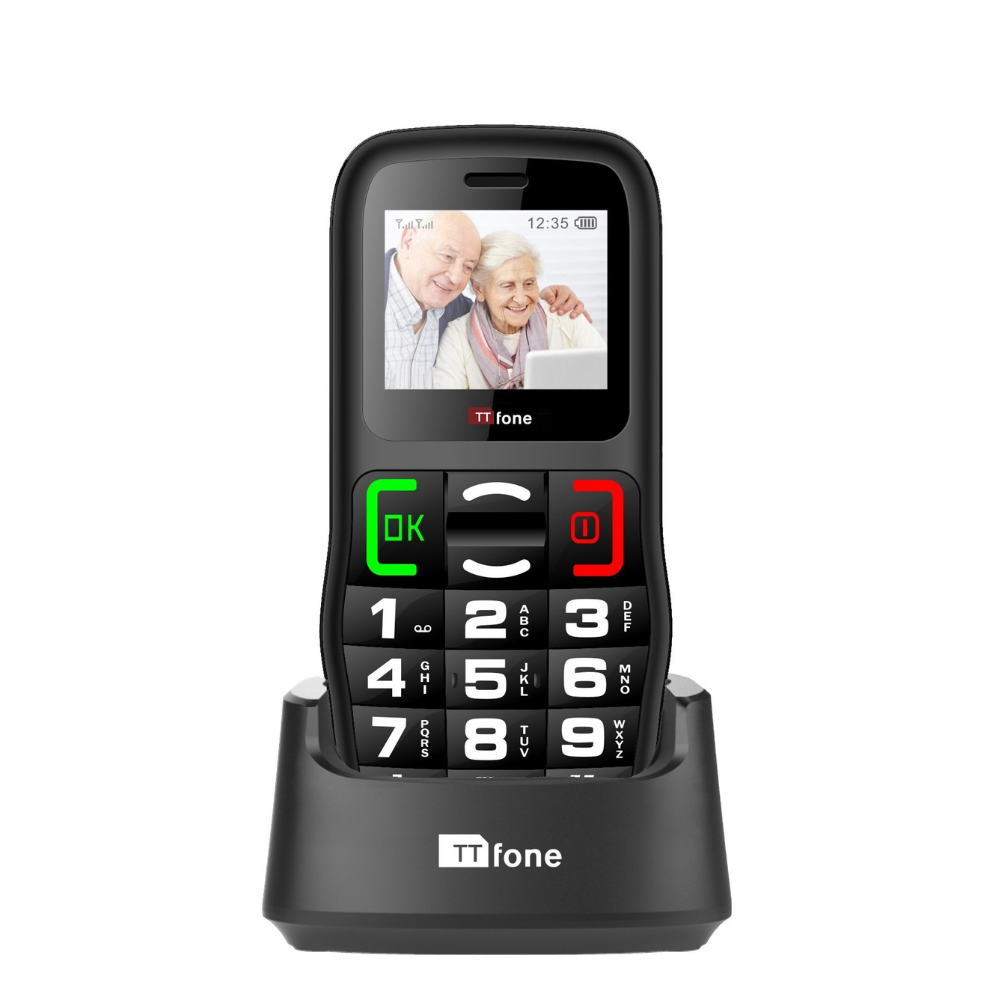
Cargador de base
El TTfone TT220 viene con una estación de carga de sobremesa que hace que cargar el teléfono sea simple y fácil. Simplemente coloque el teléfono en la base y se cargará; al retirarlo, la carga se detendrá. Se acabaron los complicados cables de carga que hay que conectar a los pequeños puertos del teléfono.Cargador de base vendido por separado.
-
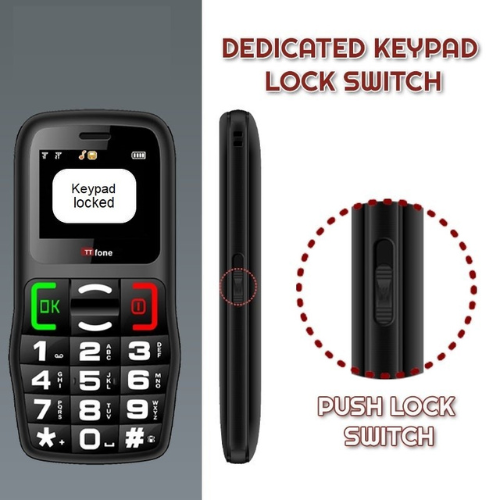
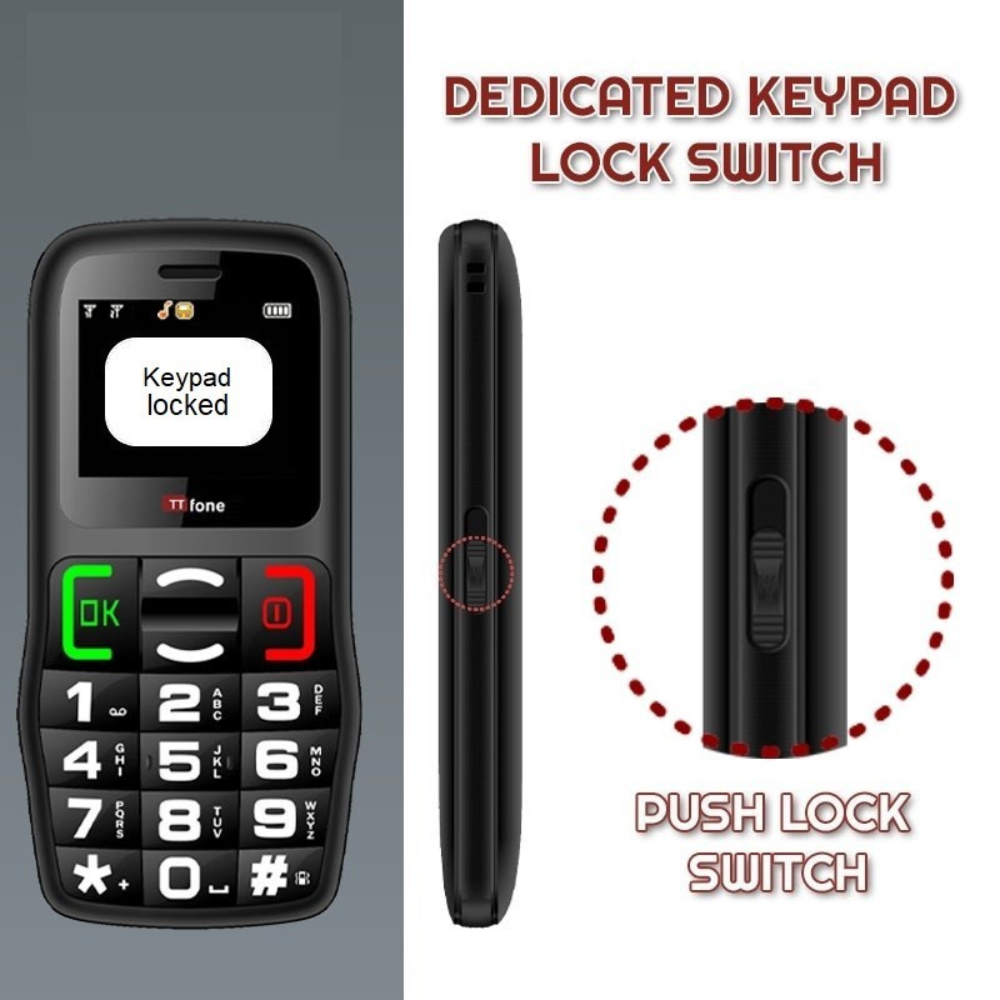
Interruptor dedicado para bloquear el teclado
El TT220 tiene un interruptor en el lateral del teléfono que permite bloquear y desbloquear el teclado fácilmente. No es necesario pulsar ninguna combinación de botones para evitar realizar llamadas o enviar mensajes de texto accidentalmente. También puede ver el estado del bloqueo en la pantalla.
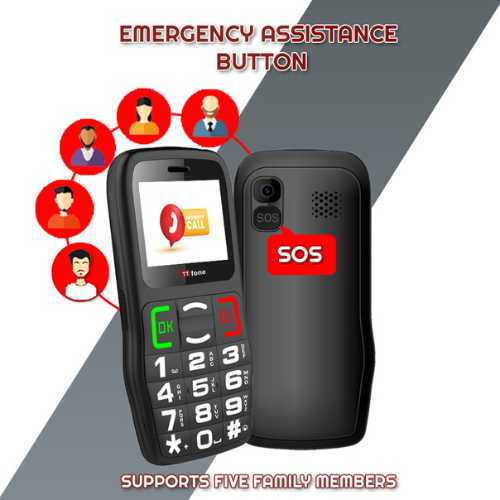
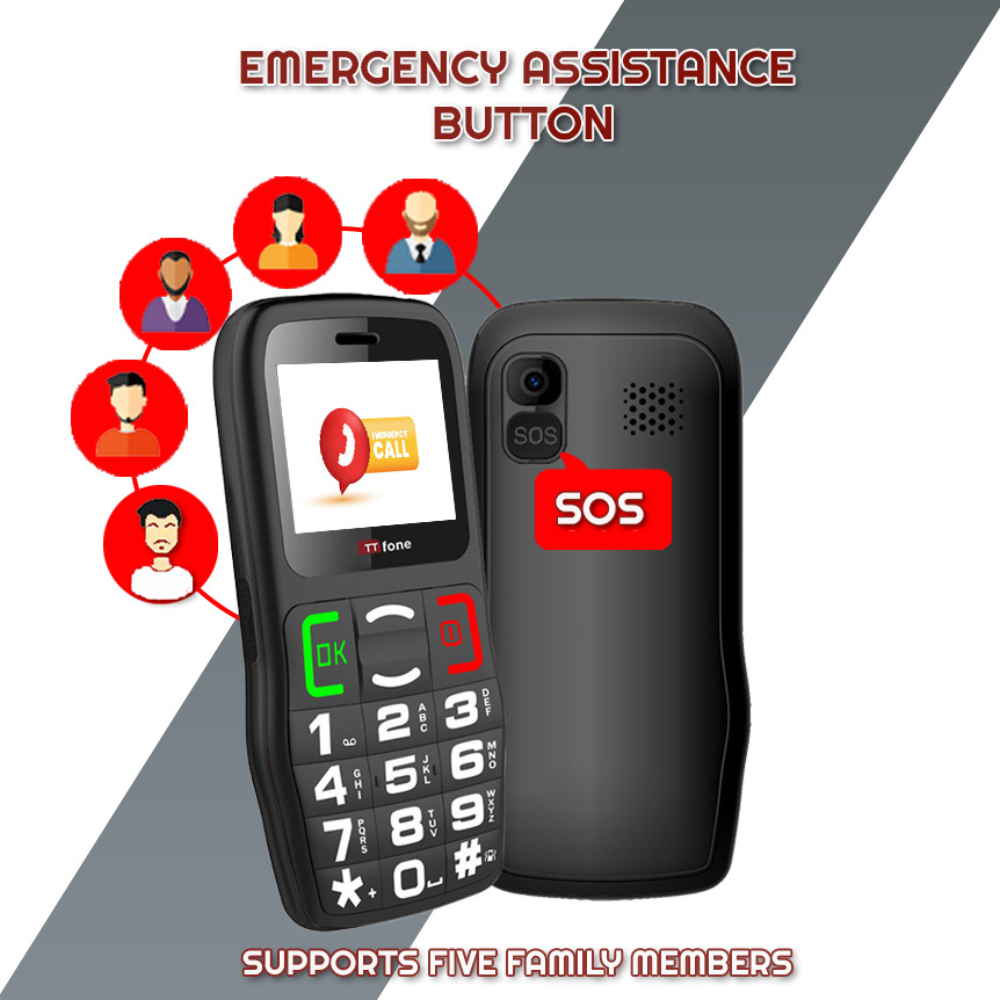
Botón de asistencia de emergencia
El TTfone TT220 cuenta con una función que brindará verdadera tranquilidad tanto al usuario como a los familiares preocupados por su bienestar. Se trata de un botón SOS específico que puede utilizarse en caso de emergencia. Se puede programar cualquier número y solo hace falta pulsar el botón de pánico para realizar esa llamada tan importante.
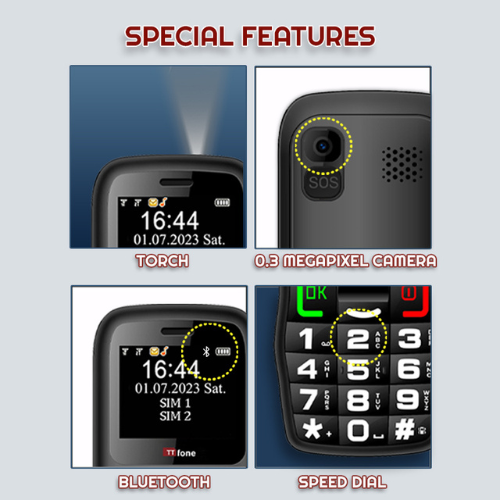
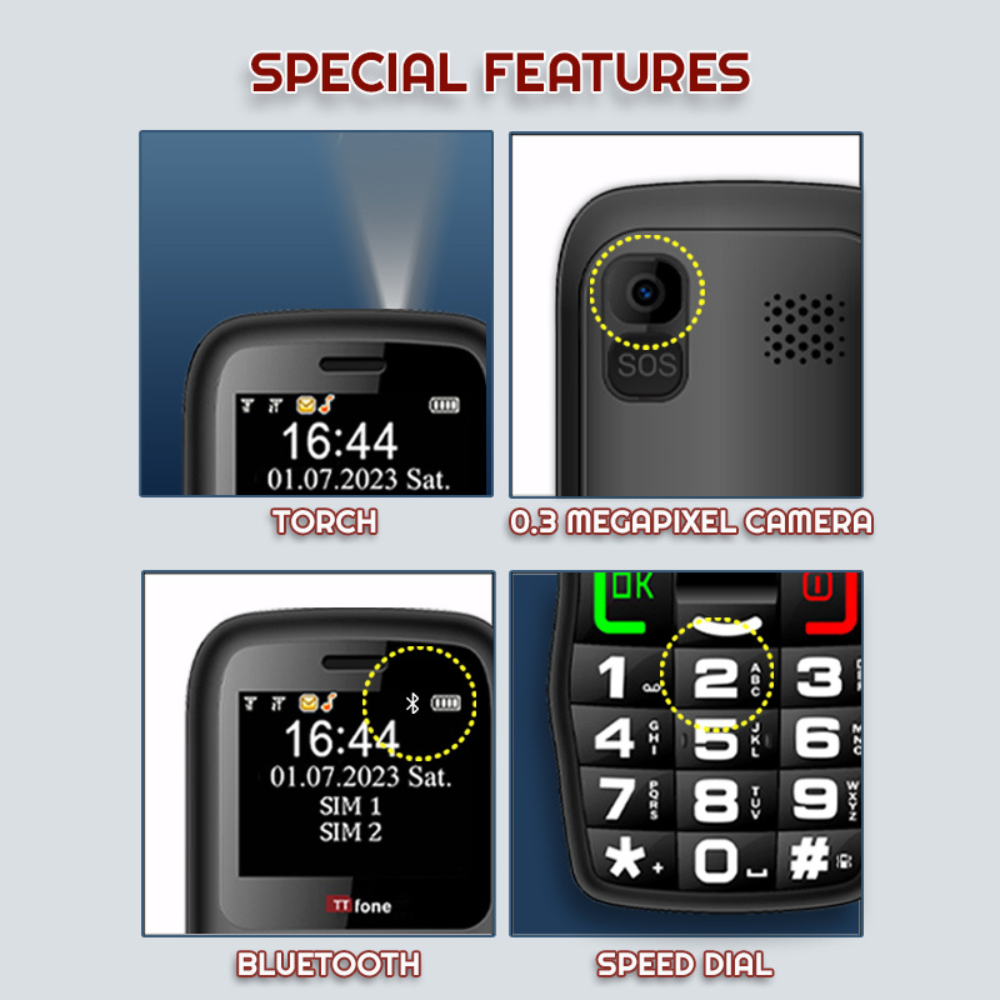
Funciones especiales
Linterna: El TT220 tiene un botón de linterna en el lateral que activa una luz LED brillante que te ayuda a ver en la oscuridad.
Cámara de 0,3 megapíxeles: El TT220 tiene una cámara de 0,3 megapíxeles que te permite tomar fotos y videos.
Bluetooth: El TT220
tiene una función Bluetooth que te permite conectar el teléfono a otros dispositivos con Bluetooth, como auriculares, altavoces o kits de coche.
Marcación rápida: El
TT220 tiene una función de marcación rápida que te permite asignar tus contactos favoritos a las teclas numéricas del 2 al 9.
My dad suffers from early-onset Parkinson's and really struggles with phones.This makes life much easier and i have set the emergency button to call me so also gives me a little piece of mind.Recommended.


This mobile phone for elderlies i found it to be more complicated that needs to be. Completely unnecessary camera function, as photos are very bad 0.3 megapixel.Yes you can make calls and answer, but all the menu is just not made with elderlies in mind.Okay for a spare phone. Thats all.

Good battery life, large screen and numbers. Item arrived very well packed, so excellent start, perfect size and more important top quality looks and feels great , for the price can’t fault it, 10 out of 10 from me very happy indeed and would purchase again 👍
The current selling price of £19.99 makes this large buttoned mobile phone a great buy. It is great for the elderly and those with poor eyesight. It has an emergency assistance button.✅ great battery life✅ big buttons✅ clear display✅ the buttons are also backlit for better visibility in low-light✅ includes torch and camera✅ Bluetooth✅ speed dial✅ What's in the box?• Mobile Phone, Battery, USB-C Cable, User Manual
Great phone for my elderly mom, she’s at a stage that very hard to learn new technology, this phone is much easier to use than touchscreen phone, clear and easy to read display, I was able to set up the network without issues, I would recommend if you want a practical basic phone with an affordable price.
Big buttons and I cannot lie.Other phones can't deny, that this little Diddy phone has junk in the trunk.Construction is strong. Will survive a few drops.Big enough buttons that you can see them without glasses.Works well.Overall my nan was happy with this device.
I actually got this for my Dad who is not great with technology. He loves it and is able to use it perfectly.The sound quality is very good for the price of the phone and the ring is loud enough to hear when it’s in your pocket.
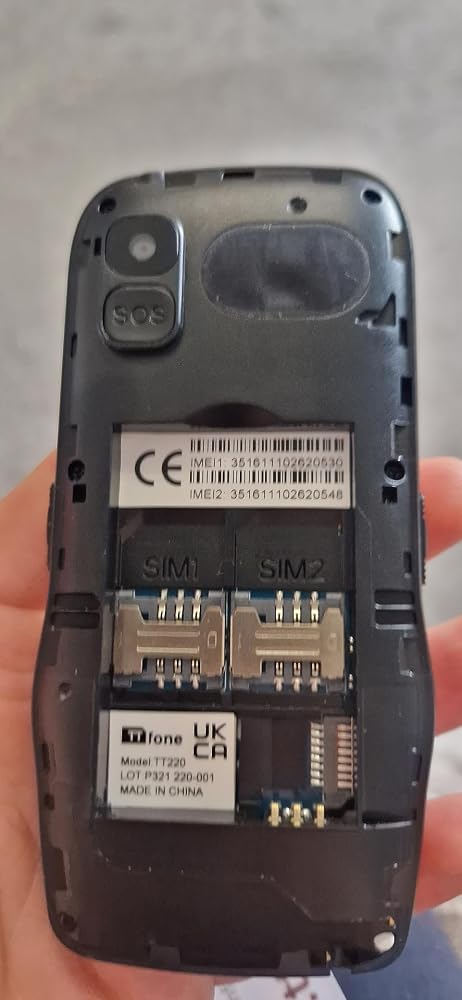
The Build: The build quality is good, strong plastics used in the making of the phone body. The back of the phone was extremely hard to take off, showing signs of good rigid structure and the fact that this is a really strong phone, ideal for the elderlyThe Practicality: you can put up to 2 sims inside. There is an sos function with up to 5 contacts, as well as a speed dial option where you can press and hold the number 2 key for example and it will automatically call the number associated with the number 2.Overall, highly recommended.
simple phone
My dad is 90 and not as steady on his feet as he used to be. He still goes out to do his shopping and sometimes to the cinema and so on.He’s come to the conclusion that he should have a mobile phone so that he can contact me in case of emergency. However he’s not very technologically savvy and a typical modern phone would confuse him.This phone seemed like a good option.The buttons are large with bold backlit numbers making it easy for him to use.There’s an SOS button which can be programmed to call a pre-programmed number with just one press.It has eight speed dial numbers which can be assigned to the keys 2 to 9, although I had to programme them for him.There’s an option for the phone to speak the numbers when they’re pressed which would be useful for those with limited vision.There are some features which he probably won’t use and I doubt that many others in the intended users would, such as the 0.3 megapixel camera and bluetooth, plus apps such as SMS messages, audio and video player, calculator, alarm clock, and calendar, although the built in torch could be potentially useful (with a switch on the side of the phone. There’s a keyboard lock switch on the other side of the phone to prevent pocket dials.The display is small by today’s standards but bright and clear with large fonts.The phone is supplied with a USB A-C cable but no charger. Luckily I had a spare charger.The Amazon listing claims that it can accept dual SIMs (the full size variety). There is a space for two SIMs but I only had one SIM so I can’t test it. This also seems an unnecessary feature for most of the intended users.Battery life seems pretty good – They Amazon listing claims a standby time of five days which seems correct.I didn’t test the talk time as I didn’t want to use up the allowed minutes on the pay as you go contract.The sound quality on calls seems about the same as my personal mobile phone.The instruction manual is a roughly A4 double sided sheet, each side with six pages, which means the print is quite small. Given that this phone is mainly for the elderly this seems a bad idea –Luckily their website has a PDF copy to download so I split this up into 12 pages and printed out an enlarged A4 copy.The phone seems quite solidly made which is useful in case it gets dropped.My dad likes it so it will give both of us peace of mind.I’ve given it four stars because of the lack of a charger and the small print on the user manual.
Very light weight simple phone with large keys and the ability to set up for one key dialling. I have set it with my number for an elderly relative to be able to press and call us in an emergency. I ordered the one with just a power lead but now wished I had ordered the one with the docking station so that it is always charged.Just add a simple pay as you go chip and this is an extra safety measure that makes sure my relative can always call for help. Cheap and cheerful but a lifeline for the elderly.
Easy to use,good battery life, value for money and functional.
Got for my dad who's 82, really easy for him to use and the keypad lock button on the side means no more accidental calls
Bought the phone for my visually impaired brother in his ninetees. Easy to use numbers and very happy with it. The screen keeps popping up with messages. This is a facility he is unable to use but as a phone for making calls it is very suitable.
'You get what you pay for' with this phone. Here goes:Nice big buttons but I found the button shape difficult to press cause they are dome shape.Inbox memory too small, need to store incoming calls on sim card.Torch is operated by a slide switch on the side, much better than software operation.Quite a few steps needed to send an SMS message.Very light weight phone.Small screen but adequate.
Excellent, compact handset, no frills just a basic easy to use phone with great crisp audio quality.This phone is ideal for anyone who may need assistance, it's so compact it fits easily inside pockets or dressing gown pockets and you don't really know it's there.The phone is very sturdy which is amazing considering the low rrp, it has been dropped , accidently banged around and yet this has not affected the audio or the buttons.1 thing i found really useful is the large easy to press buttons, making this idea for anyone with limited vision or limited dexterity.Excellent battery life, i was charging this up maybe once every 10 days and that was after making 2 or 3 quick calls , even if you just keep this phone in the car it gives you peace of mind knowing you have a back up phone.Works perfectly well on the 02 network obviously you have to purchase a sim card and keep it topped up but even with that cost factored in this handset offers great value for money.
Generally a good phone for people with limited IT skills or reduced dexterity due to the large keys and display. However, the camera is, in my opinion, an unnecessary feature as it's very low resolution and not easy to use. Whilst the menus are reasonably easy to navigate, the active selection is shown as white text on a yellow background; a poor choice as it lacks contrast, which is needed as eyesight deteriorates with age.
Las teclas parlantes solo están disponibles en inglés yo las quería en español por lo cuál he devuelto el producto.
I actually got this for my Dad who is not great with technology. He loves it and is able to use it perfectly.
The sound quality is very good for the price of the phone and the ring is loud enough to hear when it’s in your pocket.
This phone is very simple and really easy to use.
The buttons are big enough.
Easy to set up.
Works well.
Good value.
Telefone muito simples e prático
Quick & easy to set up, my father [poor eyesight & early-stage dementia] can use it without any difficulties & the shape/size is great for a secure hold,and the battery holds up very well.
Quick & easy to set up, my father [poor eyesight & early-stage dementia] can use it without any difficulties & the shape/size is great for a secure hold,and the battery holds up very well.
My dad is 90 and not as steady on his feet as he used to be. He still goes out to do his shopping and sometimes to the cinema and so on.
He’s come to the conclusion that he should have a mobile phone so that he can contact me in case of emergency. However he’s not very technologically savvy and a typical modern phone would confuse him.
This phone seemed like a good option.
The buttons are large with bold backlit numbers making it easy for him to use.
There’s an SOS button which can be programmed to call a pre-programmed number with just one press.
It has eight speed dial numbers which can be assigned to the keys 2 to 9, although I had to programme them for him.
There’s an option for the phone to speak the numbers when they’re pressed which would be useful for those with limited vision.
There are some features which he probably won’t use and I doubt that many others in the intended users would, such as the 0.3 megapixel camera and bluetooth, plus apps such as SMS messages, audio and video player, calculator, alarm clock, and calendar, although the built in torch could be potentially useful (with a switch on the side of the phone. There’s a keyboard lock switch on the other side of the phone to prevent pocket dials.
The display is small by today’s standards but bright and clear with large fonts.
The phone is supplied with a USB A-C cable but no charger. Luckily I had a spare charger.
The Amazon listing claims that it can accept dual SIMs (the full size variety). There is a space for two SIMs but I only had one SIM so I can’t test it. This also seems an unnecessary feature for most of the intended users.
Battery life seems pretty good – They Amazon listing claims a standby time of five days which seems correct.
I didn’t test the talk time as I didn’t want to use up the allowed minutes on the pay as you go contract.
The sound quality on calls seems about the same as my personal mobile phone.
The instruction manual is a roughly A4 double sided sheet, each side with six p
The Build: The build quality is good, strong plastics used in the making of the phone body. The back of the phone was extremely hard to take off, showing signs of good rigid structure and the fact that this is a really strong phone, ideal for the elderly
The Practicality: you can put up to 2 sims inside. There is an sos function with up to 5 contacts, as well as a speed dial option where you can press and hold the number 2 key for example and it will automatically call the number associated with the number 2.
Overall, highly recommended.