


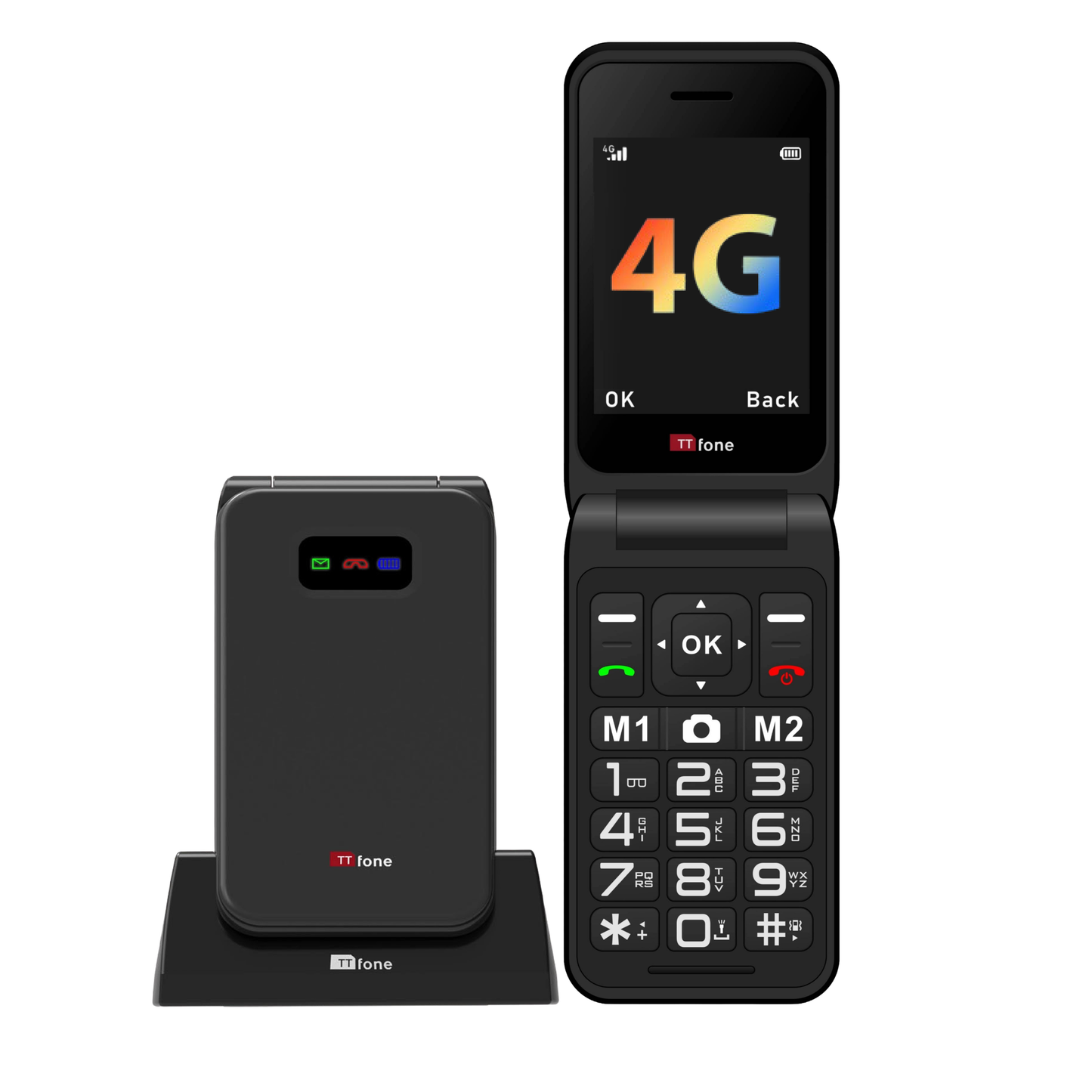


TT760 (4G) Tech Talk: Was steckt drin?
💡 Kurzer Überblick
- Design? Klapphandy
- Sprachen? Englisch, Französisch, Spanisch, Italienisch, Deutsch, Portugiesisch, Türkisch, Niederländisch, Polnisch und Arabisch
- Trageband kompatibel? Diesmal nicht
- Touchscreen? Nein, Menünavigation über Tastatur
- Bildschirmgröße & Displaytyp? 2,8" Farb-TFT
- Bildschirmauflösung 240*320 Pixel
- Vorhersagende Texteingabe? Nein – nur klassische Tastatureingabe
- Tastaturbeleuchtung? Ja
- Sprachausgabe der Tasten? Ja, menschliche Stimme für die Zifferntastatur
- Schnellwahl? Ja, einstellbar von Nr. 2 - 9
- Notruftaste? Ja
- Mp3, Taschenlampe, Wecker, Taschenrechner & UKW-Radio? Alle enthalten
- Kopfhöreranschluss: Ja
📦 Speicher & weitere Spezifikationen
- Speicher: 32 MB
- Erweiterbar: Bis zu 16 GB mit MicroSD-Speicherkarte
- Kontakte: Bis zu 500 speichern
- (SMS) Textnachrichten: Ja, SMS (normale Textnachrichten) / MMS (Multimedia-Nachrichten) & fasst etwa 50
- Kamera? Ja
📐 Abmessungen & Gewicht
- Höhe: 20,5 cm
- Höhe bei geschlossenem Klappdeckel: 10,4 cm
- Breite: 5,6 cm
- Breite bei geschlossenem Klappdeckel: 5,6 cm
- Tiefe: 1,2 cm
- Tiefe bei geschlossenem Klappdeckel: 1,8 cm
-
Gewicht (mit Akku): 130 g
🔋 Stromversorgung & Aufladen
- Akku: Li-Ionen (Lithium-Ionen) 1000 mAh / 3,7 Wh – bis zu 3 Tage Standby
- Rededauer: Etwa 180 Minuten
- Ladegerät: USB-C (endlich!) + Netzstecker & Dock-Ladegerät (separat erhältlich)
- SAR-Wert: 1,004 W/kg
📶 Anrufe & Netzwerk
- Bandbreite: 4G: 2100/1800/2600/900/800 GSM: 900/1800 WCDMA: 900/2100
- Dual-SIM? Nein
- SIM-Kartengröße: Nano
- WLAN? Nein, nur mobile Daten
- Bluetooth? Ja, Version 2.1
- Anzahl der Klingeltöne? 5 Klingeltöne
- Klinglautstärke 110 dB
- Anruflautstärke 71 dB
- Lautsprecherlautstärke 95 dB
🌐 Smart-Funktionen – Dieses Mobiltelefon bietet nur grundlegende Anruf- und SMS-Funktionen.
📌Sie möchten das Beste aus Ihrem TT760 herausholen?
Besuchen Sie unsere YouTube-Seite für kurze Video-Tutorials.
❓Moment, kurze Fragen…
❓ Moment, kurze Fragen…
Finden Sie schnell Antworten auf häufig gestellte Fragen zu unseren Dienstleistungen und Produkten:
F1. Wie kann ich TTfone kontaktieren?
Sie können direkt über unsere Website mit uns chatten, indem Sie auf die Chat-Sprechblase unten rechts klicken, oder hier klicken: Chatten Sie mit uns.
E-Mail: Sie können uns jederzeit unter [email protected] erreichen.
Telefon: Rufen Sie uns unter +44 (0) 330 333 0819 an (zum britischen Standardtarif), Montag bis Freitag, 10:00 – 16:00 Uhr.
F2. Welche Versandoptionen bieten Sie an?
Wir bieten Kunden im Vereinigten Königreich 2 Lieferoptionen an:
- Standardversand: 4 bis 7 Werktage — KOSTENLOS
- Expressversand: 1 bis 2 Werktage (gegen Aufpreis)
Bestellungen, die vor 14:00 Uhr aufgegeben werden (Montag bis Freitag, ausgenommen Feiertage), werden noch am selben Werktag versandt.
Für Lieferungen außerhalb des Vereinigten Königreichs und der EU können Einfuhrzölle oder lokale Steuern anfallen, die vom Empfänger zu zahlen sind. Wir prüfen vor dem Versand die Verfügbarkeit des Kurierdienstes für Ihr Zielgebiet. Sollte der Service nicht verfügbar sein, behalten wir uns das Recht vor, die Bestellung zu stornieren und eine vollständige Rückerstattung zu leisten.
F3. Wie lange ist die Garantie für das Telefon?
Brandneue Mobiltelefone:
- 1 Jahr Garantie: TT170, TT175, TT220, TT240, TT300, TT660, TT750 und TT950.
- 2 Jahre Garantie (ausgewählte Modelle): TT150, TT190, TT280, TT290, TT760, TT880, TT890, TT970 und TT990.
14 Tage Rückgaberecht / Angebote für generalüberholte Geräte:
- ✔ 30 Tage Rückgaberecht
- ✔ 3 Monate Servicegarantie
*Die Garantie deckt Herstellungsfehler ab und schließt physische Schäden oder Schäden durch Flüssigkeiten aus. Gesetzliche Verbraucherrechte bleiben hiervon unberührt.
F4. Wie registriere ich die Garantie für mein TTfone?
Sie können Ihr Produkt ganz einfach online registrieren, indem Sie unser Formular hier ausfüllen: Registrieren Sie Ihre TTfone-Garantie.
F5. Wie lange habe ich Zeit, ein Telefon für eine Rückerstattung zurückzugeben?
Wir bieten ein 30-tägiges Rückgaberecht, wenn Sie Ihre Meinung ändern oder der Artikel ungeeignet ist. Kontaktieren Sie uns einfach, damit wir eine Rückgabe-ID erstellen können. Sobald der Artikel versandt und geprüft wurde, wird Ihre Rückerstattung bearbeitet.
*Bitte beachten Sie: Im Voraus bezahlte Guthaben für Mobilfunkzeit sind nicht erstattungsfähig.
F6. Das Design ist einfach, aber ist das Telefon auch einfach zu bedienen?
Absolut! Dank unserer intuitiven Menüführung ist die Bedienung schnell erlernt. Die Menüs sind übersichtlich, sodass Sie finden können, was Sie brauchen, ohne komplizierte Schritte oder endloses Suchen.
F7. Für wen sind TTfone-Mobiltelefone gedacht?
Für jeden! Jeder, der eine einfache, zuverlässige Mobilfunkverbindung sucht, kann von TTfone profitieren. Unsere großen Tasten, Lautsprecher mit hoher Lautstärke, die Sprachausgabe und die einfachen Menüs machen sie ideal für Senioren, Kinder oder alle, die ein ablenkungsfreies Zweithandy wünschen.
F8. Gilt dieses Telefon in Bezug auf SAR und Strahlung als sicher?
Ja. Alle TTfone-Geräte entsprechen strikt den britischen und europäischen Sicherheitsvorschriften und erzeugen niedrige SAR-Strahlungswerte, die für tägliche Sicherheit sorgen.
F9. Was ist im Lieferumfang enthalten?
Jedes Telefon enthält:
- TTfone-Handset
- Wiederaufladbarer Akku
- USB-Ladekabel
- Benutzerhandbuch
*Ausgewählte Modelle enthalten außerdem eine praktische Tisch-Ladeplattform im Lieferumfang.
F10. Welche SIM-Karten kann ich mit TTfone-Telefonen verwenden?
Alle TTfone-Mobiltelefone sind für jedes Netz entsperrt. Bitte beachten Sie jedoch:
- Nur 2G-Modelle: Unterstützen nicht 3, iD Mobile oder Smarty (da diese Netze ausschließlich auf 3G/4G/5G angewiesen sind).
- 3G/4G-Modelle (TT280, TT290, TT890, TT970, TT990): Funktionieren mit allen britischen und europäischen Netzbetreibern.
Wenn Sie das Telefon außerhalb des Vereinigten Königreichs oder Europas verwenden, prüfen Sie bitte bei Ihrem lokalen Anbieter die Kompatibilität mit den lokalen 2G/3G/4G-Frequenzbändern.
F11. Kann dieses Telefon freihändig verwendet werden?
Ja! Bei Modellen mit einer speziellen Freihandfunktionstaste drücken Sie diese während eines Telefonats einmal. Bei anderen Modellen wählen Sie Optionen > Freihand. Diese Funktion eignet sich hervorragend zum Autofahren, Kochen oder wenn Familienmitglieder an dem Gespräch teilnehmen.
F12. Was ist die SOS-Taste auf der Rückseite einiger Mobiltelefone?
Die SOS-Taste ist eine Notfallfunktion, die voreingestellte Kontakte nacheinander anruft und automatisch Notfall-SMS versendet. Sie kann auch einen lauten lokalen Alarm auslösen, um Hilfe in der Nähe auf sich aufmerksam zu machen.
Wichtige Voraussetzungen:
- Eine aktive SIM-Karte muss sich im Gerät befinden.
- Mindestens eine Notfalltelefonnummer muss im SOS-Menü gespeichert sein.
- Das Telefon muss Empfang und verfügbares Guthaben für Anrufe/SMS haben.
F13. Können Klapphandys Anrufe durch Öffnen und Schließen entgegennehmen/beenden?
Ja, alle Klappmodelle von TTfone unterstützen die Einstellung „Anruf durch Aufklappen“ für herkömmliche Mobilfunkanrufe.
Hinweis für 4G-Klappmodelle (z. B. TT970 und TT990): Die Klappfunktion steuert keine WhatsApp-Anrufe, da Drittanbieter-Messaging-Apps eine Eingabe über den Touchscreen erfordern.
F14. Welche Sprachoptionen werden unterstützt?
Alle TTfone-Modelle unterstützen Englisch, Französisch, Spanisch, Deutsch und Italienisch.
Ausgewählte Modelle unterstützen außerdem weitere Sprachen wie Polnisch, Niederländisch, Portugiesisch, Rumänisch, Türkisch, Arabisch, Hindi oder Russisch. Genaue Sprachdetails finden Sie auf den einzelnen Produktspezifikationsseiten.
F15. Welche TTfone-Modelle unterstützen WhatsApp?
Die folgenden Modelle mit Smart-Funktionen unterstützen WhatsApp-Nachrichten und -Anrufe:
- TT280
- TT290
- TT950
- TT970
- TT990
F16. Wie kann ich TTfone-Produkte bestellen?
Sie können direkt online unter www.ttfone.com oder telefonisch bestellen. Wir sind auch auf den Websites vertrauenswürdiger Marktplatzpartner verfügbar: Amazon, eBay, TikTok Shop, Temu, OnBuy, The Range und Cdiscount.
*Hinweis: Bei über Partnerplattformen getätigten Einkäufen müssen Rückgaben oder Rückerstattungen über die jeweilige Plattform abgewickelt werden.
F17. Welche Online-Zahlungsoptionen akzeptieren Sie?
Wir akzeptieren Debit-/Kreditkarten (Visa, Mastercard, American Express), PayPal, Apple Pay und Google Pay.
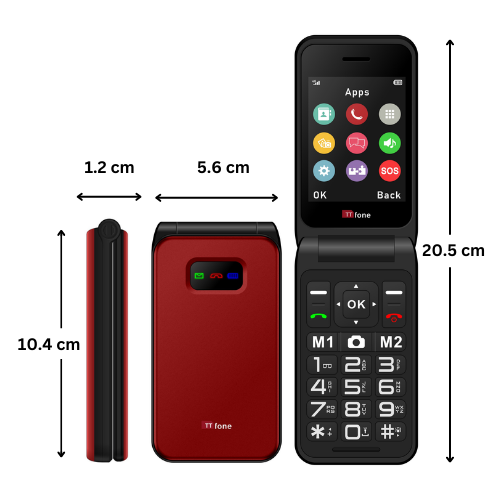
TT760 Abmessungen
Höhe: 20,5 cm
Höhe mit geschlossenem Deckel: 10,4 cm
Breite: 5,6 cm
Breite mit geschlossenem Deckel: 5,6 cm
Tiefe: 1,2 cm
Tiefe mit geschlossenem Deckel: 1,8 cm
Gewicht (mit Batterie): 130 g
-
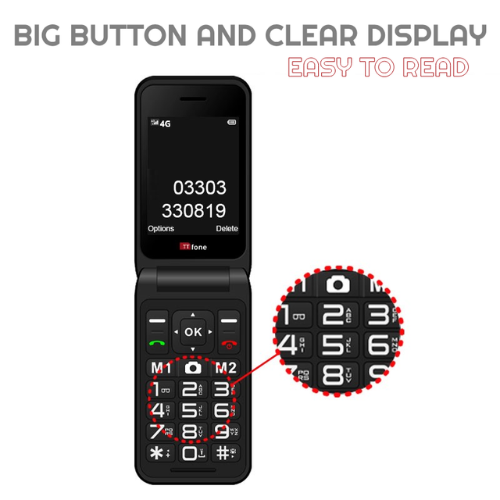
Großer Knopf und übersichtliches Display
Das TTfone TT760 verfügt über große Tasten, Tastensprachen und große Schrift auf einem 2,8-Zoll-Display für einfaches Wählen, akustische Unterstützung und verbesserte Lesbarkeit.
-
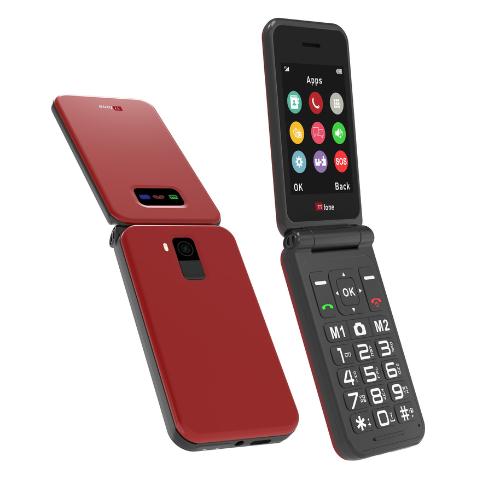
Anrufe entgegennehmen
Wenn Sie einen eingehenden Anruf erhalten, können Sie einfach die Klappe des TT760 öffnen, um ihn entgegenzunehmen.
-
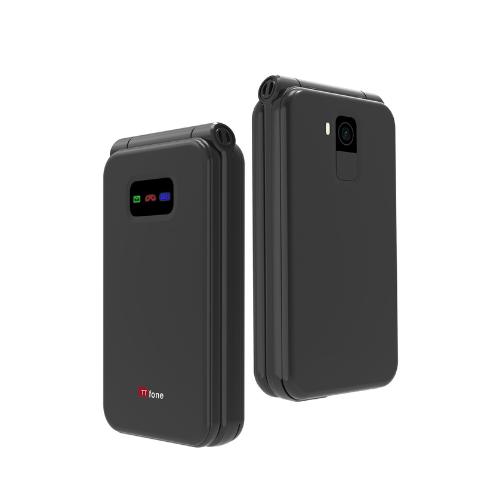
Anrufe beenden
Sobald Sie Ihr Gespräch beendet haben, können Sie den Anruf einfach beenden, indem Sie das Klappgehäuse schließen.
-

Einfaches und unkompliziertes 4G-Telefon
Das TTfone TT760 – das perfekte Mobiltelefon, das speziell für ältere Menschen entwickelt wurde. Dieses 4G-Klapphandy vereint Einfachheit, Funktionalität und Benutzerfreundlichkeit.

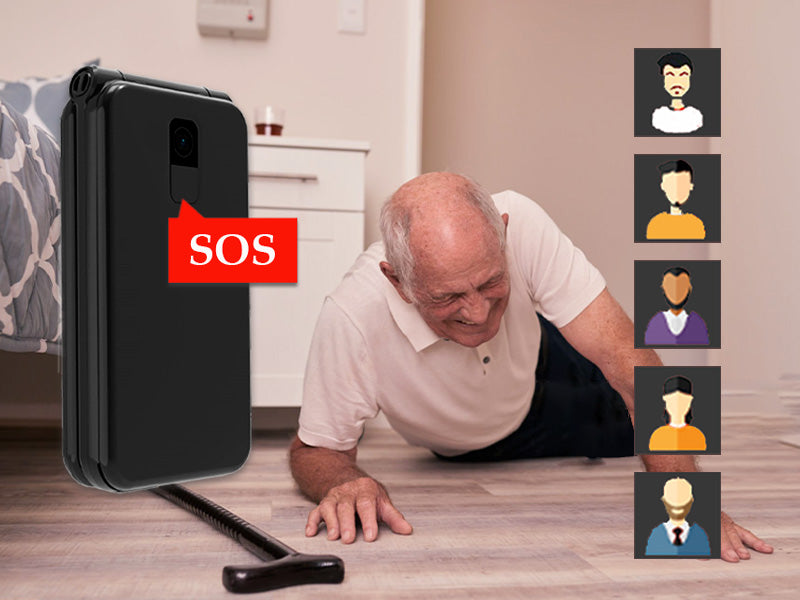
Notfallhilfe-Button
Der SOS-Knopf am TTfone TT760 sorgt für schnelle Sicherheit, falls etwas passiert. Drücken Sie ihn, dann ruft das Telefon Ihre gespeicherten Kontakte an und sendet ihnen eine SMS, damit Familie, Freunde oder Pflegekräfte erfahren, dass Sie Hilfe benötigen. Sie können bis zu 5 SOS-Kontakte speichern. Der SOS-Knopf ruft nicht den Rettungsdienst an. Wählen Sie in lebensbedrohlichen Notfällen immer 999 oder 112.
-
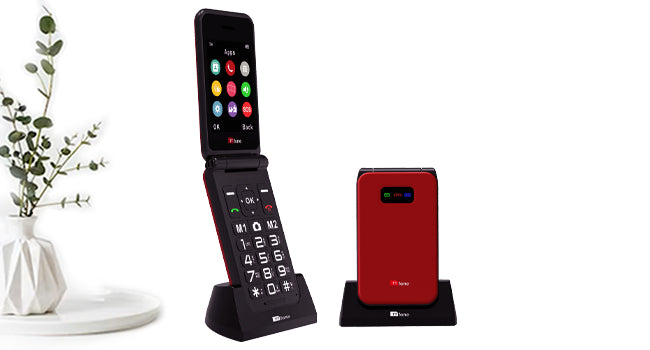
Einfaches Aufladen
Für einfaches Aufladen ist für das TT760 ein Dock-Ladegerät erhältlich, mit dem Sie das Telefon bequem auf Ihrem Schreibtisch aufladen können, sodass es stets einsatzbereit ist.
BITTE BEACHTEN: Das Dock-Ladegerät ist separat erhältlich.
-
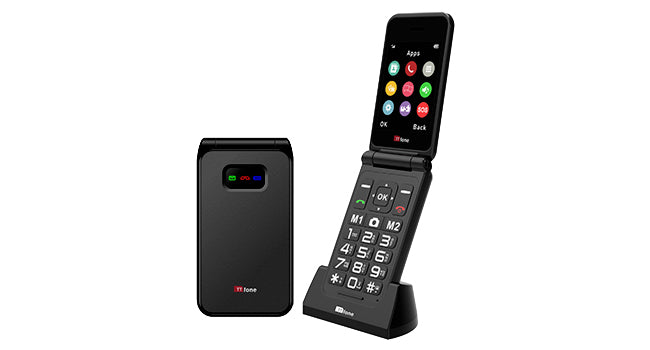
Anrufmanagement
Die Klappfunktion des TT760 ermöglicht zudem ein einfaches Anruflmanagement. Der TT760 ist durchdacht mit großen Tasten gestaltet, was ein müheloses Wählen gewährleistet und das Risiko von Fehlbedienungen reduziert. Die Sprachansagetasten bieten eine akustische Bestätigung, führen die Benutzer durch die Funktionen des Telefons und verbessern die Bedienbarkeit.
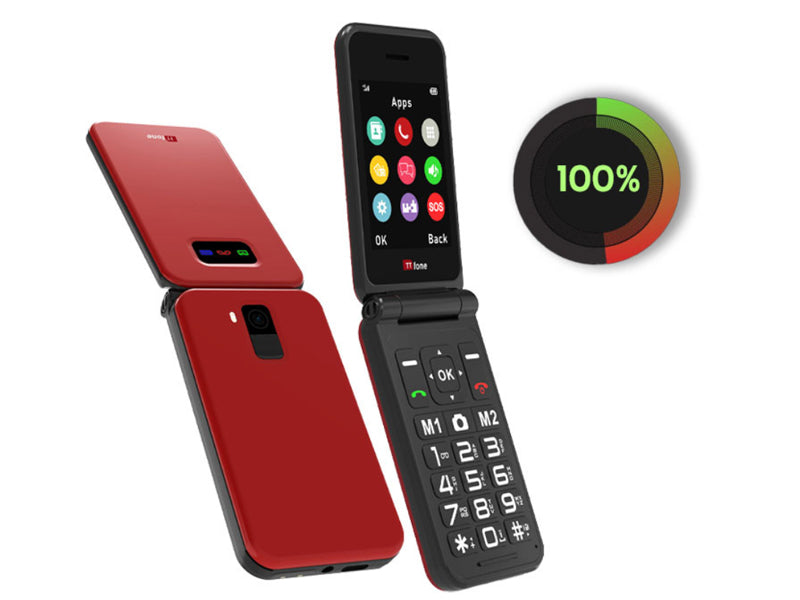
Hervorragende Akkulaufzeit
Das TTfone TT760 wird von einem langlebigen 1000-mAh-Akku angetrieben, der dafür sorgt, dass Sie den ganzen Tag über verbunden bleiben, ohne häufig aufladen zu müssen. Die Taschenlampenfunktion bietet Komfort bei schlechten Lichtverhältnissen, während die Bluetooth-Konnektivität eine nahtlose Kopplung mit kompatiblen Geräten ermöglicht.
Das auf Komfort ausgelegte TT760 passt bequem in Ihre Hand und Ihre Tasche. Seine robuste Konstruktion gewährleistet Langlebigkeit, während die laute Gesprächslautstärke dafür sorgt, dass Sie keinen wichtigen Anruf verpassen.
I got this for my very un-tech-savvy elderly mum. For phone calls, she finds it mostly simple to use using the quick button to call me then closing the flip to end the call. The big buttons have a nice clicky and tactile feel and the numbers are large.She tested the emergency button and first thing it does is sound a loud emergency siren alarm which is very effective. At the same time it flashes the white light torch. A few seconds later, my phone rings. Then a few seconds after that, my phone receives a text message with the default "Emergency Call: I need help!". The message can be changed and up to five numbers can be called in a sequence.The phone is great for those vulnerable needs and very effective.However, the phone falls short on text messaging, which is a mighty pain, half works and illogical. Firstly, the keypad, although illuminates, needs to stay illuminated while writing a text message. It only stays on for default 10 seconds and maximum 20 seconds. Then it's dark so the letters are incredibly hard to see, even in bright light. Texting is slow and sending to a contact has illogical steps. If selecting to write a SMS through the menu, you can't actually fill in the "To:" field with one of your existing contacts, making it a pointless route. Instead, you have to1. select "Contacts" on home screen2. Select "Options"3. Select "Write Message"4. Select "SMS"5. write your text6. select "Options"7. Select "Send"It's a bit much just to send a text message. My mum eventually manages to send a text message, but she is justifiably very put off by the process of messaging.It's nice that there is a camera but wow, what an awful camera, worse than the first generation 2mp cameras of two or three decades ago. Such an insult to the poor elderlies who will feel unworthy of a half decent camera.
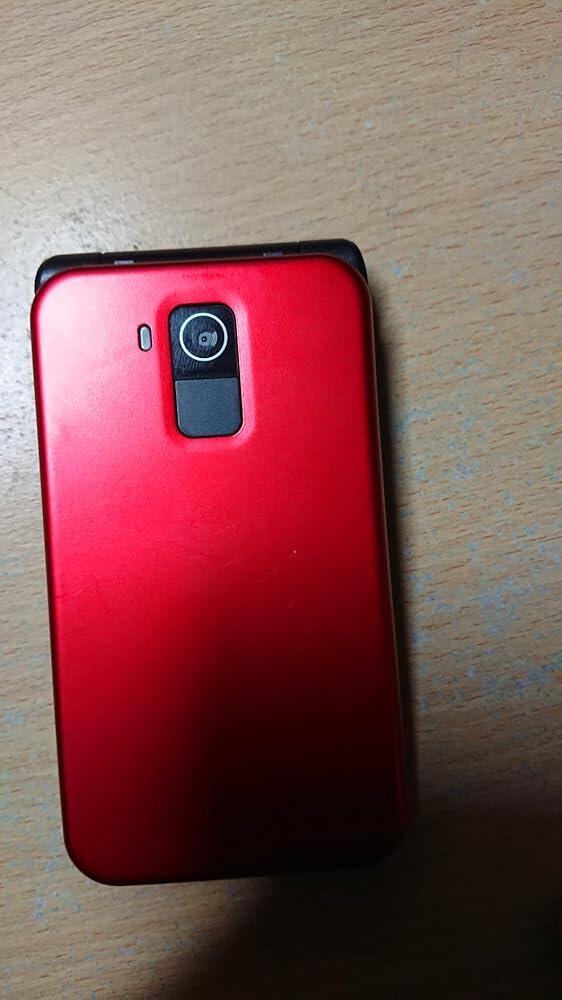
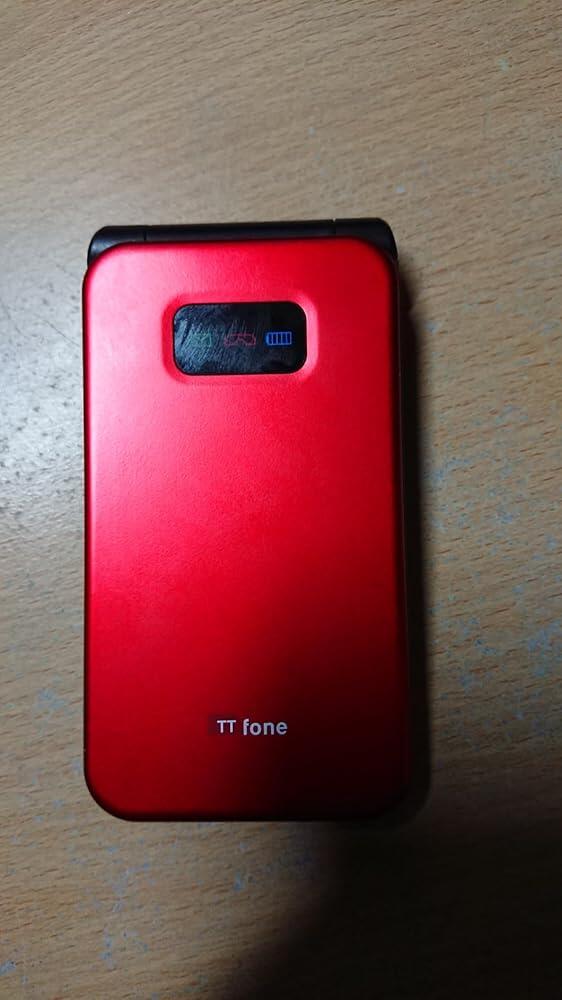


I’ve had a few flip phones that are designed for the elderly or those with reduced motor function and this is by far one of the best.I’d still suggest getting the dock version but this at least has USB type C charging which is easier to get in to the phone.This phone gets a lot right. It’s loud. It’s bright. The keypad has haptic (vibration) feedback and is back lit. It’s reads out the numbers dialled. It has an SOS feature. It’s easy to open and close. The messaging isn’t too fast when typing and gives you time to do it. Not all phones like this have these features.It has a camera that is best described as a camera from 2014. Its placement is not ideal as gripping the phone gets in the way of it. The directional buttons are surprisingly small and this isn’t ideal.That said, it’s easy to use and has a lot of good going for it. It is easy to talk on, has a small screen to flash up for messages if you didn’t hear them. It’s not perfect but is definitely better than the others I’ve had.
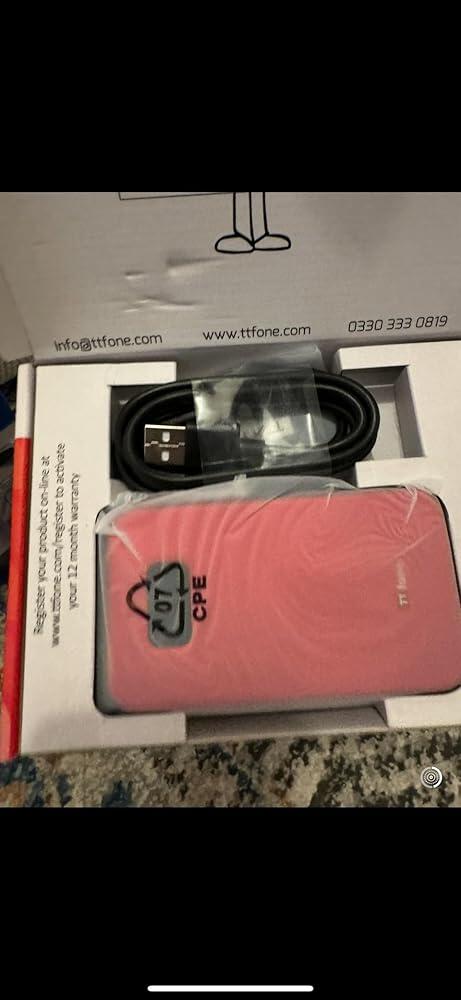
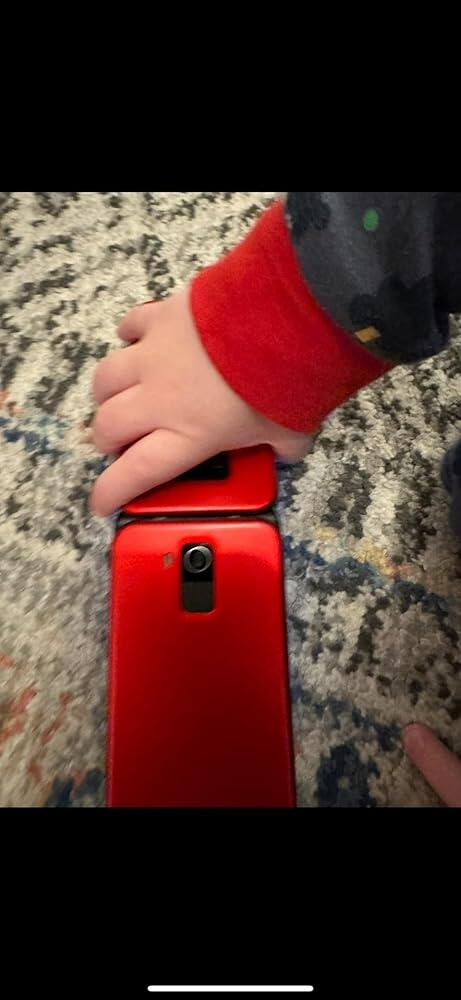


As I stated in my previous review, this is one brilliant phone you can use on any network as long as you have 4G Volte available It works brilliant on three smarty ID Mobile Vodafone Tesco Sky etc .. if you go into phone settings and scroll down, you will see 2G 3G and 4G and Volte just tick the box and you’re done…

Thank you for sharing your experience and helpful tips. We’re delighted to hear you’re enjoying the phone and that it’s working well across different networks with 4G VoLTE enabled. Your advice will certainly be useful to other customers.
— TTfone Team
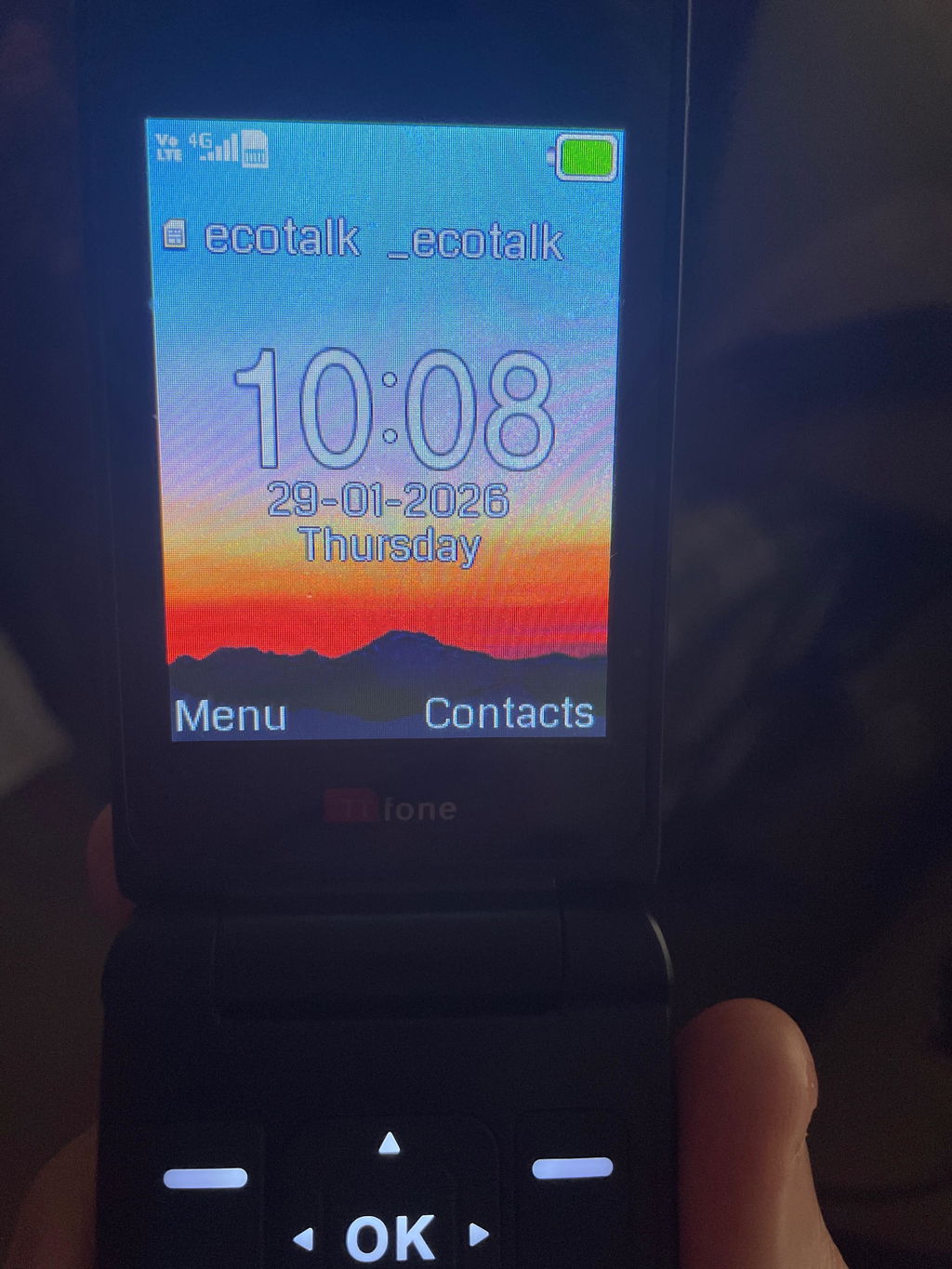
A little dubious, I decided to order this phone ideally for the car so I can switch off my iPhone and save distractions it has a brilliant vibration. It has 4G Volte Calls ( Voice over LTE ) the ringtones could be a little bit more better but it works. I paid £49.99 because I wanted the cradle. Which sits on my desk it’s brilliant little phone. It has a microSD slot for 32GB which is amazing in itself it does have an opera lite Internet but don’t bother it it’s not good. It’s just for calls and texts for emergencies in the car if you’re gonna be late if you’re stuck in traffic for a family meeting or cars broken down etc HOWEVER here is something it is good for there is a button on the back by the camera. Yes it does have a camera. It’s not a very good it’s BGA take you back to the 90s but he’s something brilliant my nieces who are in their teens have bought this phone so they could call back to their parents. Their friends have bought this phone cause there’s a button at the back which is an emergency SOS button. This bone is originally for the elderly however my nieces have found out that if they’ve followed Home or followed around by people, who they are uncomfortable with oppressor the button for an emergency and their father will be there within minutes so it’s brilliant for ladies who feel uncomfortable being followed by boys/ men there are five numbers you can have as an emergency Mum dad brother whoever it may be it’s worth worth the £49. Peace of mind for the car doesn’t come with the car kit although there is one available brilliant piece of cake for the brilliant price there is a leather case you can purchase separately. It does come with a plug you can do two things you can get it on Amazon or you can get it on TT phone website is a basic brilliant phone with the added bonus of an SD card and Bluetooth and it has a Radio but please note the radio only works with a corded wired earpiece as it accesses the antenna you can use earbuds they do work tested on Motorola earbuds and it works doesn’t work with Apple ones …. Very very impressed this little belter reminds me of 90s the signal is amazing on EE you have to switch on the Volte settings when you’re going into the settings part of the phone once that’s on the signal is solid.. as 2G and 3G are being switched off when going into the phone? There is a sounds and profiles button where you will find normal silent meeting and then your own sound profile 123 and four so you can set your own one up press that to get into settings amends ring settings, adjust volume ring type and other alerts there is also the SOS button in the settings you’ll see core settings phone settings display security network settings key vibrate and voice dial there’s called divert waiting called barring ID and fixed dialling numbers. You can also have the flip answer the call and to end the call just turn the flip down all you know it’s an amazing piece of cat for £50. People have said that there’s no VOLTE on the phone which is VoiceOver for GLTE. There is it? It’s there. You just have to find it to switch it on brilliant for the car. You can carry it around it as light as a Feather. I normally carry mine around in its leather case when I’m taking the dogs out for a walk it’s weightless Customer services have been absolutely amazing. They are brilliant at helping you one of the best phone companies I’ve ever come across. I’m waiting to get the 1970 now which is a 4G touchscreen flip phone clamshell which is more powerful than this one. I just wish there was some more decent ringtones however it does it Job and it’s worth every penny if you don’t use the phone it has a week on standby.
Thank you for taking the time to share such a detailed and insightful review. We’re delighted to hear how well the phone has met your needs, from 4G VoLTE calling and reliability in the car, to the SOS feature providing peace of mind for your family.
It’s great to know you’re enjoying the practical design, lightweight feel, and added features such as the SD card support, Bluetooth and cradle. We also really appreciate your honest feedback on areas like ringtones and internet use — comments like these are invaluable for future improvements.
We’re especially pleased to hear your positive experience with our customer service, and we truly value your support and trust in TTfone.
— TTfone Team
I have tried three different New Sim cards in this phone, ( 1p mobile, nsnda, and Labara) none of them work, all I get on the screen is either, No service, Emergency calls only or Registering, an absolute waste of money and useless phone, it's now sitting in my drawer and I'm sure soon destined for the rubbish bin.
I was a little hasty in my review purely out of frustration, I am pleased to say the problem with the sim cards has now been resolved thanks to a gentleman at Tesco Mobile and the phone is working as it should and is proving to be very good value for money , I would now say it is a perfect phone for any elderly person who only need minimal use.
Also TTfone service team were very kind and helpful.
Thank you for your feedback. We’re sorry to hear about the issues you’ve experienced with the phone and apologise for the frustration caused.
This is certainly not the experience we want for our customers. One of our team members has reached out to assist you, and we would be happy to investigate the issue further to determine whether there may be a network, setup, or device-related problem.
We appreciate you bringing this to our attention and hope we can help resolve the matter for you.
— TTfone Team
Got two thought they were top but sending a txt is stupid pressing different buttons whoever programmed it wants sacking all and every phone on the market texting is easy bot this you press ok then other button ooo fed up it's driving me mad rubbish
Thank you for your feedback. We’re sorry to hear that you’re finding the texting process frustrating, and we apologise for the inconvenience caused.
Your comments are important to us and will be shared with our team for review. If you would like assistance with sending text messages on the phone, our support team would be happy to help guide you through the process.
— TTfone Team
I had initial problems setting up the phone but once sorted all works very well
Thank you for your feedback. We’re glad to hear that the initial setup was sorted, everything is now working well. If you need any further assistance, our support team is always happy to help.
— TTfone Team
great phone to use, nice and user friendly
Thank you for your kind feedback. We’re delighted to hear that you find the phone easy to use and user-friendly.
— TTfone Team
Brilliant phone reception with this new phone - previously on my 3G TT phone very sketchy reception. The new phone is all I need - calls and texts as I lead a 'simple' life.
Thank you for your feedback!
We’re pleased to hear you’re enjoying the improved reception and that the phone suits your needs perfectly.
-TTfone Team.
Love it
Thank you for your lovely feedback! We’re so happy to hear that you love the phone.
— TTfone Team
Good so far , for elderly mum
Sturdy - big buttons - bigger and clearer screen - do not have to have a lot of electronic knowledge to operate itAll in all a good buy
Super très bien 👍🏻
First class would recommend for an older person ,I ordered it as my phone has gone to 4G,easy to use and set up,value for money,thank you amazon
Carino e semplice va bene per chi ha difficoltà con gli smartphone del momento
Not at all easy to use for elderly. Only had just over 12 months and completely stopped working
Having lost my phone (in a flooded field) I needed a replacement and decided that I didn’t need a smart phone. This flip phone is neat and compact but, oh my goodness, it has very limited use. As a phone for voice calls the sound quality is very poor, especially in hands free mode. As for texting - if you have used a smart phone for any length of time you will probably have forgotten the process of having to repeatedly press a key to go through the uppercase-lowercase-number-character options. It took an age to send “on my way” text to a friend (I might have arrived on time of I hadn’t stopped to text!) and the keys aren’t particularly responsive.The internet capability is non-existent, even though the phone is supposed to have ‘basic’ internet connectivity. I couldn’t even get it to connect when I was at home linking to my home internet. It would be useless in an emergency.Overall, it looks good but has very poor performance.
He loves it
For the price I have had 3 different makes including the Nokia so called 2660 and this'll beat them all and it's cheaper after a month I have gone off it hardest phone ever to send a txt fed up got a easyphone ten times better you don't have to keep pressing the ok button on this the tt is rubbish
Light to carry in pocket around the house outside etc. camera is not at all good
Only visually inspected, as bought for a 88 year old senior for his soon due change of service provider. All seems O.K. though.
Not very good
Bought for an elderly lady