
TT220 Tech Talk: Was steckt drin?
💡 Kurzer Überblick
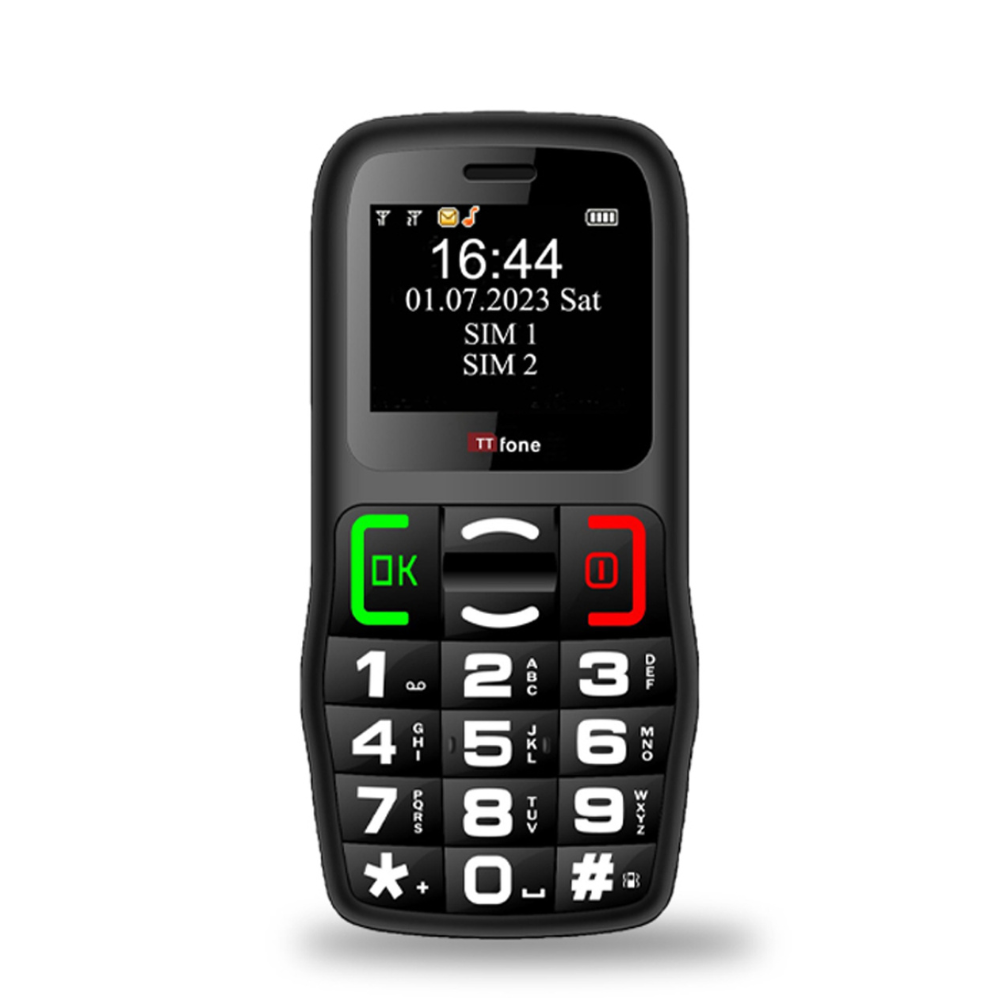
- Design? Klassische Form eines Bonbons – leicht zu halten, einfach zum Verlieben
- Sprachen? Englisch, Französisch, Spanisch, Deutsch, Italienisch und Arabisch
- Trageband kompatibel? Ja
- Touchscreen? Nein, Menüführung über Tastatur
- Bildschirmgröße & Displaytyp? 1,77" Farb-TFT
- Bildschirmauflösung 240*320 Pixel
- Vorhersagende Texteingabe? Nein – nur klassische Tastatureingabe
- Tastaturbeleuchtung? Ja
- Sprachtasten? Ja, menschliche Stimme für die Zifferntastatur
- Schnellwahl? Ja, einstellbar von Nr. 2 - 9
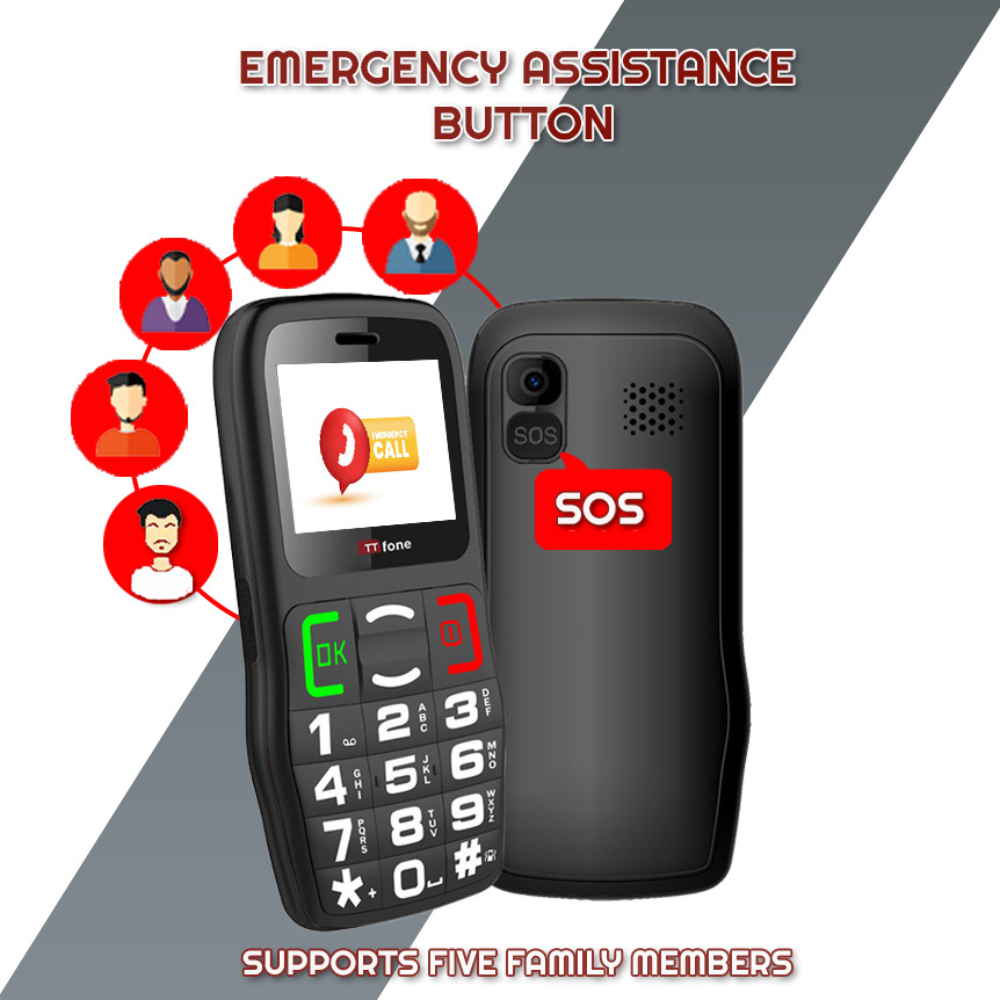
- Notfallalarm-Taste? Ja, als Drucktaste
- Voreinstellung für SOS-Taste? Ja, bis zu 5 Notfallkontaktdaten
- MP3, Radio, Taschenrechner, Wecker & Taschenlampe? Alle enthalten
📦 Speicher & weitere Spezifikationen
- Speicher: 32 MB interner Speicher
- Erweiterbar: Bis zu 32 GB mit MicroSD-Speicherkarte
- Kontakte: Bis zu 300 Kontakte speichern
- (SMS) Textnachrichten: Ja, bis zu 100 SMS (normale Textnachrichten)
- Kamera? Nein
📐 Abmessungen & Gewicht
- Höhe: 11,7 cm
- Breite: 5,7 cm
- Tiefe: 1,5 cm
- Gewicht (mit Akku): 73,8 g
🔋 Stromversorgung & Aufladen
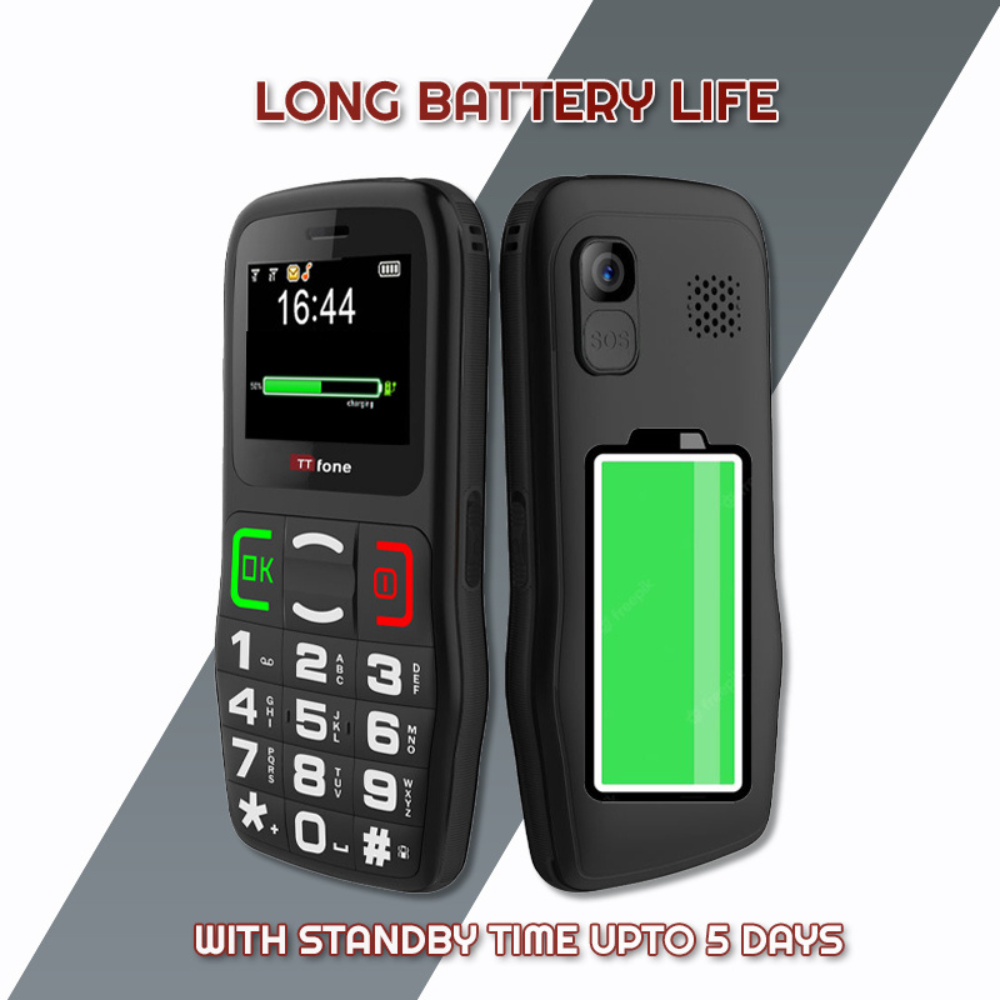
- Akku: Li-Ionen-Akku 600 mAh V2.1 - bis zu 5-7 Tage Standby
- Sprechzeit: Etwa 5–6 Stunden
- Ladegerät: USB C (endlich!)
- SAR-Wert: 1,265 W/kg
📶 Telefonie & Netzwerk
- Frequenzband: GSM: 850/900/1800/1900
- Dual SIM? Nein
- SIM-Kartengröße: Standard
- WLAN? Nein
- Bluetooth? Ja
- Anzahl der Klingeltöne? 97 Klingeltöne
- Klingellautstärke 104 dB
- Anruflautstärke 80 dB
- Lautstärke des Freisprechers 90 dB
🌐 Smart-Funktionen – Nicht auf diesem Mobiltelefon, es unterstützt nur einfache Anrufe und Nachrichten.
📌Möchten Sie das Beste aus Ihrem TT220 herausholen?
Besuchen Sie unsere YouTube-Seite für kurze Video-Tutorials.
❓Moment, kurze Fragen…
❓ Moment, kurze Fragen…
Finden Sie schnell Antworten auf häufig gestellte Fragen zu unseren Dienstleistungen und Produkten:
F1. Wie kann ich TTfone kontaktieren?
Sie können direkt über unsere Website mit uns chatten, indem Sie auf die Chat-Sprechblase unten rechts klicken, oder hier klicken: Chatten Sie mit uns.
E-Mail: Sie können uns jederzeit unter [email protected] erreichen.
Telefon: Rufen Sie uns unter +44 (0) 330 333 0819 an (zum britischen Standardtarif), Montag bis Freitag, 10:00 – 16:00 Uhr.
F2. Welche Versandoptionen bieten Sie an?
Wir bieten Kunden im Vereinigten Königreich 2 Lieferoptionen an:
- Standardversand: 4 bis 7 Werktage — KOSTENLOS
- Expressversand: 1 bis 2 Werktage (gegen Aufpreis)
Bestellungen, die vor 14:00 Uhr aufgegeben werden (Montag bis Freitag, ausgenommen Feiertage), werden noch am selben Werktag versandt.
Für Lieferungen außerhalb des Vereinigten Königreichs und der EU können Einfuhrzölle oder lokale Steuern anfallen, die vom Empfänger zu zahlen sind. Wir prüfen vor dem Versand die Verfügbarkeit des Kurierdienstes für Ihr Zielgebiet. Sollte der Service nicht verfügbar sein, behalten wir uns das Recht vor, die Bestellung zu stornieren und eine vollständige Rückerstattung zu leisten.
F3. Wie lange ist die Garantie für das Telefon?
Brandneue Mobiltelefone:
- 1 Jahr Garantie: TT170, TT175, TT220, TT240, TT300, TT660, TT750 und TT950.
- 2 Jahre Garantie (ausgewählte Modelle): TT150, TT190, TT280, TT290, TT760, TT880, TT890, TT970 und TT990.
14 Tage Rückgaberecht / Angebote für generalüberholte Geräte:
- ✔ 30 Tage Rückgaberecht
- ✔ 3 Monate Servicegarantie
*Die Garantie deckt Herstellungsfehler ab und schließt physische Schäden oder Schäden durch Flüssigkeiten aus. Gesetzliche Verbraucherrechte bleiben hiervon unberührt.
F4. Wie registriere ich die Garantie für mein TTfone?
Sie können Ihr Produkt ganz einfach online registrieren, indem Sie unser Formular hier ausfüllen: Registrieren Sie Ihre TTfone-Garantie.
F5. Wie lange habe ich Zeit, ein Telefon für eine Rückerstattung zurückzugeben?
Wir bieten ein 30-tägiges Rückgaberecht, wenn Sie Ihre Meinung ändern oder der Artikel ungeeignet ist. Kontaktieren Sie uns einfach, damit wir eine Rückgabe-ID erstellen können. Sobald der Artikel versandt und geprüft wurde, wird Ihre Rückerstattung bearbeitet.
*Bitte beachten Sie: Im Voraus bezahlte Guthaben für Mobilfunkzeit sind nicht erstattungsfähig.
F6. Das Design ist einfach, aber ist das Telefon auch einfach zu bedienen?
Absolut! Dank unserer intuitiven Menüführung ist die Bedienung schnell erlernt. Die Menüs sind übersichtlich, sodass Sie finden können, was Sie brauchen, ohne komplizierte Schritte oder endloses Suchen.
F7. Für wen sind TTfone-Mobiltelefone gedacht?
Für jeden! Jeder, der eine einfache, zuverlässige Mobilfunkverbindung sucht, kann von TTfone profitieren. Unsere großen Tasten, Lautsprecher mit hoher Lautstärke, die Sprachausgabe und die einfachen Menüs machen sie ideal für Senioren, Kinder oder alle, die ein ablenkungsfreies Zweithandy wünschen.
F8. Gilt dieses Telefon in Bezug auf SAR und Strahlung als sicher?
Ja. Alle TTfone-Geräte entsprechen strikt den britischen und europäischen Sicherheitsvorschriften und erzeugen niedrige SAR-Strahlungswerte, die für tägliche Sicherheit sorgen.
F9. Was ist im Lieferumfang enthalten?
Jedes Telefon enthält:
- TTfone-Handset
- Wiederaufladbarer Akku
- USB-Ladekabel
- Benutzerhandbuch
*Ausgewählte Modelle enthalten außerdem eine praktische Tisch-Ladeplattform im Lieferumfang.
F10. Welche SIM-Karten kann ich mit TTfone-Telefonen verwenden?
Alle TTfone-Mobiltelefone sind für jedes Netz entsperrt. Bitte beachten Sie jedoch:
- Nur 2G-Modelle: Unterstützen nicht 3, iD Mobile oder Smarty (da diese Netze ausschließlich auf 3G/4G/5G angewiesen sind).
- 3G/4G-Modelle (TT280, TT290, TT890, TT970, TT990): Funktionieren mit allen britischen und europäischen Netzbetreibern.
Wenn Sie das Telefon außerhalb des Vereinigten Königreichs oder Europas verwenden, prüfen Sie bitte bei Ihrem lokalen Anbieter die Kompatibilität mit den lokalen 2G/3G/4G-Frequenzbändern.
F11. Kann dieses Telefon freihändig verwendet werden?
Ja! Bei Modellen mit einer speziellen Freihandfunktionstaste drücken Sie diese während eines Telefonats einmal. Bei anderen Modellen wählen Sie Optionen > Freihand. Diese Funktion eignet sich hervorragend zum Autofahren, Kochen oder wenn Familienmitglieder an dem Gespräch teilnehmen.
F12. Was ist die SOS-Taste auf der Rückseite einiger Mobiltelefone?
Die SOS-Taste ist eine Notfallfunktion, die voreingestellte Kontakte nacheinander anruft und automatisch Notfall-SMS versendet. Sie kann auch einen lauten lokalen Alarm auslösen, um Hilfe in der Nähe auf sich aufmerksam zu machen.
Wichtige Voraussetzungen:
- Eine aktive SIM-Karte muss sich im Gerät befinden.
- Mindestens eine Notfalltelefonnummer muss im SOS-Menü gespeichert sein.
- Das Telefon muss Empfang und verfügbares Guthaben für Anrufe/SMS haben.
F13. Können Klapphandys Anrufe durch Öffnen und Schließen entgegennehmen/beenden?
Ja, alle Klappmodelle von TTfone unterstützen die Einstellung „Anruf durch Aufklappen“ für herkömmliche Mobilfunkanrufe.
Hinweis für 4G-Klappmodelle (z. B. TT970 und TT990): Die Klappfunktion steuert keine WhatsApp-Anrufe, da Drittanbieter-Messaging-Apps eine Eingabe über den Touchscreen erfordern.
F14. Welche Sprachoptionen werden unterstützt?
Alle TTfone-Modelle unterstützen Englisch, Französisch, Spanisch, Deutsch und Italienisch.
Ausgewählte Modelle unterstützen außerdem weitere Sprachen wie Polnisch, Niederländisch, Portugiesisch, Rumänisch, Türkisch, Arabisch, Hindi oder Russisch. Genaue Sprachdetails finden Sie auf den einzelnen Produktspezifikationsseiten.
F15. Welche TTfone-Modelle unterstützen WhatsApp?
Die folgenden Modelle mit Smart-Funktionen unterstützen WhatsApp-Nachrichten und -Anrufe:
- TT280
- TT290
- TT950
- TT970
- TT990
F16. Wie kann ich TTfone-Produkte bestellen?
Sie können direkt online unter www.ttfone.com oder telefonisch bestellen. Wir sind auch auf den Websites vertrauenswürdiger Marktplatzpartner verfügbar: Amazon, eBay, TikTok Shop, Temu, OnBuy, The Range und Cdiscount.
*Hinweis: Bei über Partnerplattformen getätigten Einkäufen müssen Rückgaben oder Rückerstattungen über die jeweilige Plattform abgewickelt werden.
F17. Welche Online-Zahlungsoptionen akzeptieren Sie?
Wir akzeptieren Debit-/Kreditkarten (Visa, Mastercard, American Express), PayPal, Apple Pay und Google Pay.
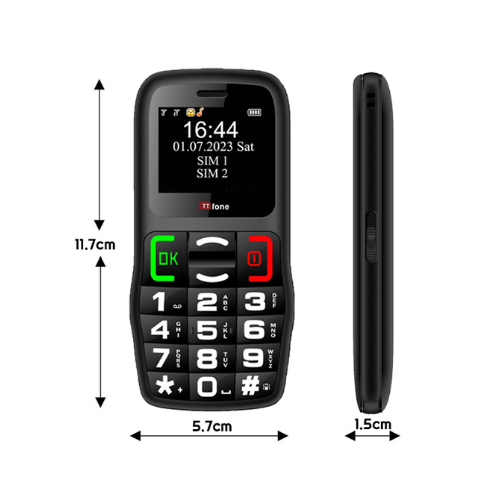
TT220 Abmessungen
- Höhe: 11,7 cm
- Breite: 5,7 cm
- Tiefe: 1,5 cm
- Gewicht (mit Batterie): 73,8 g
-
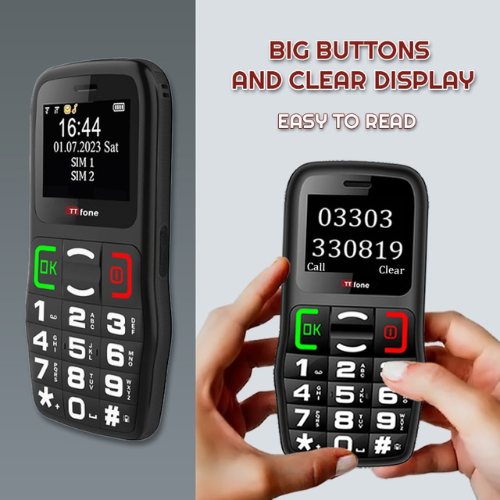
Big Button Mobile
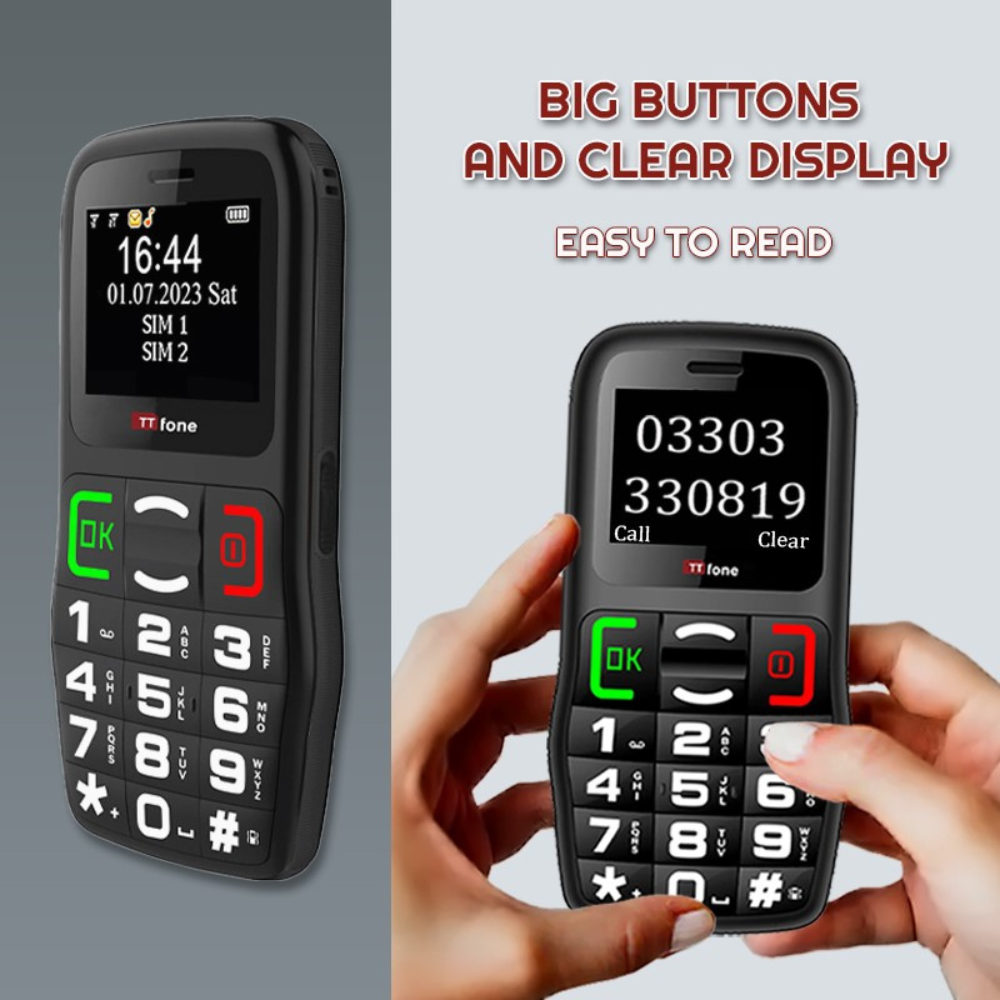
Das TT220 verfügt über große und übersichtliche Tasten, mit denen sich Telefonieren und Texten leicht erledigen lassen. Die Tasten sind außerdem hintergrundbeleuchtet, um die Sichtbarkeit bei schlechten Lichtverhältnissen zu verbessern.
-
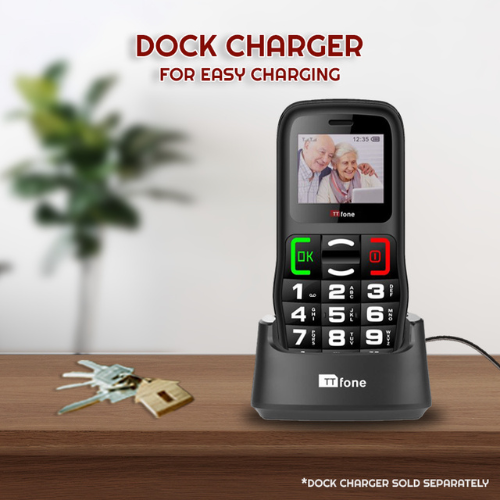
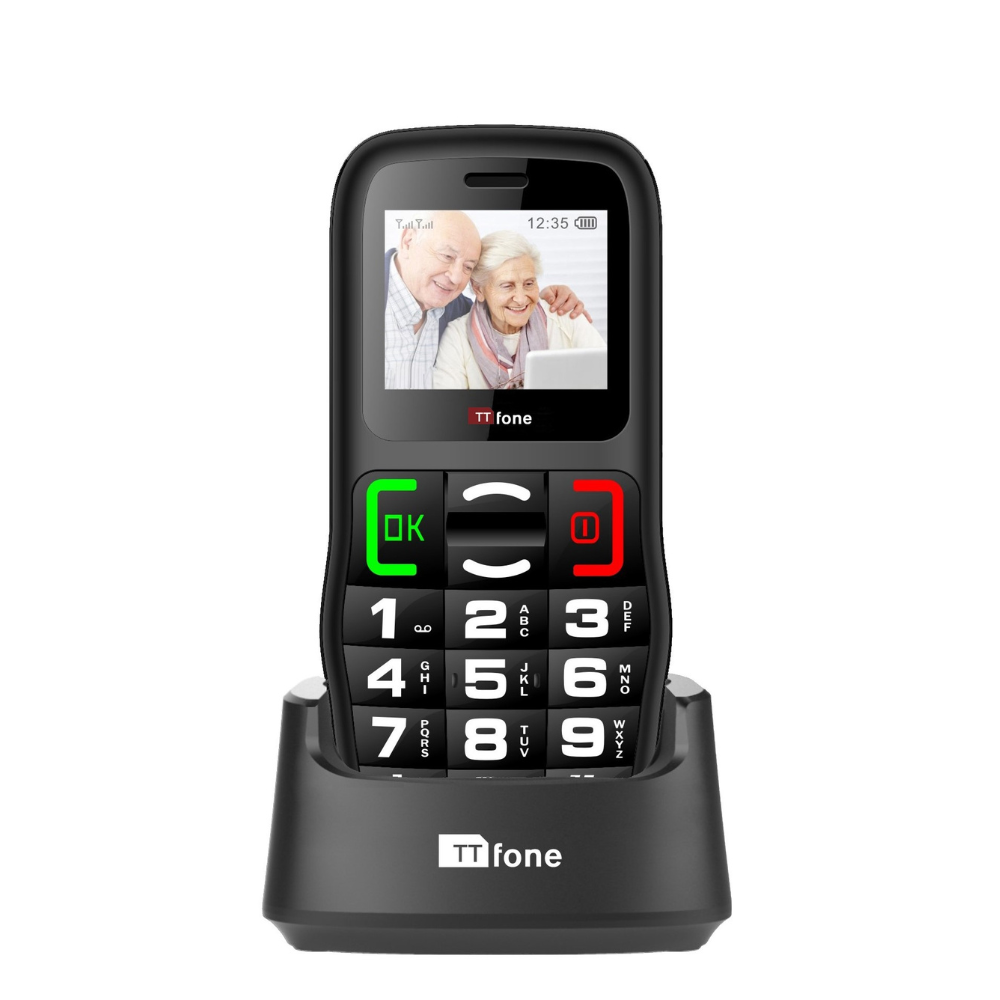
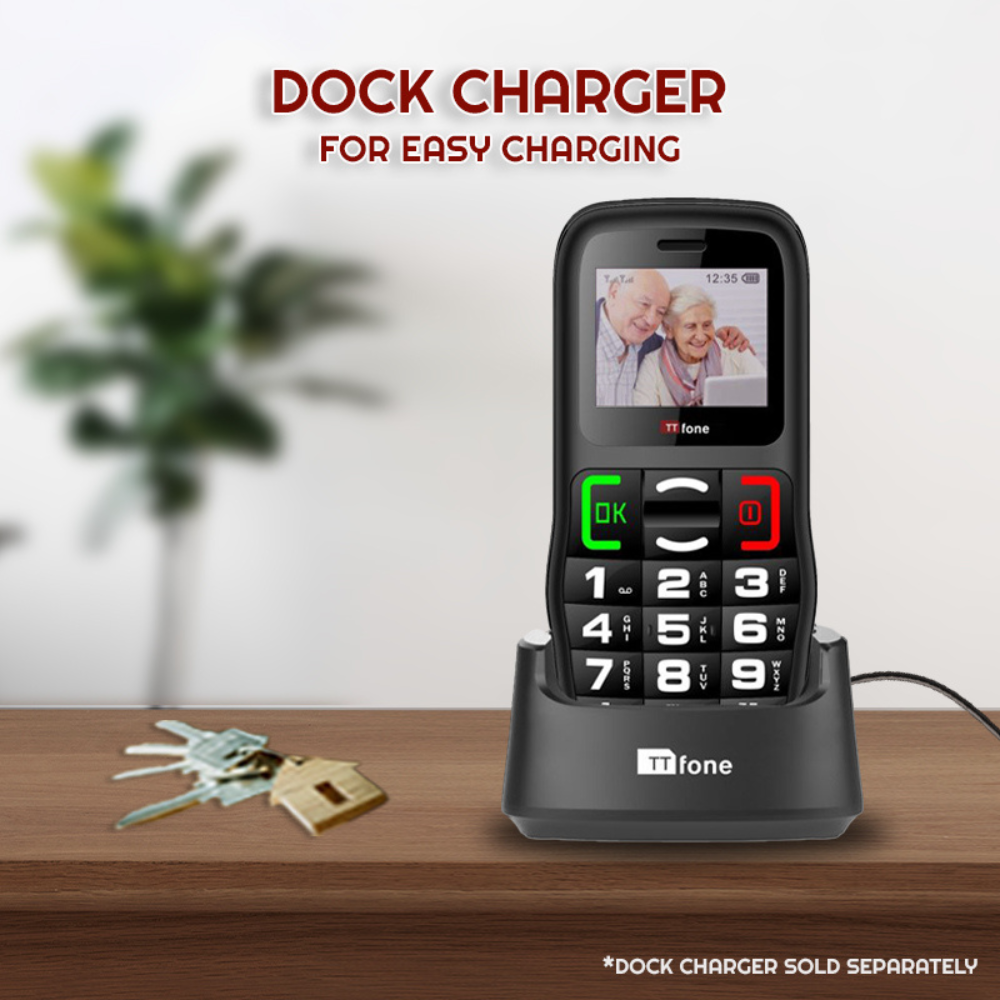
Dock-Ladegerät
Das TTfone TT220 wird mit einer Tischladestation geliefert, die das Aufladen des Telefons einfach und bequem macht. Legen Sie das Telefon einfach in die Halterung, um es aufzuladen. Nehmen Sie es heraus, um den Ladevorgang zu beenden. Keine lästigen Ladekabel mehr, die in winzige Anschlüsse am Telefon eingesteckt werden müssen.Dock-Ladegerät separat erhältlich.
-
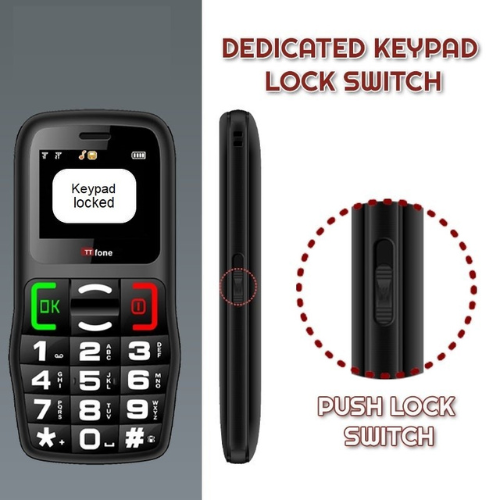
Spezielle Tastensperre
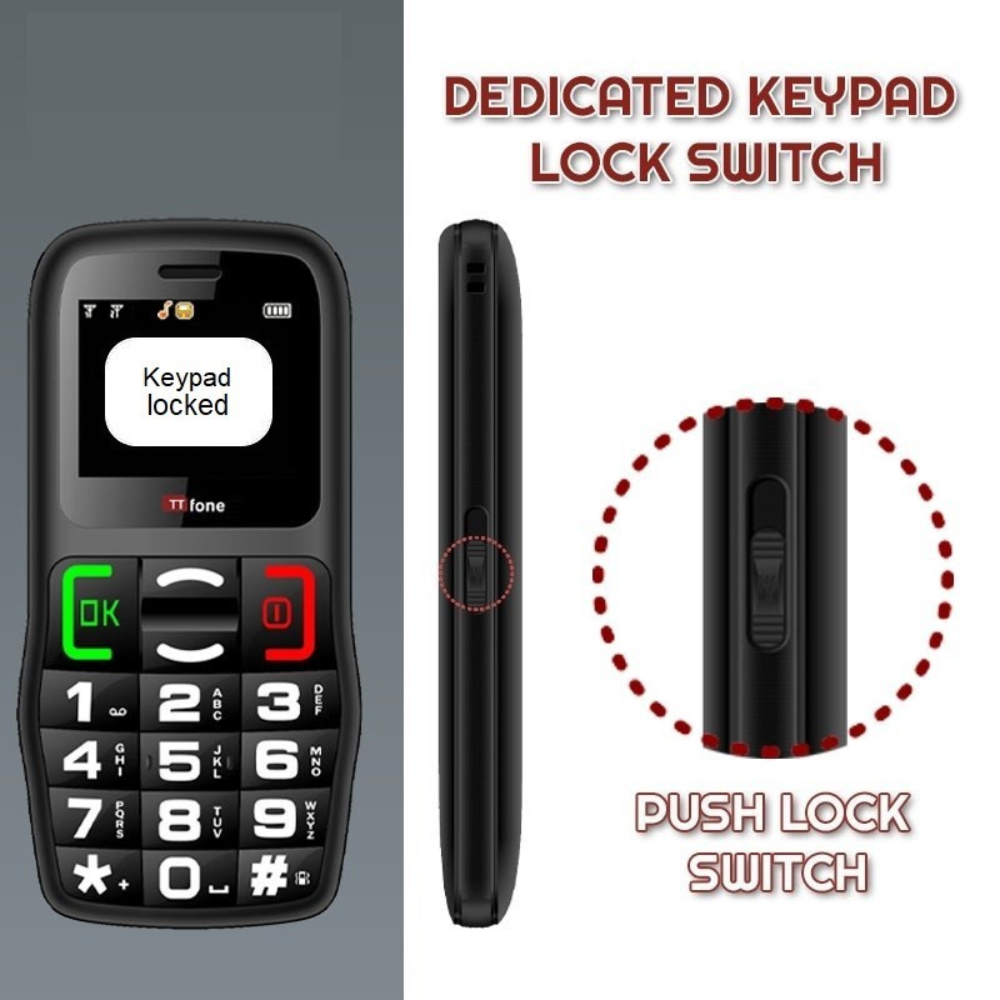
Das TT220 verfügt über einen Schalter an der Seite des Telefons, mit dem Sie die Tastatur einfach sperren und entsperren können. Sie müssen keine Tastenkombination drücken, um versehentliches Wählen oder Senden von Nachrichten zu verhindern. Sie können den Sperrstatus auch auf dem Display einsehen.
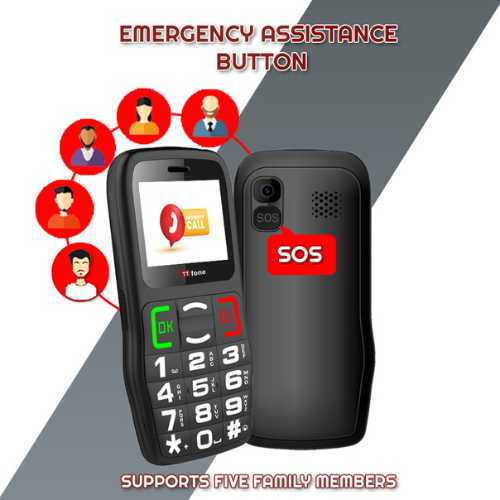
Notfallhilfe-Button
Das TTfone TT220 verfügt über eine Funktion, die dem Benutzer sowie Familienmitgliedern, die sich um sein Wohlbefinden sorgen, echte Sicherheit gibt. Dabei handelt es sich um eine spezielle SOS-Taste, die im Notfall verwendet werden kann. Es kann jede beliebige Nummer programmiert werden, und ein einziger Druck auf die Paniktaste genügt, um diesen wichtigen Notruf abzusetzen.
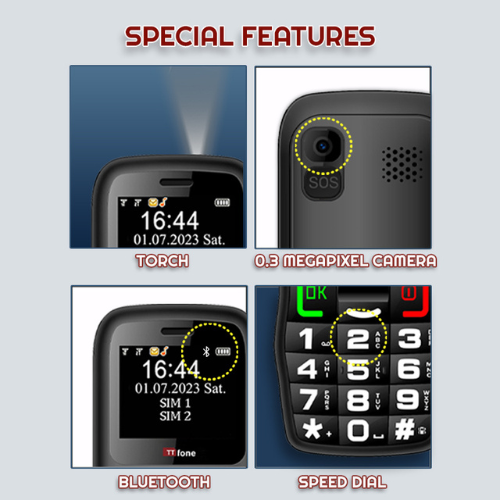
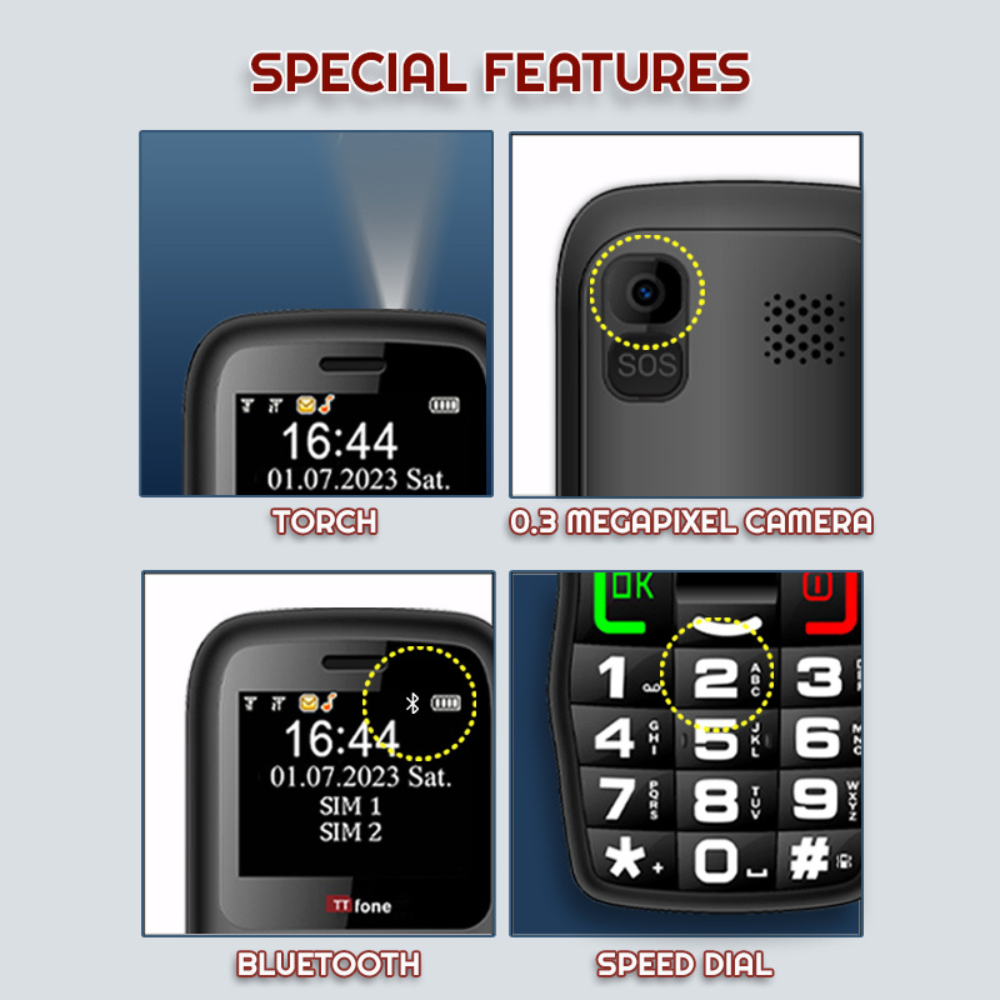
Besondere Funktionen
Taschenlampe: Das TT220 verfügt über eine Taschenlampentaste an der Seite, die ein helles LED-Licht aktiviert, mit dem Sie im Dunkeln sehen können.
0,3-Megapixel-Kamera: Das TT220 verfügt über eine 0,3-Megapixel-Kamera, mit der Sie Fotos und Videos aufnehmen können.
Bluetooth: Das TT220
verfügt über eine Bluetooth-Funktion, mit der Sie das Telefon mit anderen Bluetooth-fähigen Geräten wie Kopfhörern, Lautsprechern oder Freisprecheinrichtungen verbinden können.
Schnellwahl: Das
TT220 verfügt über eine Schnellwahltaste, mit der Sie Ihre Lieblingskontakte den Zifferntasten 2-9 zuweisen können.
My dad suffers from early-onset Parkinson's and really struggles with phones.This makes life much easier and i have set the emergency button to call me so also gives me a little piece of mind.Recommended.
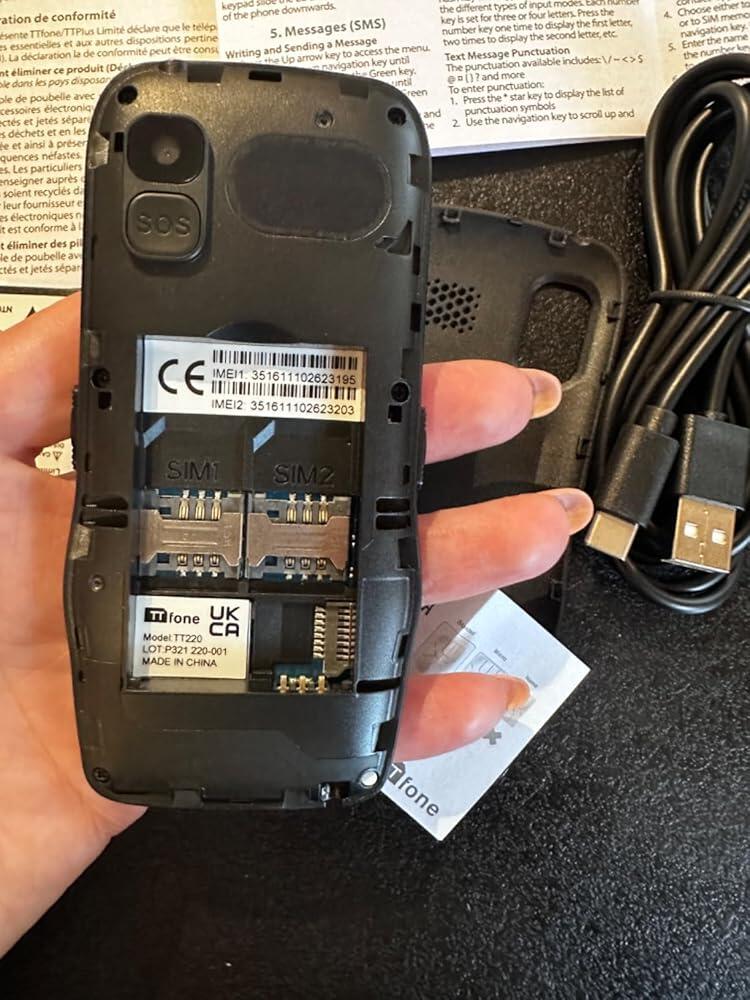
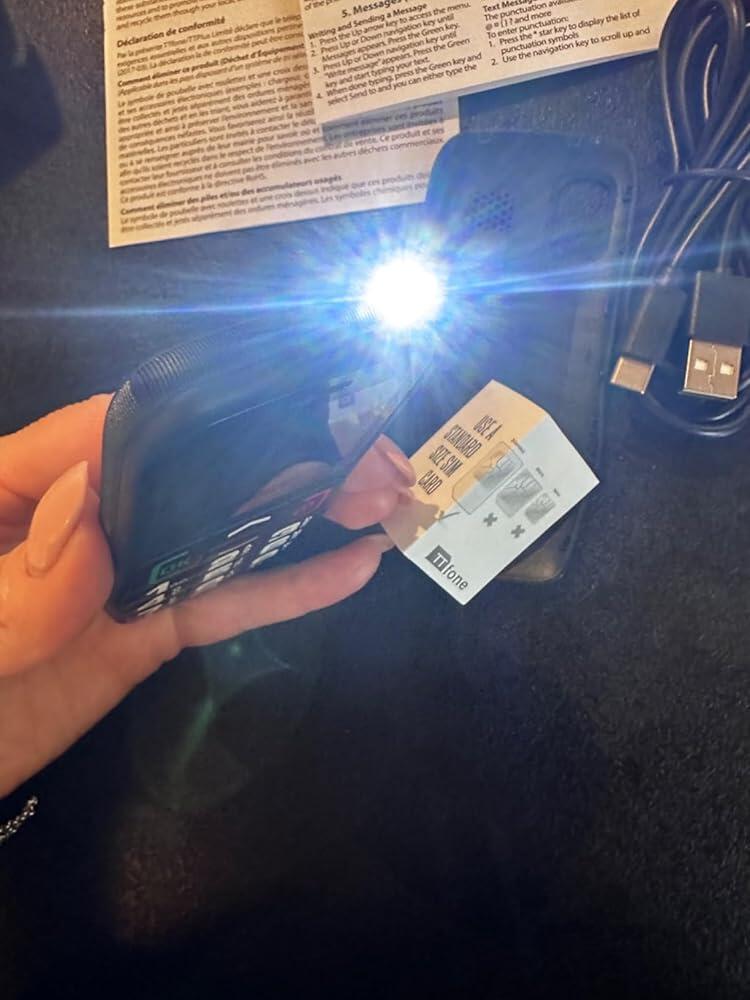


This mobile phone for elderlies i found it to be more complicated that needs to be. Completely unnecessary camera function, as photos are very bad 0.3 megapixel.Yes you can make calls and answer, but all the menu is just not made with elderlies in mind.Okay for a spare phone. Thats all.


Un cellulare fantastico per mio padre anziano . Facile da usare e pratico.
Las teclas parlantes solo están disponibles en inglés yo las querÃa en español por lo cuál he devuelto el producto.
Sencillo, útil, manejable y gran funcionamiento. Rápida carga. Tiene agente de contactos, mensajes, llamadas perdidas, bastante volumen, graduable, ideal para personas mayores.
Tutto assolutamente perfetto, prodotto facile da usare, imballo perfetto e consegna velocissima.
Very light weight simple phone with large keys and the ability to set up for one key dialling. I have set it with my number for an elderly relative to be able to press and call us in an emergency. I ordered the one with just a power lead but now wished I had ordered the one with the docking station so that it is always charged.Just add a simple pay as you go chip and this is an extra safety measure that makes sure my relative can always call for help. Cheap and cheerful but a lifeline for the elderly.
Good battery life, large screen and numbers. Item arrived very well packed, so excellent start, perfect size and more important top quality looks and feels great , for the price can’t fault it, 10 out of 10 from me very happy indeed and would purchase again ðŸ‘
The current selling price of £19.99 makes this large buttoned mobile phone a great buy. It is great for the elderly and those with poor eyesight. It has an emergency assistance button.✅ great battery life✅ big buttons✅ clear display✅ the buttons are also backlit for better visibility in low-light✅ includes torch and camera✅ Bluetooth✅ speed dial✅ What's in the box?• Mobile Phone, Battery, USB-C Cable, User Manual
Great phone for my elderly mom, she’s at a stage that very hard to learn new technology, this phone is much easier to use than touchscreen phone, clear and easy to read display, I was able to set up the network without issues, I would recommend if you want a practical basic phone with an affordable price.
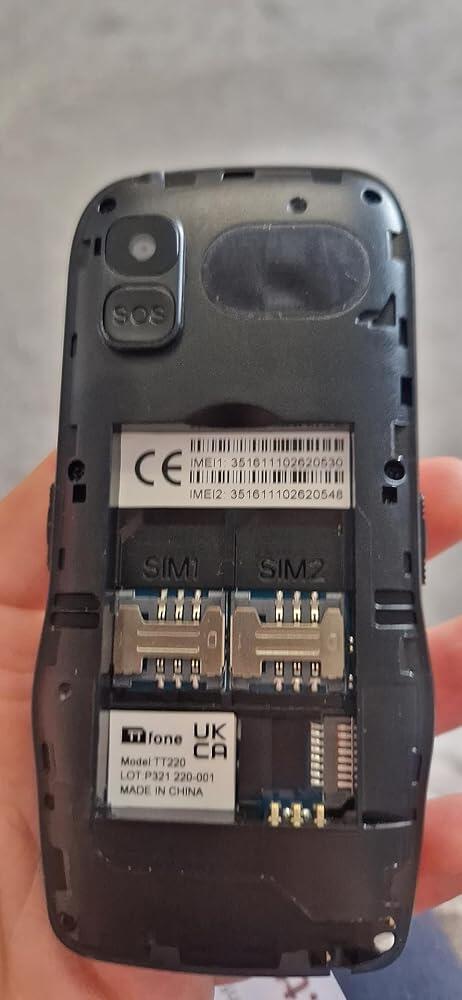
The Build: The build quality is good, strong plastics used in the making of the phone body. The back of the phone was extremely hard to take off, showing signs of good rigid structure and the fact that this is a really strong phone, ideal for the elderlyThe Practicality: you can put up to 2 sims inside. There is an sos function with up to 5 contacts, as well as a speed dial option where you can press and hold the number 2 key for example and it will automatically call the number associated with the number 2.Overall, highly recommended.
I actually got this for my Dad who is not great with technology. He loves it and is able to use it perfectly.The sound quality is very good for the price of the phone and the ring is loud enough to hear when it’s in your pocket.
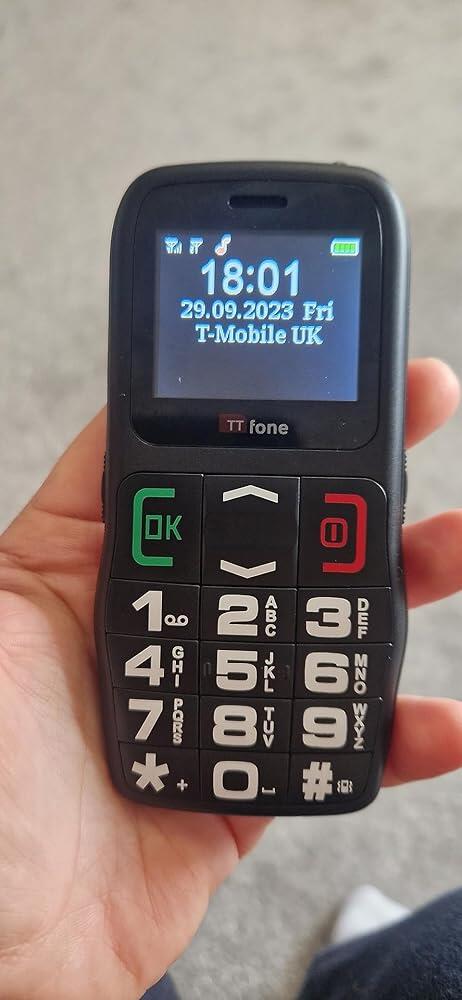
Big buttons and I cannot lie.Other phones can't deny, that this little Diddy phone has junk in the trunk.Construction is strong. Will survive a few drops.Big enough buttons that you can see them without glasses.Works well.Overall my nan was happy with this device.
simple phone
My dad is 90 and not as steady on his feet as he used to be. He still goes out to do his shopping and sometimes to the cinema and so on.He’s come to the conclusion that he should have a mobile phone so that he can contact me in case of emergency. However he’s not very technologically savvy and a typical modern phone would confuse him.This phone seemed like a good option.The buttons are large with bold backlit numbers making it easy for him to use.There’s an SOS button which can be programmed to call a pre-programmed number with just one press.It has eight speed dial numbers which can be assigned to the keys 2 to 9, although I had to programme them for him.There’s an option for the phone to speak the numbers when they’re pressed which would be useful for those with limited vision.There are some features which he probably won’t use and I doubt that many others in the intended users would, such as the 0.3 megapixel camera and bluetooth, plus apps such as SMS messages, audio and video player, calculator, alarm clock, and calendar, although the built in torch could be potentially useful (with a switch on the side of the phone. There’s a keyboard lock switch on the other side of the phone to prevent pocket dials.The display is small by today’s standards but bright and clear with large fonts.The phone is supplied with a USB A-C cable but no charger. Luckily I had a spare charger.The Amazon listing claims that it can accept dual SIMs (the full size variety). There is a space for two SIMs but I only had one SIM so I can’t test it. This also seems an unnecessary feature for most of the intended users.Battery life seems pretty good – They Amazon listing claims a standby time of five days which seems correct.I didn’t test the talk time as I didn’t want to use up the allowed minutes on the pay as you go contract.The sound quality on calls seems about the same as my personal mobile phone.The instruction manual is a roughly A4 double sided sheet, each side with six pages, which means the print is quite small. Given that this phone is mainly for the elderly this seems a bad idea –Luckily their website has a PDF copy to download so I split this up into 12 pages and printed out an enlarged A4 copy.The phone seems quite solidly made which is useful in case it gets dropped.My dad likes it so it will give both of us peace of mind.I’ve given it four stars because of the lack of a charger and the small print on the user manual.
Easy to use,good battery life, value for money and functional.
Very light weight simple phone with large keys and the ability to set up for one key dialling. I have set it with my number for an elderly relative to be able to press and call us in an emergency. I ordered the one with just a power lead but now wished I had ordered the one with the docking station so that it is always charged.Just add a simple pay as you go chip and this is an extra safety measure that makes sure my relative can always call for help. Cheap and cheerful but a lifeline for the elderly.
Bought the phone for my visually impaired brother in his ninetees. Easy to use numbers and very happy with it. The screen keeps popping up with messages. This is a facility he is unable to use but as a phone for making calls it is very suitable.
Got for my dad who's 82, really easy for him to use and the keypad lock button on the side means no more accidental calls
'You get what you pay for' with this phone. Here goes:Nice big buttons but I found the button shape difficult to press cause they are dome shape.Inbox memory too small, need to store incoming calls on sim card.Torch is operated by a slide switch on the side, much better than software operation.Quite a few steps needed to send an SMS message.Very light weight phone.Small screen but adequate.
Excellent, compact handset, no frills just a basic easy to use phone with great crisp audio quality.This phone is ideal for anyone who may need assistance, it's so compact it fits easily inside pockets or dressing gown pockets and you don't really know it's there.The phone is very sturdy which is amazing considering the low rrp, it has been dropped , accidently banged around and yet this has not affected the audio or the buttons.1 thing i found really useful is the large easy to press buttons, making this idea for anyone with limited vision or limited dexterity.Excellent battery life, i was charging this up maybe once every 10 days and that was after making 2 or 3 quick calls , even if you just keep this phone in the car it gives you peace of mind knowing you have a back up phone.Works perfectly well on the 02 network obviously you have to purchase a sim card and keep it topped up but even with that cost factored in this handset offers great value for money.
Generally a good phone for people with limited IT skills or reduced dexterity due to the large keys and display. However, the camera is, in my opinion, an unnecessary feature as it's very low resolution and not easy to use. Whilst the menus are reasonably easy to navigate, the active selection is shown as white text on a yellow background; a poor choice as it lacks contrast, which is needed as eyesight deteriorates with age.
Las teclas parlantes solo están disponibles en inglés yo las querÃa en español por lo cuál he devuelto el producto.
I actually got this for my Dad who is not great with technology. He loves it and is able to use it perfectly.
The sound quality is very good for the price of the phone and the ring is loud enough to hear when it’s in your pocket.
This phone is very simple and really easy to use.
The buttons are big enough.
Easy to set up.
Works well.
Good value.
Telefone muito simples e prático
Quick & easy to set up, my father [poor eyesight & early-stage dementia] can use it without any difficulties & the shape/size is great for a secure hold,and the battery holds up very well.