Zu Produktinformationen springen
1 von 6

TT970 WhatsApp Senioren-Handy mit großen Tasten und Smarty SIM-Karte im Prepaid-Tarif

TT970 WhatsApp Senioren-Handy mit großen Tasten und Smarty SIM-Karte im Prepaid-Tarif

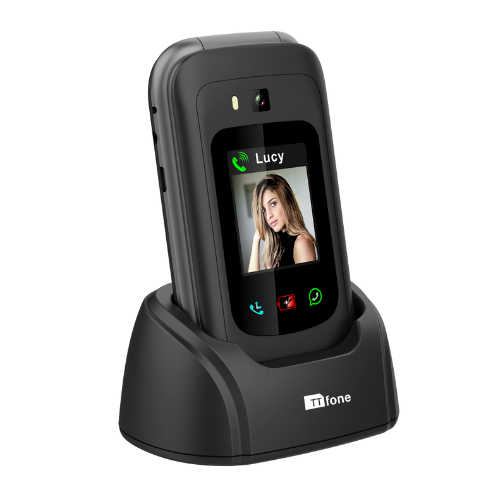
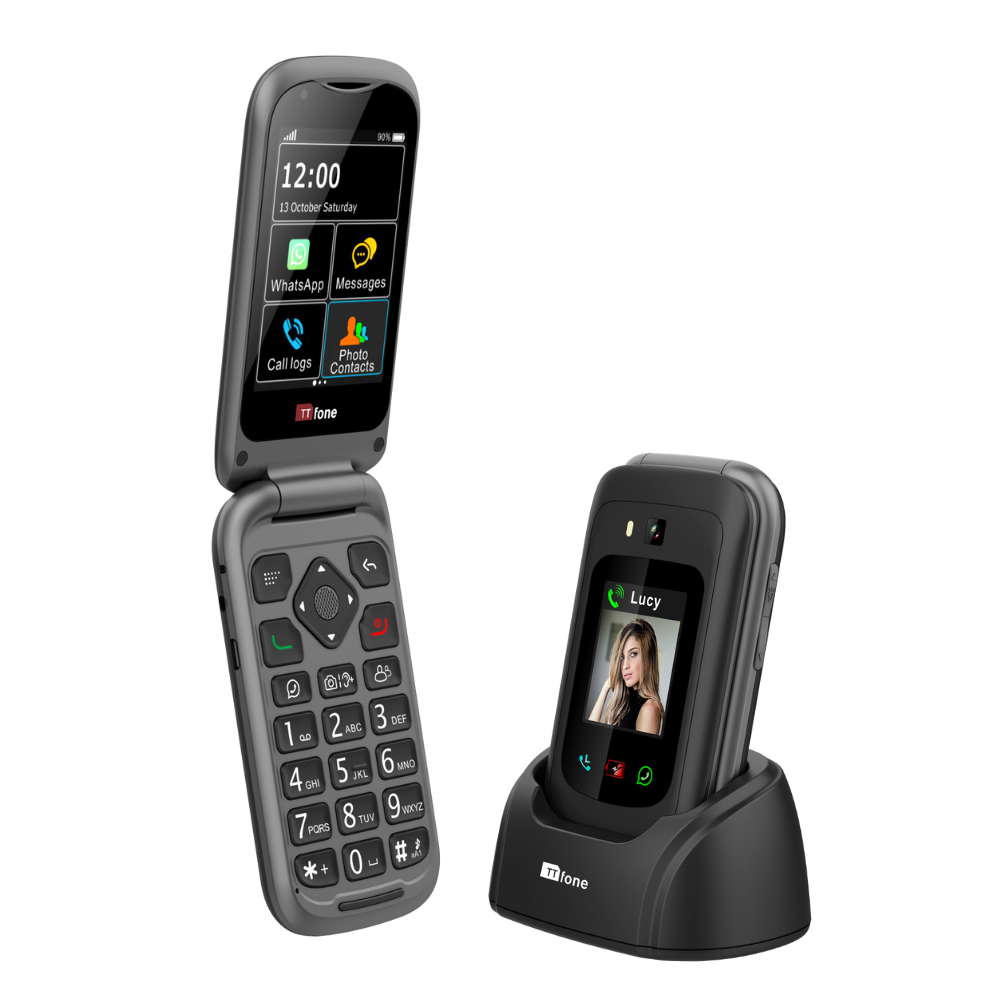
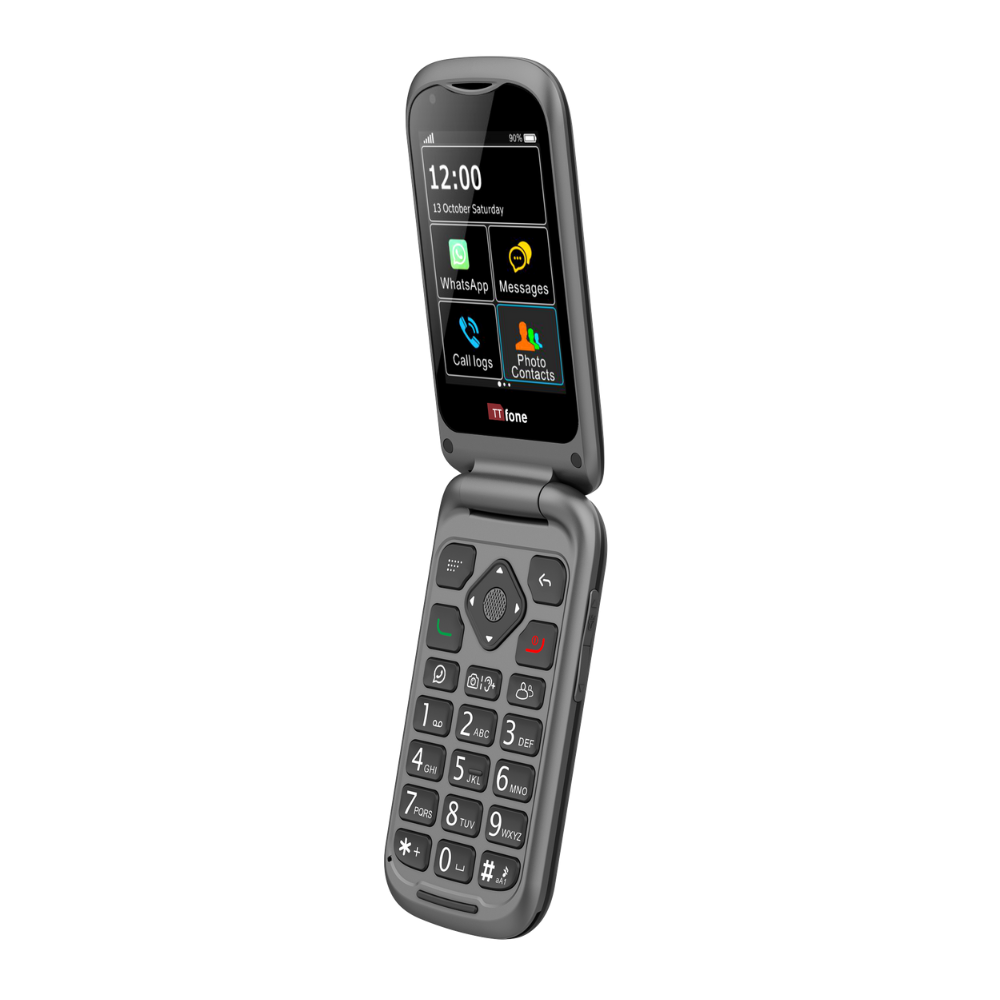
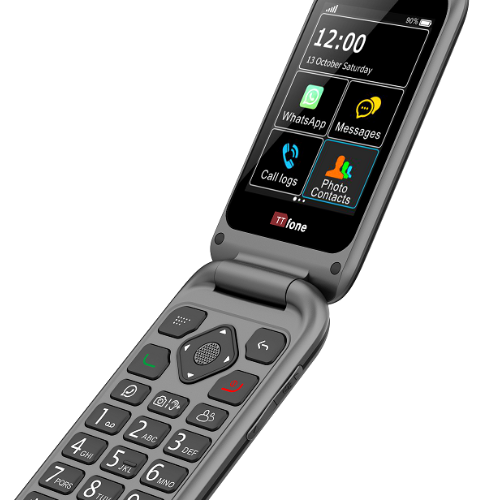
Das TTfone TT970 ist ein einfach zu bedienendes 4G-Klapphandy mit großen, gut tastbaren Tasten, einem hellen Touchscreen, lautem und klarem Klang, einem SOS-Knopf, Foto-Kontakten und einer praktischen Ladestation. Es läuft mit einer vereinfachten Version von Android und vorinstallierten Apps wie WhatsApp und kombiniert moderne Konnektivität mit der vertrauten Einfachheit eines klassischen Klapphandys.
Normaler Preis $148.00 USD
Normaler Preis Verkaufspreis $148.00 USD
Sale Ausverkauft
Inkl. Steuern. Versand wird beim Checkout berechnet
Anzahl

Schnellstart & Bedienungsanleitung

📕 Hier klicken um das Benutzerhandbuch in Englisch, Französisch, Italienisch, Spanisch, Deutsch und Polnisch herunterzuladen

📌Besuchen Sie unsere Supportseite, um ein kurzes Video-Tutorial anzusehen oder das Benutzerhandbuch herunterzuladen.

Vollständige Details anzeigen

TTfone TT970 YouTube Playlist

Hauptmerkmale des TT970

  • WhatsApp-Nachrichten und Anrufe

    Das TTfone TT970 hat WhatsApp integriert, sodass Sie schnell, einfach und sicher kostenlos Nachrichten senden und telefonieren können. Mit einer WLAN-Verbindung oder 4G-Mobilen Daten.

  • Flip mit Dualscreen

    Dank des klappbaren Designs passt es viel leichter in Ihre Tasche. Verabschieden Sie sich von versehentlichen Anrufen, wenn das Telefon in Ihrer Tasche oder Tasche ist.

  • Dock-Ladegerät

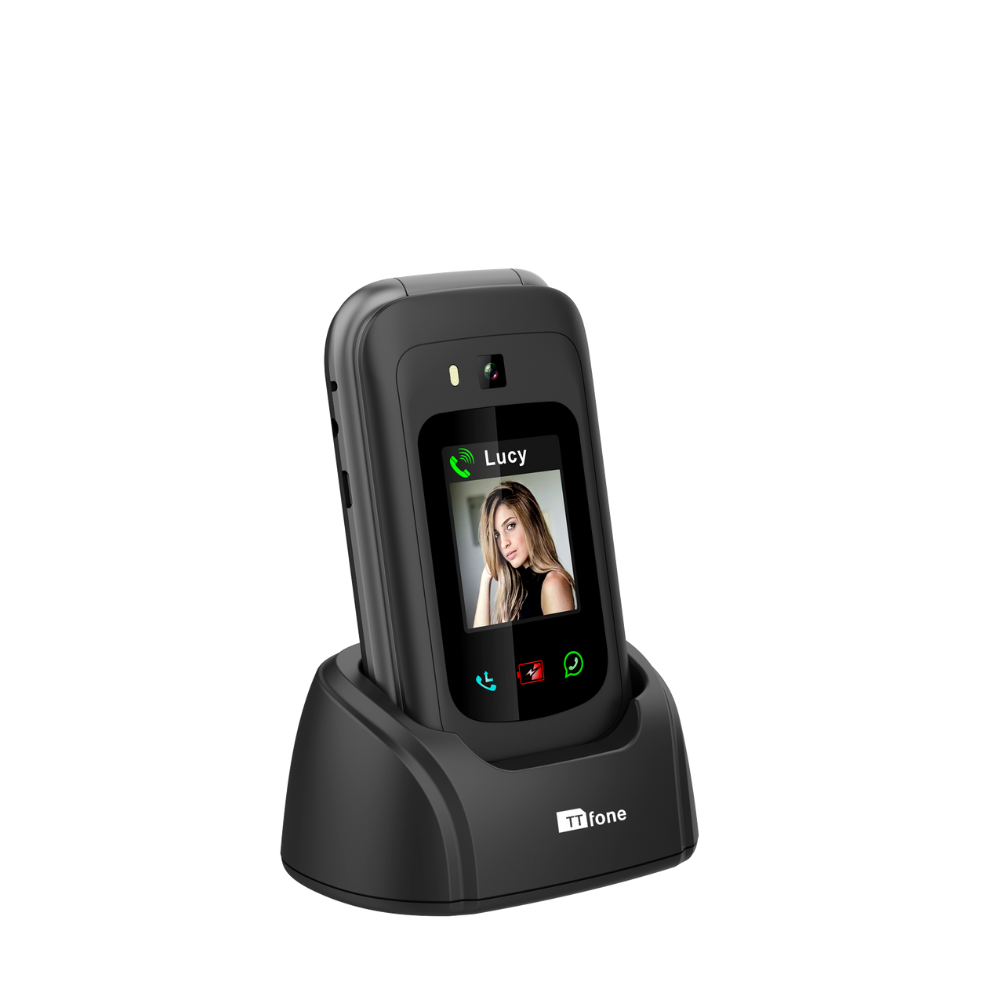
    Das TTfone TT970 wird mit einer Tischladestation geliefert, die das Aufladen des Telefons einfach und unkompliziert macht.

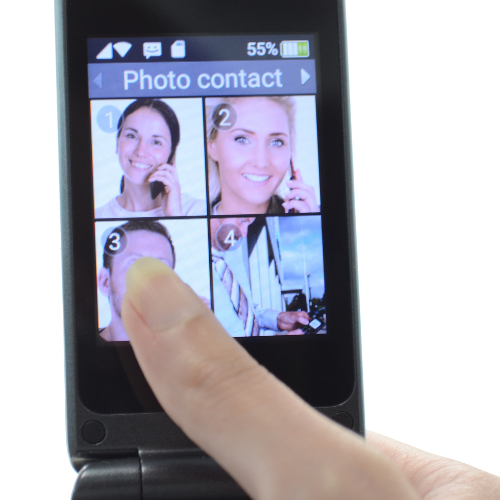
  • Foto-Kontakte

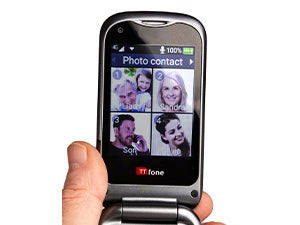
    Foto-Kontakte ist eine Funktion, mit der Sie Telefonnummern in Ihrem Smartphone mit einem Foto der jeweiligen Person speichern können. So ist es ganz einfach, einen geliebten Menschen anzurufen.
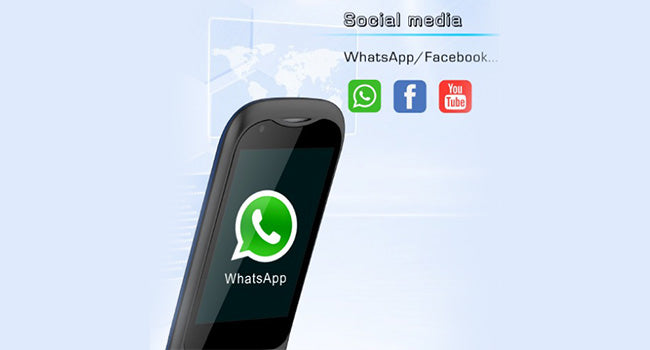
  • Soziale Medien – WhatsApp, Facebook Lite, YouTube

    Das TT970 verfügt außerdem über eine vereinfachte Facebook-App, mit der Sie Messenger-Dienste nutzen können. YouTube und ein Internetbrowser sind ebenfalls für Ihre Unterhaltung vorhanden. Wir haben eine spezielle App für Ihre E-Mails hinzugefügt, damit Sie diese direkt von Ihrem Telefon aus lesen und beantworten können.

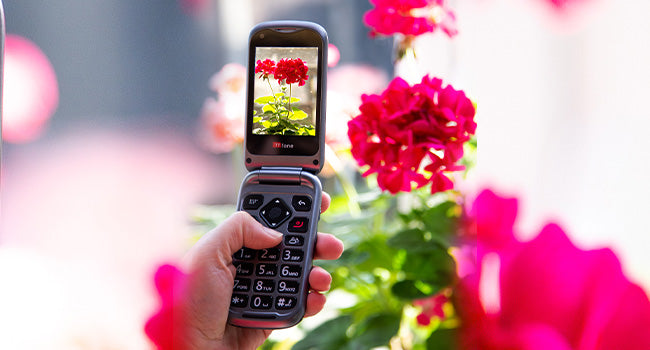
  • Doppelte Kamera

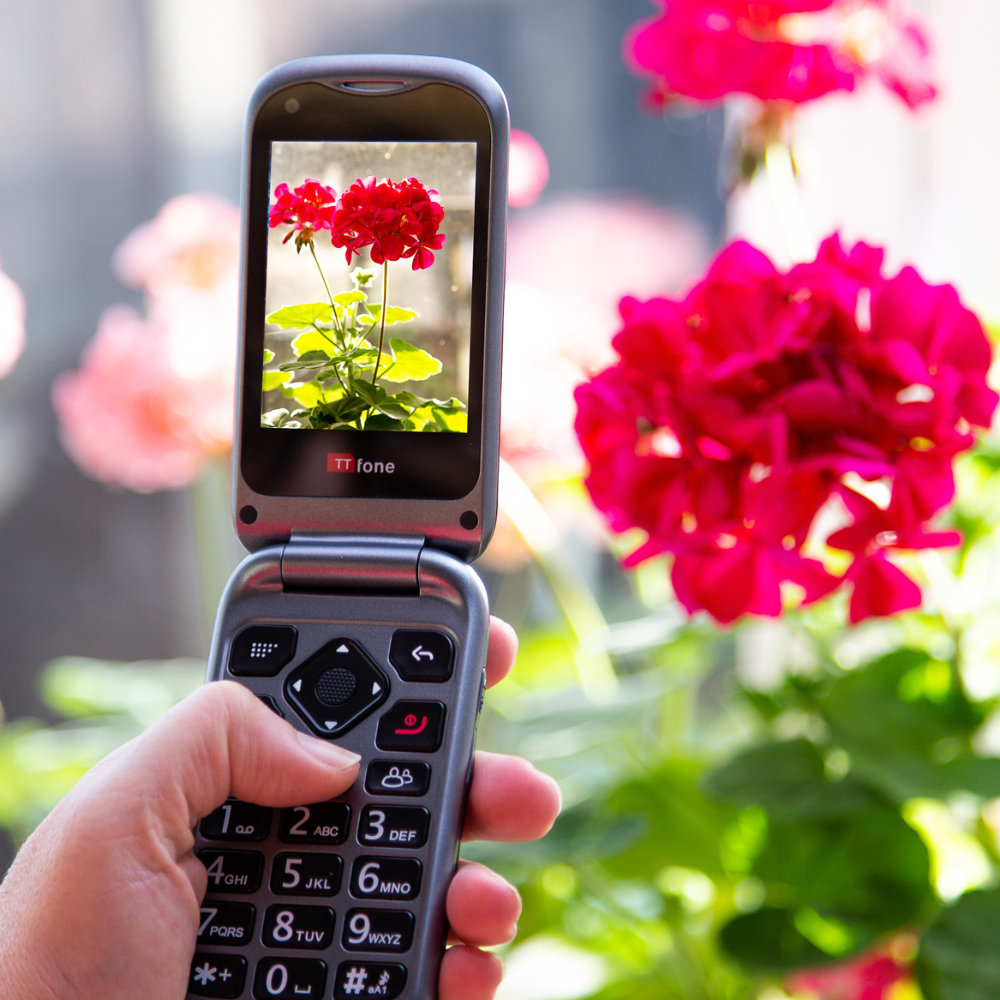
    Mit der 8-Megapixel-Kamera auf der Rückseite des Telefons können Sie wunderbare Fotos machen und mit Ihrer Familie und Ihren Freunden teilen. Das TT970 verfügt außerdem über eine VGA-Frontkamera für „Selfies“ und Videotelefonate.
  • Hörgeräteverträglichkeit

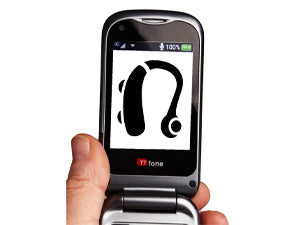
    Das TT970 ist HAC-fähig (Hörgerätekompatibilität) und verbindet sich automatisch mit Ihrem Hörgerät, wenn Sie einen Anruf tätigen oder entgegennehmen.

  • Sprachnotizen

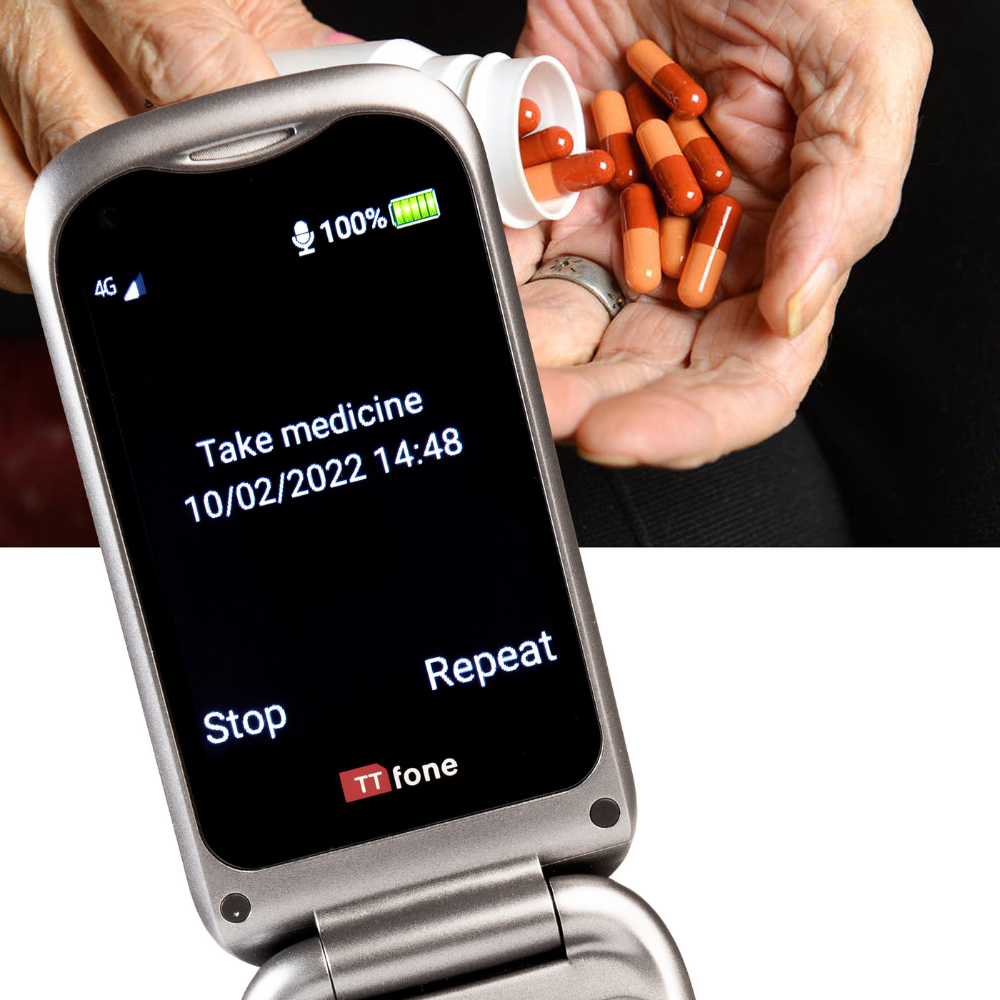
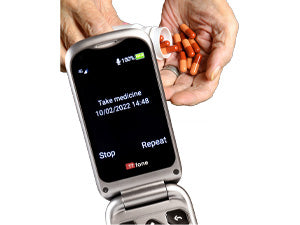
    Das TT970 verfügt über eine praktische App namens Sprachnotizen, in der Sie eine Audiodatei als Erinnerung nutzen können, um Ihre Medikamente einzunehmen oder spazieren zu gehen.

  • Zusätzlicher 25-dB-Lautsprecherverstärker

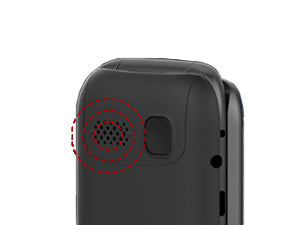
    Das TT970 von TTfone verfügt über einen lauten Lautsprecher. Außerdem gibt es eine Verstärkerfunktion, um die Lautstärke um weitere 25 Dezibel zu erhöhen.

  • 4G-kompatibel

    Die TT970 nutzt 4G-Technologie, wodurch Funktionen wie WhatsApp-Anrufe, E-Mails und soziale Medien schneller zu nutzen sind.
SOS - Nothilfe

Notfallhilfe-Button

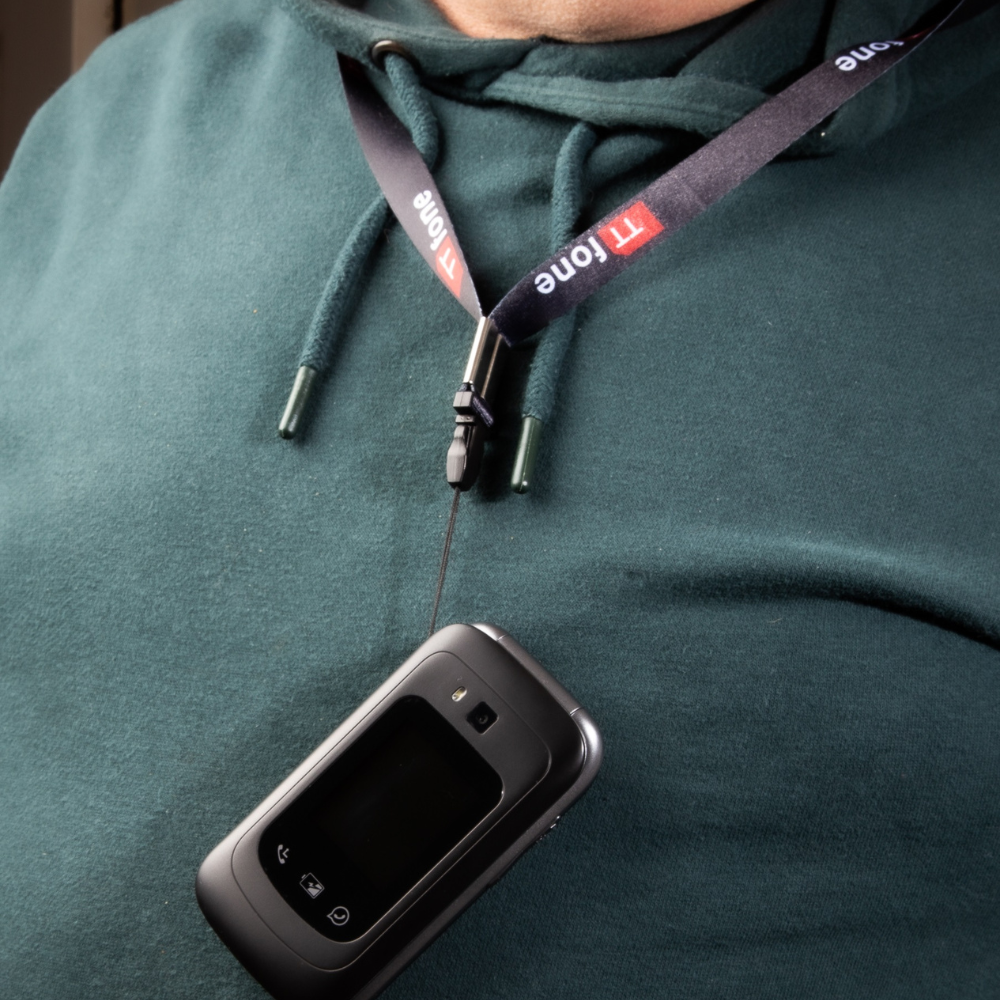
Sie können bis zu fünf Notfallkontakte im Telefon hinterlegen. Wird die Notfallhilfe-Taste auf der Rückseite des Telefons gedrückt, erhält jeder von ihnen eine SMS mit dem Standort des TTfone TT970, und das Telefon ruft anschließend jede Nummer an, bis jemand abhebt. Eine großartige lebensrettende Funktion, die im Notfall auch Standortinformationen an Familie und Freunde senden kann.
Smartphone mit Klappfunktion und großer Taste

TTfone TT970 WhatsApp 4G Touchscreen Senioren-Handy

Das TT970 nutzt 4G-Technologie, wodurch Funktionen wie WhatsApp-Anrufe, E-Mails und soziale Medien 10-mal schneller nutzbar sind. Das entsperrte TT970 funktioniert in allen Netzen und kann mit Ihrer vorhandenen SIM-Karte oder einer brandneuen Karte verwendet werden. Das TTfone TT970 läuft mit einer vereinfachten Version des Android-Betriebssystems, die nur wenige Apps, aber ein sehr übersichtliches Menü bietet.
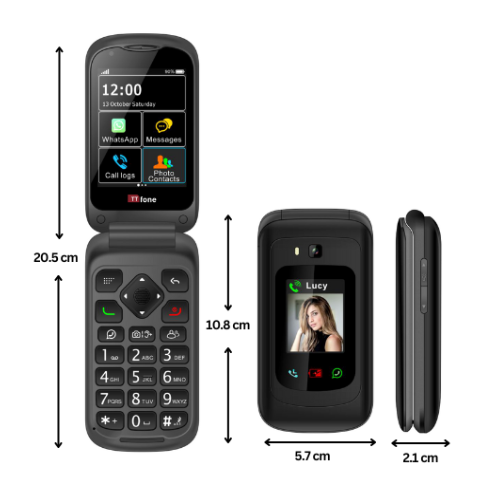
TT970 Abmessungen

Höhe: 20,5 cm
Höhe mit geschlossenem Deckel: 10,8 cm
Breite: 5,7 cm
Breite mit geschlossenem Deckel: 5,7 cm
Tiefe: 1,2 cm
Tiefe mit geschlossenem Deckel: 2,1 cm
Gewicht (mit Batterie): 132,5 g

Häufig gestellte Fragen

Gibt es Probleme mit der SIM-Karte? Benötige ich außerdem eine Micro-SD-Speicherkarte?

Das TT970 verwendet ausschließlich eine Nano-SIM-Karte. Der Adapter kann in jedem Mobilfunkgeschäft in der Nähe erworben werden. Das TT970 ist 4G-kompatibel und funktioniert in jedem Land und in jedem Mobilfunknetz.
Die Micro-SD-Speicherkarte dient als zusätzlicher Speicher für das Mobiltelefon. Sie ist optional und separat erhältlich. Bitte beachten Sie, dass Sie eine Speicherkarte mit maximal 32 GB verwenden können, während das Telefon über eine Speicherkapazität von 8 GB verfügt.

Hat das TT970 ein MMS?

Nein, das TT970 verfügt nicht über eine MMS-Textfunktion.

Ist WhatsApp vorinstalliert?

Ja, WhatsApp ist eine vorinstallierte Anwendung auf dem Mobiltelefon. Richten Sie einfach die WhatsApp-Einrichtungsassistenten ein und stellen Sie sicher, dass Sie eine WLAN-Verbindung oder mobile Datenverbindung haben, um mit Ihren Lieben zu kommunizieren. WhatsApp wird Sie zunächst auffordern, den Allgemeinen Geschäftsbedingungen zuzustimmen, dann wird es Sie bitten, Ihre Telefonnummer zu verifizieren, und wird Ihnen eine SMS mit einem Code senden. Geben Sie diesen Code ein, um WhatsApp zu nutzen.

Was ist der Notfallhilfe-Button auf der Rückseite?

Es ist ein Knopf, der so programmiert werden kann, dass er jede beliebige von Ihnen gewählte Nummer anruft, damit alle Personen, die Sie im Notfall benachrichtigt haben möchten, einen Anruf erhalten. Die Personen am anderen Ende der Leitung können dann alles mitverfolgen. Außerdem wird ein lauter Alarm ausgelöst, um die Aufmerksamkeit von Passanten zu erregen, damit diese helfen können, bis professionelle Hilfe eintrifft. Der SOS-Knopf sendet außerdem Notfall-SMS und Ihren aktuellen Standort an Ihre voreingestellten Angehörigen. Bitte beachten Sie: Wenn eine der Notfallnummern über ein Voicemail-System verfügt, geht das Telefon davon aus, dass der Anruf angenommen wurde, und ruft die weiteren voreingestellten Nummern nicht mehr an.

Hat das Facebook und Twitter und kann E-Mails senden und empfangen?

Das TTfone TT970 verfügt über eine Lite-Version von Facebook, mit der Sie Ihren Feed ansehen und den Facebook Messenger nutzen können.
Das TT970 hat außerdem eine E-Mail-App eines Drittanbieters, mit der Sie E-Mails empfangen und senden können.

Derzeit ist die Twitter-App nicht verfügbar.

Kann dieses Telefon WhatsApp-Anrufe tätigen (nicht nur Sprachnachrichten)? Wenn ja, gibt es eine Benachrichtigung für eingehende Anrufe?

Ja, Sie können einen Anruf über WhatsApp tätigen, und Sie erhalten dementsprechend dieselbe Benachrichtigung wie bei einem normalen Anruf.

Mein TT970 zeigt an, dass ein Softwareupdate verfügbar ist. Wie kann ich die Software aktualisieren?

Gehen Sie zu APP > Kabelloses Update > Nach Updates suchen > Wenn ein Update verfügbar ist, klicken Sie bitte auf Herunterladen und Installieren.

Wie überträgt man Kontakte über die Bluetooth-Funktion?

1. Koppeln Sie beide Geräte (TT970 und das andere Gerät) und verbinden Sie sie über Bluetooth.
2. Senden Sie nach der Kopplung den Kontakt über Bluetooth.
3. Ihr TT970 zeigt Ihnen an, dass eine Datei empfangen wird.
4. Ziehen Sie die Statusleiste nach unten und wählen Sie „Datei annehmen“.
5. Wenn die Übertragung abgeschlossen ist, gehen Sie bitte zu Einstellungen>Bluetooth>Empfangene Dateien.
6. Wählen Sie die Kontaktdatei (im VCF-Format) aus oder tippen Sie darauf. Auf Ihrem Bildschirm erscheint ein Pop-up-Fenster mit der Frage „Kontakte aus vCard importieren?“. Wählen Sie „OK“.
7. Überprüfen Sie Ihr Telefonbuchmenü. Der Kontakt bzw. die Kontakte sollten dort angezeigt werden.

Wie kann ich WhatsApp auf dem TT970 aktualisieren?

1. Gehe zu App.
2. Wähle Aurora Store aus.
3. Wähle unten rechts auf dem Bildschirm Apps aus.
4. Folge den Anweisungen auf dem Bildschirm, um das WhatsApp-Update oder die Installation abzuschließen.

Funktioniert das TT970 im Three-Netzwerk?

Ja, das Telefon ist 4G-fähig und funktioniert im Three-Netzwerk sowie in allen anderen britischen Mobilfunknetzen und in vielen Netzen weltweit.

Werden der Name und das Foto des Anrufers auf dem externen Bildschirm angezeigt?

Das externe Display zeigt alle wichtigen Informationen an, ohne dass Sie die Klappabdeckung des Telefons öffnen müssen. Es wird nicht nur der Name des Anrufers angezeigt, sondern auch das Foto des Anrufers, wenn die Foto-Kontakte eingestellt sind. Ganz zu schweigen von den externen Benachrichtigungsleuchten auf dem externen Bildschirm, die Ihnen mitteilen, ob Sie einen Anruf verpasst haben, eine neue Nachricht erhalten haben (es könnte sich um eine WhatsApp-Nachricht oder eine SMS handeln) oder ob der Akku kurz vor der vollständigen Entladung steht.

Beim Öffnen einer App zeigt das Telefon die Meldung „App kann nicht geöffnet werden“ oder „System funktioniert nicht“ an.

Starten Sie zunächst das Telefon neu: Halten Sie die rote Taste einige Sekunden lang gedrückt und wählen Sie dann auf dem Bildschirm die Option „Neustart“.
Wenn das Problem dadurch nicht behoben wird, suchen Sie nach verfügbaren Software-Updates.
Gehen Sie zu APP > Kabelloses Update > Nach Updates suchen > Wenn ein Update verfügbar ist, klicken Sie bitte auf Herunterladen und Installieren.
Wenn das Problem weiterhin nicht behoben ist, müssen Sie das Gerät auf die Werkseinstellungen zurücksetzen. Gehen Sie zu Einstellungen > System > Reset-Optionen > Auf Werkseinstellungen zurücksetzen > Telefon zurücksetzen > Alles löschen.

Wie kann ich Kontakte von meinem PC auf das TT970 übertragen?

1. Verbinden Sie Ihr TT970 über ein USB-Kabel mit Ihrem PC.
2. Auf Ihrem TTT970 erscheint ein Pop-up-Fenster. Wählen Sie „Dateien übertragen“. Ihr PC erkennt dann das TT970.
3. Öffnen Sie auf Ihrem PC den Geräteordner mit dem Namen TT970. Darin sehen Sie eine Liste von Ordnern.
4. Wählen Sie den Ordner „Kontakte“ aus und öffnen Sie ihn. Falls dieser nicht vorhanden ist, erstellen Sie bitte einen neuen Ordner für Ihre Kontakte.
5. Kopieren Sie die Kontakte, die Sie übertragen möchten, von Ihrem PC in den neu erstellten Ordner unter TT970.
6. Trennen Sie das TT970 von Ihrem PC.
7. Gehen Sie auf Ihrem TT970-Handy zu Tools>Dateimanager>Interner freigegebener Speicher>Kontakte.
8. Wählen Sie den Kontakt aus, tippen Sie entweder auf den Bildschirm oder drücken Sie die mittlere Navigationstaste. Auf Ihrem Bildschirm erscheint ein Pop-up-Fenster mit der Frage „Kontakte aus vCard importieren?“ und wählen Sie „OK“.
9. Überprüfen Sie Ihr Telefonbuch-Menü. Der bzw. die Kontakt sollte/sollten dort angezeigt werden.

Gibt es einen Google Play Store und kann ich andere Apps installieren?

Es tut mir leid, aber das TT970 hat keinen Google Play Store, da es sich nicht um ein von Google unterstütztes Gerät handelt. Das TTfone TT970 verfügt über vorinstallierte Social-Media-Apps wie WhatsApp, FB (Lite-Version), YouTube und einen Browser.

Können Sie das Telefon aus der Ferne verwalten? Ohne physisch am Telefon zu sein?

Dies ist ein Thema, an dem wir hier bei TTfone schon seit geraumer Zeit arbeiten. Leider hat sich herausgestellt, dass die Möglichkeit, das Telefon aus der Ferne zu aktualisieren, sehr komplex und teuer umzusetzen ist. Bitte senden Sie uns eine E-Mail mit Ihren genauen Anforderungen, z. B. mit der Angabe, welche Menüs genau aktualisiert werden sollen, damit wir dies bei der Entwicklung dieser Funktion berücksichtigen können.
Sie können uns an [email protected] schreiben.

Kann ich einen Klingelton hinzufügen?

Sie können zusätzliche Musik/einen Klingelton Ihrer Wahl speichern und ihn als Klingelton für Ihr TT970 einstellen.
Dazu müssen Sie das TT970 über ein USB-Kabel mit einem Computer verbinden und die Musik hinzufügen oder die Bluetooth-Freigabefunktion nutzen, um eine Musikdatei von einem anderen Gerät zu empfangen. Verwenden Sie Bluetooth, koppeln Sie zunächst die beiden Geräte und starten Sie dann die Freigabe der Datei.
Sobald die Dateien übertragen/freigegeben wurden, gehen Sie auf Ihrem TT970 zu Multimedia > Musik, wählen Sie die Musik aus, die Sie als Klingelton festlegen möchten, drücken Sie die mittlere Navigationstaste und wählen Sie „Als Klingelton festlegen“.

Warum funktioniert WhatsApp nicht mehr?

Zunächst muss die WhatsApp-App möglicherweise aktualisiert werden.
Gehen Sie dazu zu 'APP' > 'Aurora store' > 'Check for Updates' > wählen Sie unten auf dem Bildschirm 'Apps' und dann WhatsApp aus.
Wenn ein Update verfügbar ist, drücken Sie 'UPDATE ALL' > 'Install' und warten Sie, bis auf dem Bildschirm 'App installed' angezeigt wird, wählen Sie dann 'Done'.
Drücken Sie die rote Taste, um die App zu schließen.

Zweitens: Falls ein Software-Update für das Mobiltelefon verfügbar ist, gehen Sie zu 'APP' > 'Wireless Update' > 'Check for Updates'.
Drücken Sie zweimal auf 'Check for Updates', wenn beim ersten Versuch 'No update available' angezeigt wird. Wenn ein Update verfügbar ist, drücken Sie 'Download' > 'Install now' > 'Update' und warten Sie, bis das Telefon neu gestartet ist.
Stellen Sie vor Beginn des Updates sicher, dass das Mobiltelefon ausreichend aufgeladen ist und mit dem WLAN verbunden ist. Schalten Sie das Mobiltelefon während des Updates nicht aus.

Wie kann ich das TT970 zurücksetzen?

WERKSZUSTAND FÜR TT970 WIEDERHERSTELLEN
Gehen Sie zu 'Einstellungen' > 'Android-System' > 'System' > ziehen Sie den Bildschirm nach unten und drücken Sie 'Zurücksetzen' > 'Alle Daten löschen (Auf Werkseinstellungen zurücksetzen)'
Scrollen Sie nach unten und drücken Sie 'Telefon zurücksetzen', dann drücken Sie  'Alles löschen'.
Schalten Sie das Mobiltelefon nicht aus, sondern warten Sie bitte, bis das Mobiltelefon neu gestartet ist.

  • 5 stars: 34 (59%)
  • 4 stars: 18 (31%)
  • 3 stars: 5 (9%)
  • 2 stars: 1 (2%)
  • 1 star: 0 (0%)
L
Lynn

Partner appears happy with the phone so far - was looking for a straight forward phone for him - and this seems exactly what he needs as he is not technically minded.

Thank you for your lovely feedback! We're delighted to hear that your partner is happy with the phone so far and that you've found it straightforward and easy for him to use. It's great to know that it seems to be exactly what he was looking for.

We really appreciate you choosing TTfone and sharing your experience with us!

— TTfone Team

F
Fátima Martinez

El teléfono es perfecto, se puede usar con la talla táctil ( es pequeña) o con los botones.

Thank you for your wonderful feedback! We're delighted to hear that you're enjoying your TT970 and that you appreciate the flexibility of using both the touchscreen and the physical buttons.

We truly appreciate your support and hope you continue to enjoy your TTfone.

— TTfone Team

---------------------------------------

¡Muchas gracias por su excelente comentario! Nos alegra saber que está disfrutando de su TT970 y que valora la posibilidad de utilizar tanto la pantalla táctil como los botones físicos.

Agradecemos mucho su apoyo y esperamos que siga disfrutando de su TTfone.

— Equipo de TTfone

s
susan fox

it is brilliant!

Thank you for your wonderful feedback! We're delighted to hear that you think the phone is brilliant.

We truly appreciate your support and hope you continue to enjoy using your TTfone.

— TTfone Team

D
Daanish Smellie

Good phone for my use-case, does as advertised. Battery could be improved. Logging in to WhatsApp as a secondary device was possible, but a bit tricky. Good value for money

Thank you for your feedback. We’re pleased to hear that the phone meets your needs and offers good value for money.

We appreciate your comments regarding the battery life and the WhatsApp setup process. Your feedback is valuable to us and will be shared with our team for future improvements.

— TTfone Team

e
ethel

Iŧ suiŧs me fine, not done whaŧs app yeŧ, also torch not working, I am 86yrs
old, I think the more I use it the beŧŧer I will be. Thanks

Thank you for your feedback. We’re pleased to hear that the phone is suiting your needs and hope you continue to enjoy using it as you become more familiar with its features.

We’re sorry to hear that the torch is not working. If you need any assistance with this or have any questions about WhatsApp or other features, please don’t hesitate to contact us and our team will be happy to help.

— TTfone Team

Ž
Željko Čoko

I am satisfied with the device!

Thank you for your feedback. We’re pleased to hear that you are satisfied with your device and that it is meeting your expectations.

We appreciate your support and hope you continue enjoying your TTfone.

— TTfone Team

D
Dibley

I bought this one about year ago.

Frustrating because mum (dementia) didn’t use the stand unless charger, but not as charger for the stand. The charger went 8n side of phone. I really wish the charger base and cable didn’t come apart. Locating four elements including plug is just hard work.

That phone overheated (not good to storeunder pillow). I bought https://www.ttfone.com/products/ttfone-tt660 but the fact all elements can still be separated mean is still a treasure hunt. The landline is proving to be more reliable. Also when folded this phone looks like a black box. A great big yellow sticker saying mums phone hasn’t work. Make it stand out. Make the charger plugs one undetachable element.

The design is not cindusive to elderly with mild dementia. Perhaps work with charities to help improve design.

Thank you for your detailed feedback. We’re sorry to hear about the difficulties you and your mum have experienced, and we apologise for the inconvenience caused.

We truly appreciate you taking the time to share these suggestions regarding the charging setup, visibility of the phone, and ease of use for elderly users with dementia. Your comments are very valuable and will be shared with our team for future product development and design improvements.

Thank you again for your honest feedback and continued support.

— TTfone Team

J
Jacqi B.

I am happy with my new phone. It suits my needs very well in that I need a reliable phone for calls and texts, it has an adequate camera, and a basic ability to browse the net should the need arise. I can also access basic social media on the rare occasion I would need that. I like the touch screen, that works in conjunction with or instead of the usual buttons. I like the photo contacts for calling nearest and dearest. My only gripe is the time lapse between each digit when compiling a text. It is a severe exercise in patience, and I miss the ability to swipe through letters on a touch screen keyboard.
I am not the most tech-minded person, but I seem to have found my way round this phone, and my 11 year old grandson is now after one of these. All in all, a good buy.

Thank you for your thoughtful feedback. We’re delighted to hear that you’re enjoying the size and design of the TT970, and that features like WhatsApp are proving useful.

It’s great to hear how the phone is helping you focus on the essentials, and we appreciate your kind comments about the value of our products. We hope it serves you well on your upcoming holiday.

— TTfone Team

S
Simon Beeson

Maybe the stars isdoing a disservice to the phone. I bought the phone for my elderly father who is 92. However, I think even with this simple phone it’s a technology leap too far. If you are going to buy this phone for your elderly parent then careful consideration of the age bracket should be applied. The phone itself is fine, a little bit fiddly to set up. The alpha numeric keys for texting for someone who is 92 is just a no go.

Thank you for your feedback. We understand your concerns and appreciate you sharing your experience.

We’re pleased to hear that the phone itself met expectations, but we recognise that even simple devices can still be challenging depending on the user’s needs. Your comments will be noted and shared with our team for future improvements.

— TTfone Team

D
Davine Jenkinson

I use it as my house phone or for emergencies iits a great little phone zI love it !! I'm 84 years old !! so I need a back up but when my contract finishes I will get another one ! Perfect for me & not complicated

Thank you for your wonderful feedback. We’re delighted to hear that the phone is perfect for your needs and works well as a simple and reliable backup. It’s great to know you find it easy to use and not complicated.

We truly appreciate your support.

— TTfone Team

L
Lucen

This phone is great. I've been using it for 6months straight and this is my in depth review. Physically, the shell is rugged and sturdy. The buttons are very plastic but hold well. The hinge is strong. I always charge mine on it's cradle but after all these months half of the time it's not connecting properly and the charging light doesn't blink/ phone doesn't charge. Thankfully you can still charge it like any normal phone with a usb C too. I will admit the big downside here is the relative low battery life, however this is a dumber-smartphone and everything takes ages to do, so you won't be browsing, watching reels or videos online for hours on end. I use the phone for calling, WhatsApp and to Google/gmail/maps something here and there throughout the day. With that said, when I'm home in the evenings I'm left with about 40% still, which is great. Many people complain about the battery life, but if you turn off your location the battery surprisingly holds for a good daily use. Furthermore if you care about camera quality (on the TT970 which is considered the "pro" model with better camera) it is good for documents or close stuff. Try photograph a person, landscape and the outcome is a bit pixelated. It will do the job. I recommend getting the TT970 just for that reason too, anything lower camera quality than this phone and it's horrible. On the other hand, the operating system is a simple version of Android. To have an easier and more enjoyable time I recommend side loading applications from your computer. I have been able to add a Touch screen Keyboard, Opera browser, K9mail(which basically lets you use Gmail) and much more. The phone by itself does not come pre-loaded with a touch screen keyboard, but it is easy to add. I wonder why they didn't bother to add this. You can turn off the SOS button permanently for those who are afraid to accidentally press it. It also comes with hotspot too, so if you're carrying around another smartphone you can connect. One more downside is the lack of internal space, so I recommend adding an SD card ASAP! WhatsApp works wonders as of 17/3/26 and texting and calling work too. When video-calling on WhatsApp I have been told my camera quality drops significantly on both exterior and interior cameras. Surprisingly Google maps works on the Opera web mode, which is a plus!!! Unfortunately the phone does not come with a GPS map application pre-installed and will not run the Gmaps or Waze applications if side loaded. Web is the only way. Like every phone there is downsides, but there's a way to get around them like I explained. This is a great phone for those who want to distance themselves from common attention grabbing smartphones and seek simplicity/privacy without losing the useful things. I would not recommend this phone for seniors, due to the fact it can get very complicated (even for us tech-people!) unless someone with knowledge takes the time and sets it up for them. Hopefully the company learns from those errors and improve it so it can be sold to a much wider group of people instantly with less drawbacks. I use it in Greece and the service even works at sea! Cheers mates

Thank you for taking the time to share such a detailed and insightful review. We’re delighted to hear that you’ve had a positive overall experience with the phone over the past 6 months and that it’s meeting your needs for calls, WhatsApp, and everyday use.

We truly appreciate your balanced feedback, including your comments on the charging cradle, battery performance, camera quality, and overall usability. Your suggestions and observations are extremely valuable and will be shared with our team for future improvements.

It’s great to hear how you’ve been able to customise the phone to suit your preferences, and we’re pleased it’s supporting a more simple and focused mobile experience for you.

— TTfone Team

J
Joyce Williams

Looks small and quite cute but otherwise no different to a normal sized phone.

Thank you for your feedback. We’re glad to hear you like the compact and stylish design of the phone.

— TTfone Team

S
Sebastian

Perfect if you don't want to use a smartphone anymore. Just WhatsApp, Calls and Sms. I buyed it because of WhatsApp. Best decision I made for mental health. Smartphone addiction is a big problem in society, and this phone is the solution. Thank you.

Thank you for your thoughtful feedback. We’re delighted to hear that the phone is working well for you and providing the simplicity you were looking for. It’s great to know that using WhatsApp, calls and SMS on a simpler device has made such a positive difference for you.

We truly appreciate you sharing your experience.

— TTfone Team

D
Douglas Fairlie

Bought this phone for my disabled mother-in-law. Thought the idea of having touchscreen for the photographs to call was good. Didn’t realise there was still other steps to take to make the call why not just tap the photograph. It would also help if there is easier access to WhatsApp call making. The quality of video calls could also be better (screen resolution?)

Thank you for your feedback, and we’re sorry for any inconvenience caused.

The Photo Contacts feature allows you to save a contact with their photo to make calling easier. When you open the photo contact, simply press the green call button and it will automatically call that person.

We appreciate your suggestions and will forward your feedback to our team.

Regarding WhatsApp calls, please note that the green and red keypad buttons cannot be used to answer or end WhatsApp calls, as the official WhatsApp application does not support these functions.

— TTfone Team

S
Steve Cameron

Does the job

Thank you for your review — we’re glad it’s doing the job! If there’s anything else you need, we’d be happy to assist you.

– TTfone Team

A
Amazon Customer

Quite easy so set up for a old non tech person,but great camera,and easy to use .Finding out more facilities all the time. Just great.

R
Ruth

Really good

t
travelmate

Very easy to understand also simple to use

U
Uwe Bocklage
Super

Super danke schön

A
Anon
Is perhaps too much of a compromise

This is a very clever, nicely made phone, but if smartphone features are needed the really the only answer is to invest in a smartphone!

Thank you for your honest feedback. We appreciate you sharing your perspective. Our aim is to offer a balance between simplicity and essential smart features, and we understand this may not suit everyone’s needs. Your comments are valuable and will be taken into account as we continue to develop our products.

— TTfone Team

F
Frederick Grover
Great phone with one exception

This phone is great for Phone calls, Messaging, WhatsApp and Photo'sThe camera is also quite good.After accepting all these points with praise, I then discovered I could not send and receive emails.Neither could I download or use Google browser.I then discovered the phone will not accept Google e.g.Gmail,or Google earth etc.Great shame because in other respects it is a great little phone

m
mr simon m de glanville
great phone for kids too

I bought the TT970 for my 11 year old son now he's started secondary school. We didn't want to give him a full smart phone but wanted him to be able to have access to WhatsApp so he can stay in touch with friendship groups. The phone turned out to be absolutely perfect in this regard. It's not a seductive or compelling screen so he doesn't spend any time on it, but it has all the functionality he needs to stay in touch with friends. With a lot of schools banning smartphones and a lot of parents trying to uphold smartphone free childhood I highly recommend this phone as an alternative. TTfone should be marketing this phone for this use as well - there are a lot of parents who would be very interested in it.

Thank you for such a thoughtful review. We’re delighted to hear the TT970 has been the perfect choice for your son and that it strikes the right balance between staying connected and avoiding unnecessary screen time. We really appreciate your recommendation and your suggestion — feedback like this is incredibly valuable to us.

— TTfone Team

p
peter hewitt
TT mobile

Items delivered fast,and just what was needed

Thank you for your review. We’re pleased to hear your items were delivered quickly and met your needs.

— TTfone Team