
TT880 Tech Talk: Was steckt drin?
💡 Kurzer Überblick
- Design? Klassische Handybar-Form – leicht zu halten, einfach zum Verlieben
- Sprachen? Englisch, Französisch, Spanisch, Deutsch, Italienisch und Arabisch
- Trageband kompatibel? Ja
- Touchscreen? Nein, Menünavigation über Tastatur
- Bildschirmgröße & Displaytyp? 1,77" Farb-TFT
- Displayauflösung 240*320 Pixel
- Vorhersagende Texteingabe? Nein – nur klassische Tastatureingabe
- Tastaturbeleuchtung? Ja
- Sprachausgabe der Tasten? Ja, menschliche Stimme für die Zifferntastatur
- Kurzwahl? Ja, einstellbar von Nr. 2 - 9
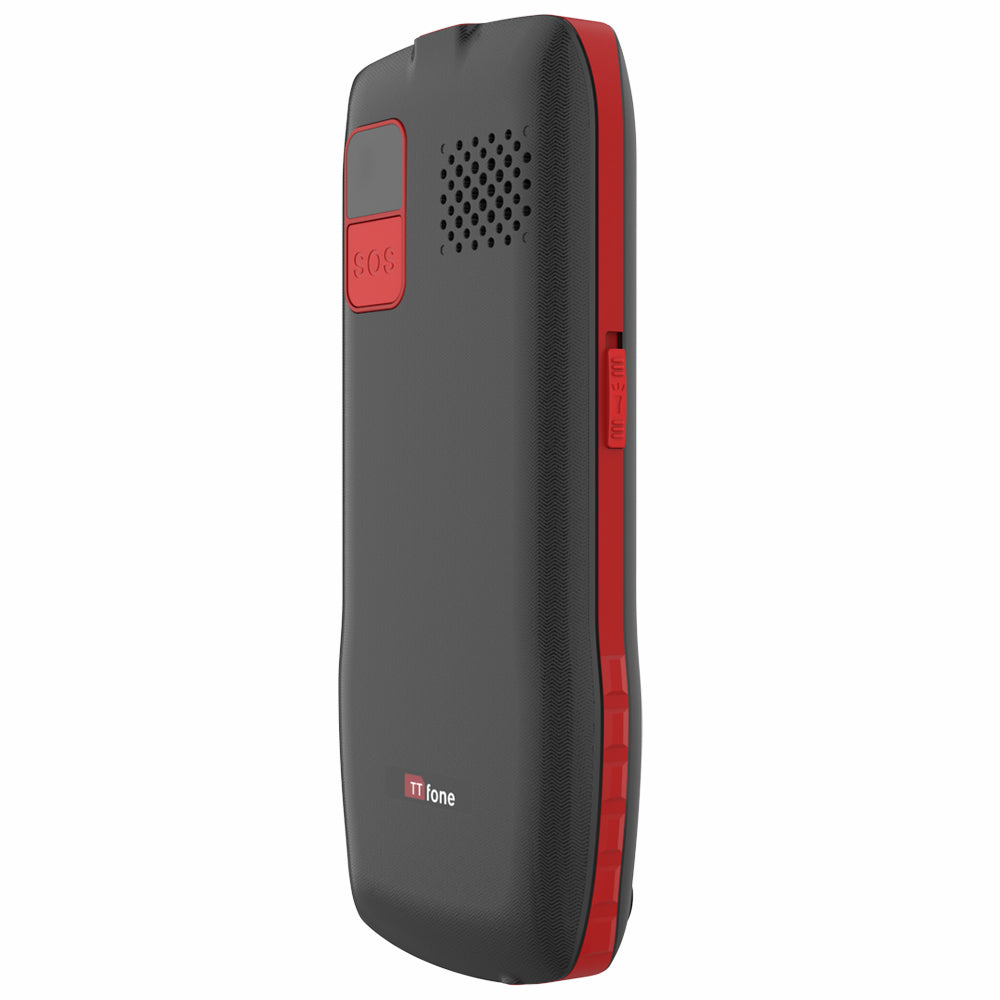
- Notruftaste? Ja, zum Drücken
- Voreinstellung für SOS-Taste? Ja, bis zu 5 Notfallkontaktdaten
- MP3, Radio, Taschenrechner, Wecker & Taschenlampe? Alles enthalten
- Kopfhöreranschluss: Ja
📦 Speicher & zusätzliche Spezifikationen
- Speicher: 32 MB interner Speicher
- Erweiterbar: Bis zu 32 GB mit MicroSD-Speicherkarte
- Kontakte: Bis zu 300 Kontakte speichern
- (SMS) Textnachrichten: Ja, bis zu 100 SMS (normale Textnachrichten) gespeichert
- Kamera? Nein
📐 Abmessungen & Gewicht
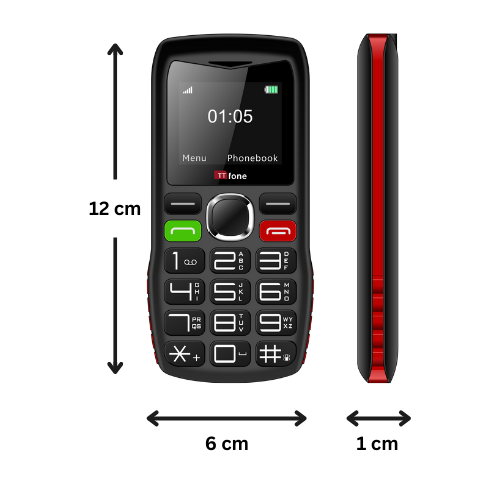
- Höhe: 12 cm
- Breite: 6 cm
- Tiefe: 1 cm
- Gewicht (mit Akku): 79 g
🔋 Stromversorgung & Aufladen
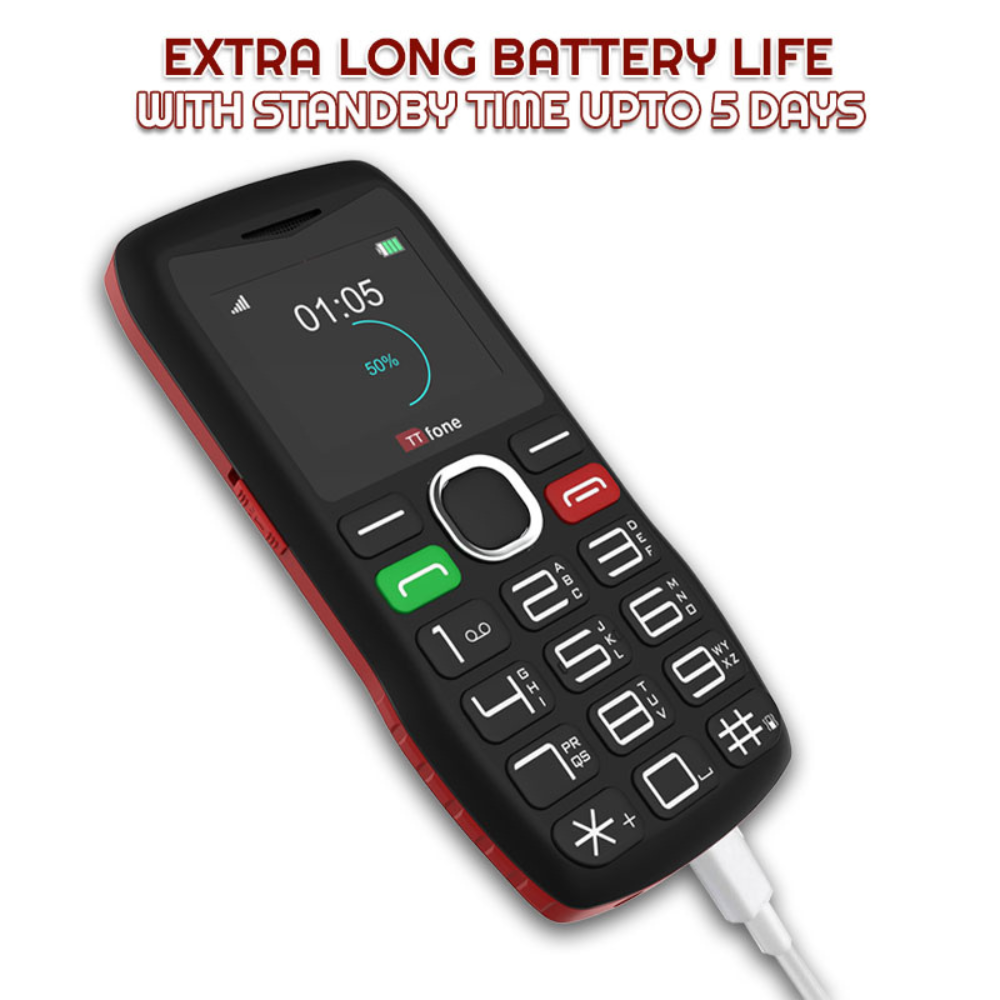
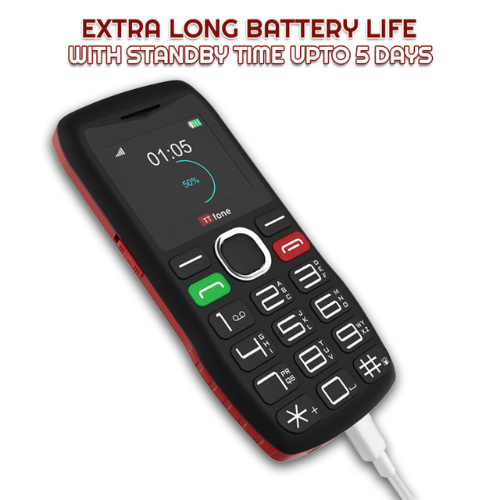
- Akku: Li-Ion V2.1 Akku 600 mAh – hält im Standby-Modus bis zu 5–7 Tage
- Rededauer: Etwa 5–6 Stunden
- Ladegerät: USB C (endlich!) + optionale Netzteil-Ladeoption (separat erhältlich)
- SAR-Wert: 1,223 W/kg
📶 Anrufe & Netzwerk
- Bandbreite: GSM:850/900/1800/1900
- Dual SIM? Nein
- SIM-Kartengröße: Standard
- WLAN? Keines
- Bluetooth? Ja
- Anzahl der Klingeltöne? 97 Klingeltöne
- Klingellautstärke 104,12 dB
- Anruflautstärke 80,6 dB
- Lautsprecherlautstärke 90,8 dB
🌐 Smart-Funktionen – dieses Mobiltelefon bietet nur grundlegende Anruf- und SMS-Funktionen.
📌Sie möchten das Beste aus Ihrem TT880 herausholen?
Besuchen Sie unsere YouTube-Seite für kurze Video-Tutorials.
❓Moment, kurze Fragen…
❓ Moment, kurze Fragen…
Finden Sie schnell Antworten auf häufig gestellte Fragen zu unseren Dienstleistungen und Produkten:
F1. Wie kann ich TTfone kontaktieren?
Sie können direkt über unsere Website mit uns chatten, indem Sie auf die Chat-Sprechblase unten rechts klicken, oder hier klicken: Chatten Sie mit uns.
E-Mail: Sie können uns jederzeit unter [email protected] erreichen.
Telefon: Rufen Sie uns unter +44 (0) 330 333 0819 an (zum britischen Standardtarif), Montag bis Freitag, 10:00 – 16:00 Uhr.
F2. Welche Versandoptionen bieten Sie an?
Wir bieten Kunden im Vereinigten Königreich 2 Lieferoptionen an:
- Standardversand: 4 bis 7 Werktage — KOSTENLOS
- Expressversand: 1 bis 2 Werktage (gegen Aufpreis)
Bestellungen, die vor 14:00 Uhr aufgegeben werden (Montag bis Freitag, ausgenommen Feiertage), werden noch am selben Werktag versandt.
Für Lieferungen außerhalb des Vereinigten Königreichs und der EU können Einfuhrzölle oder lokale Steuern anfallen, die vom Empfänger zu zahlen sind. Wir prüfen vor dem Versand die Verfügbarkeit des Kurierdienstes für Ihr Zielgebiet. Sollte der Service nicht verfügbar sein, behalten wir uns das Recht vor, die Bestellung zu stornieren und eine vollständige Rückerstattung zu leisten.
F3. Wie lange ist die Garantie für das Telefon?
Brandneue Mobiltelefone:
- 1 Jahr Garantie: TT170, TT175, TT220, TT240, TT300, TT660, TT750 und TT950.
- 2 Jahre Garantie (ausgewählte Modelle): TT150, TT190, TT280, TT290, TT760, TT880, TT890, TT970 und TT990.
14 Tage Rückgaberecht / Angebote für generalüberholte Geräte:
- ✔ 30 Tage Rückgaberecht
- ✔ 3 Monate Servicegarantie
*Die Garantie deckt Herstellungsfehler ab und schließt physische Schäden oder Schäden durch Flüssigkeiten aus. Gesetzliche Verbraucherrechte bleiben hiervon unberührt.
F4. Wie registriere ich die Garantie für mein TTfone?
Sie können Ihr Produkt ganz einfach online registrieren, indem Sie unser Formular hier ausfüllen: Registrieren Sie Ihre TTfone-Garantie.
F5. Wie lange habe ich Zeit, ein Telefon für eine Rückerstattung zurückzugeben?
Wir bieten ein 30-tägiges Rückgaberecht, wenn Sie Ihre Meinung ändern oder der Artikel ungeeignet ist. Kontaktieren Sie uns einfach, damit wir eine Rückgabe-ID erstellen können. Sobald der Artikel versandt und geprüft wurde, wird Ihre Rückerstattung bearbeitet.
*Bitte beachten Sie: Im Voraus bezahlte Guthaben für Mobilfunkzeit sind nicht erstattungsfähig.
F6. Das Design ist einfach, aber ist das Telefon auch einfach zu bedienen?
Absolut! Dank unserer intuitiven Menüführung ist die Bedienung schnell erlernt. Die Menüs sind übersichtlich, sodass Sie finden können, was Sie brauchen, ohne komplizierte Schritte oder endloses Suchen.
F7. Für wen sind TTfone-Mobiltelefone gedacht?
Für jeden! Jeder, der eine einfache, zuverlässige Mobilfunkverbindung sucht, kann von TTfone profitieren. Unsere großen Tasten, Lautsprecher mit hoher Lautstärke, die Sprachausgabe und die einfachen Menüs machen sie ideal für Senioren, Kinder oder alle, die ein ablenkungsfreies Zweithandy wünschen.
F8. Gilt dieses Telefon in Bezug auf SAR und Strahlung als sicher?
Ja. Alle TTfone-Geräte entsprechen strikt den britischen und europäischen Sicherheitsvorschriften und erzeugen niedrige SAR-Strahlungswerte, die für tägliche Sicherheit sorgen.
F9. Was ist im Lieferumfang enthalten?
Jedes Telefon enthält:
- TTfone-Handset
- Wiederaufladbarer Akku
- USB-Ladekabel
- Benutzerhandbuch
*Ausgewählte Modelle enthalten außerdem eine praktische Tisch-Ladeplattform im Lieferumfang.
F10. Welche SIM-Karten kann ich mit TTfone-Telefonen verwenden?
Alle TTfone-Mobiltelefone sind für jedes Netz entsperrt. Bitte beachten Sie jedoch:
- Nur 2G-Modelle: Unterstützen nicht 3, iD Mobile oder Smarty (da diese Netze ausschließlich auf 3G/4G/5G angewiesen sind).
- 3G/4G-Modelle (TT280, TT290, TT890, TT970, TT990): Funktionieren mit allen britischen und europäischen Netzbetreibern.
Wenn Sie das Telefon außerhalb des Vereinigten Königreichs oder Europas verwenden, prüfen Sie bitte bei Ihrem lokalen Anbieter die Kompatibilität mit den lokalen 2G/3G/4G-Frequenzbändern.
F11. Kann dieses Telefon freihändig verwendet werden?
Ja! Bei Modellen mit einer speziellen Freihandfunktionstaste drücken Sie diese während eines Telefonats einmal. Bei anderen Modellen wählen Sie Optionen > Freihand. Diese Funktion eignet sich hervorragend zum Autofahren, Kochen oder wenn Familienmitglieder an dem Gespräch teilnehmen.
F12. Was ist die SOS-Taste auf der Rückseite einiger Mobiltelefone?
Die SOS-Taste ist eine Notfallfunktion, die voreingestellte Kontakte nacheinander anruft und automatisch Notfall-SMS versendet. Sie kann auch einen lauten lokalen Alarm auslösen, um Hilfe in der Nähe auf sich aufmerksam zu machen.
Wichtige Voraussetzungen:
- Eine aktive SIM-Karte muss sich im Gerät befinden.
- Mindestens eine Notfalltelefonnummer muss im SOS-Menü gespeichert sein.
- Das Telefon muss Empfang und verfügbares Guthaben für Anrufe/SMS haben.
F13. Können Klapphandys Anrufe durch Öffnen und Schließen entgegennehmen/beenden?
Ja, alle Klappmodelle von TTfone unterstützen die Einstellung „Anruf durch Aufklappen“ für herkömmliche Mobilfunkanrufe.
Hinweis für 4G-Klappmodelle (z. B. TT970 und TT990): Die Klappfunktion steuert keine WhatsApp-Anrufe, da Drittanbieter-Messaging-Apps eine Eingabe über den Touchscreen erfordern.
F14. Welche Sprachoptionen werden unterstützt?
Alle TTfone-Modelle unterstützen Englisch, Französisch, Spanisch, Deutsch und Italienisch.
Ausgewählte Modelle unterstützen außerdem weitere Sprachen wie Polnisch, Niederländisch, Portugiesisch, Rumänisch, Türkisch, Arabisch, Hindi oder Russisch. Genaue Sprachdetails finden Sie auf den einzelnen Produktspezifikationsseiten.
F15. Welche TTfone-Modelle unterstützen WhatsApp?
Die folgenden Modelle mit Smart-Funktionen unterstützen WhatsApp-Nachrichten und -Anrufe:
- TT280
- TT290
- TT950
- TT970
- TT990
F16. Wie kann ich TTfone-Produkte bestellen?
Sie können direkt online unter www.ttfone.com oder telefonisch bestellen. Wir sind auch auf den Websites vertrauenswürdiger Marktplatzpartner verfügbar: Amazon, eBay, TikTok Shop, Temu, OnBuy, The Range und Cdiscount.
*Hinweis: Bei über Partnerplattformen getätigten Einkäufen müssen Rückgaben oder Rückerstattungen über die jeweilige Plattform abgewickelt werden.
F17. Welche Online-Zahlungsoptionen akzeptieren Sie?
Wir akzeptieren Debit-/Kreditkarten (Visa, Mastercard, American Express), PayPal, Apple Pay und Google Pay.
TT880 Abmessungen
- Höhe: 12 cm
- Breite: 6 cm
- Tiefe: 1 cm
- Gewicht (mit Akku): 79 g
-
Müheloses Tippen
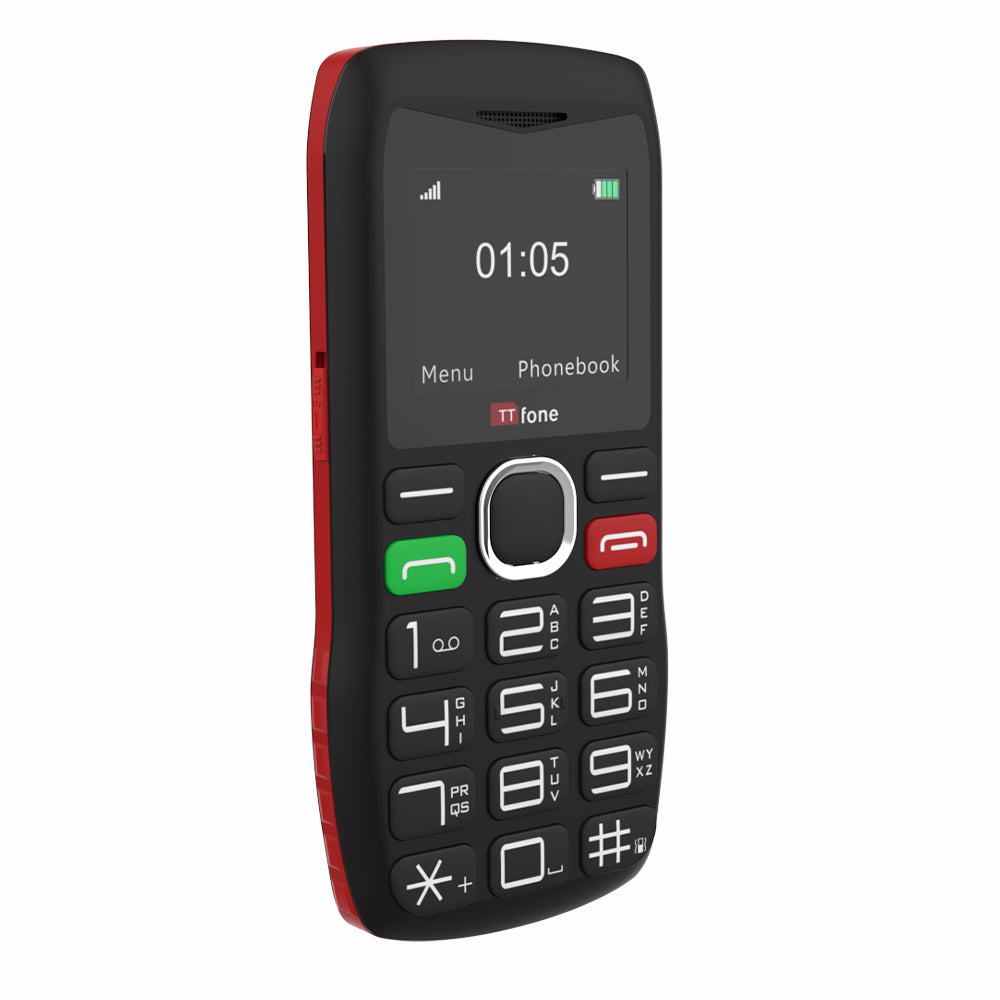
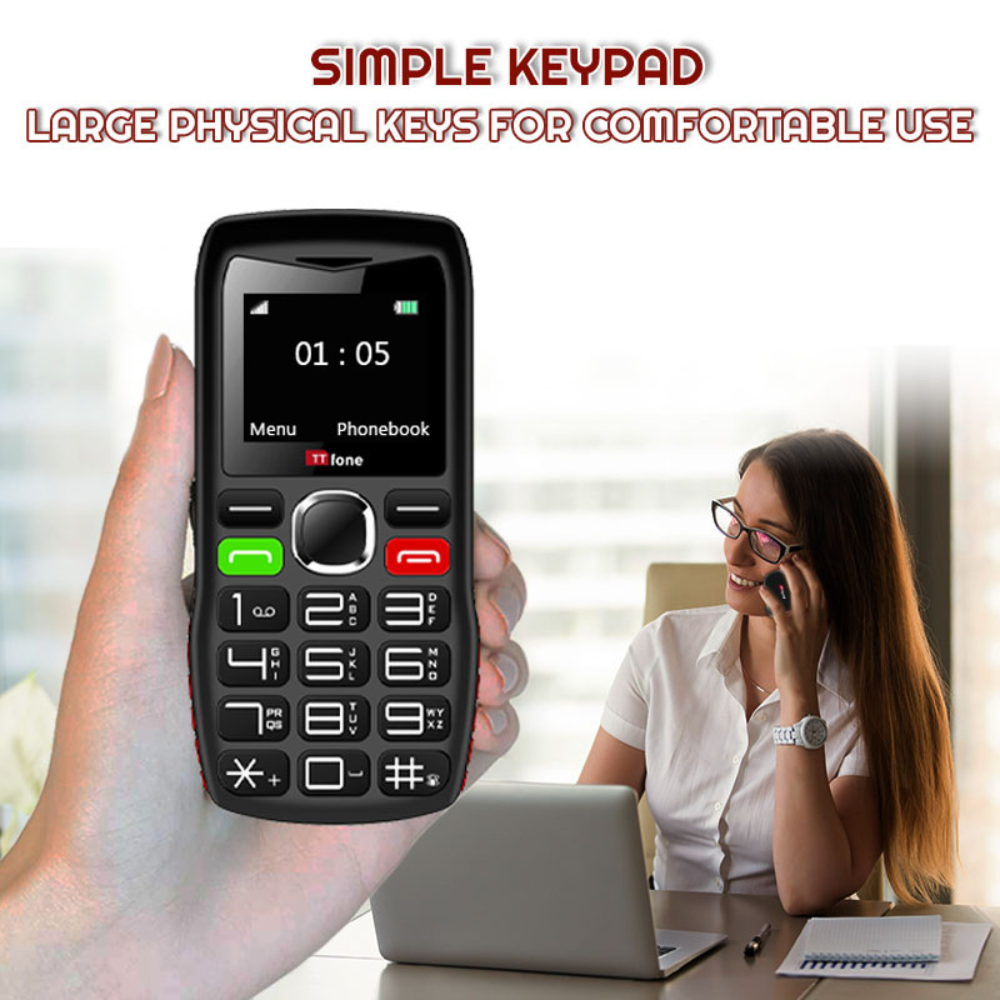
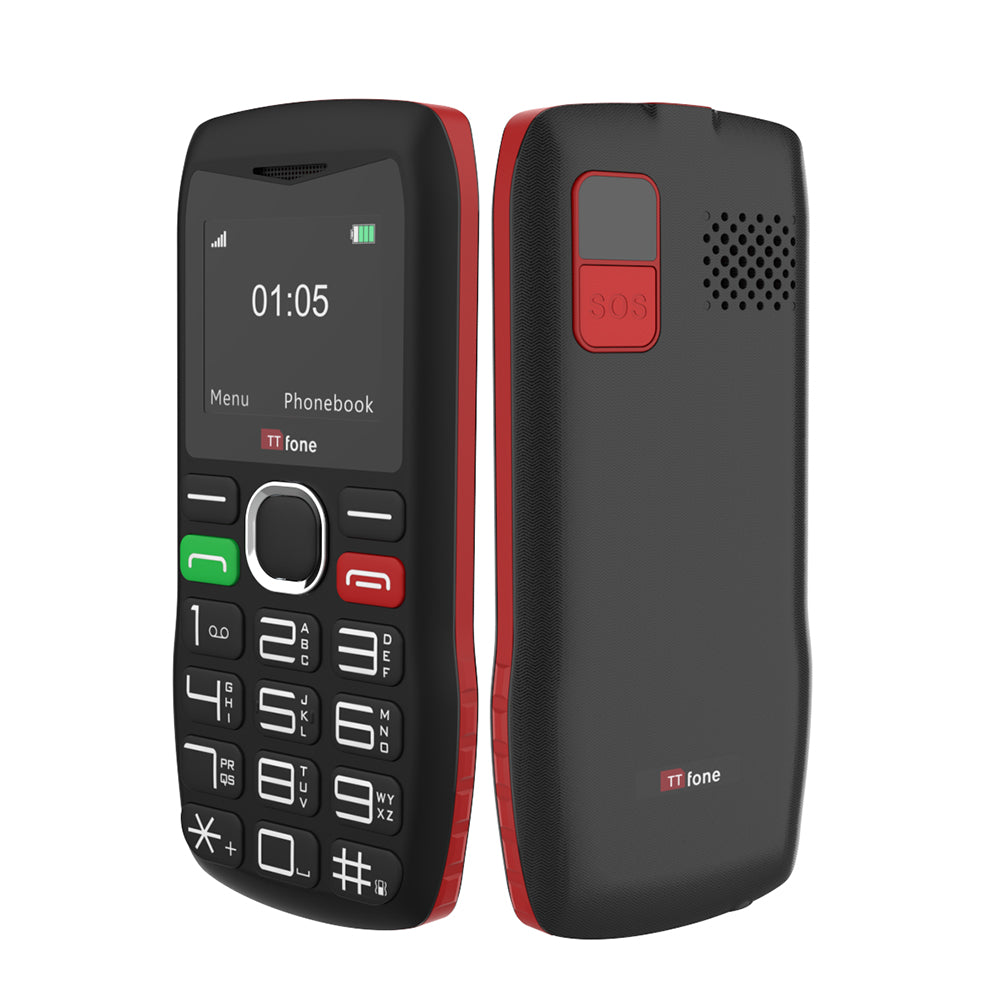
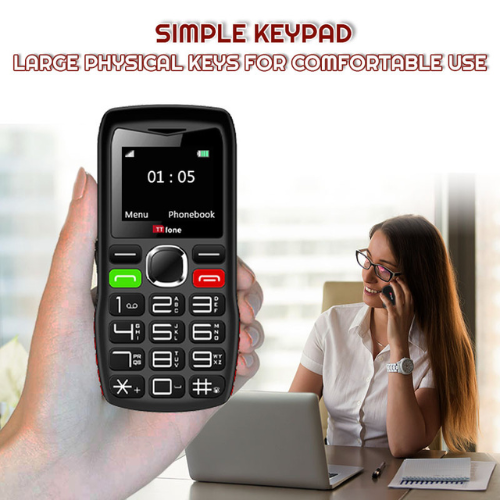
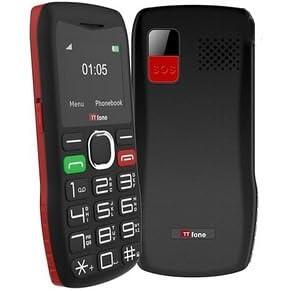
Das TT880 verfügt über eine großzügige Tastatur mit gut voneinander abgesetzten Tasten, die ein einfaches und präzises Tippen gewährleistet. Ausgestattet mit Sprachausgabe der Tasten sowie deutlich gekennzeichneten roten und grünen Tasten für eine mühelose Anrufverwaltung.
-
Einfache Ladelösung
Das Aufladen Ihres TT880 ist mit dem mitgelieferten USB-Typ-C-Ladekabel, das mit jedem PC oder Laptop kompatibel ist, völlig unkompliziert. Für zusätzlichen Komfort können Sie außerdem Ihren vorhandenen USB-Typ-C-Netzstecker verwenden. Bei Bedarf ist ein USB-Netzstecker separat erhältlich.
-
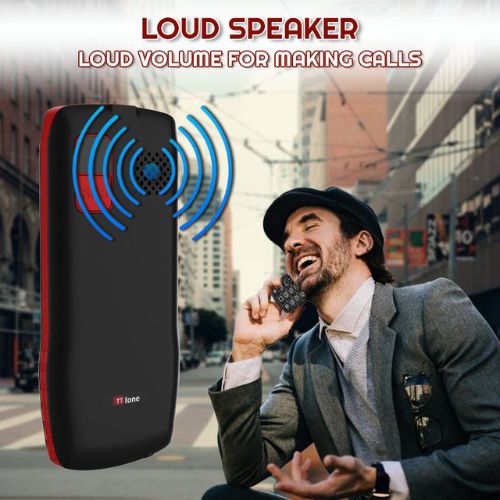
Verbesserte Gesprächsklarheit
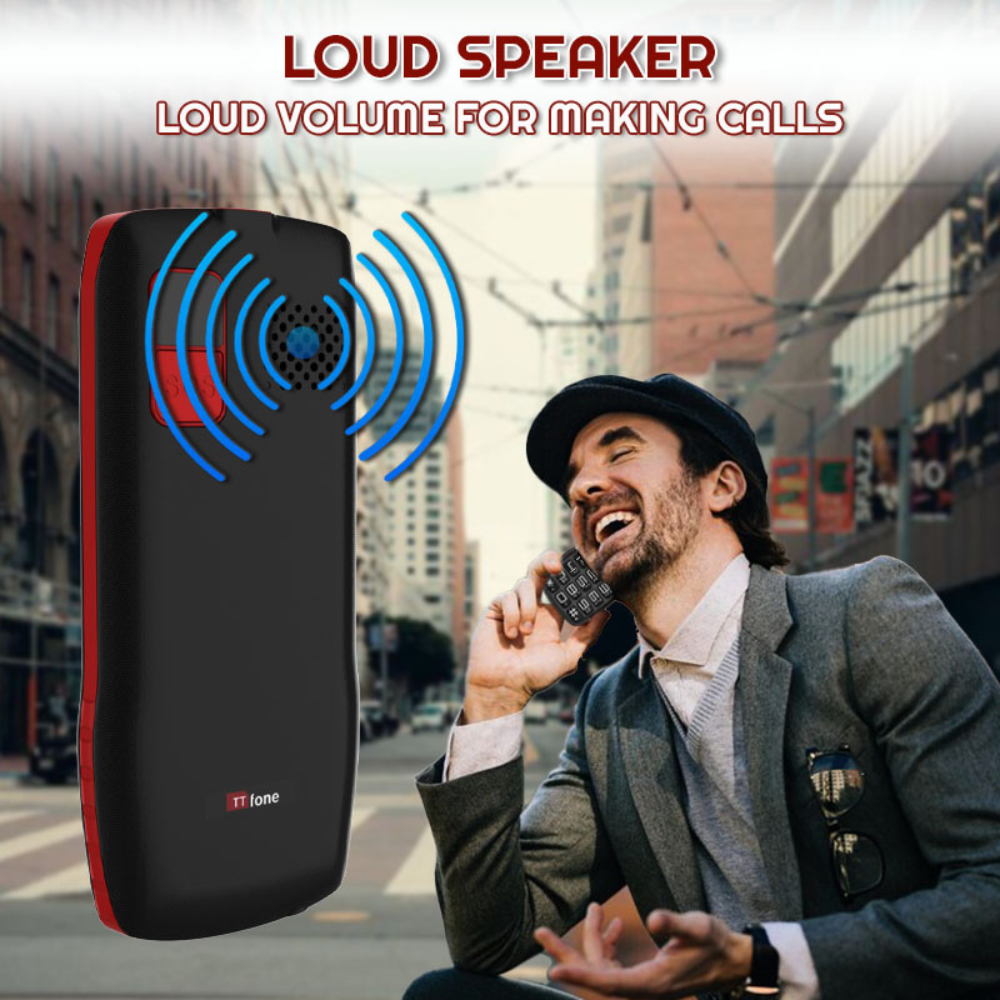
Genießen Sie kristallklare Gespräche mit dem extra lauten Lautsprecher des TT880, der sich sowohl für normale Anrufe als auch für die Freisprechfunktion eignet und bei Bedarf eine noch höhere Lautstärke bietet.
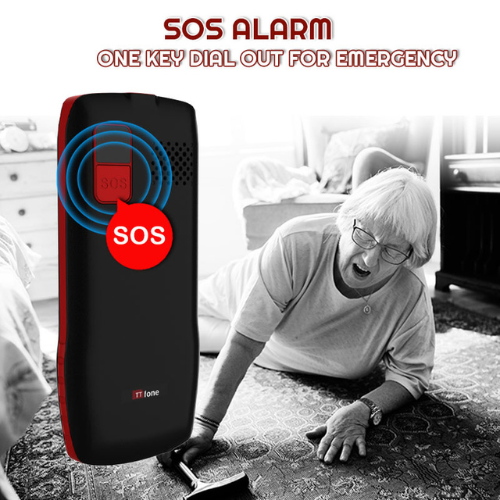
Notfallhilfe-Button
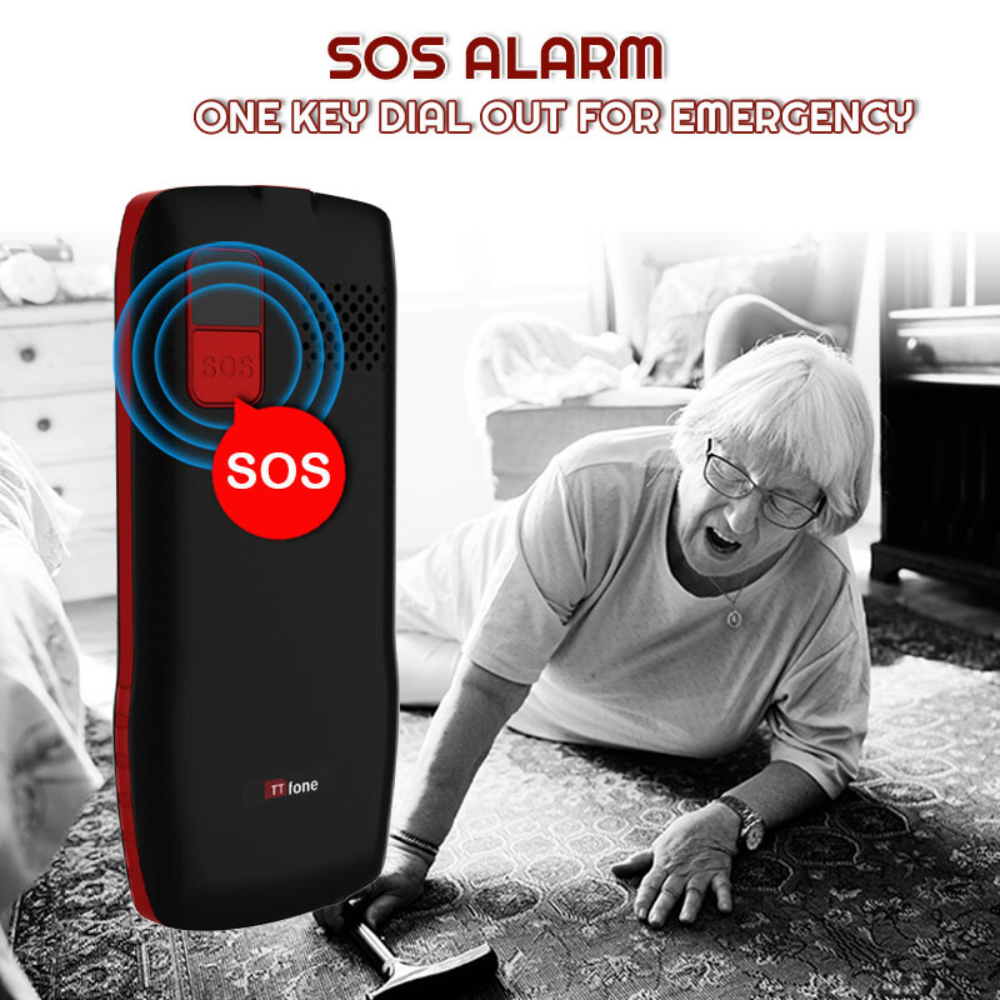
Der SOS-Knopf am TTfone TT880 sorgt für schnelle Sicherheit, falls etwas passiert. So funktioniert er:
1. Spezieller SOS-Knopf:
Das TT880 verfügt über einen SOS-Knopf auf der Rückseite des Telefons. Drücken Sie ihn, dann ruft das Telefon Ihre gespeicherten Kontakte an und sendet ihnen eine SMS, damit Familie, Freunde oder Pflegekräfte erfahren, dass Sie Hilfe benötigen. Der SOS-Knopf ruft nicht den Rettungsdienst an.
-
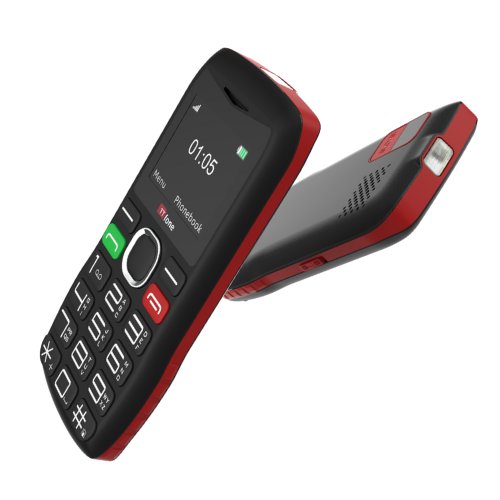
Praktische Taschenlampenfunktion,
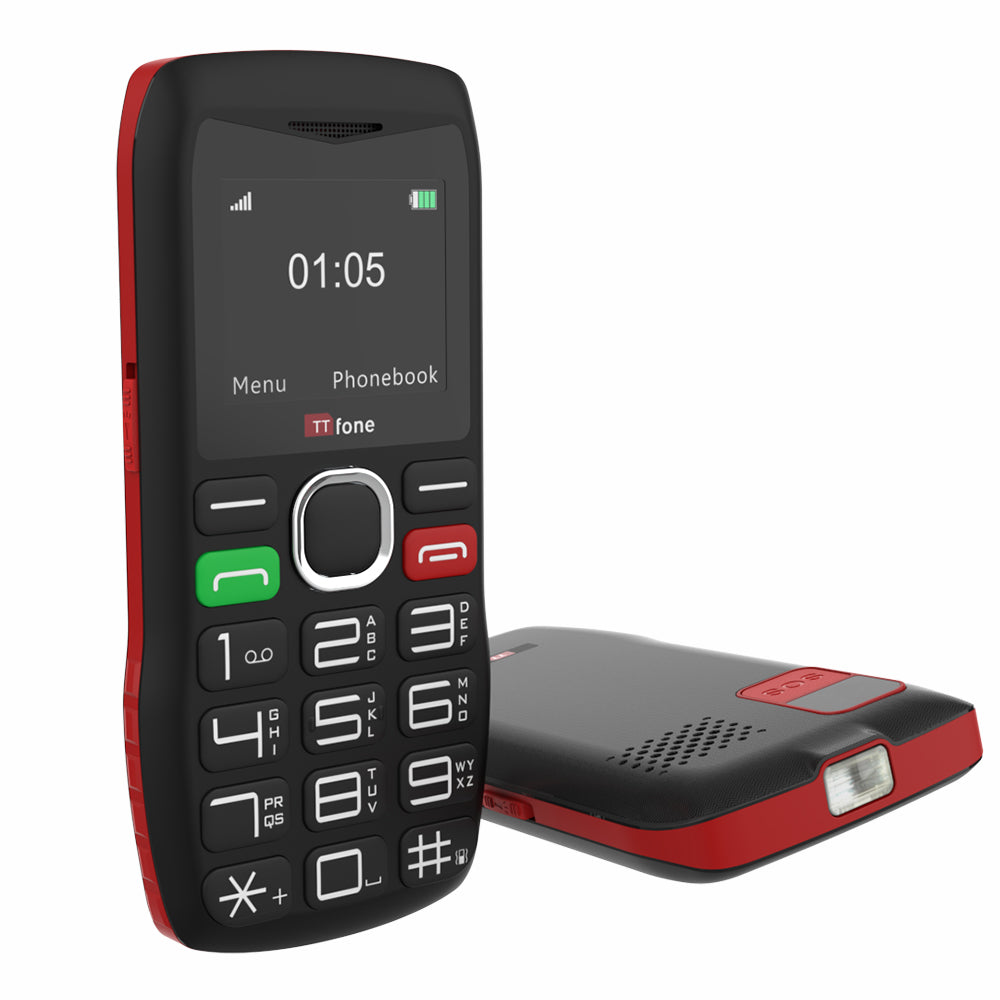
Orientieren Sie sich dank der integrierten Taschenlampenfunktion des TT880 sicher in dunklen Umgebungen. Diese helle Taschenlampe wird über einen separaten Schalter bequem an der Außenseite des Telefons aktiviert und hilft Ihnen, sich im Dunkeln zurechtzufinden oder wichtige Gegenstände zu lokalisieren. -
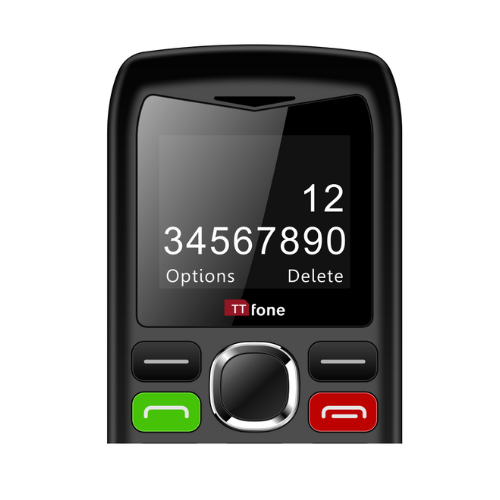
Große Schriftanzeige,
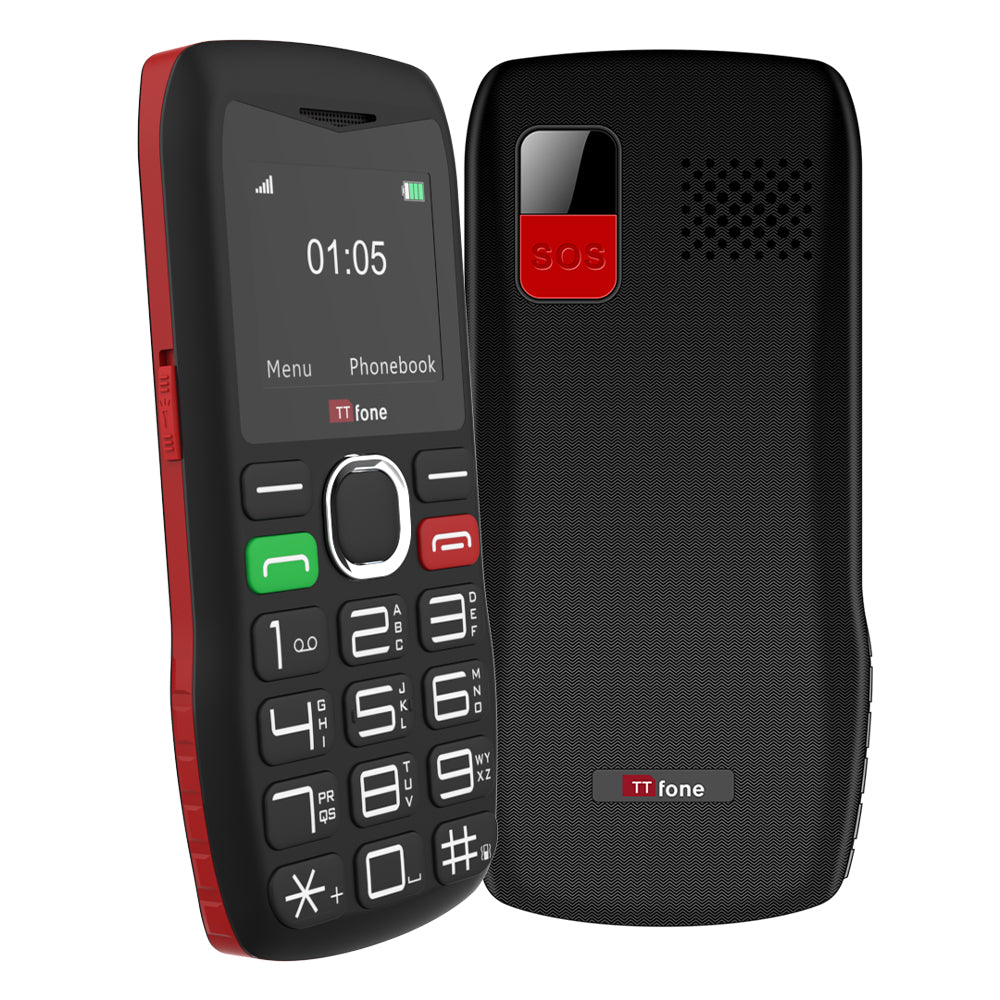
angenehm zu halten und zu bedienen, verfügt das TT880 über ein 1,8-Zoll-Display für klare Sicht und intuitive Bedienung. Schnellwahl und eine Alarmfunktion verbessern die Benutzerfreundlichkeit weiter, bieten schnellen Zugriff auf häufig angerufene Kontakte und stellen sicher, dass wichtige Erinnerungen nie verpasst werden. -
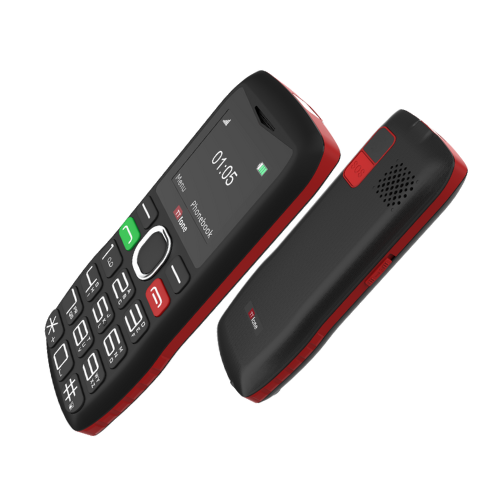
Speziell für Senioren entwickelt, bietet das TT880 große, leicht zu bedienende Tasten und Sprachausgabe, die eine mühelose Navigation und das Wählen von Nummern ermöglichen. Mit der Notruftaste ist Hilfe nur einen Tastendruck entfernt und bietet den Nutzern ein zusätzliches Maß an Sicherheit und Schutz.
-
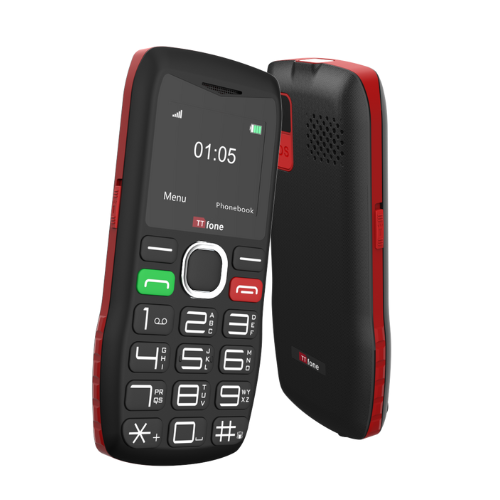
Schlicht und dennoch robust,
Dieses Telefon ist langlebig und hält dem täglichen Gebrauch stand. Die hohe Anruflautstärke gewährleistet selbst in lauten Umgebungen eine klare Kommunikation, während die Unterstützung für SIM-Karten im Standardformat Flexibilität bei der Wahl des Netzbetreibers bietet.
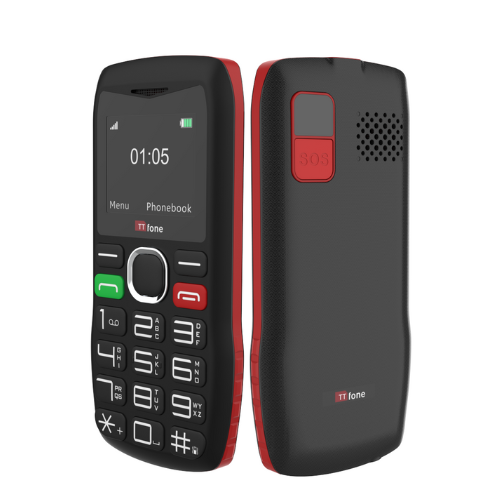
Sind Sie auf der Suche nach einem einfach zu bedienenden, unkomplizierten Mobiltelefon für sich selbst oder einen geliebten Menschen? Wir bei TTfone haben uns auf die Entwicklung von Mobiltelefonen spezialisiert, bei denen Einfachheit und Funktionalität an erster Stelle stehen.
Das TTfone TT880 passt perfekt in unser preisgünstiges Mobiltelefon-Sortiment. Es verfügt über alle oben genannten Funktionen sowie über eine Notfallhilfe-Taste, mit der auf Knopfdruck schnell bis zu fünf voreingestellte Telefonnummern angerufen und per SMS benachrichtigt werden können.
This TTfone TT880 for ‘seniors and the elderly’ really is basic. If you just want a phone for emergencies then this really is ideal as vital numbers can be stored and then called up when necessary. I think, though, that many vulnerable people living alone already have access to emergency devices which are either worn around the neck or wrist and can be used to someone immediate help. However good - or basic - a mobile phone is if it’s not on your person when needed - say if you fell, for example - then it’s not much use. But these phones do have a usefulness, in as much as they are so simple, have nice big digits and feel pretty sturdy. However, from my experience, the elderly and vulnerable feel far more comfortable using a familiar landline, rather than a mobile phone, however simple. So, if you’re still looking for a no frills mobile phone, then for the money this is certainly worth giving a try.
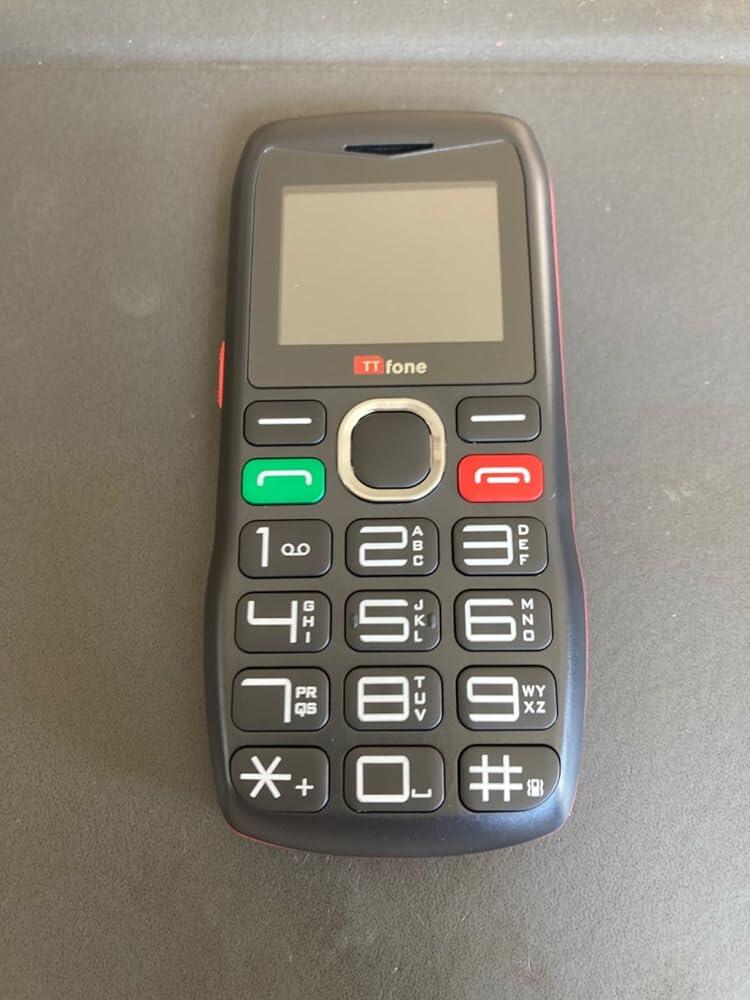

The TTfone TT880 Easy-to-Use Mobile Phone for Seniors is a basic “dumb phone†that does away with all the bells and whistles and leaves a basic mobile phone with basic functions and large easy to read physical alpha numeric buttons.The phone itself is pretty small, and even with the removable battery installed it’s lightweight. The build quality is good, with materials being primarily plastic which is expected given the low cost.In addition to the standard alpha numeric keys there’s a programmable SOS button on the back, you also get an LED flashlight which is activated using a slider on the side of the phone, which I think is a nice touch.My only niggle is the size of the screen, while it’s bright, it’s relatively small size means some text can still be a little smaller than I’d expect for an elder friendly phone.
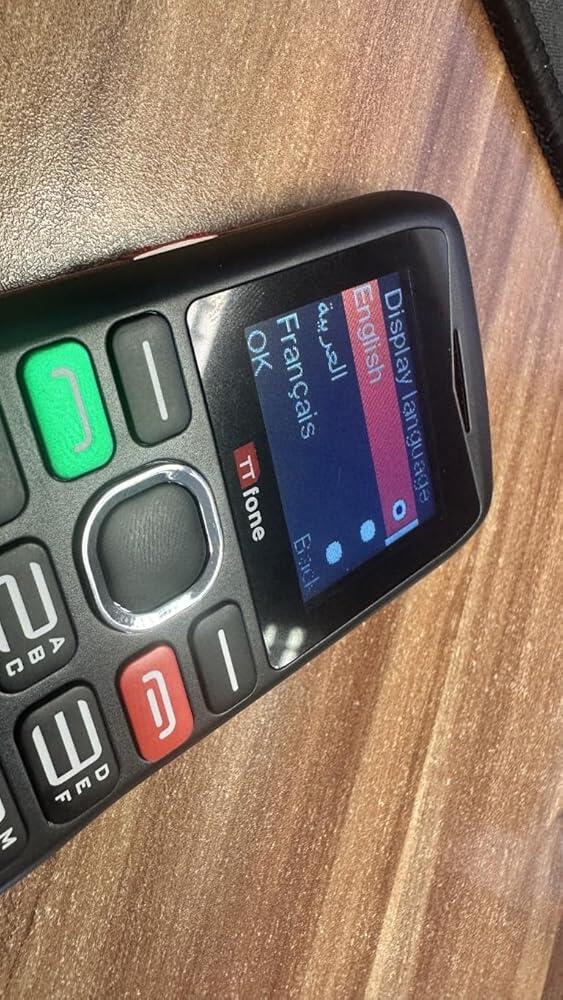


This is a basic no thrills 2g mobile phone with no camera or internet access aimed at the senior market with a large keypad and easy to read numerals. It does have a music player and a micro SD card slot for expanding the storage and supports bluetooth so it can be used with bluetooth headphones or to transfer files. There is also a 35 mm jack socket for if you want to listen through a wired headset. A slide switch on the left hand side turns a torch on at the top of the phone which is a handy feature to have. The build quality is nothing special, it has a plastic chassis and back but looks like it would probably survive quite a few drops from pocket height onto a carpeted floor but may not fare as well dropped from the same height onto a kitchen floor. The screen is fairly small but the text is easy enough to read and the operating system is easy to navigate from the menu. The layout is pretty similar to some of the old Nokia phones. There is an emergency button on the back which can be programmed to call up to 5 numbers automatically should you or your elderly relative find yourself in trouble. This is a common feature on phones aimed at the senior market. One thing I feel I should mention is that it only takes the old standard sized SIM cards and not the more recent micro or nano SIM cards that most smartphones have these days. This should not be a problem if you have kept the adapter frame you pushed your nano SIM out from but it is something to bear in mind. If the worse comes to the worst you can always order a new SIM card from your service provider which should come with the standard size SIM adapter. This is a decent enough phone and functions well for calls and texts on a 2g network which according to Google won't be switched off by the major service providers until 2033 so you should get a fair amount of use out of it before that. It is worth noting that this phone will not work on the 3, Smarty or ID networks as they do not provide a 2g service. At the current price of £15.99 it seems like extremely good value and would make a good phone for an elderly relative or just if you want to have a cyber detox from your smartphone.
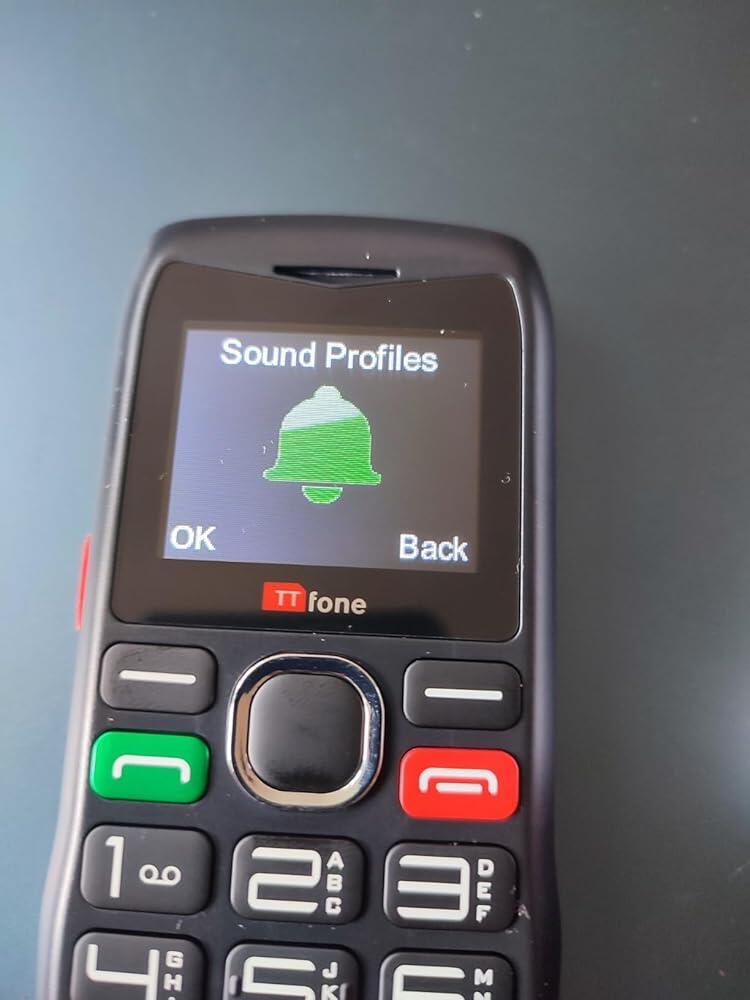
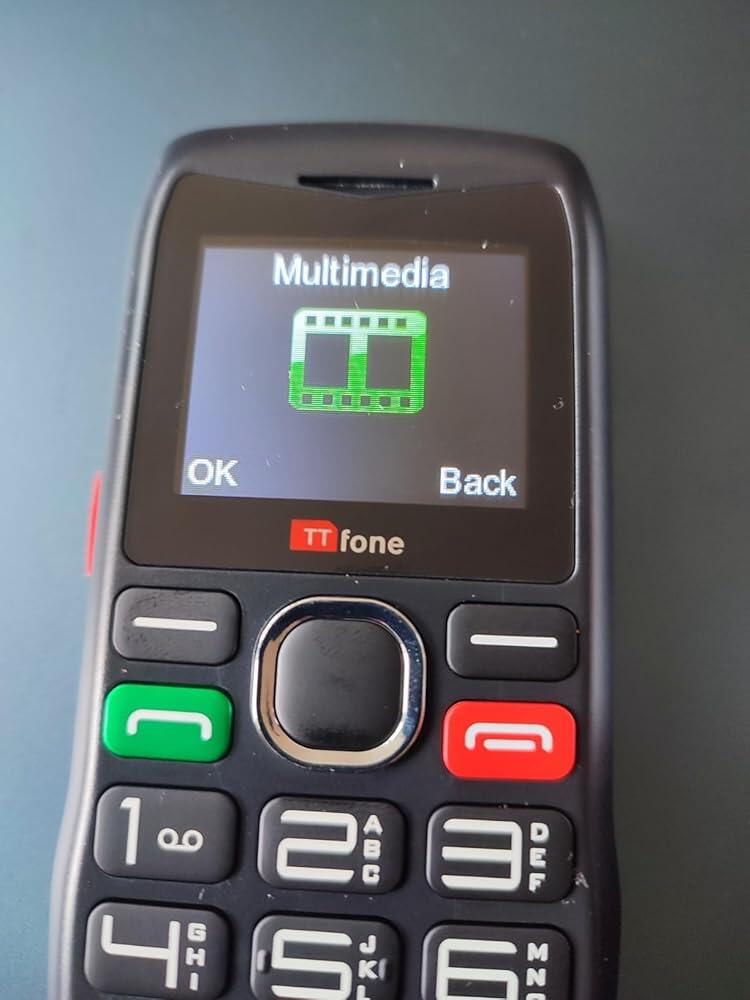


Review of TTfone TT880 Easy-to-Use Mobile, Large Button Phone with SOS Assistance Button.As the advertising says this a simple basic phone for those of us whom prefer simplicity, once received all that is required is to insert the battery, Sim card and adjust the essential settings, these date, time and contact list, obviously there are others but non urgent so can be set later.The buttons on the phone large however my one comment is the menu button surrounding bezel, this used to enter various menu functions but it is thin and not really pronounced enough to use without hitting the centre button, as this aimed at the senior market this four way bezel difficult to use as not high enough above the central button and requires more a fingernail to use than a finger tip, could be better designed.The phone itself is hand sized, easy to charge with the provided cable but no charger supplied, the separate side torch switch is useful, it has a simple message and menu selection as well as a very loud speaker which is adjustable, this phone uses the 2G network, calls and messages only without data or apps, 2G to continue in use for another eight years we are told.Apart from the difficult to use thin bezel which manages the menu this a good simple phone, the battery has good standby life and as a replacement for a landline which are set to disappear 2025 this convenient, calls also a lot cheaper if using 1P a minute calls and texts mobile service offered by a smaller provider.


Bought for my 82 year old mum. Easy for her to use. All very good so far.
Thank you for your lovely feedback! We're delighted to hear that the phone is easy for your mum to use and that everything has been going well so far. We hope she continues to enjoy her new phone!
Thank you for choosing TTfone!
— TTfone Team
Bought this for amy elderly dad who can only cope with a simple phone. For this it is ideal. The buttons are big, the screen bright. It does have a flimsy feel to it, but for the price I can't complain.
Thank you for your feedback! We're delighted to hear that the phone has been an ideal choice for your elderly dad and that the large buttons and bright screen make it easy for him to use.
We also appreciate your comments about the build quality. Your feedback is valuable and will be shared with our product team as we continue to improve our devices.
Thank you for choosing TTfone, and we hope your dad continues to enjoy using his phone.
— TTfone Team
great phone, easy to use. I highly recommend it.
Thank you for your kind feedback. We’re delighted to hear that you find the phone easy to use and truly appreciate your recommendation.
— TTfone Team
Very easy to use and battery life is excellent
Thank you for your kind feedback. We’re delighted to hear that you find the phone easy to use and that you’re pleased with the battery life.
— TTfone Team
JUST RIGHT FOR ME THANK YOU.
Thank you for your lovely feedback. We’re so pleased to hear that the phone is just right for you.
-TTfone Team
Auch für behinderte z.B mit Ouerschnitt sehr empfehlenswert da große Tasten...
Buono
War für unsere 86 jährige Nachbarin. Sie kommt gut damit zurecht.
Ben fatto ,prende benissimo in ogni dove, ha una torcia che si accende anche a cellulare spento tramite un tasto posto a lato ha pure la radio DM che prende benissimo, praticissimo il bastone centrale , ricezione ottima, batteria non molto grande
easy use
O som podia ser um pouco mais alto mas está aceitável
Bom para pessoas com capacidade reduzida
Ottimo cellulare per anziani
Fijn formaat telefoon. Grote knoppen. Makkelijk in gebruik. Snel geleverd. In meerdere talen in te stellen. Laad snel op. Duidelijk. Prettig in gebruik.
super :o)also für ältere Menschen einfach zu bedienen ,guter klang alles was man braucht .... und eigentlich zu günstig :o)
Wanted a basic non internet/data phone.Larger print and buttons makes its easier for my retired mum to use.
Bueno pero poco volumen
Can’t comment,haven’t used it yet
Thank you for your feedback. We hope the phone meets your expectations when you start using it. If you need any help with setup or support in the future, our team will be happy to assist.
— TTfone Team
I set up the TTfone for my elderly parent who struggles with small screens and tiny buttons. Right out of the box, the phone felt sturdy but wasn’t heavy, and the bright red colour made it easy to spot around the house. The buttons are very large, which makes dialling and typing texts much easier for someone with shaky hands. Setting up contacts and emergency numbers was straightforward, and the emergency button is placed so you won’t press it by accident. We used the included USB cable for charging, and the battery lasted more than a week with basic use, calls, texts, and some radio listening. The volume is loud enough for someone who’s hard of hearing, and the speakerphone was clear. The Vodafone PAYG SIM worked instantly so we could make calls right away. I also liked that there weren't too many complicated extras on the phone, just basic functions that are easy to navigate. Seeing the smile when making the first call with no trouble was the best part!