


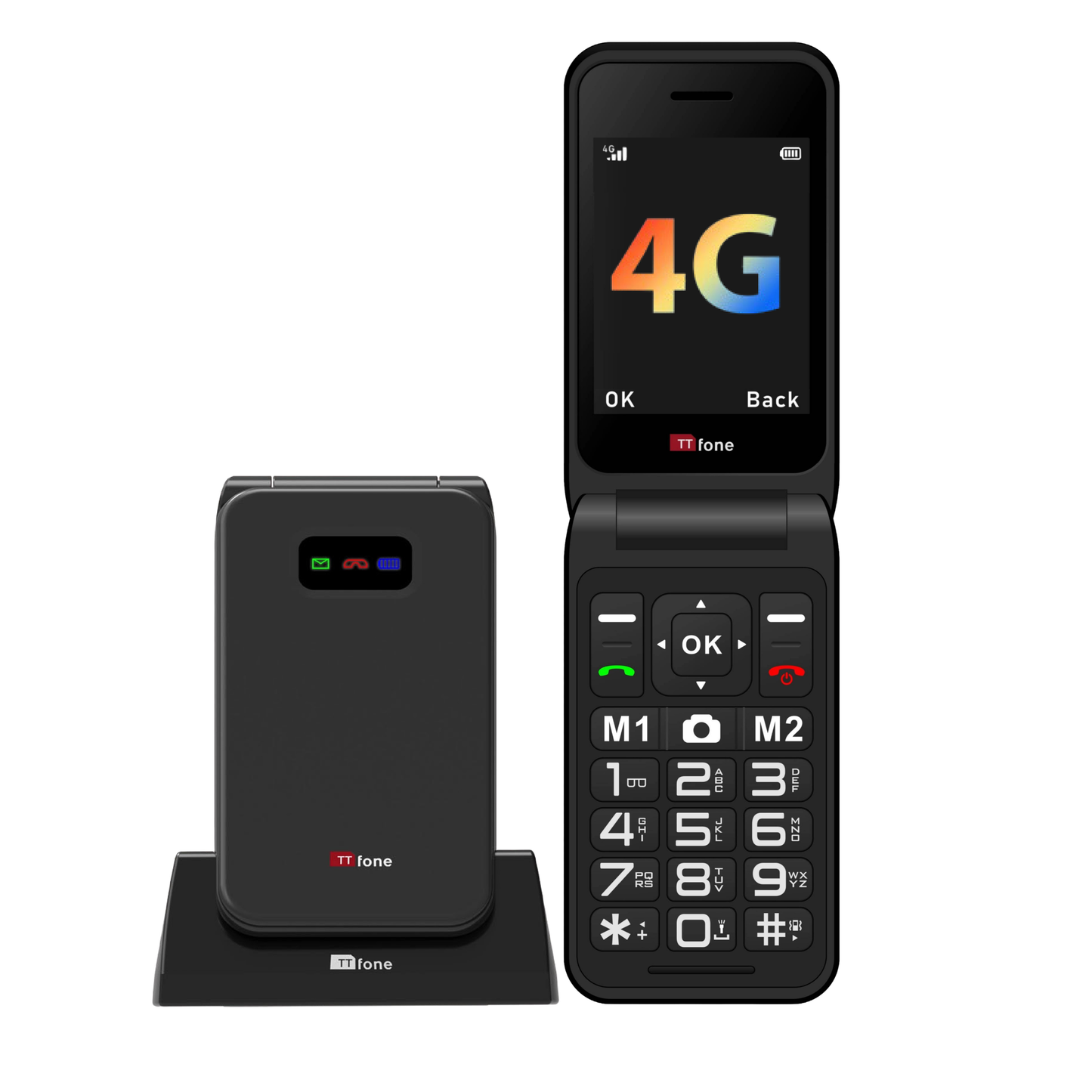
TT760 (4G) Tech Talk: What’s Inside
💡 Quick Overview
- Style? Flip
- Languages? English, French, Spanish, Italian, German, Portuguese, Turkish, Netherland, Polish, and Arabic
- Lanyard Compatible? Not this time
- Touchscreen? No, keypad navigating menu
- Screen Size & Display type? 2.8 " Colour TFT
- Display Screen Distinction 240*320 pixels
- Predictive text? Nope – old-school typing only
- Keypad Backlight? Yes
- Talking Buttons? Yes, human voice key for number pad
- Speed dial? Yes, can set from no. 2 - 9
- Emergency Alert Button? Yes
- Mp3, Torch, Alarm clock, calculator, & FM Radio? All included
- Headphone Port: Yes
📦 Storage & additional specs
- Memory: 32MB
- Expandable: Up to 16GB with MicroSD memory card
- Contacts: Save up to 500
- (SMS) Text messages: Yes, SMS (normal text messaging) / MMS (multimedia messaging) & holds about 50
- Camera? Yes
📐 Dimensions & Weight
- Height: 20.5 cm
- Height with closed lid: 10.4cm
- Width: 5.6cm
- Width with closed lid: 5.6cm
- Depth: 1.2cm
- Depth with closed lid: 1.8cm
-
Weight (w/ Battery): 130g
🔋 Power & Charging
- Battery: Li-ion (Lithium Ion) 1000mAh / 3.7Wh- lasts up to 3 days standby
- Talk time: Around 180 minutes
- Charger: USB C (finally!) + a mains head charging pin & Dock Charger option (sold separately)
- SAR Value: 1.004w/kg
📶 Call & Network Stuff
- Bandwidth: 4G:2100/1800/2600/900/800 GSM: 900/1800 WCDMA: 900/2100
- Dual SIM? No
- SIM card size: Nano
- Wi-Fi? No, only mobile data
- Bluetooth? Yes, it has 2.1 version
- Number of Ringtones? 5 ringtones
- Ring Volume 110 dB
- Call Volume 71 dB
- Speakerphone Volume 95 dB
🌐 Smart Features – Not on this mobile, it runs basic calls and messages only.
📌Want to get the most out of your TT760?
Check out our Youtube page for quick video tutorials.
❓Wait, Quick Questions…
❓ Wait, Quick Questions…
Find fast answers to common questions about our services and products:
Q1. How to contact TTfone?
You can chat with us directly on our website by clicking the bottom-right chat bubble, or click here: Chat with us.
Email: Reach us anytime at [email protected].
Phone: Call us on +44 (0) 330 333 0819 (charged at UK standard rate), Monday to Friday, 10:00 AM – 4:00 PM.
Q2. What are your shipping options?
We offer 2 delivery options for UK customers:
- Standard Delivery: 4 to 7 working days — FREE
- Express Delivery: 1 to 2 working days (additional charge)
Orders placed before 2:00 PM (Monday to Friday, excluding public holidays) are dispatched the same working day.
Orders delivered outside the UK & EU may incur import duties or local taxes payable by the recipient. We will confirm courier availability for your destination before dispatch. If service is unavailable, we reserve the right to cancel the order and issue a full refund.
Q3. How long is the phone warranty?
Brand-New Mobiles:
- 1-Year Warranty: TT170, TT175, TT220, TT240, TT300, TT660, TT750, and TT950.
- 2-Year Warranty (Selected Models): TT150, TT190, TT280, TT290, TT760, TT880, TT890, TT970, and TT990.
14-Day Returns / Refurbished Resale Deals:
- ✔ 30-day return policy
- ✔ 3-month service warranty
*The warranty covers manufacturer faults and excludes physical or liquid damage. Statutory consumer rights remain unaffected.
Q4. How do I register my TTfone warranty?
You can easily register your product online by completing our form here: Register Your TTfone Warranty.
Q5. How long do I have to return a phone for a refund?
We offer a 30-day return policy if you change your mind or find the item unsuitable. Simply contact us so we can raise a return Case ID. Once the item is posted and inspected, your refund will be processed.
*Please note: Prepaid top-up airtime credit is non-refundable.
Q6. The appearance is simple, but is it easy to use?
Absolutely! Our intuitive layouts make navigating quick to learn. Menus are straightforward so you can find what you need without complex steps or endless searching.
Q7. Who are TTfone mobile phones made for?
Everyone! Anyone looking for simple, reliable mobile connectivity can benefit from TTfone. Our large buttons, high-volume speakers, audio speech feedback, and easy menus make them ideal for seniors, children, or anyone wanting a distraction-free secondary phone.
Q8. Is this phone considered safe regarding SAR & radiation?
Yes. All TTfone devices strictly comply with UK and European safety regulations, producing low SAR radiation levels suitable for daily peace of mind.
Q9. What comes included in the box?
Every phone includes:
- TTfone Handset
- Rechargeable Battery
- USB Charging Cable
- User Manual
*Selected models also include a convenient desktop dock charging station in the box.
Q10. What SIM cards can I use with TTfone phones?
All TTfone mobile phones are unlocked to any network. However, please note:
- 2G-only models: Do not support 3, iD Mobile, or Smarty (as these networks rely solely on 3G/4G/5G).
- 3G/4G models (TT280, TT290, TT890, TT970, TT990): Work with all UK & EU network providers.
If using the phone outside the UK or Europe, please check with your local provider regarding local 2G/3G/4G frequency band compatibility.
Q11. Can this phone be used hands-free?
Yes! On models with a dedicated speakerphone button, press it once during a call. On other models, select Options > Hands-Free. This feature is great when driving, cooking, or involving family members in the conversation.
Q12. What is the SOS button on the back of some mobiles?
The SOS key is an emergency feature that dials preset contacts in sequence and sends emergency text messages automatically. It can also sound a loud local alarm to attract nearby help.
Important requirements:
- An active SIM card must be inside the device.
- At least one emergency phone number must be saved to the SOS menu.
- The phone must have signal and available call/SMS credit.
Q13. Can flip phones answer/end calls by opening and closing?
Yes, all TTfone flip models support the flip-to-answer setting for standard cellular calls.
Note for 4G flip models (e.g. TT970 & TT990): The flip action does not control WhatsApp calls, as third-party messaging apps require touch input inside the app screen.
Q14. What language options are supported?
All TTfone models support English, French, Spanish, German, and Italian.
Selected models also support additional languages such as Polish, Dutch, Portuguese, Romanian, Turkish, Arabic, Hindi, or Russian. Check individual product specification pages for exact language details.
Q15. Which TTfone models support WhatsApp?
The following smart-feature models support WhatsApp messaging and calls:
- TT280
- TT290
- TT950
- TT970
- TT990
Q16. How can I order TTfone products?
You can order directly online at www.ttfone.com or via phone. We are also available on trusted market partner sites: Amazon, eBay, TikTok Shop, Temu, OnBuy, The Range, and Cdiscount.
*Note: Purchases made via partner platforms must be processed on that platform for any returns or refunds.
Q17. What online payment options do you accept?
We accept Debit/Credit Cards (Visa, Mastercard, American Express), PayPal, Apple Pay, and Google Pay.
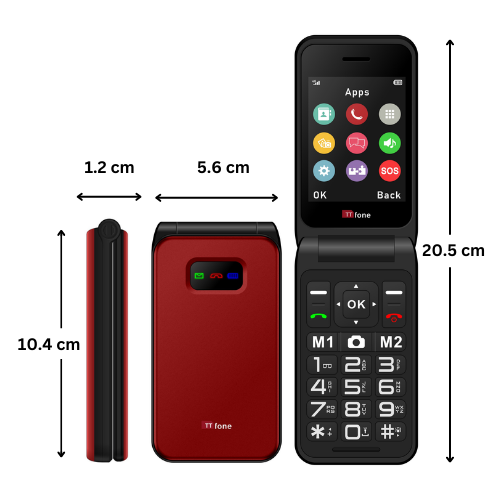
TT760 Dimension
Height: 20.5 cm
Height with closed lid: 10.4 cm
Width: 5.6 cm
Width with closed lid: 5.6 cm
Depth: 1.2 cm
Depth with closed lid: 1.8 cm
Weight (with Battery): 130 g
-
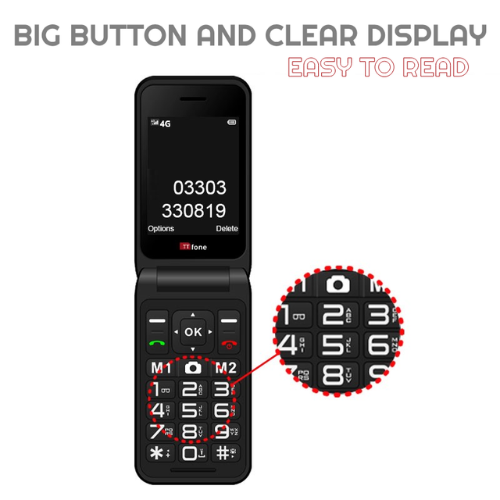
Big Button and Clear Display
The TTfone TT760 features big buttons, talking keys, and large fonts on a 2.8-inch screen for easy dialing, audible guidance, and improved readability.
-
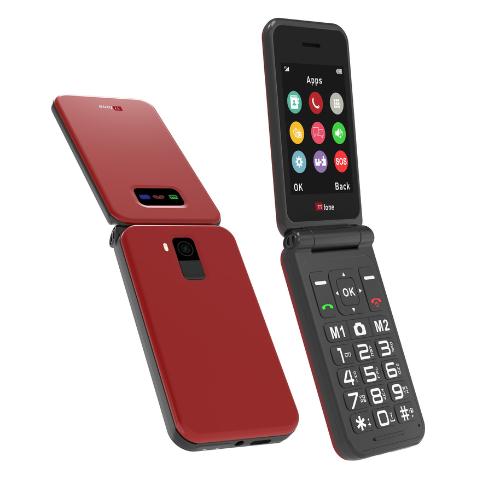
Answering Calls
When you receive an incoming call, you can simply open the flip of the TT760 to answer it.
-
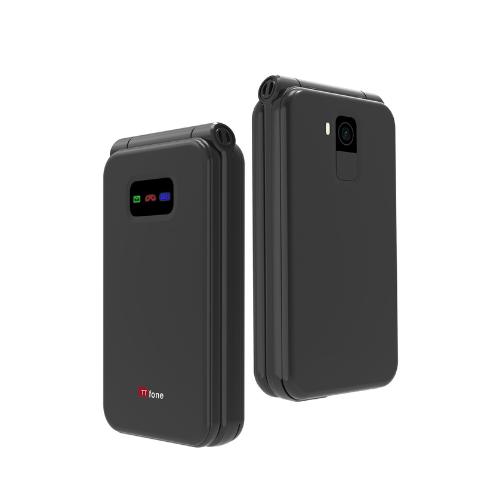
Ending Calls
Once you've finished your conversation, you can easily end the call by closing the flip.
-

Easy and simple 4G phone
The TTfone TT760 - the perfect mobile phone designed specifically for the elderly. This 4G flip phone combines simplicity, functionality, and ease of use.

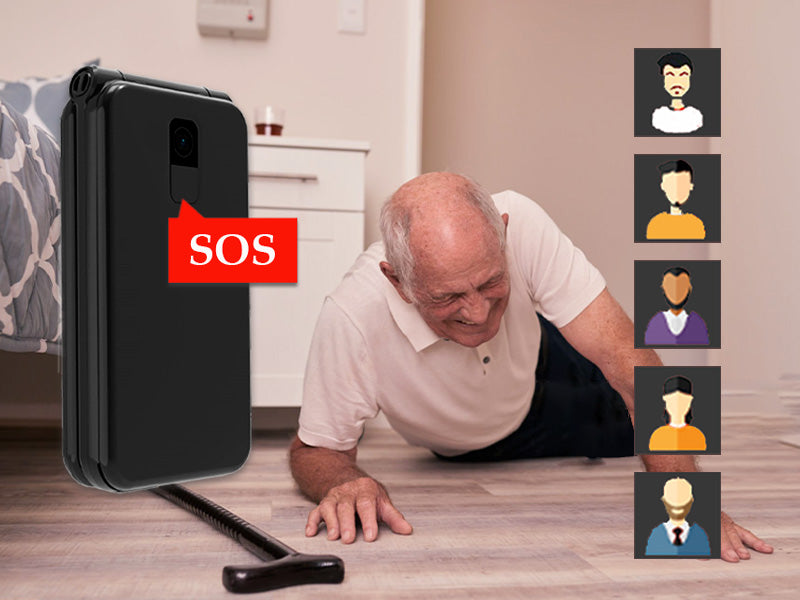
Emergency Assistance Button
The SOS button on the TTfone TT760 gives quick peace of mind if something goes wrong. Press it and the phone calls and texts the contacts you have saved, so family, friends or carers know you need help. You can save up to 5 SOS contacts. The SOS button does not call the emergency services. In a life-threatening emergency, always dial 999 or 112.
-
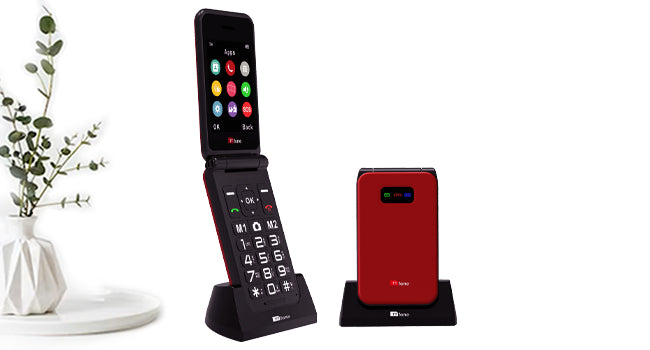
Easy Charging
For easy charging, a dock charger is available for the TT760, allowing you to conveniently charge the phone on your desktop, ensuring it's always ready for use
PLEASE NOTE: the dock charger is sold separately.
-
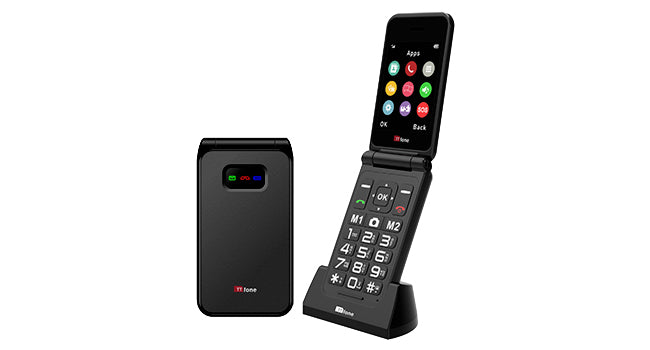
Call Management
The flip function of the TT760 also allows for easy call management. The TT760 is thoughtfully crafted with big buttons, ensuring effortless dialing and reducing the risk of errors. The talking keys provide audible confirmation, guiding users through the phone's features and enhancing accessibility.
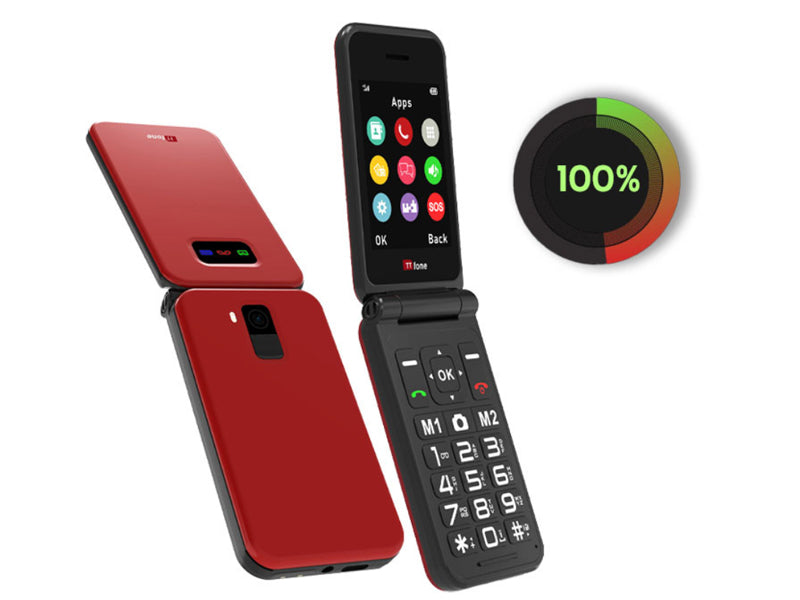
Great battery life
The TTfone TT760 is powered by a long-lasting 1000mAh battery, ensuring you stay connected throughout the day without frequent recharging. Its torch feature offers convenience in low-light situations, while Bluetooth connectivity enables seamless pairing with compatible devices.
Designed for comfort, the TT760 fits comfortably in your hand and pocket. Its durable construction ensures longevity, while the loud call volume ensures that you never miss an important call.
I got this for my very un-tech-savvy elderly mum. For phone calls, she finds it mostly simple to use using the quick button to call me then closing the flip to end the call. The big buttons have a nice clicky and tactile feel and the numbers are large.She tested the emergency button and first thing it does is sound a loud emergency siren alarm which is very effective. At the same time it flashes the white light torch. A few seconds later, my phone rings. Then a few seconds after that, my phone receives a text message with the default "Emergency Call: I need help!". The message can be changed and up to five numbers can be called in a sequence.The phone is great for those vulnerable needs and very effective.However, the phone falls short on text messaging, which is a mighty pain, half works and illogical. Firstly, the keypad, although illuminates, needs to stay illuminated while writing a text message. It only stays on for default 10 seconds and maximum 20 seconds. Then it's dark so the letters are incredibly hard to see, even in bright light. Texting is slow and sending to a contact has illogical steps. If selecting to write a SMS through the menu, you can't actually fill in the "To:" field with one of your existing contacts, making it a pointless route. Instead, you have to1. select "Contacts" on home screen2. Select "Options"3. Select "Write Message"4. Select "SMS"5. write your text6. select "Options"7. Select "Send"It's a bit much just to send a text message. My mum eventually manages to send a text message, but she is justifiably very put off by the process of messaging.It's nice that there is a camera but wow, what an awful camera, worse than the first generation 2mp cameras of two or three decades ago. Such an insult to the poor elderlies who will feel unworthy of a half decent camera.
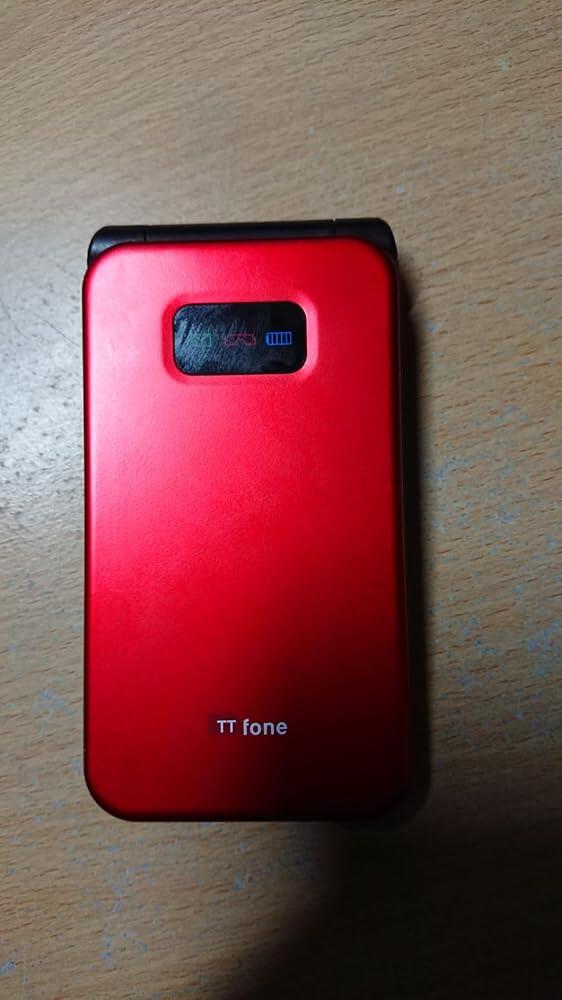
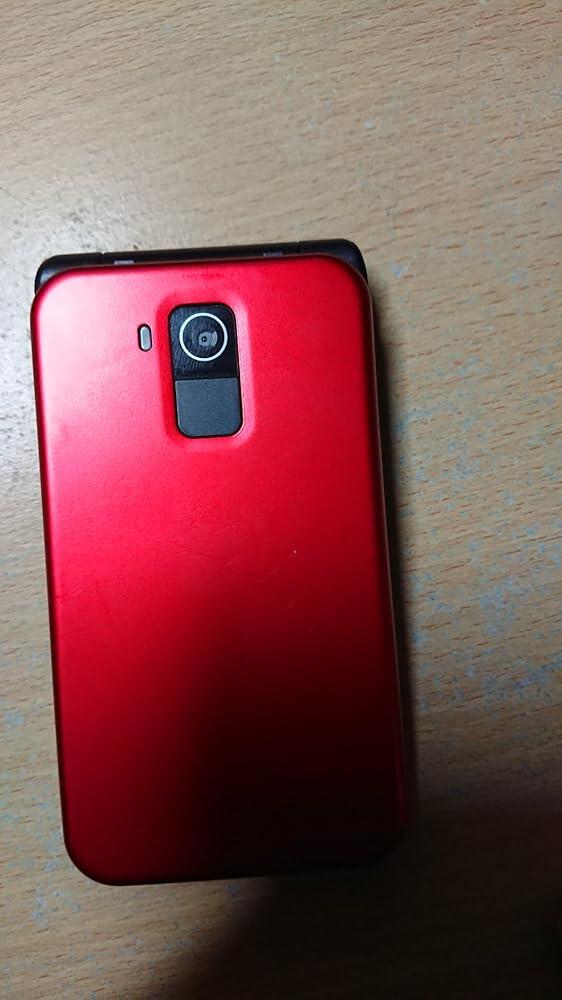


I’ve had a few flip phones that are designed for the elderly or those with reduced motor function and this is by far one of the best.I’d still suggest getting the dock version but this at least has USB type C charging which is easier to get in to the phone.This phone gets a lot right. It’s loud. It’s bright. The keypad has haptic (vibration) feedback and is back lit. It’s reads out the numbers dialled. It has an SOS feature. It’s easy to open and close. The messaging isn’t too fast when typing and gives you time to do it. Not all phones like this have these features.It has a camera that is best described as a camera from 2014. Its placement is not ideal as gripping the phone gets in the way of it. The directional buttons are surprisingly small and this isn’t ideal.That said, it’s easy to use and has a lot of good going for it. It is easy to talk on, has a small screen to flash up for messages if you didn’t hear them. It’s not perfect but is definitely better than the others I’ve had.
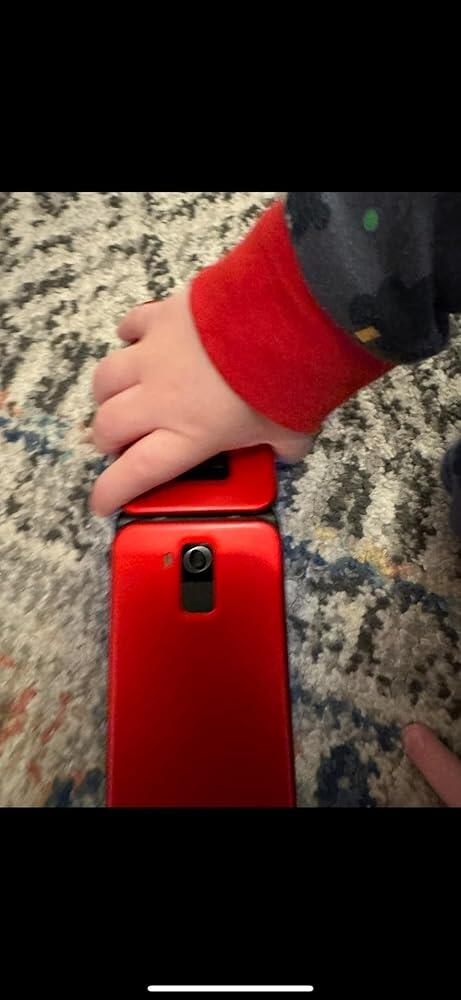
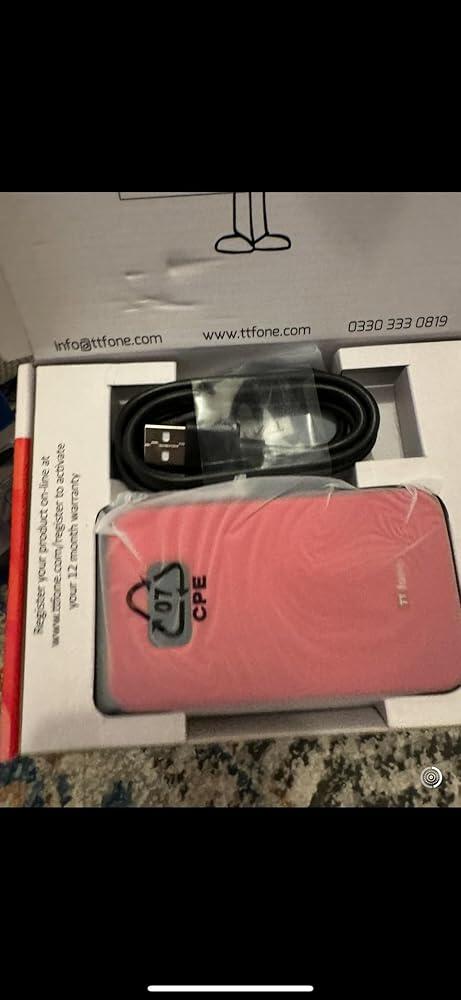


As I stated in my previous review, this is one brilliant phone you can use on any network as long as you have 4G Volte available It works brilliant on three smarty ID Mobile Vodafone Tesco Sky etc .. if you go into phone settings and scroll down, you will see 2G 3G and 4G and Volte just tick the box and you’re done…

Thank you for sharing your experience and helpful tips. We’re delighted to hear you’re enjoying the phone and that it’s working well across different networks with 4G VoLTE enabled. Your advice will certainly be useful to other customers.
— TTfone Team
A little dubious, I decided to order this phone ideally for the car so I can switch off my iPhone and save distractions it has a brilliant vibration. It has 4G Volte Calls ( Voice over LTE ) the ringtones could be a little bit more better but it works. I paid £49.99 because I wanted the cradle. Which sits on my desk it’s brilliant little phone. It has a microSD slot for 32GB which is amazing in itself it does have an opera lite Internet but don’t bother it it’s not good. It’s just for calls and texts for emergencies in the car if you’re gonna be late if you’re stuck in traffic for a family meeting or cars broken down etc HOWEVER here is something it is good for there is a button on the back by the camera. Yes it does have a camera. It’s not a very good it’s BGA take you back to the 90s but he’s something brilliant my nieces who are in their teens have bought this phone so they could call back to their parents. Their friends have bought this phone cause there’s a button at the back which is an emergency SOS button. This bone is originally for the elderly however my nieces have found out that if they’ve followed Home or followed around by people, who they are uncomfortable with oppressor the button for an emergency and their father will be there within minutes so it’s brilliant for ladies who feel uncomfortable being followed by boys/ men there are five numbers you can have as an emergency Mum dad brother whoever it may be it’s worth worth the £49. Peace of mind for the car doesn’t come with the car kit although there is one available brilliant piece of cake for the brilliant price there is a leather case you can purchase separately. It does come with a plug you can do two things you can get it on Amazon or you can get it on TT phone website is a basic brilliant phone with the added bonus of an SD card and Bluetooth and it has a Radio but please note the radio only works with a corded wired earpiece as it accesses the antenna you can use earbuds they do work tested on Motorola earbuds and it works doesn’t work with Apple ones …. Very very impressed this little belter reminds me of 90s the signal is amazing on EE you have to switch on the Volte settings when you’re going into the settings part of the phone once that’s on the signal is solid.. as 2G and 3G are being switched off when going into the phone? There is a sounds and profiles button where you will find normal silent meeting and then your own sound profile 123 and four so you can set your own one up press that to get into settings amends ring settings, adjust volume ring type and other alerts there is also the SOS button in the settings you’ll see core settings phone settings display security network settings key vibrate and voice dial there’s called divert waiting called barring ID and fixed dialling numbers. You can also have the flip answer the call and to end the call just turn the flip down all you know it’s an amazing piece of cat for £50. People have said that there’s no VOLTE on the phone which is VoiceOver for GLTE. There is it? It’s there. You just have to find it to switch it on brilliant for the car. You can carry it around it as light as a Feather. I normally carry mine around in its leather case when I’m taking the dogs out for a walk it’s weightless Customer services have been absolutely amazing. They are brilliant at helping you one of the best phone companies I’ve ever come across. I’m waiting to get the 1970 now which is a 4G touchscreen flip phone clamshell which is more powerful than this one. I just wish there was some more decent ringtones however it does it Job and it’s worth every penny if you don’t use the phone it has a week on standby.
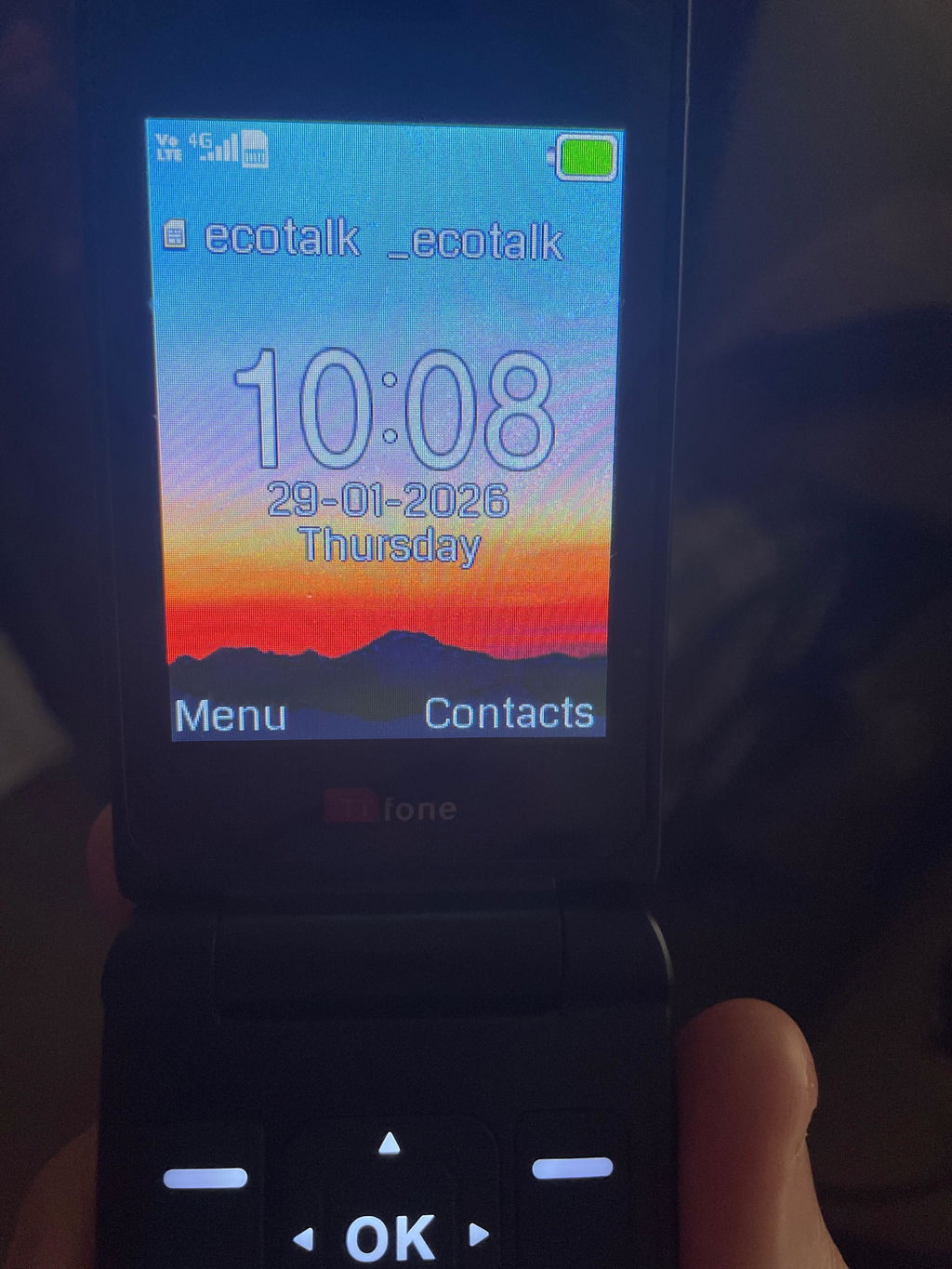
Thank you for taking the time to share such a detailed and insightful review. We’re delighted to hear how well the phone has met your needs, from 4G VoLTE calling and reliability in the car, to the SOS feature providing peace of mind for your family.
It’s great to know you’re enjoying the practical design, lightweight feel, and added features such as the SD card support, Bluetooth and cradle. We also really appreciate your honest feedback on areas like ringtones and internet use — comments like these are invaluable for future improvements.
We’re especially pleased to hear your positive experience with our customer service, and we truly value your support and trust in TTfone.
— TTfone Team
I have tried three different New Sim cards in this phone, ( 1p mobile, nsnda, and Labara) none of them work, all I get on the screen is either, No service, Emergency calls only or Registering, an absolute waste of money and useless phone, it's now sitting in my drawer and I'm sure soon destined for the rubbish bin.
I was a little hasty in my review purely out of frustration, I am pleased to say the problem with the sim cards has now been resolved thanks to a gentleman at Tesco Mobile and the phone is working as it should and is proving to be very good value for money , I would now say it is a perfect phone for any elderly person who only need minimal use.
Also TTfone service team were very kind and helpful.
Thank you for your feedback. We’re sorry to hear about the issues you’ve experienced with the phone and apologise for the frustration caused.
This is certainly not the experience we want for our customers. One of our team members has reached out to assist you, and we would be happy to investigate the issue further to determine whether there may be a network, setup, or device-related problem.
We appreciate you bringing this to our attention and hope we can help resolve the matter for you.
— TTfone Team
Got two thought they were top but sending a txt is stupid pressing different buttons whoever programmed it wants sacking all and every phone on the market texting is easy bot this you press ok then other button ooo fed up it's driving me mad rubbish
Thank you for your feedback. We’re sorry to hear that you’re finding the texting process frustrating, and we apologise for the inconvenience caused.
Your comments are important to us and will be shared with our team for review. If you would like assistance with sending text messages on the phone, our support team would be happy to help guide you through the process.
— TTfone Team
great phone to use, nice and user friendly
Thank you for your kind feedback. We’re delighted to hear that you find the phone easy to use and user-friendly.
— TTfone Team
Brilliant phone reception with this new phone - previously on my 3G TT phone very sketchy reception. The new phone is all I need - calls and texts as I lead a 'simple' life.
Thank you for your feedback!
We’re pleased to hear you’re enjoying the improved reception and that the phone suits your needs perfectly.
-TTfone Team.
Love it
Thank you for your lovely feedback! We’re so happy to hear that you love the phone.
— TTfone Team
The TT760 4G Returned Resale is perfect for my elderly father who wanted to retain the use of a clam style phone but needed something with bigger easier to read buttons and a docking station as he finds it hard to plug the charging cable in these days.Overall he is very pleased with the new phone.
Thank you for your wonderful feedback. We’re delighted to hear that the TT760 4G Returned Resale is a perfect fit for your father and that the larger buttons and docking station are making it easier for him to use and charge. It’s great to know he is very pleased with his new phone.
— TTfone Team
Good so far , for elderly mum
Sturdy - big buttons - bigger and clearer screen - do not have to have a lot of electronic knowledge to operate itAll in all a good buy
Carino e semplice va bene per chi ha difficoltà con gli smartphone del momento
First class would recommend for an older person ,I ordered it as my phone has gone to 4G,easy to use and set up,value for money,thank you amazon
Super très bien 👍🏻
He loves it
Not at all easy to use for elderly. Only had just over 12 months and completely stopped working
Having lost my phone (in a flooded field) I needed a replacement and decided that I didn’t need a smart phone. This flip phone is neat and compact but, oh my goodness, it has very limited use. As a phone for voice calls the sound quality is very poor, especially in hands free mode. As for texting - if you have used a smart phone for any length of time you will probably have forgotten the process of having to repeatedly press a key to go through the uppercase-lowercase-number-character options. It took an age to send “on my way” text to a friend (I might have arrived on time of I hadn’t stopped to text!) and the keys aren’t particularly responsive.The internet capability is non-existent, even though the phone is supposed to have ‘basic’ internet connectivity. I couldn’t even get it to connect when I was at home linking to my home internet. It would be useless in an emergency.Overall, it looks good but has very poor performance.
Not very good
Light to carry in pocket around the house outside etc. camera is not at all good
For the price I have had 3 different makes including the Nokia so called 2660 and this'll beat them all and it's cheaper after a month I have gone off it hardest phone ever to send a txt fed up got a easyphone ten times better you don't have to keep pressing the ok button on this the tt is rubbish
Only visually inspected, as bought for a 88 year old senior for his soon due change of service provider. All seems O.K. though.
Felt very cheap, the size was fine, didn't use it as sent it back, had a different charging dock all together. It did look easy to use. I don't know about the performance, service, or camera as was never used.But I won't recommend, comes straight from Amazon warehouse. So never got checked.